Mineuniverse
Resource Packs
skaar's 3D totems

skaar's 3D totems

RESOURCE PACK
An easy way of making a custom totem.
by skaareen
Download Claim this project
11,791 downloads
0 likes
0 followers
Updated Oct 14, 2026
0 hypes
Follow0
16x Miscellaneous
Advertisement Remove ads with Premium →


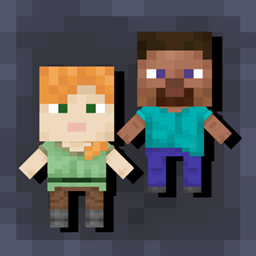
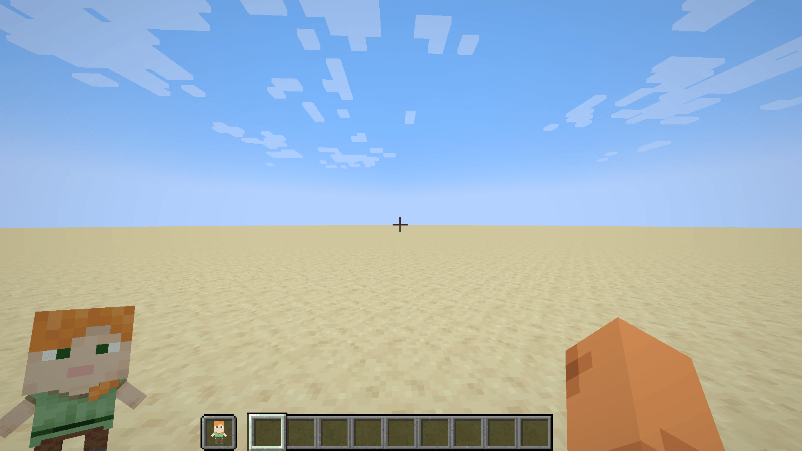
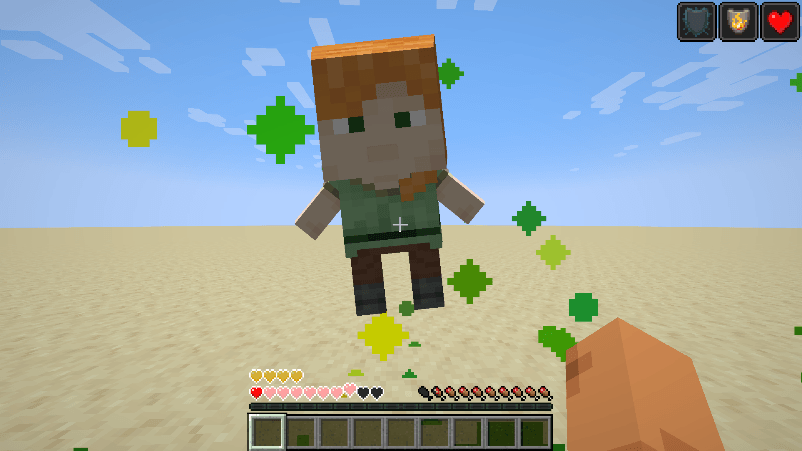
3D Totems adds an easy way for you to make a 3D player skin totem of undying.

 
The newest version should work in every version, until and including at least 1.16.x


Patch notes: 

30/1/22

-  Release

17/4/22

 - Tweaked the model of the totem to make it slightly smaller

29/4/24

- Reworked the entire model to allow support for all skins, and rebranded

30/4/24

- Fixed a facing error, that made the front layer of the torso appear on the top layer of the head.


Tutorial (video):


Tutorial (text):

First unzip the resource pack folder.

Open the unzipped folder.

Then open the "assets" folder.
When inside the assets folder, go minecraft > textures > item.
Once you open the item folder replace the image file inside of it with the image file of your skin.

Easy as that.


Tutorial For the totem particles (text):

First unzip the resource pack folder.

Open the unzipped folder.

Then open the "assets" folder.
When inside the assets folder, go minecraft > textures > particle.
Then you need to download any program that can edit png files. (eg. Photoshop, paint.net, gimp)
Then open the image files in the "particle" folder with whatever program you choose to use.

Now draw whatever shape you want the particle to be.


NOTE: Changing the color of the particle may not work as minecraft uses colormapping for the totem particle.
It will also change the shape of the particle that comes from end rods.


Prefer Modrinth? Check it out here


DO NOT REDISTRIBUTE WITHOUT PERMISSION



3D Totems (Slim)
MC 1.21, 1.21.5, 1.21.4, 1.21.1, 1.21.3, 1.21.2
Release 2025-04-27 Get
3D Totems (Wide
MC 1.21, 1.21.5, 1.21.4, 1.21.3, 1.21.1, 1.21.2
Beta 2025-04-27 Get
3D Totems (Slim)
MC 1.21
Release 2024-06-16 Get
3D Totems (Wide)
MC 1.21
Beta 2024-06-16 Get
3D Totems (Slim)
MC 1.20.2, 1.20.5, 1.20.2-Snapshot, 1.20.5-Snapshot, 1.20.3-Snapshot, 1.20.3, 1.20.1, 1.20, 1.20.6, 1.20.4, 1.20-Snapshot
Release 2024-04-30 Get
3D Totems (Wide)
MC 1.20.2, 1.20.5, 1.20.2-Snapshot, 1.20.5-Snapshot, 1.20.3-Snapshot, 1.20.3, 1.20.1, 1.20, 1.20.6, 1.20.4, 1.20-Snapshot
Beta 2024-04-30 Get
3D Totems (Slim)
MC 1.20.2, 1.20.5, 1.20.2-Snapshot, 1.20.5-Snapshot, 1.20.3-Snapshot, 1.20.3, 1.20.1, 1.20, 1.20.4, 1.20-Snapshot
Release 2024-04-29 Get
3D Totems (Wide)
MC 1.20.2, 1.20.5, 1.20.2-Snapshot, 1.20.5-Snapshot, 1.20.3-Snapshot, 1.20.3, 1.20.1, 1.20, 1.20.4, 1.20-Snapshot
Beta 2024-04-29 Get
Totem Plushies 16x
MC 1.19
Release 2023-04-03 Get
Totem Plushies 16x (Small)
MC 1.19
Beta 2023-04-03 Get
Totem Plushies 16x (Small)
MC 1.17.1, 1.18.1, 1.17, 1.18.2, 1.17-Snapshot, 1.18, 1.18-Snapshot
Beta 2022-04-17 Get
Totem Plushies 16x
MC 1.18.1, 1.18, 1.18-Snapshot
Release 2022-02-17 Get
§4C§6u§es§at§3o§5m §6To§ete§fm §6§l§nPlushie.zip
MC 1.18.1, 1.18
Release 2022-01-30 Get

Requirements & install

How to use this resource pack in Minecraft
Resolution
16x
Minecraft
1.20.5 – 1.21.5
Install folder
.minecraft/resourcepacks

How to install resource packs

  1. Download the resource pack .zip file (do not extract it).
  2. In Minecraft open Options → Resource Packs → Open Pack Folder.
  3. Drop the .zip into the resourcepacks folder (.minecraft/resourcepacks).
  4. Move the pack to the Selected column and click Done.
Browse more: 16x resource packs 32x resource packs 64x resource packs 128x resource packs 256x resource packs 512x+ resource packs Resource Packs for 1.21.5 All resource packs
Advertisement Remove ads with Premium →

You Might Also Like