Mineuniverse
Resource Packs
SimpleSlimFont

SimpleSlimFont

RESOURCE PACK
This resource pack make font to be slim.
by mono_epic
Download Claim this project
21 downloads
0 likes
Updated Oct 14, 2026
0 hypes
Font Packs Modern
Advertisement Remove ads with Premium →

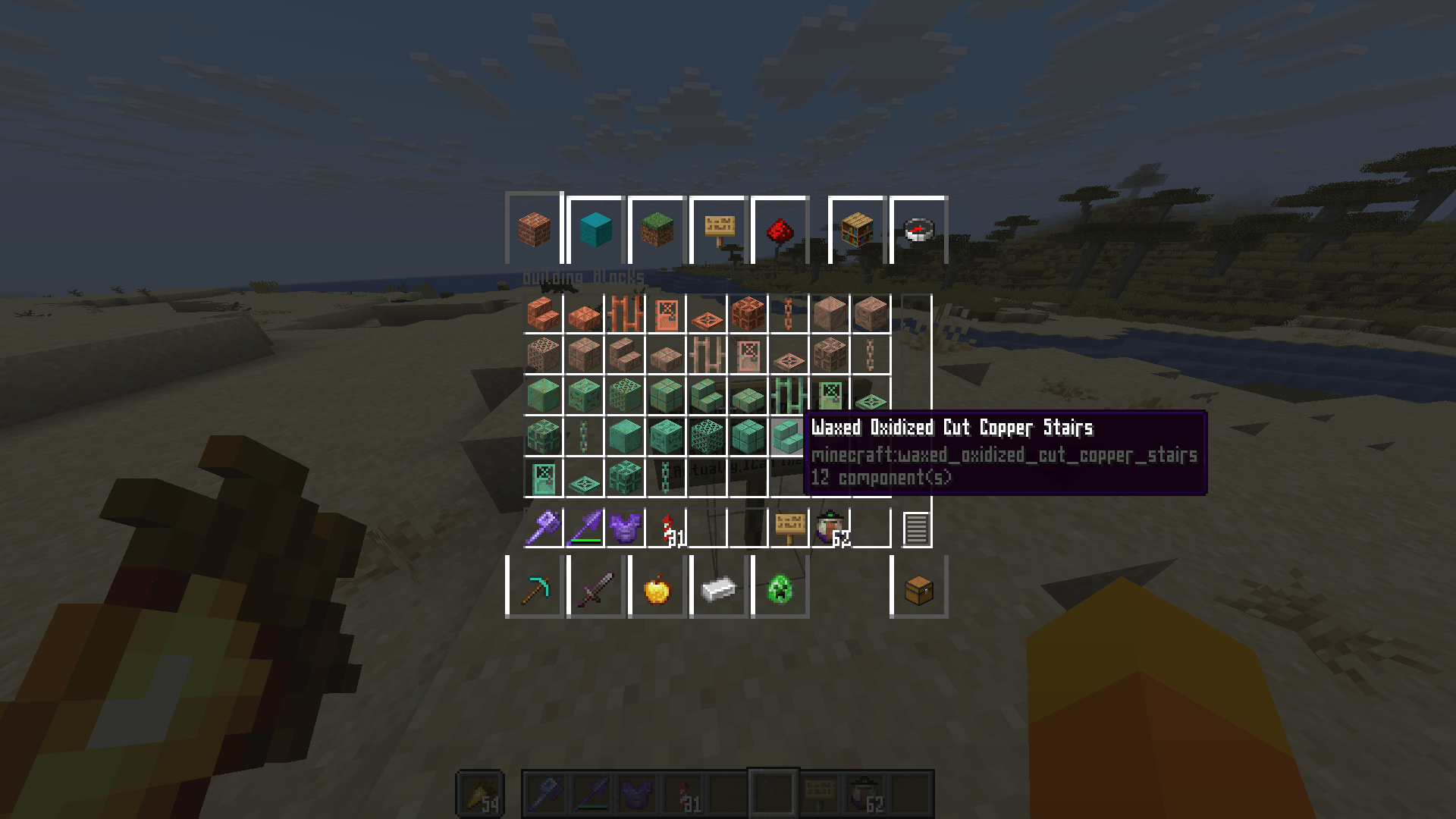
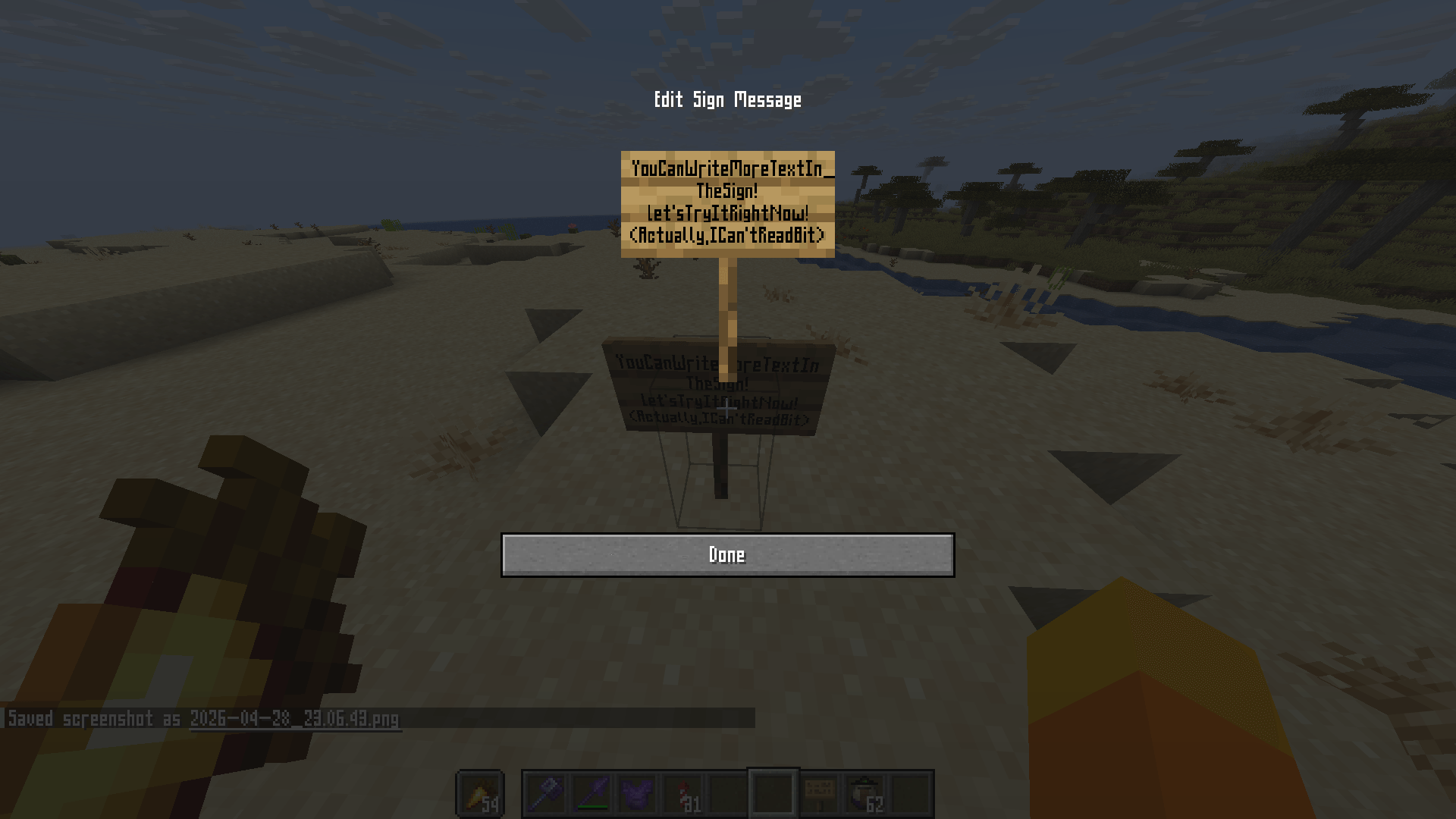
This resource pack make font to be slim.

However, when I add notes, the text sometimes becomes a little hard to read, and when I use bold, it ends up looking just like a ■.


Benefits of using this resource pack:
Chat text looks cleaner.
You can write more on books and signs than before.
*This won’t work unless the other person has this resource pack installed as well.

Drawbacks:
The text shadows make the text hard to read.
Due to the way the text is rendered, some characters may look like others.
When text is bolded, it takes on a silhouette-like appearance, and some characters may appear as solid squares (■).
*Summary: In short, some people may fin

 

SimpleSlimFont1.0
MC 1.21.2-Snapshot, 1.21, 1.21.6-snapshot, 1.20.2-Snapshot, 1.20.5-Snapshot, 1.21.1-Snapshot, 1.20.2, 1.21.8, 1.20.5, 1.21.5, 1.21.4, 1.21.5-Snapshot, 1.20.1, 1.20, 1.20.6
Release 2026-04-28 Get

Requirements & install

How to use this resource pack in Minecraft
Resolution
Not specified
Minecraft
1.21 – 1.21.8
Install folder
.minecraft/resourcepacks

How to install resource packs

  1. Download the resource pack .zip file (do not extract it).
  2. In Minecraft open Options → Resource Packs → Open Pack Folder.
  3. Drop the .zip into the resourcepacks folder (.minecraft/resourcepacks).
  4. Move the pack to the Selected column and click Done.
Browse more: 16x resource packs 32x resource packs 64x resource packs 128x resource packs 256x resource packs 512x+ resource packs Resource Packs for 1.21.8 All resource packs
Advertisement Remove ads with Premium →

You Might Also Like