Mineuniverse
Resource Packs
Simple Green Health Bar

Simple Green Health Bar

RESOURCE PACK
Simple, modern health and hunger bars with a red damage flash — ideal for PvP and survival.
by zakaria_ait
Download Claim this project
Add a badge to your pageLink to Simple Green Health Bar from a README, website or forum post.
Preview: Badge

Badges update automatically and link to the resource pack page on MineUniverse.

3,363 downloads
0 likes
0 followers
Updated Oct 14, 2026
0 hypes
Follow0
Animated Font Packs Medieval Modern Photo Realistic
Advertisement Remove ads with Premium →

Add a bold action-style twist to your Minecraft health and hunger bars!
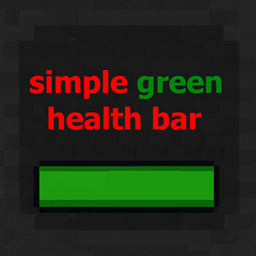
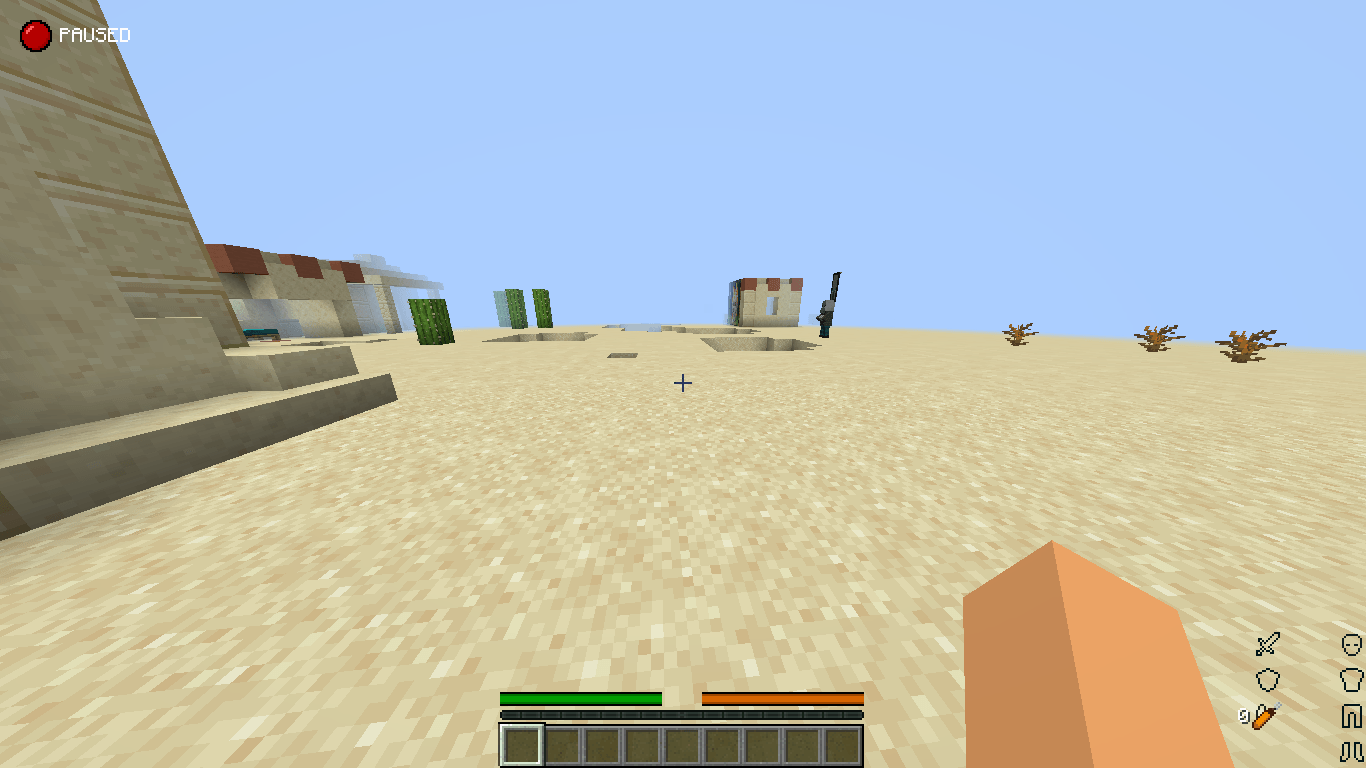
This resource pack transforms the classic heart and hunger icons into a sleek, horizontal-style health bar. When you take damage, a red flash replaces the default white one — giving you a more intense and immersive experience.

Features:

- Green horizontal health bar with an action-game feel!
- Red flash when taking damage!
- Custom hunger bar for survival mode!
- Unique design for hardcore mode!
- Designed for both PvP and survival players!

Available in two versions:

  ✅ Version 1: for Minecraft 1.19.x and below.

  ✅ Version 2: for Minecraft 1.20 and above.

 ⚠ Important:
Make sure you download the version that matches your Minecraft version.
If you use the wrong one, the health and hunger bars well not display at all!


Perfect for players who want a fresh and cleaner health and hunger display in their world.

Simple Green health bar.zip
MC 1.20.2, 1.21.2-Snapshot, 1.21, 1.21.6-snapshot, 1.20.5, 1.21.5, 1.20.2-Snapshot, 1.20.5-Snapshot, 1.21.1-Snapshot, 1.21.4, 1.21.5-Snapshot, 1.20.3-Snapshot, 1.20.3, 1.20.1, 1.20
Release 2025-05-30 Get
Simple Green health bar.zip
MC 1.16-Snapshot, 1.17.1, 1.16.3, 1.19.3, 1.15-Snapshot, 1.16.1, 1.18.1, 1.19.4-Snapshot, 1.14.4, 1.14.1, 1.17, 1.14.3, 1.15, 1.16, 1.19.4, 1.19-Snapshot, 1.16.5, 1.18.2, 1.19.2
Release 2025-05-29 Get

Requirements & install

How to use this resource pack in Minecraft
Resolution
Not specified
Minecraft
1.20.5 – 1.21.6-snapshot
Install folder
.minecraft/resourcepacks

How to install resource packs

  1. Download the resource pack .zip file (do not extract it).
  2. In Minecraft open Options → Resource Packs → Open Pack Folder.
  3. Drop the .zip into the resourcepacks folder (.minecraft/resourcepacks).
  4. Move the pack to the Selected column and click Done.
Browse more: 16x resource packs 32x resource packs 64x resource packs 128x resource packs 256x resource packs 512x+ resource packs Resource Packs for 1.21.6-snapshot All resource packs

More from zakaria_ait

Advertisement Remove ads with Premium →

You Might Also Like