
Mineuniverse
Resource Packs
SharpFonts [32x] (GUI Scale Dependant)

SharpFonts [32x] (GUI Scale Dependant)

RESOURCE PACK
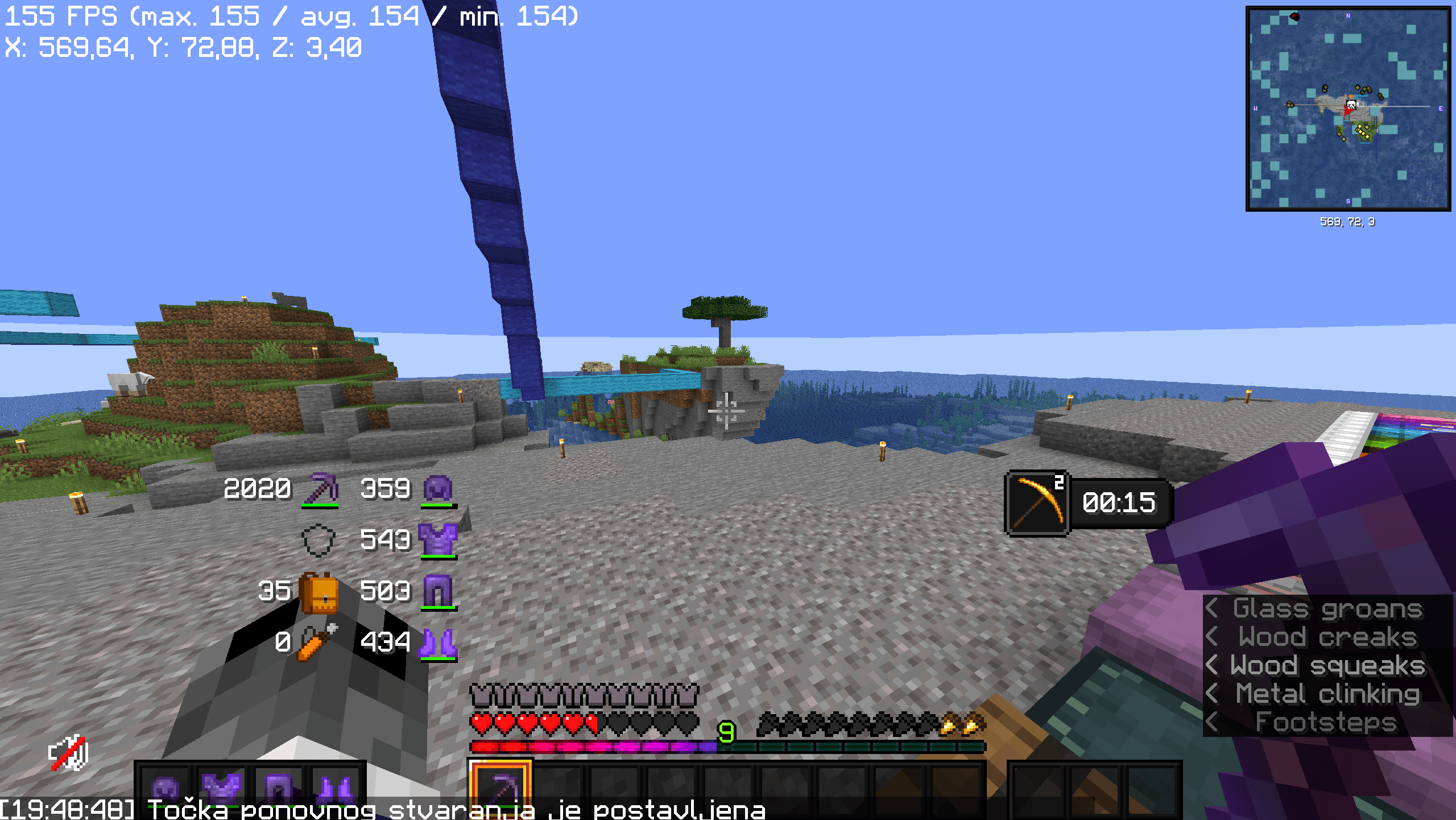
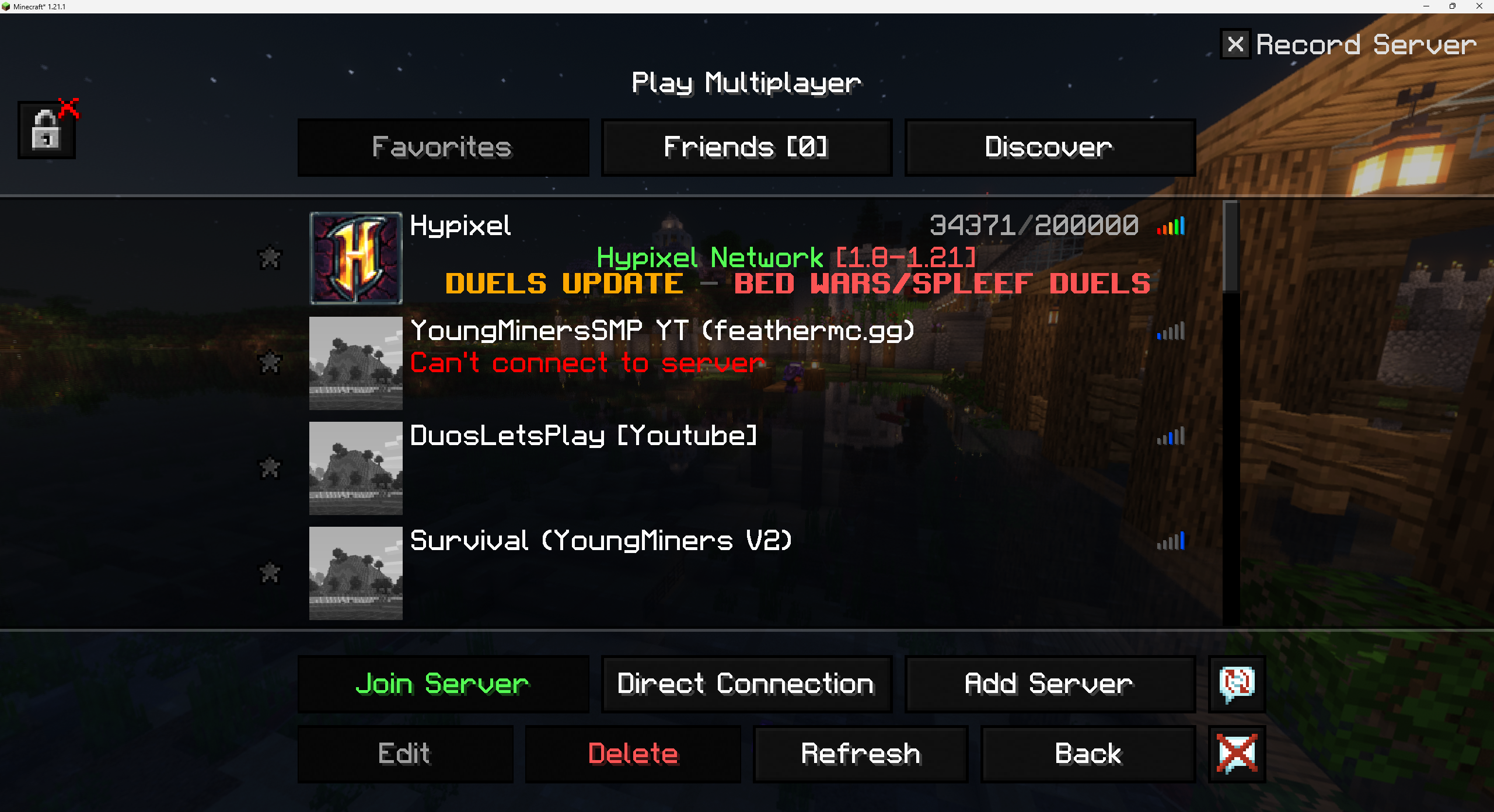
A sharp font in the style of PVP packs, that looks vectorized on your screen
by Alijic2000
Download Claim this project
8,387 downloads
0 likes
Updated Oct 14, 2026
0 hypes
32x Font Packs Modern
Advertisement Remove ads with Premium →

[THIS IS THE 32x VERSION FOR SCALE 2x]

This pack is also available on Modrinth!

This pack is available on Modrinth This pack is available on Curseforge Join our Discord

I can't upload multiple different versions of a pack on one page, so you can get the other resolutions here:

Quick Description

This pack adds a custom-made font that looks sharper, and the diagonals look so smooth they almost don’t feel pixel-based at all. And yes, this version has support for ALL unicode letters.

How to use (NOTE)

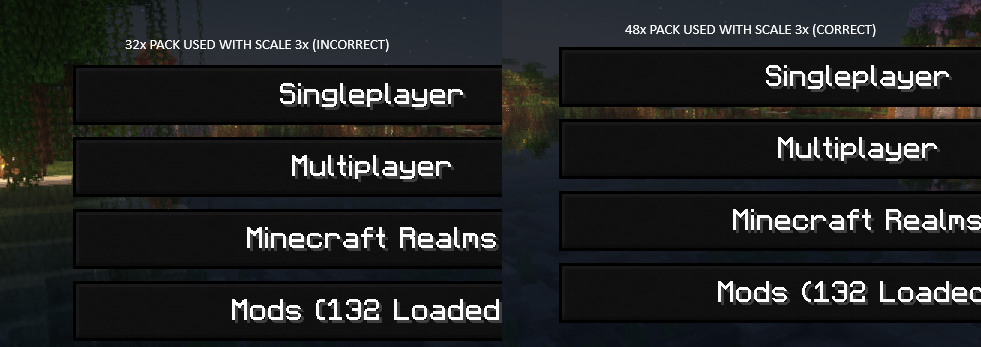
In the links, you will see four projects, with different resolutions. This is purely because of how Minecraft scales up resolutions, and if used incorrectly, can leave unwanted interpolation artifacts on your screen that just look ugly.
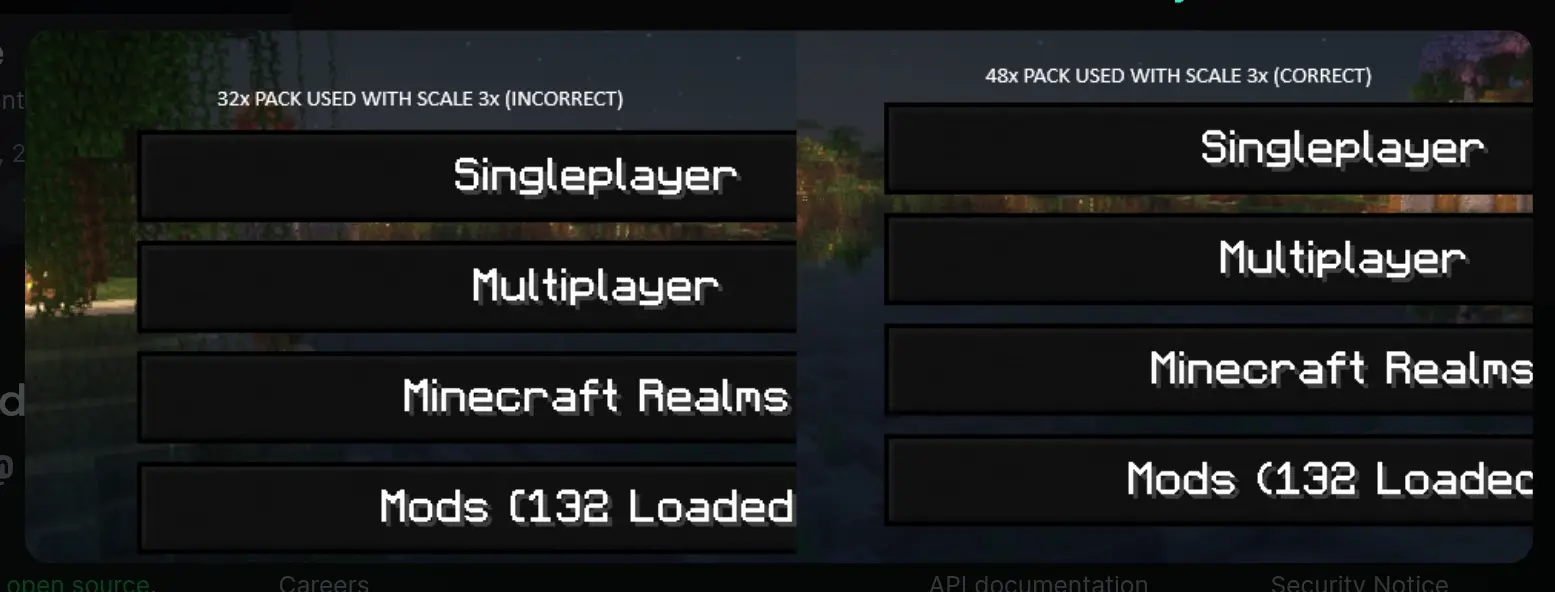
Example

Little chart to show you which pack to use corresponding to your GUI Scale:

GUI Scale 2x 3x 4x 5x (1440p display or higher)
32x ✅ ❌ ✅ (use 64x for extra sharpness) ❌
48x ❌ ✅ ❌ ❌
64x ❌ ❌ ✅ ❌
80x ❌ ❌ ❌ ✅

Supported Unicode:

Pack 2x 3x 4x 5x (1440p display or higher)
ascii ✅ ✅ ✅ ✅
accented ✅ ✅ ✅ ✅
ascii_sga ✅ ✅ ✅ ✅
asciillager ✅ ✅ ✅ ✅
nonlatin_european ✅ ✅ ✅ ✅
SharpFonts (32x)
MC 1.16.3, 1.13.1, 1.9.3, 1.8.7, 1.17.1, 1.9.1, 1.21, 1.16.1, 1.18.1, 1.14.3, 1.15, 1.16, 1.13, 1.16.5, 1.10.2, 1.19.3, 1.20.2, 1.19.4, 1.21.8, 1.8.8, 1.9.4, 1.9.2, 1.8.4
Release 2026-06-09 Get

Requirements & install

How to use this resource pack in Minecraft
Resolution
32x
Minecraft
1.16.5 – 1.21.8
Install folder
.minecraft/resourcepacks

How to install resource packs

  1. Download the resource pack .zip file (do not extract it).
  2. In Minecraft open Options → Resource Packs → Open Pack Folder.
  3. Drop the .zip into the resourcepacks folder (.minecraft/resourcepacks).
  4. Move the pack to the Selected column and click Done.
Browse more: 16x resource packs 32x resource packs 64x resource packs 128x resource packs 256x resource packs 512x+ resource packs Resource Packs for 1.21.8 All resource packs

More from Alijic2000

Advertisement Remove ads with Premium →

You Might Also Like