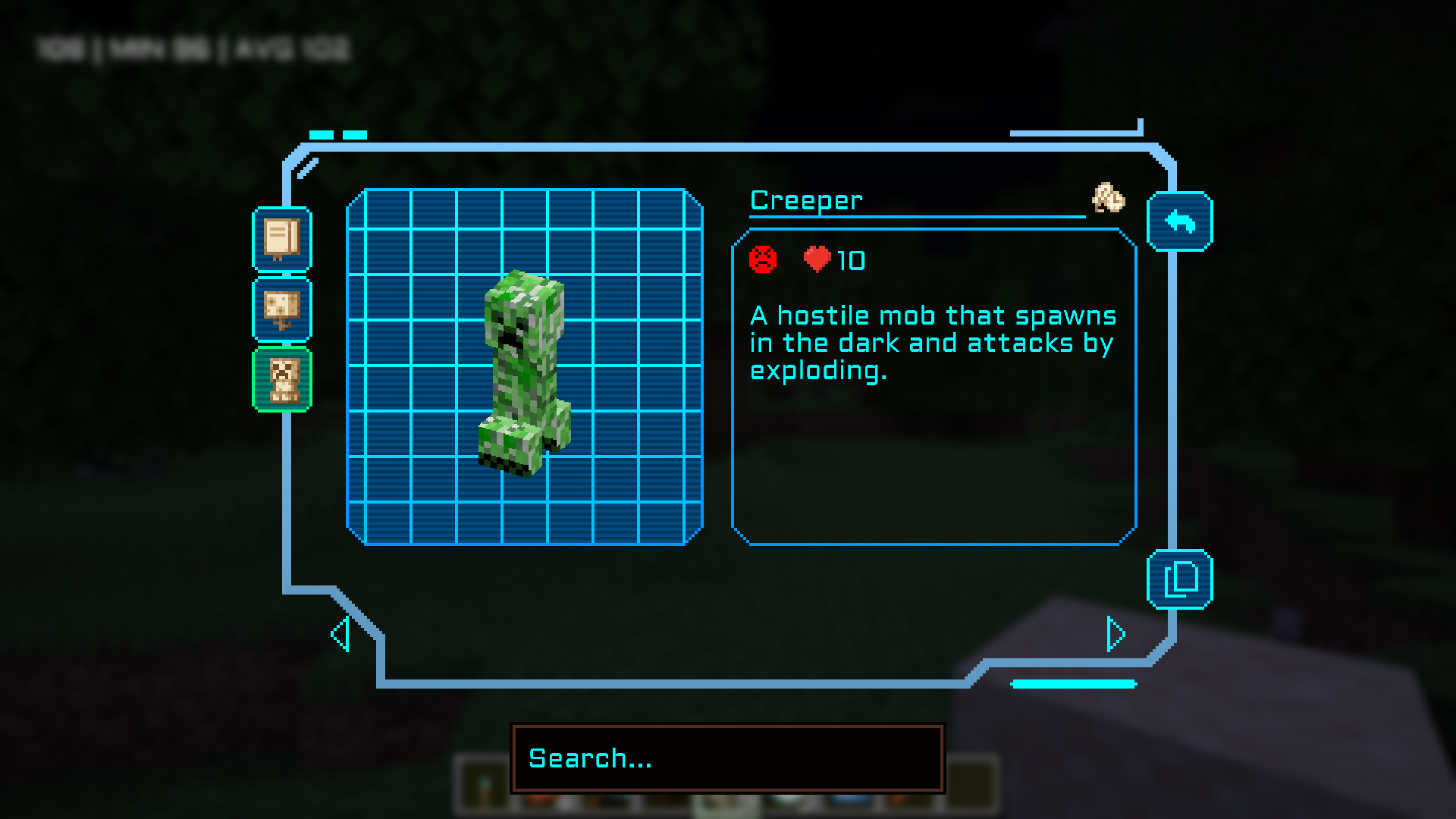
Absolutely love Field Guide but it doesn't fit in with my tech pack. I've made a bright blue techie-inspired skin for the GUI.
Obviously, Field Guide is a requirement, for without it nothing will change.
The silhouettes are changed via the Field Guide client config. To get them to match change them to the following:
{
"showPauseMenuButton": true,
"pauseButtonXOffset": 0,
"pauseButtonYOffset": 0,
"showInventoryButton": true,
"inventoryButtonXOffset": 126,
"inventoryButtonYOffset": 61,
"defaultScreen": "last_opened_screen",
"scanIconYOffset": 0,
"scanIconXOffset": 0,
"showScanIcon": true,
"playScanningSound": true,
"playUnlockSound": true,
"showOutOfRangeOverlay": true,
"scanOverlayColor": "#00FFFF",
"scanOverlayAlpha": 0.5,
"textColor": "#00FFFF",
"textTitleColor": "#00FFFF",
"textMutedColor": "#00FFFF",
"textCursorColor": "#00FFFF",
"pageNumberColor": "#00FFFF",
"listSilhouetteColor": "#008DF2",
"listSilhouetteAlpha": 1.0,
"listUnlockedSilhouetteColor": "#008DF2",
"listUnlockedSilhouetteAlpha": 1.0,
"detailsSilhouetteColor": "#008DF2",
"detailsSilhouetteAlpha": 1.0,
"detailsUnlockedSilhouetteColor": "#008DF2",
"detailsUnlockedSilhouetteAlpha": 1.0,
"useRealWorldDate": false,
"showUnlockDate": true,
"showToasts": true,
"showSeasonIcons": true,
"exposureAddPhotographButton": true,
"exposureShowPhotographsInGrid": true
}