Mineuniverse
Resource Packs
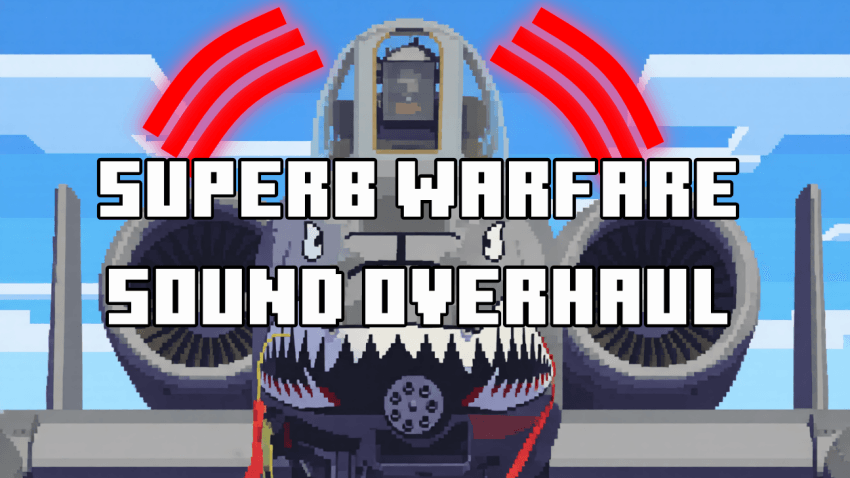
[SBW] Superb Warfare Sound Overhaul

[SBW] Superb Warfare Sound Overhaul

RESOURCE PACK
Replaces various Superb Warfare sound with more realistic ones!
by HMXDE
Download Claim this project
Add a badge to your pageLink to [SBW] Superb Warfare Sound Overhaul from a README, website or forum post.
Preview: Badge

Badges update automatically and link to the resource pack page on MineUniverse.

26,647 downloads
0 likes
0 followers
Updated Oct 14, 2026
0 hypes
Follow0
16x Miscellaneous Mod Support
Advertisement Remove ads with Premium →

Superb Warfare Sound Overhaul!

This resource pack replaces several Superb Warfare sounds with better ones!

Here's a general list of changes:

  • A-10 starup, engine and gau8 sounds. (BRRRRRRRRRRRRRRRRRRT)
  • Helicopters startup, engine and gun sounds.
  • Rockets, missiles and bombs flying sounds.
  • Rockets, missiles and bombs reloading sounds.
  • Rockets, missiles and bombs released/shot sounds.
  • Sounds for changing weapons in the vehicle.
  • Flare decoy sounds.
  • Smoke decoy sounds.
  • Radar locking and locked sounds.
  • Vehicle box opening sound.
  • Vehicle damaged sound.
  • Mortar load and fire sounds.
  • Sound of turret turning for tanks and others.
  • Vehicle low health and alarm sounds.
  • Drone buzzing sound.
  • CRAM full auto sound.
  • Pickup truck engine.
  • Stuka engine and famous siren.
  • Misc shooting sounds in first or third person (in vehicles).

How to install:

  1. Download the resource pack ZIP file
  2. Open your minecraft folder
  3. Put the ZIP file in the "resoucepacks" folder
  4. Do not extract it!
  5. Remember to turn it on inside minecraft: Pause > Options > Resource Packs
  6. Enjoy!


All suport is welcome!

Write your issues and suggestions in the comments



[SBW] Superb Warfare Sound Overhaul 2.0.zip
MC 1.20.1, 1.21.1
Release 2026-07-24 Get
[SBW] Superb Warfare Sound Overhaul.zip
MC 1.20.1, 1.21.1
Release 2026-03-21 Get

Requirements & install

How to use this resource pack in Minecraft
Resolution
16x
Minecraft
1.20.1 – 1.21.1
Install folder
.minecraft/resourcepacks

How to install resource packs

  1. Download the resource pack .zip file (do not extract it).
  2. In Minecraft open Options → Resource Packs → Open Pack Folder.
  3. Drop the .zip into the resourcepacks folder (.minecraft/resourcepacks).
  4. Move the pack to the Selected column and click Done.
Browse more: 16x resource packs 32x resource packs 64x resource packs 128x resource packs 256x resource packs 512x+ resource packs Resource Packs for 1.21.1 All resource packs
Advertisement Remove ads with Premium →

You Might Also Like