Mineuniverse
Resource Packs
Rosy Cherry Wood for Dandelion

Rosy Cherry Wood for Dandelion

RESOURCE PACK
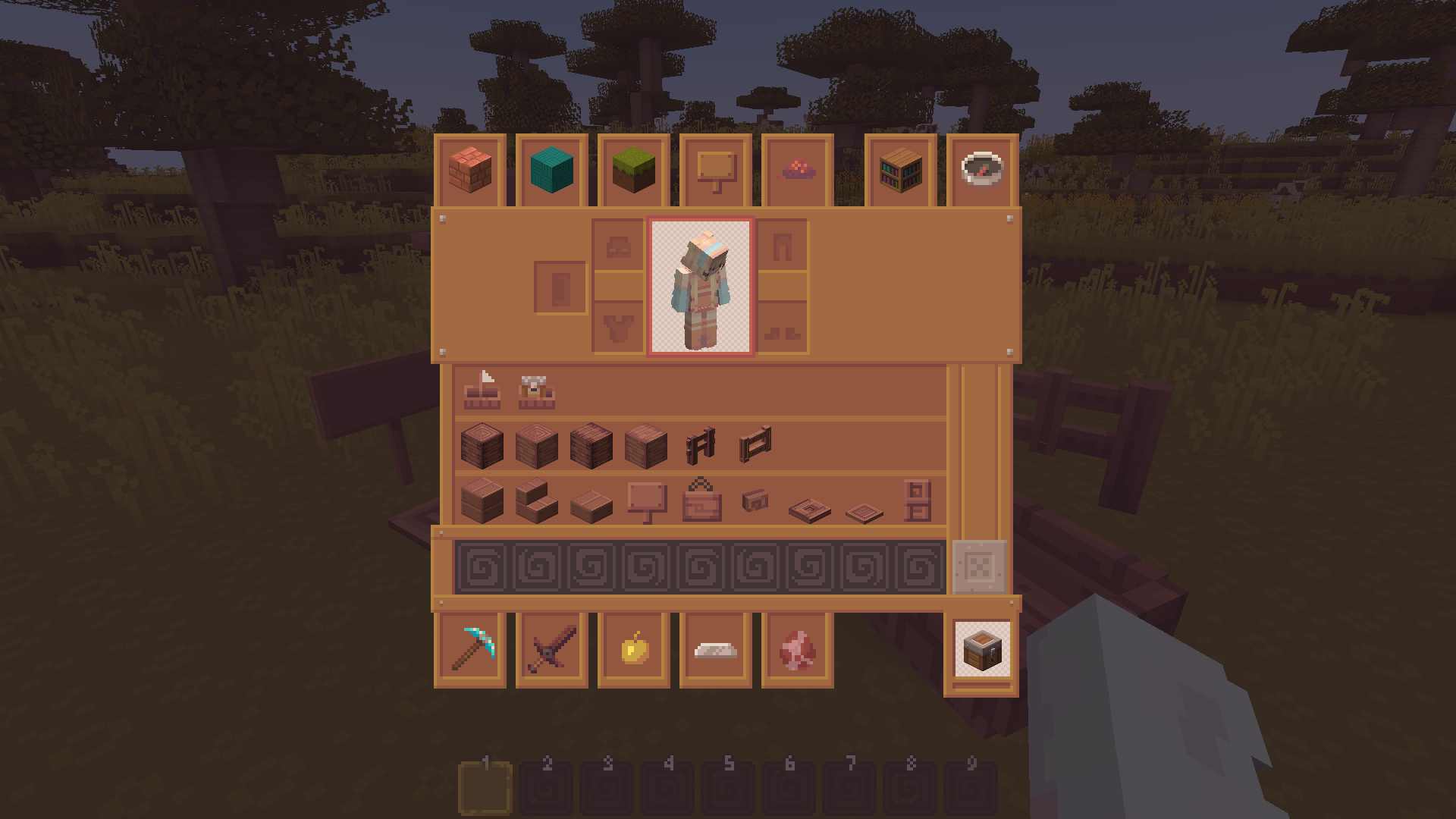
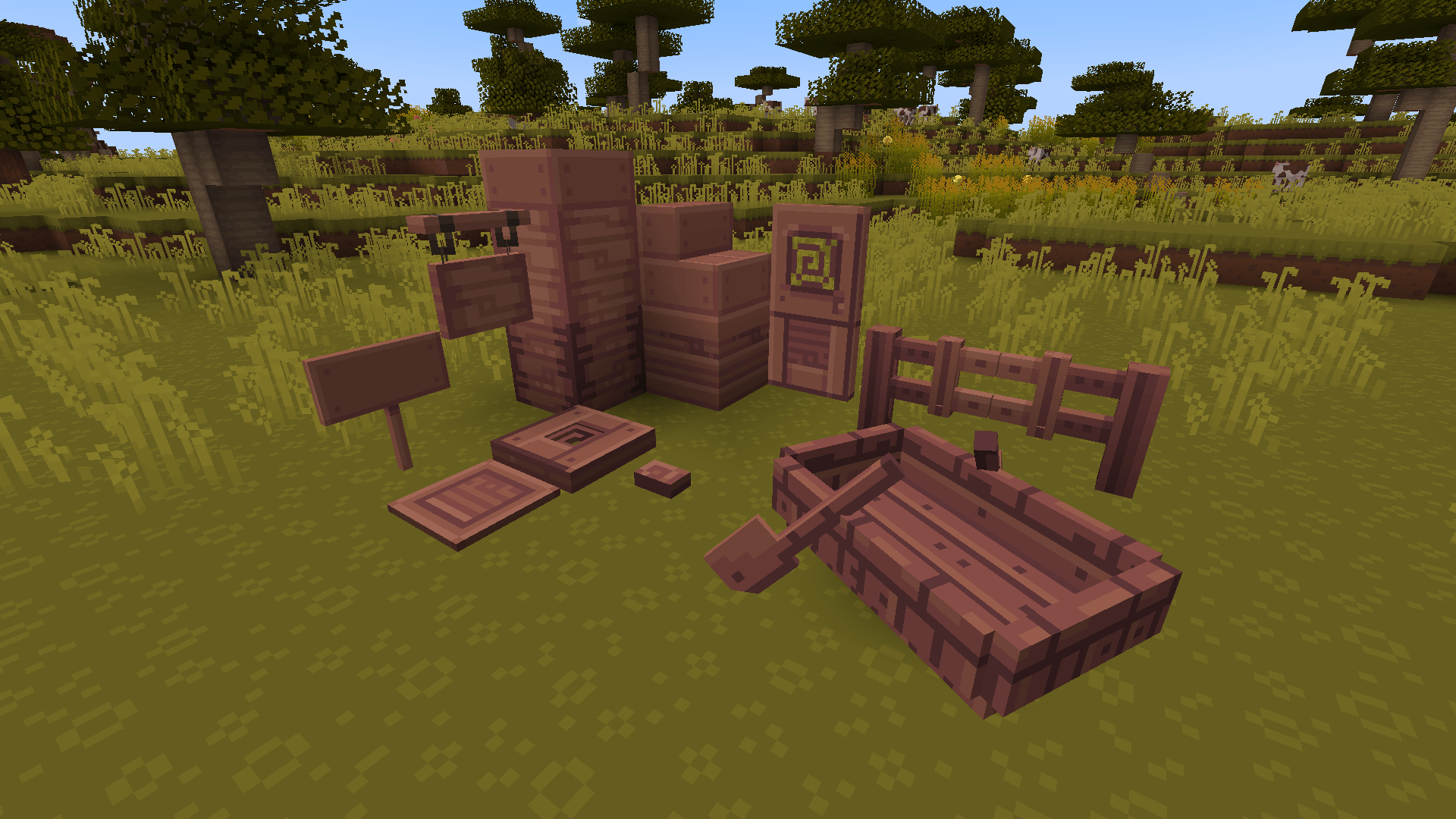
Recolors the cherry wood from the Dandelion texture pack, changing it from purple to rose.
by littleredrobin
Download Claim this project
Add a badge to your pageLink to Rosy Cherry Wood for Dandelion from a README, website or forum post.
Preview: Badge

Badges update automatically and link to the resource pack page on MineUniverse.

525 downloads
0 likes
0 followers
Updated Oct 14, 2026
0 hypes
Follow0
16x Medieval Miscellaneous Traditional
Advertisement Remove ads with Premium →

This simple resourcepack recolors Xerotrinity's Dandelion X cherry wood from purple to rose.

I wanted the cherry wood to be just a little more pink, without being as bright as the Dandelion X Pink Cherry alternatives. Hence, the rosy palette (courtesy of Astyrra)!

To use the recolor, make sure this pack is above Dandelion X on the resourcepack loading list.


The following cherry block and item textures are changed:

  • Boat & chest boat
  • Button
  • Door
  • Fence
  • Fence gate
  • Hanging sign & hanging sign GUI
  • Log & stripped log
  • Planks
  • Pressure plate
  • (V2) Sapling
  • Sign
  • Shelf
  • Trapdoor
Rosy Cherry Wood - Dandelion Recolor V2.1.zip
MC 1.21, 1.21.8, 1.21.5, 1.21.4, 1.21.1, 1.21.6, 1.21.3, 1.21.7, 1.21.2, 1.21.9, 1.21.10, 1.21.11, 26.1, 26.1.1, 26.1.2, 26.2
Release 2026-08-03 Get
Rosy Cherry Wood - Dandelion Recolor V2.zip
MC 1.21, 1.21.8, 1.21.5, 1.21.4, 1.21.1, 1.21.6, 1.21.3, 1.21.7, 1.21.2, 1.21.9, 1.21.10, 1.21.11, 26.1, 26.1.1, 26.1.2, 26.2
Release 2026-07-22 Get
Rosy Cherry Wood - Dandelion Recolor.zip
MC 1.21, 1.20.2, 1.21.8, 1.20.5, 1.21.5, 1.21.4, 1.20.1, 1.20, 1.20.6, 1.21.1, 1.21.6, 1.21.3, 1.21.7, 1.20.4, 1.20.3, 1.21.2, 1.21.9, 1.21.10, 1.21.11
Release 2026-06-24 Get

Requirements & install

How to use this resource pack in Minecraft
Resolution
16x
Minecraft
1.21.8 – 26.2
Install folder
.minecraft/resourcepacks

How to install resource packs

  1. Download the resource pack .zip file (do not extract it).
  2. In Minecraft open Options → Resource Packs → Open Pack Folder.
  3. Drop the .zip into the resourcepacks folder (.minecraft/resourcepacks).
  4. Move the pack to the Selected column and click Done.
Browse more: 16x resource packs 32x resource packs 64x resource packs 128x resource packs 256x resource packs 512x+ resource packs Resource Packs for 26.2 All resource packs
Advertisement Remove ads with Premium →

You Might Also Like