Mineuniverse
Resource Packs
Roost Ultimate | Back to the Roost

Roost Ultimate | Back to the Roost

RESOURCE PACK
Changes the Textures of Roost Ultimate to match those of the original Roost Mod and fit the vanilla Minecraft Style a little better
by MINT_Gaming_Studios
Download Claim this project
Add a badge to your pageLink to Roost Ultimate | Back to the Roost from a README, website or forum post.
Preview: Badge

Badges update automatically and link to the resource pack page on MineUniverse.

534 downloads
0 likes
0 followers
Updated Oct 14, 2026
0 hypes
Follow0
16x Mod Support
Advertisement Remove ads with Premium →

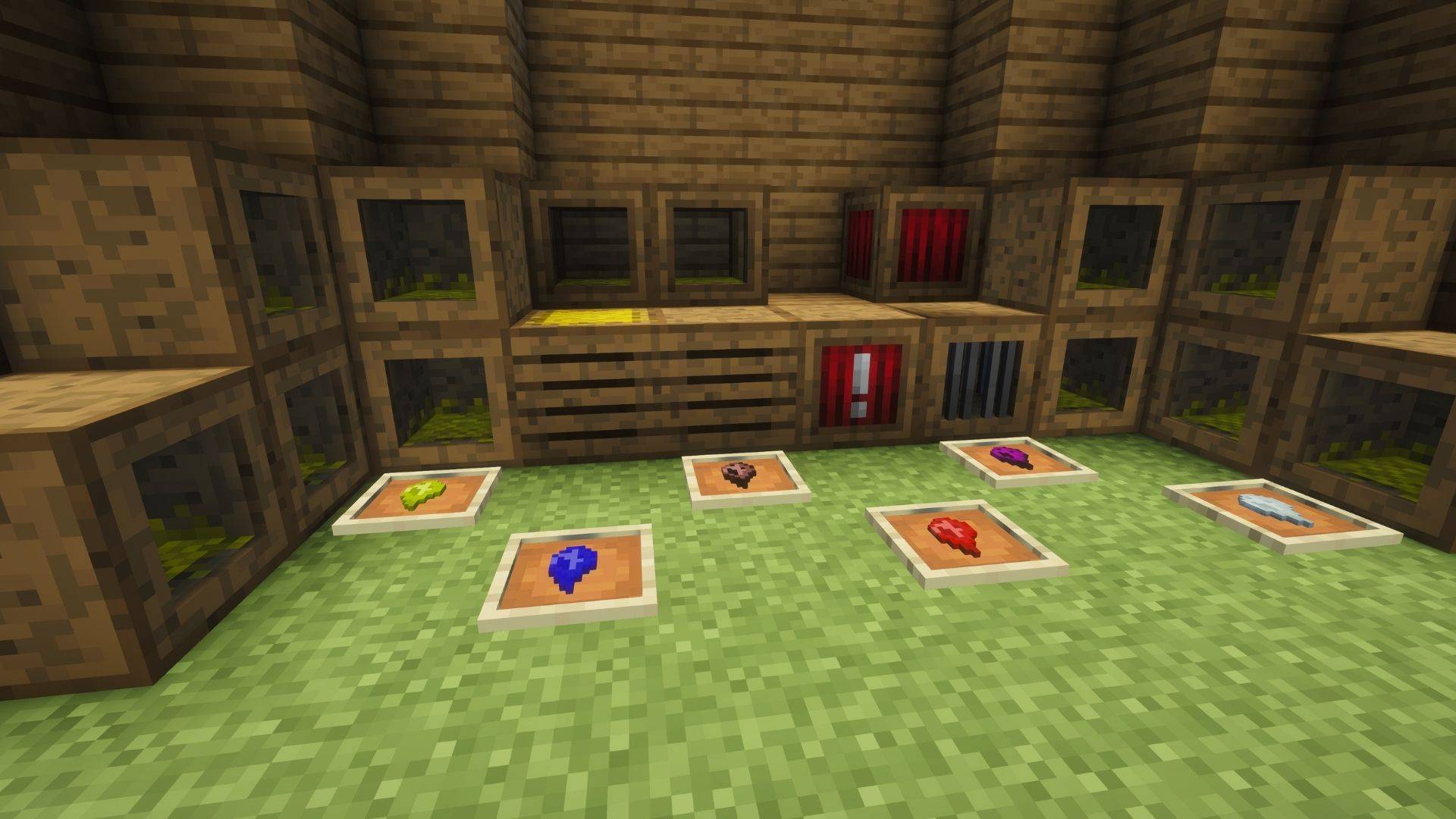
A small Texture Pack to return the visual Style of Roost Ultimate Closer to the Original Mod and the Vanilla Game. 

Textures that were modified: 

Items: 
Chicken Stick to match the Texture of the Old Chicken Collector
Chicken Souls to a more vanilla like Texture 
Blocks:
Breeder to match the Texture of the Old Breeder 
Chicken storage to have a more Vanilla like Texture 
Collector to match the Texture of the Old Collector 
Feeder to a more vanilla like texture 
Soul extractor to a texture that matches the general Vanilla Texture Style 
Trainer to a Full block texture with the Style of Roost / the Vanilla Game 
GUI:
Changed the Base GUI of all blocks with a Textured Gui back to match the Vanilla / Roost Style  
Known Issues: The texture of the arrow Symbol in the Gui is large then it should be while not being centered correctly. 

Credits: 

Original Mod Textures from the Roost Mod: timrwood

Roost Ultimate Mod: tarantei

Modified Vanilla and modded Textures: MINT Gaming Studios, N0drake 

Roost Ultimate | Back to the Roost
MC 1.20.1
Release 2026-01-27 Get

Requirements & install

How to use this resource pack in Minecraft
Resolution
16x
Minecraft
1.20.1
Install folder
.minecraft/resourcepacks

How to install resource packs

  1. Download the resource pack .zip file (do not extract it).
  2. In Minecraft open Options → Resource Packs → Open Pack Folder.
  3. Drop the .zip into the resourcepacks folder (.minecraft/resourcepacks).
  4. Move the pack to the Selected column and click Done.
Browse more: 16x resource packs 32x resource packs 64x resource packs 128x resource packs 256x resource packs 512x+ resource packs Resource Packs for 1.20.1 All resource packs

More from MINT_Gaming_Studios

Advertisement Remove ads with Premium →

You Might Also Like