Mineuniverse
Resource Packs
RidzuPlayz Texture Pack

RidzuPlayz Texture Pack

RESOURCE PACK
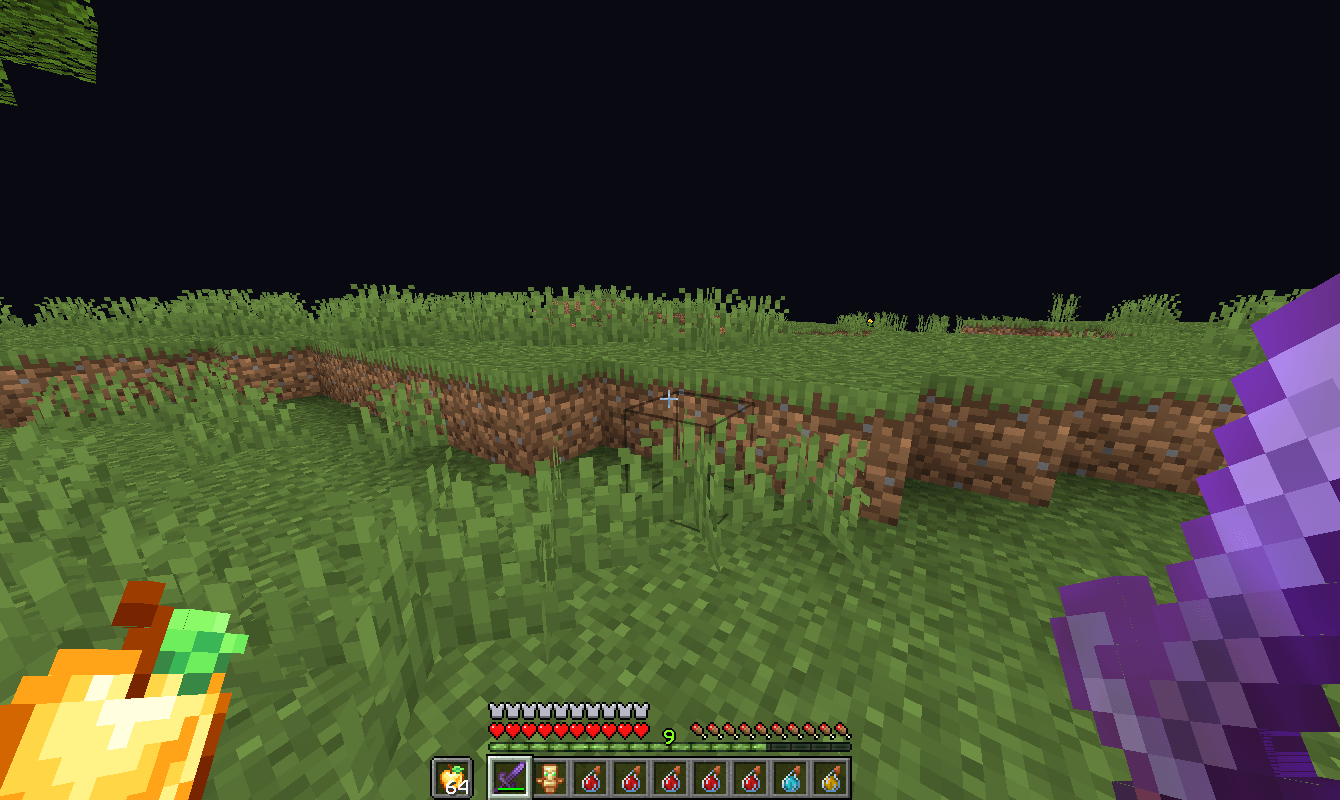
A PvP texture pack designed for smooth visuals, clean combat, and enhanced clarity. Available in both Animated and Non-Animated versions for every type of player.
by ridzuplayz
Download Claim this project
399 downloads
0 likes
Updated Oct 14, 2026
0 hypes
16x Animated
Advertisement Remove ads with Premium →

The RidzuPlayz PvP Texture Pack is built for players who value both performance and style. Every texture is optimized to deliver higher FPS, while maintaining a sharp and modern look.

This pack improves your gameplay clarity with refined swords, clean particles, and a redesigned GUI. The Animated version adds life and energy to your visuals, while the Non-Animated version is tuned for maximum smoothness on low-end systems.

With smooth, modern fonts and clear UI elements, this pack gives Minecraft a professional and competitive look — perfect for PvP and survival alike.


Features:


 ● FPS-friendly optimization for smoother gameplay


● Clear water for better visibility during fights


● Clean and improved particle effects


● Custom sword models designed for clarity and precision


● Modern and minimal GUI layout


● Smooth fonts for a sleek visual style


● Animated and Non-Animated versions included


Why Choose This Pack

The RidzuPlayz PvP Texture Pack focuses on what truly matters — visibility, responsiveness, and speed.

No distractions, no frame drops — just pure performance and a modern look.

If you want a pack that helps you play sharper and see clearer, this is the one built for you.

RidzuPlayz_Classic
MC 1.19.3, 1.20.2, 1.21, 1.20.5, 1.21.5, 1.19.4, 1.21.8, 1.21.9, 1.21.10, 1.21.4, 1.19.2, 1.20.3, 1.20.1, 1.20, 1.20.6, 1.19.1, 1.20.4, 1.21.3, 1.21.7, 1.21.1, 1.21.6, 1.19
Release 2025-11-06 Get

Requirements & install

How to use this resource pack in Minecraft
Resolution
16x
Minecraft
1.21.3 – 1.21.10
Install folder
.minecraft/resourcepacks

How to install resource packs

  1. Download the resource pack .zip file (do not extract it).
  2. In Minecraft open Options → Resource Packs → Open Pack Folder.
  3. Drop the .zip into the resourcepacks folder (.minecraft/resourcepacks).
  4. Move the pack to the Selected column and click Done.
Browse more: 16x resource packs 32x resource packs 64x resource packs 128x resource packs 256x resource packs 512x+ resource packs Resource Packs for 1.21.10 All resource packs
Advertisement Remove ads with Premium →

You Might Also Like