Mineuniverse
Resource Packs
Resprited

Resprited

RESOURCE PACK
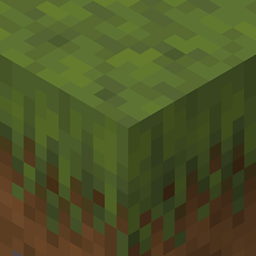
A Resource Pack which aims to make the look and feel of Minecraft appear more appealing to the eyes.
by Infernalizard
Download Claim this project
Add a badge to your pageLink to Resprited from a README, website or forum post.
Preview: Badge

Badges update automatically and link to the resource pack page on MineUniverse.

186,419 downloads
0 likes
0 followers
Updated Oct 14, 2026
0 hypes
Follow0
16x
Advertisement Remove ads with Premium →

Future updates will be published on the page linked below

Modrinth page: https://modrinth.com/project/Q9KwAZ06


Resprited is a Resource Pack which aims to give a new and simpler to read look to Minecraft while still keeping its core feeling we all know and love.

It does this by tackling multiple areas of the game we can observe, for example blocks, items, entities and much more.

Have a nice one playing. 🎉


Note: As this pack is in beta some textures are subjects to change over time.

Please give credits if you show this rp in any public content 🙏


Modrinth page: https://modrinth.com/project/Q9KwAZ06


For any reports or similar, feel free to contact me on discord directly

Resprited v0.20
MC 1.21.8, 1.21.5, 1.21.6, 1.21.7, 1.21.9, 1.21.10, 1.21.11, 26.1, 26.1.1, 26.1.2
Beta 2026-05-04 Get
Resprited v0.19.1
MC 1.21.8, 1.21.5, 1.21.6, 1.21.7, 1.21.9, 1.21.10, 1.21.11, 26.1
Beta 2026-03-26 Get
Resprited v0.19
MC 1.21.8, 1.21.5, 1.21.6, 1.21.7, 1.21.9, 1.21.10, 1.21.11, 26.1
Beta 2026-03-24 Get
Resprited v0.18
MC 1.21.8, 1.21.5, 1.21.6, 1.21.7, 1.21.9, 1.21.10, 1.21.11
Beta 2026-01-12 Get
Resprited v0.17
MC 1.21.5, 1.21.11
Beta 2025-12-08 Get
Resprited v0.16
MC 1.21.5, 1.21.10
Beta 2025-10-18 Get
Resprited v0.15
MC 1.21.9, 1.21.10
Beta 2025-09-30 Get
Resprited v0.14
MC 1.21.8
Beta 2025-08-07 Get
Resprited v0.13
MC 1.21.7
Beta 2025-07-07 Get
Resprited v0.12
MC 1.21.5
Beta 2025-05-26 Get
Resprited v0.10
MC 1.21.5
Beta 2025-03-26 Get

Requirements & install

How to use this resource pack in Minecraft
Resolution
16x
Minecraft
1.21.7 – 26.1.2
Install folder
.minecraft/resourcepacks

How to install resource packs

  1. Download the resource pack .zip file (do not extract it).
  2. In Minecraft open Options → Resource Packs → Open Pack Folder.
  3. Drop the .zip into the resourcepacks folder (.minecraft/resourcepacks).
  4. Move the pack to the Selected column and click Done.
Browse more: 16x resource packs 32x resource packs 64x resource packs 128x resource packs 256x resource packs 512x+ resource packs Resource Packs for 26.1.2 All resource packs
Advertisement Remove ads with Premium →

You Might Also Like