Mineuniverse
Resource Packs
Renameable Items

Renameable Items

RESOURCE PACK
Adds Tool Trims and Elytra Trims :)
by XXLYoshi
Download Claim this project
Add a badge to your pageLink to Renameable Items from a README, website or forum post.
Preview: Badge

Badges update automatically and link to the resource pack page on MineUniverse.


1,048 downloads
0 likes
0 followers
Updated Oct 14, 2026
0 hypes
Follow0
16x Miscellaneous Traditional
Advertisement Remove ads with Premium →

Title

modrinth

curseforge

Join Discord

About 📖

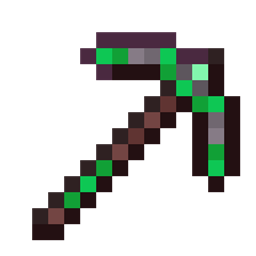
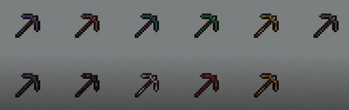
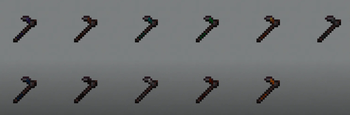
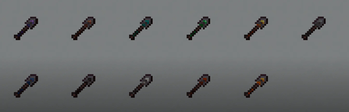
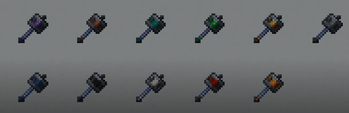
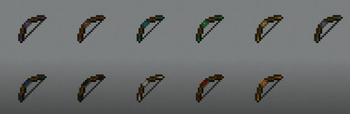
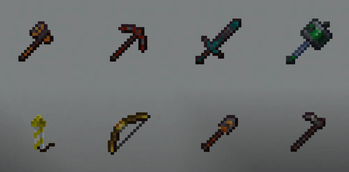
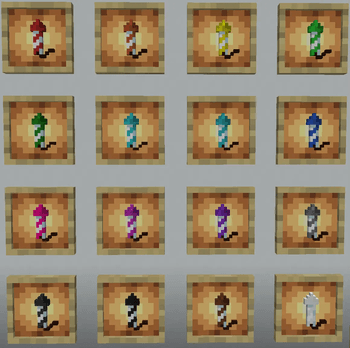
Renameable Items adds trims to the tools such as Axe, Sword, Pickaxe, Shove, Hoe, Mace and Bow when you rename them. In addition You can Change the color of the rockets when renamed.

EMF and ETF are both required for the elytra trims to work. But both are Client-side and Forge-Fabric compatible

How to Name Items ✏️

To add trims to tools rename them like: Netherite (Axe, Sword, Pickaxe) with (Eye Trim, this is the only trim currently) and (Trim Material)

e.g. Netherite Pickaxe with Eye Trim and Amethyst

trims

To change the colors of the rockets you rename them like:(Color You want) Firework Rocket

e.g. Blue Firework Rocket
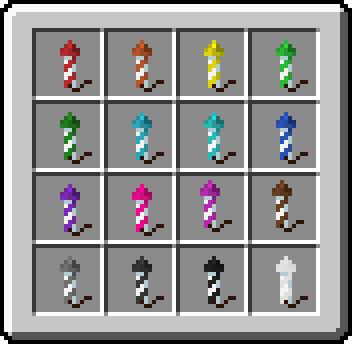
Rockets

Renamable Items v0.9.8
MC 1.21.6-snapshot, 1.21.5, 1.21.8, 1.21.9, 1.21.10, 1.21.5-Snapshot, 1.21.7, 1.21.6, 1.21.11-snapshot, 1.21.9-snapshot
Beta 2025-10-16 Get
Renameable Items v0.9.7
MC 1.21.6-snapshot, 1.21.5, 1.21.8, 1.21.5-Snapshot, 1.21.7, 1.21.6, 1.21.9-snapshot
Beta 2025-08-30 Get
Renamable Items v0.9.6.zip
MC 1.21.6-snapshot, 1.21.5, 1.21.8, 1.21.5-Snapshot, 1.21.7, 1.21.6, 1.21.9-snapshot
Beta 2025-08-22 Get
Renameable Items
MC 1.21.6-snapshot, 1.21.5, 1.21.8, 1.21.5-Snapshot, 1.21.7, 1.21.6, 1.21.9-snapshot
Beta 2025-08-21 Get

Requirements & install

How to use this resource pack in Minecraft
Resolution
16x
Minecraft
1.21.6-snapshot – 1.21.11-snapshot
Install folder
.minecraft/resourcepacks

How to install resource packs

  1. Download the resource pack .zip file (do not extract it).
  2. In Minecraft open Options → Resource Packs → Open Pack Folder.
  3. Drop the .zip into the resourcepacks folder (.minecraft/resourcepacks).
  4. Move the pack to the Selected column and click Done.
Browse more: 16x resource packs 32x resource packs 64x resource packs 128x resource packs 256x resource packs 512x+ resource packs Resource Packs for 1.21.11-snapshot All resource packs
Advertisement Remove ads with Premium →

You Might Also Like