Mineuniverse
Resource Packs
Refined Waystones

Refined Waystones

RESOURCE PACK
A modern, refined retexture for the Waystones mod.
by Veydiz
Download Claim this project
686 downloads
0 likes
0 followers
Updated Oct 14, 2026
0 hypes
Follow0
16x Miscellaneous Mod Support Traditional
Advertisement Remove ads with Premium →

A clean, modern retexture of the Waystones mod.

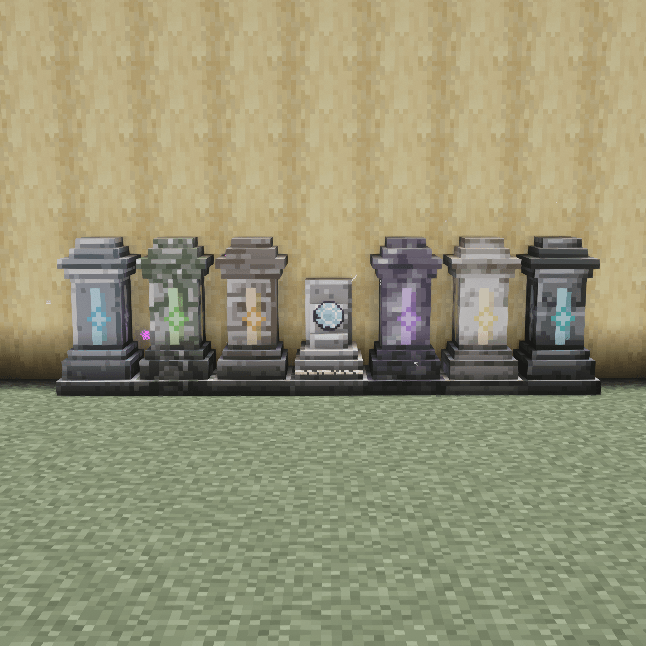
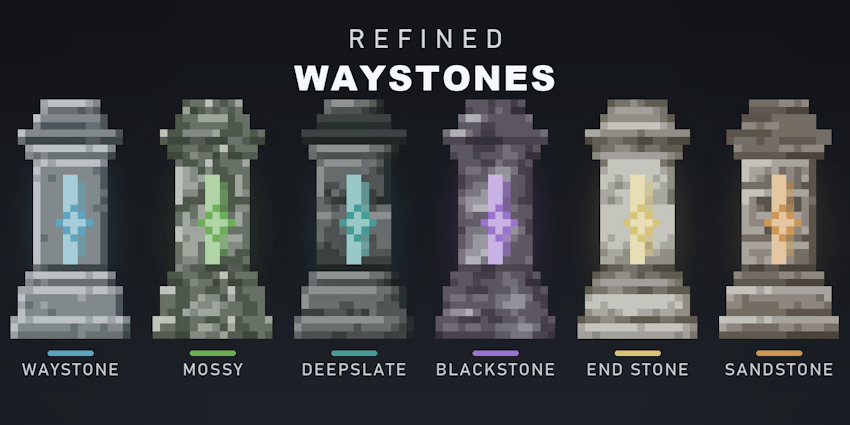
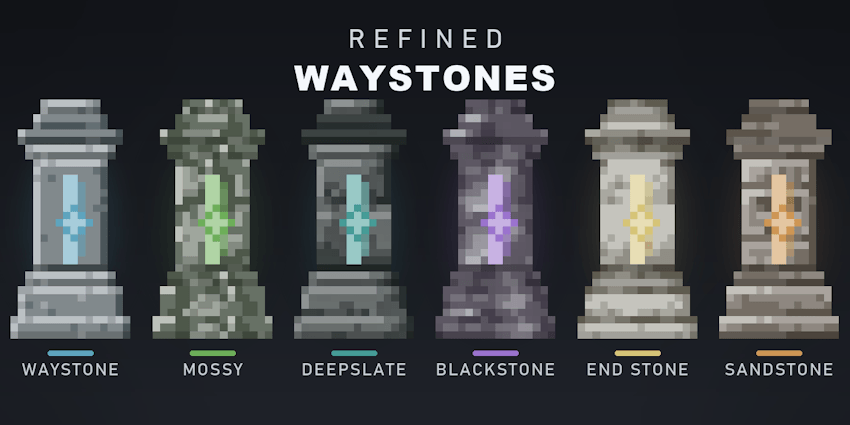
Refined Waystones reworks every block and item of the Waystones mod into a sleek, modern look: a calm grayscale stone base with one glowing accent color per block, so each variant stays instantly recognizable while feeling like part of one coherent set. Purely visual — no recipes, no gameplay, no config.

✨ Features

This pack restyles the entire Waystones set — blocks and items:

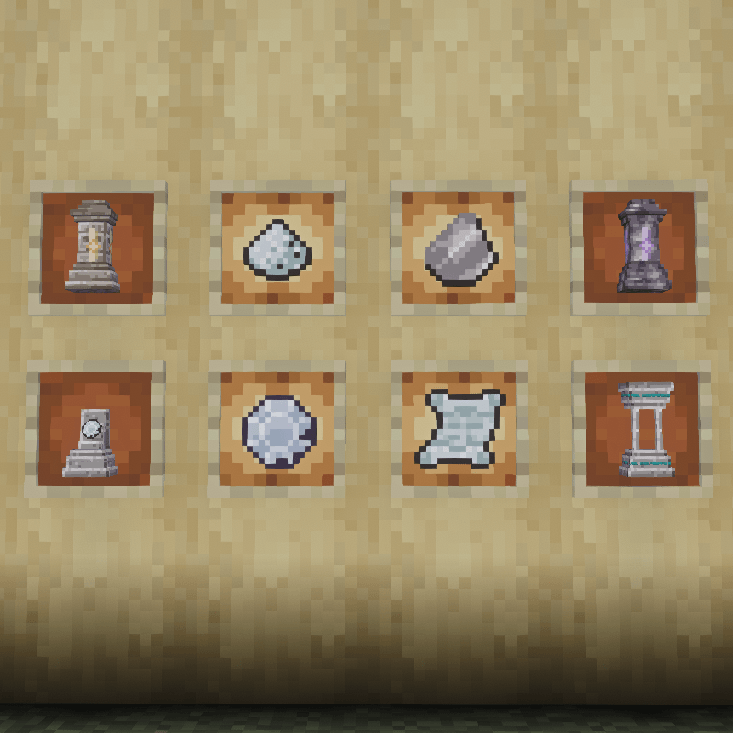
  •  Waystones — posterized, modern stone with beveled edges and a glowing geometric rune running down the pillar.
  •  Sharestones & Portstones — a clean horizontal color band that follows the block's dye color (see below).
  •  Warp Plate — retextured base, plate, inner ring and lock.
  •  Items — Warp Stone, Warp / Return / Bound / Blank Scrolls, Attuned / Crumbling / Dormant / Deepslate Shards and Warp Dust, all redrawn to match the blocks.

ℹ️ Information

  • ✅ 100% visual — textures only. No gameplay changes, no recipes touched.
  • 🧩 Requires the Waystones mod (this is a resource pack, not the mod itself).
  • 🧱 Same resolution as the mod — fits right in with vanilla and the original art.
  • 🪶 Lightweight: only PNG textures + a pack.mcmeta.

📸 Preview
 

Refined Waystones [1.20.1]
MC 1.20.1
Release 2026-06-28 Get
Refined Waystones [1.20.2]
MC 1.20.2
Release 2026-06-28 Get
Refined Waystones [1.20.5 - 1.20.6]
MC 1.20.5, 1.20.6
Release 2026-06-28 Get
Refined Waystones [1.21.1 - 1.21.8]
MC 1.21.8, 1.21.5, 1.21.4, 1.21.1, 1.21.6, 1.21.3, 1.21.7, 1.21.2
Release 2026-06-28 Get
Refined Waystones [1.21.9 - 1.21.10]
MC 1.21.9, 1.21.10
Release 2026-06-28 Get
Refined Waystones [1.21.11]
MC 1.21.11
Release 2026-06-28 Get

Requirements & install

How to use this resource pack in Minecraft
Resolution
16x
Minecraft
1.21.4 – 1.21.11
Install folder
.minecraft/resourcepacks

How to install resource packs

  1. Download the resource pack .zip file (do not extract it).
  2. In Minecraft open Options → Resource Packs → Open Pack Folder.
  3. Drop the .zip into the resourcepacks folder (.minecraft/resourcepacks).
  4. Move the pack to the Selected column and click Done.
Browse more: 16x resource packs 32x resource packs 64x resource packs 128x resource packs 256x resource packs 512x+ resource packs Resource Packs for 1.21.11 All resource packs

More from Veydiz

Advertisement Remove ads with Premium →

You Might Also Like