Mineuniverse
Resource Packs
Redstone Tweaks Carpet Addon

Redstone Tweaks Carpet Addon

RESOURCE PACK
Adds power indicators to hoppers, droppers & dispensers
by RexxStone
Download Claim this project
8,143 downloads
0 likes
0 followers
Updated Oct 14, 2026
0 hypes
Follow0
16x Miscellaneous
Advertisement Remove ads with Premium →

Redstone Tweaks Carpet Addon - Version 1.0.2 - Minecraft 1.20.x

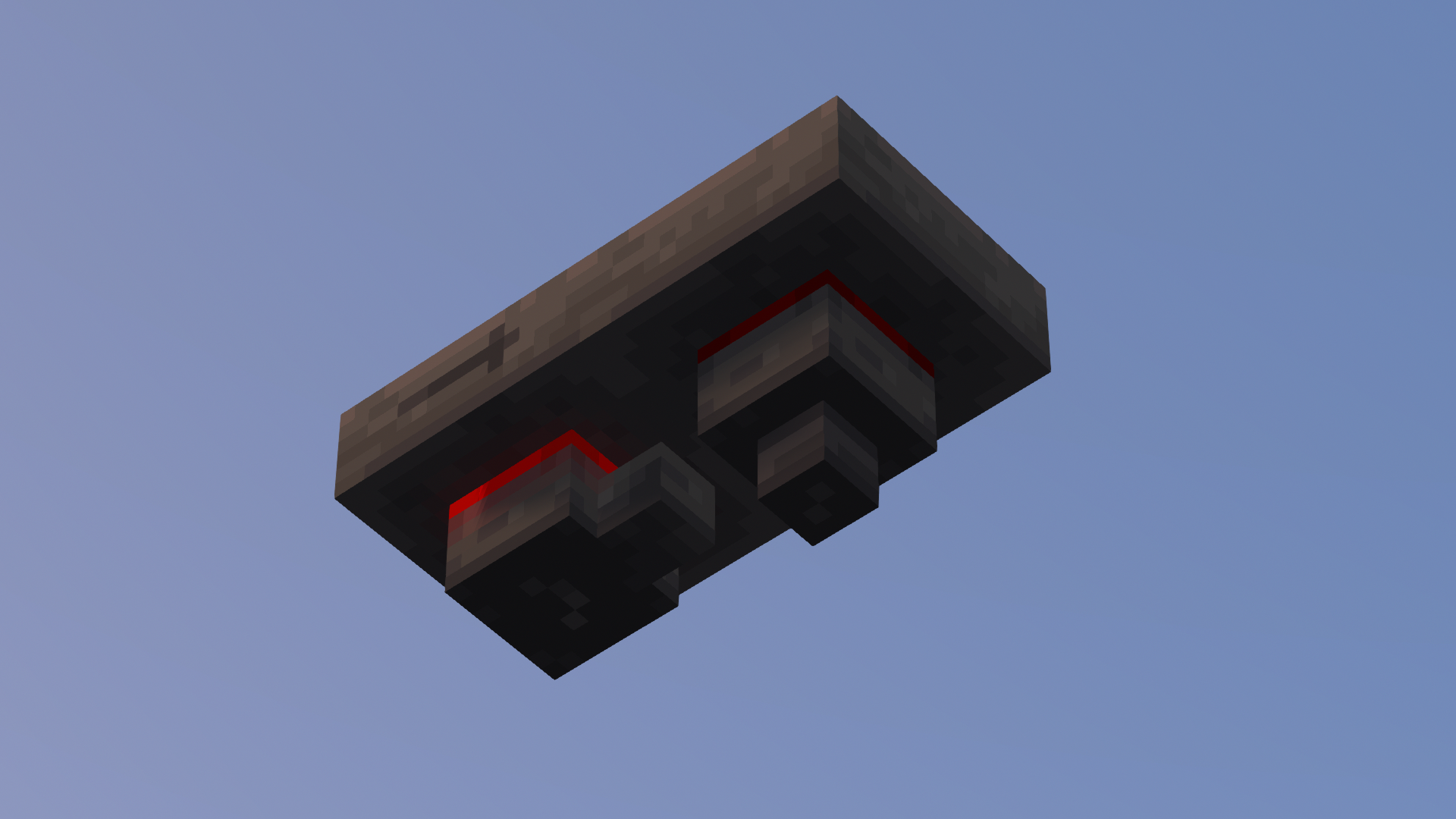
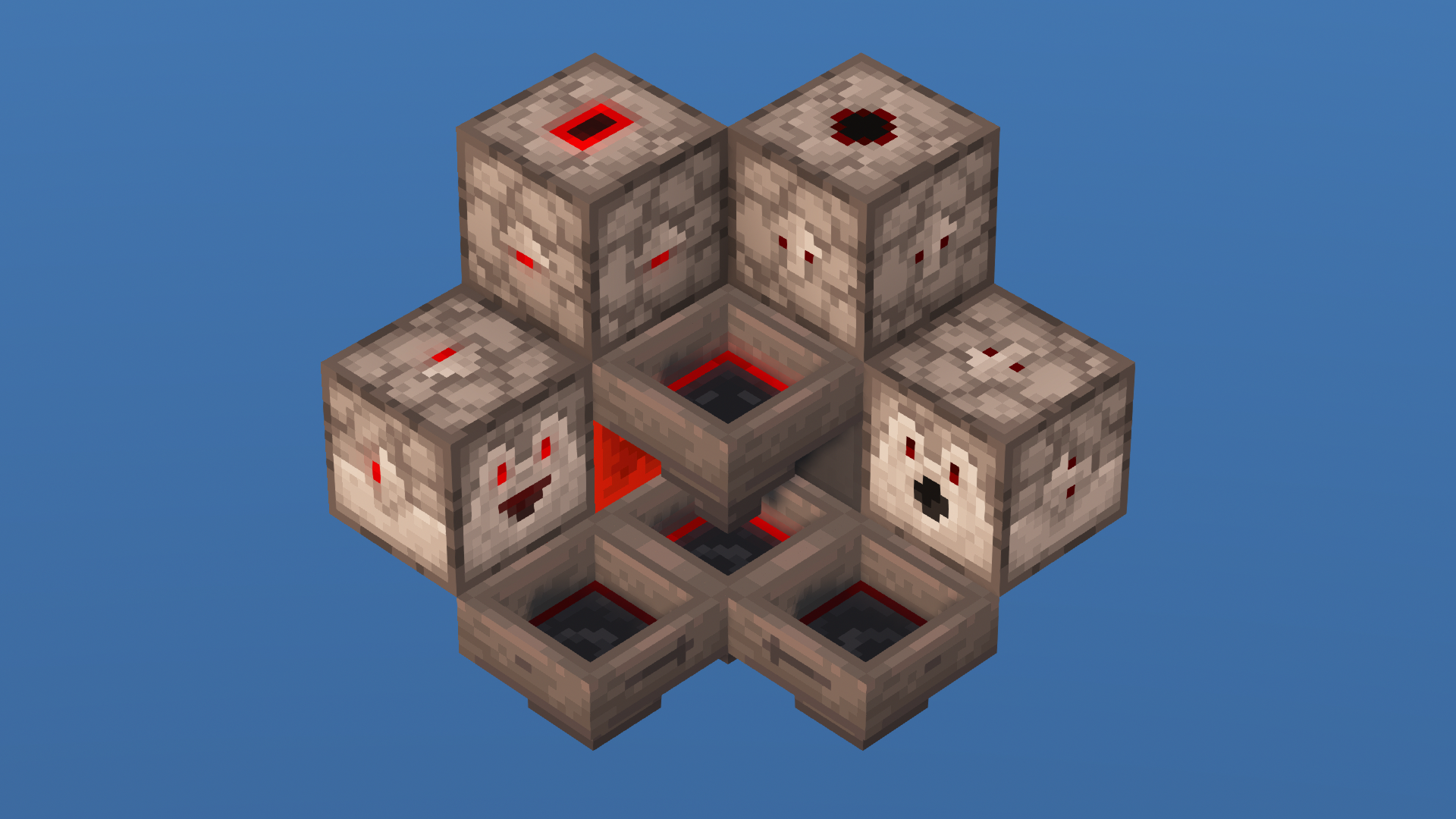
This addon for my Redstone Tweaks Resource Pack adds power indicators to hoppers, droppers and dispensers.


Showcase Video:


Due to a limitation with Minecraft's code, this addon works best together with the Carpet Extra fabric mod by gnembon.
Once installed, simply run the /carpet blockStateSyncing true command in your world. Don't worry, this only ensures all blocks visually update correctly and doesn't mess with any Minecraft functionality. In Multiplayer, the mod has to be installed on the server for everything to function properly.


Credits

Some of the textures are based on or inspired by work from other creators. Go check them out!

> Dropper and Dispenser textures based on "Little Improvements: Redstone" by Beatso:
  > https://www.planetminecraft.com/member/beatso/
  > https://www.planetminecraft.com/texture-pack/little-improvements-redstone/

> Hopper side arrow texture from Vanilla Tweaks:
  > https://vanillatweaks.net/

> Special thanks to my Discord moderator Junq for helping out with some of the textures!


Feature List

Changes to Blocks

> Dispenser & Dropper
   > Easily distinguishable
   > Orientation easily recognizable from all sides
   > Shows if currently triggered (all sides)

> Hopper
   > Orientation easily recognizable from all sides
   > Shows if currently locked (all sides)

Alternative/Optional Textures

> Different looks
   > Dispenser & Dropper (different back textures)



Redstone Tweaks Carpet Addon 1.0.2
MC 1.20.1, 1.20, 1.20-Snapshot
Release 2023-06-12 Get
Redstone Tweaks Carpet Addon 1.0.1
MC 1.19-Snapshot, 1.19
Release 2022-06-09 Get
Redstone Tweaks Carpet Addon 1.0
MC 1.18.1, 1.18.2, 1.18, 1.18-Snapshot
Release 2022-04-27 Get

Requirements & install

How to use this resource pack in Minecraft
Resolution
16x
Minecraft
1.18 – 1.20.1
Install folder
.minecraft/resourcepacks

How to install resource packs

  1. Download the resource pack .zip file (do not extract it).
  2. In Minecraft open Options → Resource Packs → Open Pack Folder.
  3. Drop the .zip into the resourcepacks folder (.minecraft/resourcepacks).
  4. Move the pack to the Selected column and click Done.
Browse more: 16x resource packs 32x resource packs 64x resource packs 128x resource packs 256x resource packs 512x+ resource packs Resource Packs for 1.20.1 All resource packs

More from RexxStone

Advertisement Remove ads with Premium →

You Might Also Like