Mineuniverse
Resource Packs
Redstone Power Display

Redstone Power Display

RESOURCE PACK
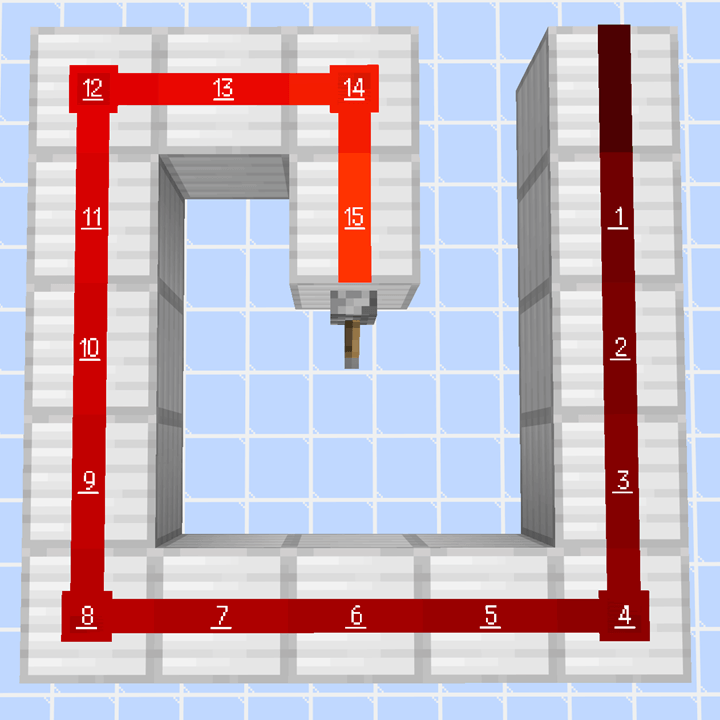
A Minecraft resource pack that replaces redstone dust textures and displays the redstone signal strength.
by OkanGames2525
Download Claim this project
933 downloads
0 likes
Updated Oct 14, 2026
0 hypes
16x
Advertisement Remove ads with Premium →

Redstone Power Display

A Minecraft resource pack that replaces redstone dust textures and displays the redstone signal strength.

Two variants are available:
one that displays 0 when the redstone signal strength is 0, and one that does not display 0.

レッドストーンパウダーのテクスチャを置き換え、レッドストーン信号強度を表示するマインクラフトのリソースパックです。

レッドストーン信号強度が0の場合、0も表示するバージョンと、0は表示しないバージョンの2種類を用意しています。

Latest Release

1.24.3

Editions

Compatible with Minecraft versions 1.12.2 through 26.3.

Minecraft 1.12.2 から 26.3 までのバージョンに対応しています。

Variants

RedstonePowerDisplay.zip - Displays 0 when the redstone signal strength is 0.

RedstonePowerDisplay_NoPower0.zip - Does not display 0 when the redstone signal strength is 0.

Fonts

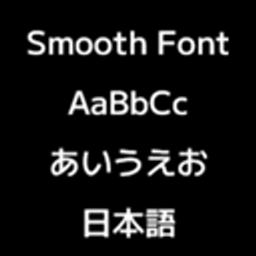
mplus_h12r: Uses the M+ bitmap hlv 12r font.

M+ Fonts

M+ bitmap

Usage

  1. Download the resource pack.

  2. Place the downloaded file in your Minecraft resourcepacks folder.

On Windows, the default location is:

C:\Users\<Username>\AppData\Roaming\.minecraft\resourcepacks

Sample Images

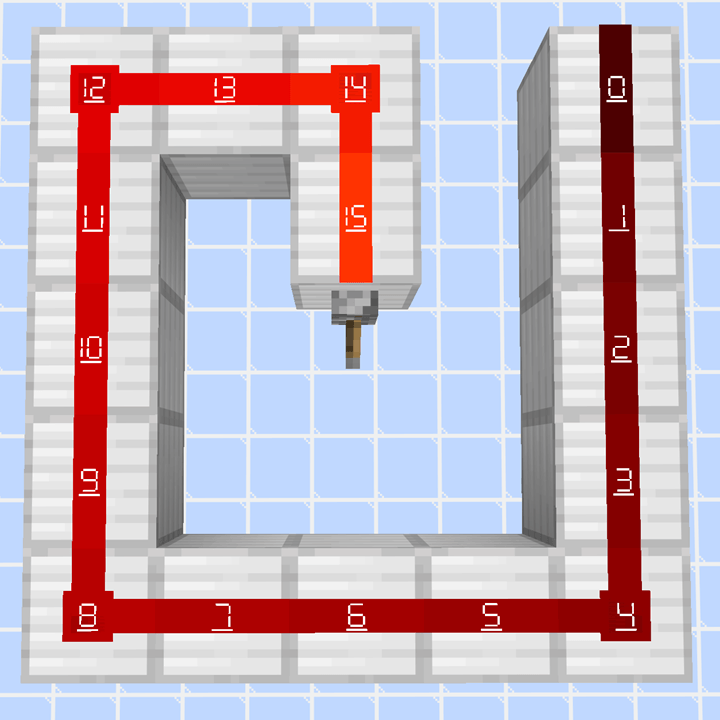
RedstonePowerDisplay.zip

7-segment font with 0 / 0表示あり7セグフォント

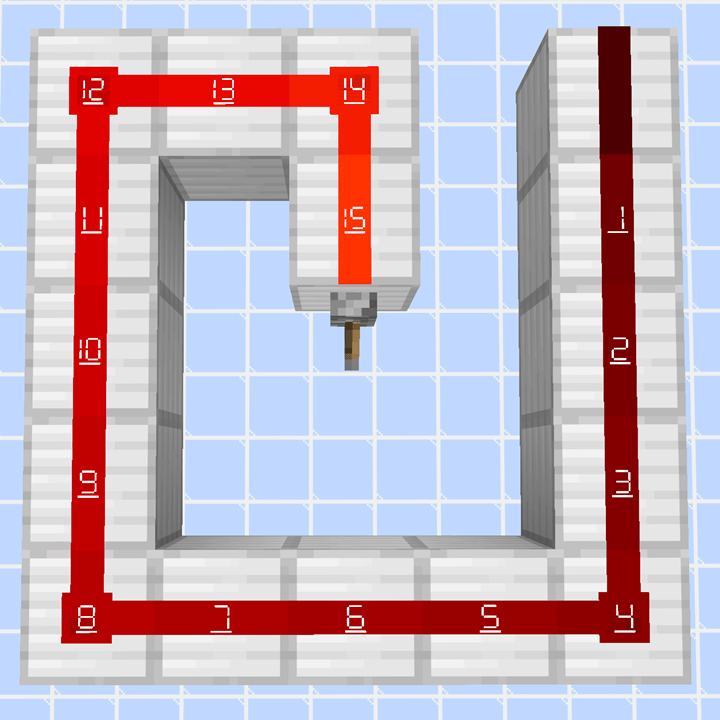
RedstonePowerDisplay_NoPower0.zip

7-segment font without 0 / 0表示なし7セグフォント

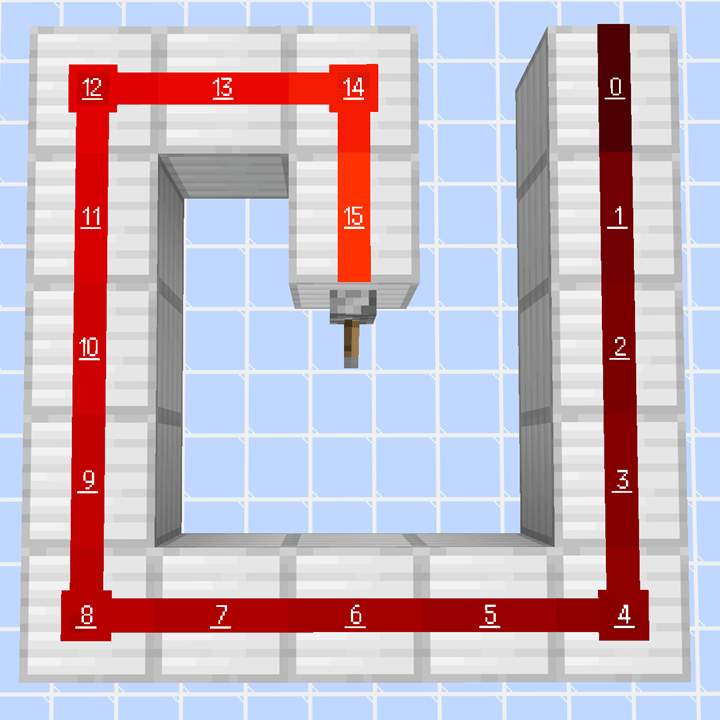
RedstonePowerDisplay_mplus_h12r.zip

M+ font with 0 / 0表示あり M+ フォント

RedstonePowerDisplay_NoPower0_mplus_h12r.zip

M+ font without 0 / 0表示なし M+ フォント

RedstonePowerDisplay_v1.25.2.zip
MC 26.1, 26.1.1, 26.1.2, 26.2, 26.3
Release 2026-09-16 Get
RedstonePowerDisplay_NoPower0_v1.25.2.zip
MC 26.1, 26.1.1, 26.1.2, 26.2, 26.3
Release 2026-09-16 Get
RedstonePowerDisplay_mplus_h12r_v1.25.2.zip
MC 26.1, 26.1.1, 26.1.2, 26.2, 26.3
Release 2026-09-16 Get
RedstonePowerDisplay_NoPower0_mplus_h12r_v1.25.2.zip
MC 26.1, 26.1.1, 26.1.2, 26.2, 26.3
Release 2026-09-16 Get
RedstonePowerDisplay_v1.24.3.zip
MC 1.21.9, 1.21.10, 1.21.11
Release 2026-09-02 Get
RedstonePowerDisplay_mplus_h12r_v1.24.3.zip
MC 1.21.9, 1.21.10, 1.21.11
Release 2026-09-02 Get
RedstonePowerDisplay_NoPower0_v1.24.3.zip
MC 1.21.9, 1.21.10, 1.21.11
Release 2026-09-02 Get
RedstonePowerDisplay_NoPower0_mplus_h12r_v1.24.3.zip
MC 1.21.9, 1.21.10, 1.21.11
Release 2026-09-02 Get
RedstonePowerDisplay_v1.3.0.zip
MC 1.12.2
Release 2026-09-02 Get
RedstonePowerDisplay_mplus_h12r_v1.3.0.zip
MC 1.12.2
Release 2026-09-02 Get
RedstonePowerDisplay_NoPower0_v1.3.0.zip
MC 1.12.2
Release 2026-09-02 Get
RedstonePowerDisplay_NoPower0_mplus_h12r_v1.3.0.zip
MC 1.12.2
Release 2026-09-02 Get
RedstonePowerDisplay_v1.5.0.zip
MC 1.13.1, 1.14.3, 1.13, 1.14.4, 1.14.1, 1.14, 1.13.2, 1.14.2
Release 2026-09-02 Get
RedstonePowerDisplay_NoPower0_v1.5.0.zip
MC 1.13.1, 1.14.3, 1.13, 1.14.4, 1.14.1, 1.14, 1.13.2, 1.14.2
Release 2026-09-02 Get
RedstonePowerDisplay_NoPower0_mplus_h12r_v1.5.0.zip
MC 1.13.1, 1.14.3, 1.13, 1.14.4, 1.14.1, 1.14, 1.13.2, 1.14.2
Release 2026-09-02 Get
RedstonePowerDisplay_mplus_h12r_v1.5.0.zip
MC 1.13.1, 1.14.3, 1.13, 1.14.4, 1.14.1, 1.14, 1.13.2, 1.14.2
Release 2026-09-02 Get
RedstonePowerDisplay_v1.6.0.zip
MC 1.16.1, 1.15, 1.16, 1.15.2, 1.15.1
Release 2026-09-02 Get
RedstonePowerDisplay_NoPower0_v1.6.0.zip
MC 1.16.1, 1.15, 1.16, 1.15.2, 1.15.1
Release 2026-09-02 Get
RedstonePowerDisplay_NoPower0_mplus_h12r_v1.6.0.zip
MC 1.16.1, 1.15, 1.16, 1.15.2, 1.15.1
Release 2026-09-02 Get
RedstonePowerDisplay_mplus_h12r_v1.6.0.zip
MC 1.16.1, 1.15, 1.16, 1.15.2, 1.15.1
Release 2026-09-02 Get
RedstonePowerDisplay_v1.7.0.zip
MC 1.16.3, 1.16.5, 1.16.2, 1.16.4
Release 2026-09-02 Get
RedstonePowerDisplay_mplus_h12r_v1.7.0.zip
MC 1.16.3, 1.16.5, 1.16.2, 1.16.4
Release 2026-09-02 Get
RedstonePowerDisplay_NoPower0_v1.7.0.zip
MC 1.16.3, 1.16.5, 1.16.2, 1.16.4
Release 2026-09-02 Get
RedstonePowerDisplay_NoPower0_mplus_h12r_v1.7.0.zip
MC 1.16.3, 1.16.5, 1.16.2, 1.16.4
Release 2026-09-02 Get
RedstonePowerDisplay_v1.8.0.zip
MC 1.17.1, 1.17
Release 2026-09-02 Get
RedstonePowerDisplay_mplus_h12r_v1.8.0.zip
MC 1.17.1, 1.17
Release 2026-09-02 Get
RedstonePowerDisplay_NoPower0_v1.8.0.zip
MC 1.17.1, 1.17
Release 2026-09-02 Get
RedstonePowerDisplay_NoPower0_mplus_h12r_v1.8.0.zip
MC 1.17.1, 1.17
Release 2026-09-02 Get
RedstonePowerDisplay_v1.9.0.zip
MC 1.18.1, 1.18, 1.18.2
Release 2026-09-02 Get
RedstonePowerDisplay_mplus_h12r_v1.9.0.zip
MC 1.18.1, 1.18, 1.18.2
Release 2026-09-02 Get
RedstonePowerDisplay_NoPower0_v1.9.0.zip
MC 1.18.1, 1.18, 1.18.2
Release 2026-09-02 Get
RedstonePowerDisplay_NoPower0_mplus_h12r_v1.9.0.zip
MC 1.18.1, 1.18, 1.18.2
Release 2026-09-02 Get
RedstonePowerDisplay_v1.10.0.zip
MC 1.19.1, 1.19.2, 1.19
Release 2026-09-02 Get
RedstonePowerDisplay_mplus_h12r_v1.10.0.zip
MC 1.19.1, 1.19.2, 1.19
Release 2026-09-02 Get
RedstonePowerDisplay_NoPower0_v1.10.0.zip
MC 1.19.1, 1.19.2, 1.19
Release 2026-09-02 Get
RedstonePowerDisplay_NoPower0_mplus_h12r_v1.10.0.zip
MC 1.19.1, 1.19.2, 1.19
Release 2026-09-02 Get
RedstonePowerDisplay_v1.11.0.zip
MC 1.19.3
Release 2026-09-02 Get
RedstonePowerDisplay_NoPower0_v1.11.0.zip
MC 1.19.3
Release 2026-09-02 Get
RedstonePowerDisplay_NoPower0_mplus_h12r_v1.11.0.zip
MC 1.19.3
Release 2026-09-02 Get
RedstonePowerDisplay_mplus_h12r_v1.11.0.zip
MC 1.19.3
Release 2026-09-02 Get
RedstonePowerDisplay_v1.12.0.zip
MC 1.19.4
Release 2026-09-02 Get
RedstonePowerDisplay_mplus_h12r_v1.12.0.zip
MC 1.19.4
Release 2026-09-02 Get
RedstonePowerDisplay_NoPower0_v1.12.0.zip
MC 1.19.4
Release 2026-09-02 Get
RedstonePowerDisplay_NoPower0_mplus_h12r_v1.12.0.zip
MC 1.19.4
Release 2026-09-02 Get
RedstonePowerDisplay_v1.13.0.zip
MC 1.20.1, 1.20
Release 2026-09-02 Get
RedstonePowerDisplay_mplus_h12r_v1.13.0.zip
MC 1.20.1, 1.20
Release 2026-09-02 Get
RedstonePowerDisplay_NoPower0_v1.13.0.zip
MC 1.20.1, 1.20
Release 2026-09-02 Get
RedstonePowerDisplay_NoPower0_mplus_h12r_v1.13.0.zip
MC 1.20.1, 1.20
Release 2026-09-02 Get
RedstonePowerDisplay_v1.14.0.zip
MC 1.20.2
Release 2026-09-02 Get
RedstonePowerDisplay_mplus_h12r_v1.14.0.zip
MC 1.20.2
Release 2026-09-02 Get

Requirements & install

How to use this resource pack in Minecraft
Resolution
16x
Minecraft
1.21.9 – 26.3
Install folder
.minecraft/resourcepacks

How to install resource packs

  1. Download the resource pack .zip file (do not extract it).
  2. In Minecraft open Options → Resource Packs → Open Pack Folder.
  3. Drop the .zip into the resourcepacks folder (.minecraft/resourcepacks).
  4. Move the pack to the Selected column and click Done.
Browse more: 16x resource packs 32x resource packs 64x resource packs 128x resource packs 256x resource packs 512x+ resource packs Resource Packs for 26.3 All resource packs

More from OkanGames2525

Advertisement Remove ads with Premium →

You Might Also Like