Mineuniverse
Resource Packs
ReCrafted Graphics [POM] [CTM]

ReCrafted Graphics [POM] [CTM]

RESOURCE PACK
Better Vanilla Textures!
by ImKocoa
Download Claim this project
1,433 downloads
0 likes
0 followers
Updated Oct 14, 2026
0 hypes
Follow0
16x Miscellaneous Modern Traditional
Advertisement Remove ads with Premium →

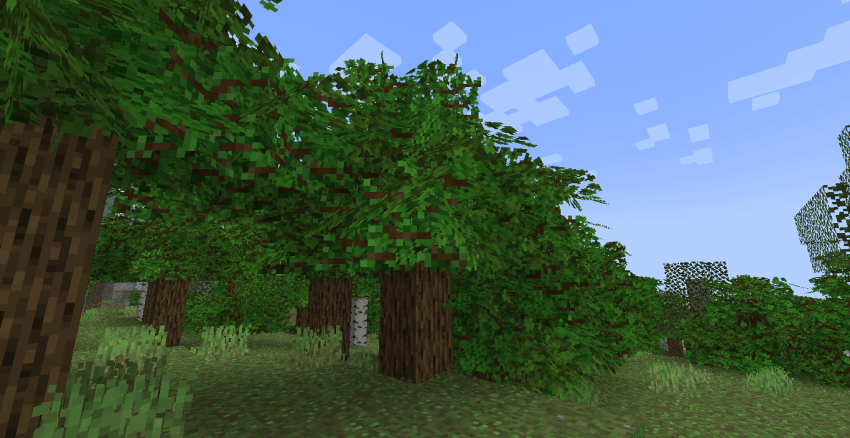
Vanilla Reborn is a resource pack that enhances vanilla textures with advanced texture features and improved models while maintaining the game's original aesthetic. 

For the pack to work correctly, you'll need to have OPTIFINE installed with the Connected Blocks settings in Fancy Settings, and Smooth Lighting on. If you have SODUIM, you'll need the Continuity Mod.

This pack is still in development and may contain errors and glitches in isolated cases. Some textures, models, and features may be modified/added/removed in future updates.

The main feature of Vanilla Reborn is the grass. It contains 64 texture variations to give it an organic, natural look with color variations and 10 extra layers to emulate depth using POM without the need for shaders. Two additional layers are added: Flowers and Stones. Each layer is randomized to make it more natural.
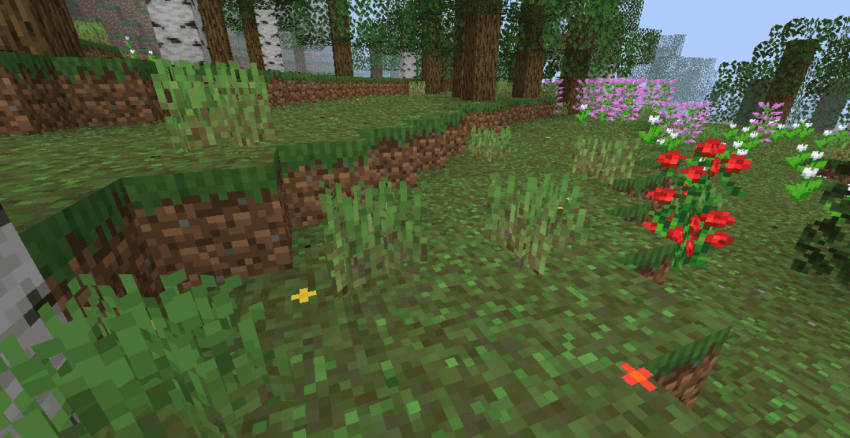
Grass Showcase

Another feature of the pack is the bricks, which have 256 unique textures to give them variation and naturalness.
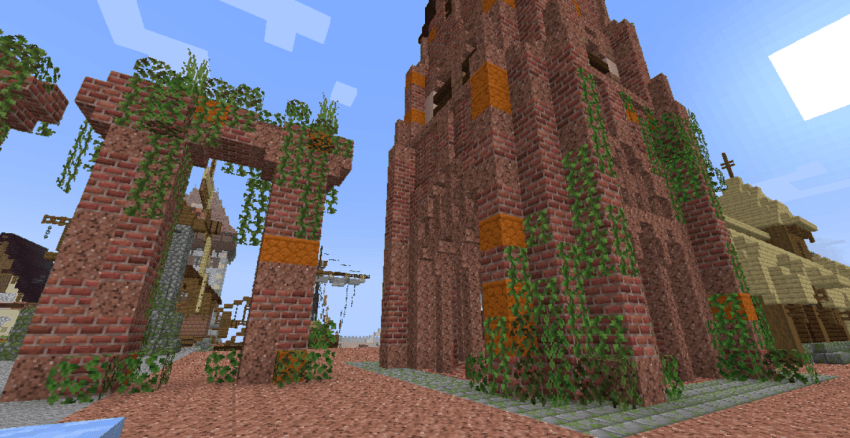
Bricks Variation

The last feature is the cobwebs, these have 8 variations to give them an organic appearance.
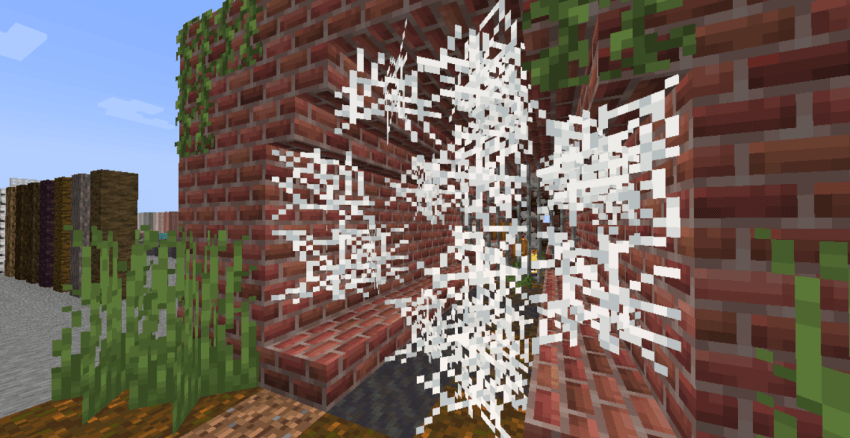
Cobwebs Variation

Future additions (Still in early development):

Grass with 3D sides, 3D leaves with branches and other aggregates.
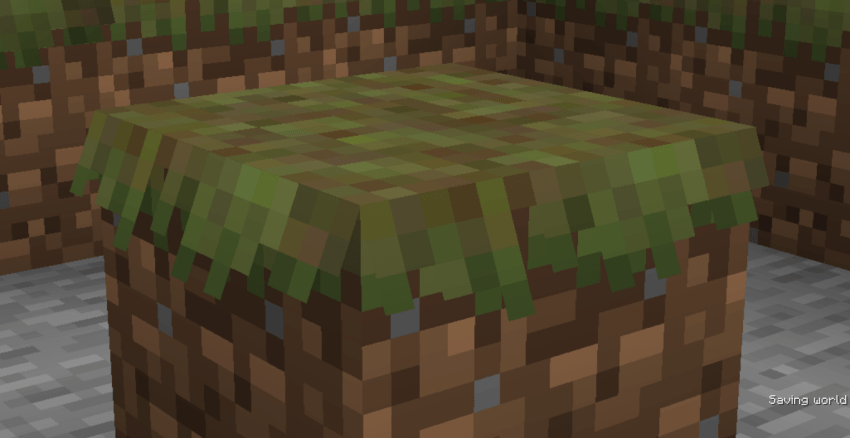
3D grass sides Spoiler

3D Leaves Spoiler


Recrafted R1 1,21,1
MC 1.21, 1.21.5, 1.21.4, 1.21.3, 1.21.1, 1.21.2
Beta 2025-04-01 Get
Vanilla Reborn for MC 1.21.1
MC 1.20.2, 1.21, 1.20.5, 1.21.5, 1.21.4, 1.20.3, 1.20.1, 1.20, 1.20.6, 1.20.4, 1.21.3, 1.21.1, 1.21.2
Release 2025-04-01 Get

Requirements & install

How to use this resource pack in Minecraft
Resolution
16x
Minecraft
1.20.5 – 1.21.5
Install folder
.minecraft/resourcepacks

How to install resource packs

  1. Download the resource pack .zip file (do not extract it).
  2. In Minecraft open Options → Resource Packs → Open Pack Folder.
  3. Drop the .zip into the resourcepacks folder (.minecraft/resourcepacks).
  4. Move the pack to the Selected column and click Done.
Browse more: 16x resource packs 32x resource packs 64x resource packs 128x resource packs 256x resource packs 512x+ resource packs Resource Packs for 1.21.5 All resource packs

More from ImKocoa

Advertisement Remove ads with Premium →

You Might Also Like