



Mineuniverse
Resource Packs
Recolourful Containers GUI + HUD

Recolourful Containers GUI + HUD

RESOURCE PACK
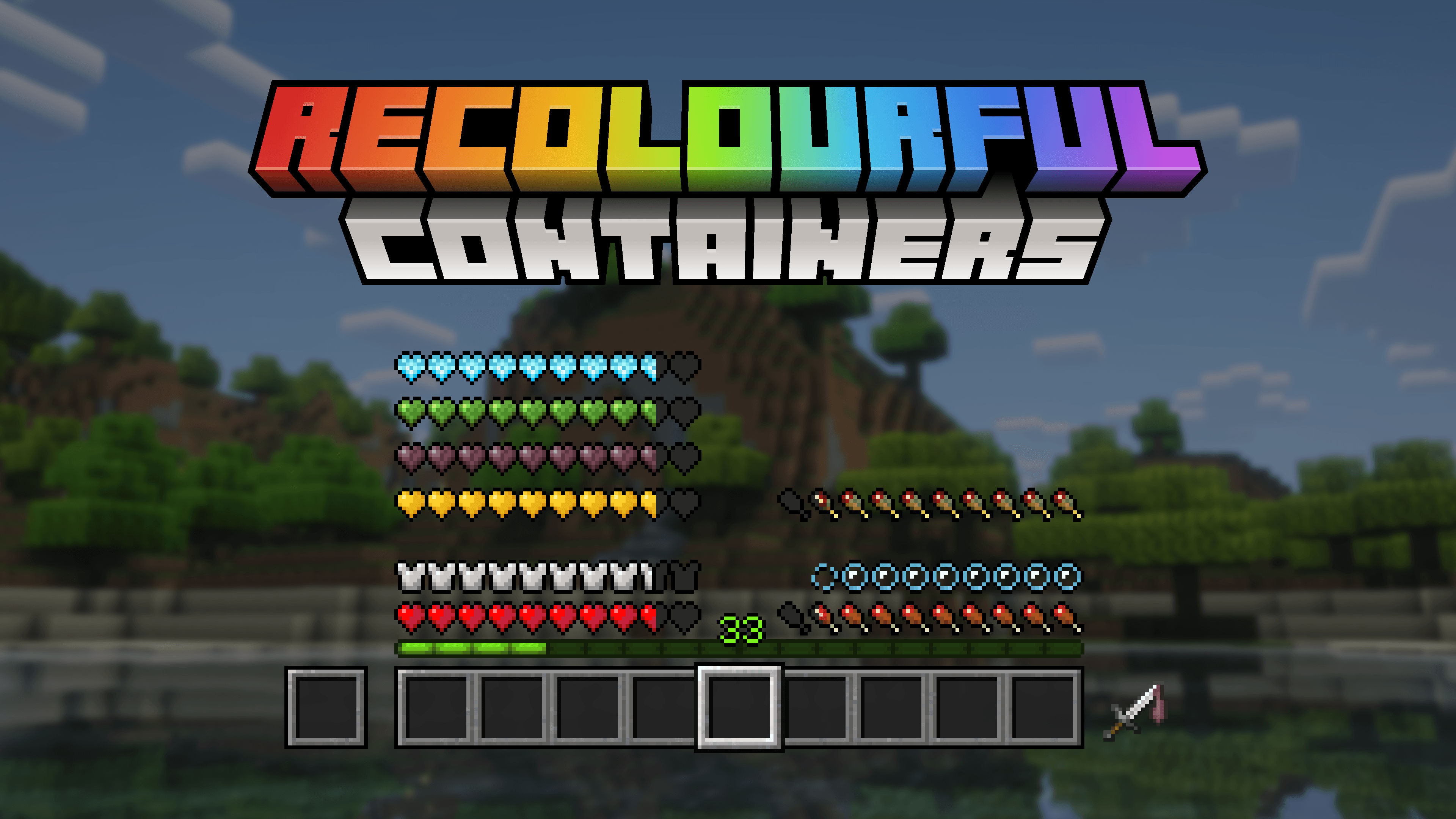
Do you want more immersive, more interesting, more colourful GUIs and HUD? Than this pack is for you!
by Vi_Tul
Download Claim this project
1,213,559 downloads
0 likes
0 followers
Updated Oct 14, 2026
0 hypes
Follow0
16x Animated Miscellaneous Modern Traditional
Advertisement Remove ads with Premium →


«Bored of Minecraft's basic user interface? Sick of approaching your enchanting table only to be presented by the same grey menu as the crafting table? Looking to add some colour into your game?

Introducing Colourful Containers! A container GUI replacement mod that hopes to match the menu to every one of Minecraft's colourful intractable blocks»

- Chris XENO

And now I'm introducing completely remade, retextured, reimagined version – Recolourful Containers with new versions support, new textures and even more immersion!

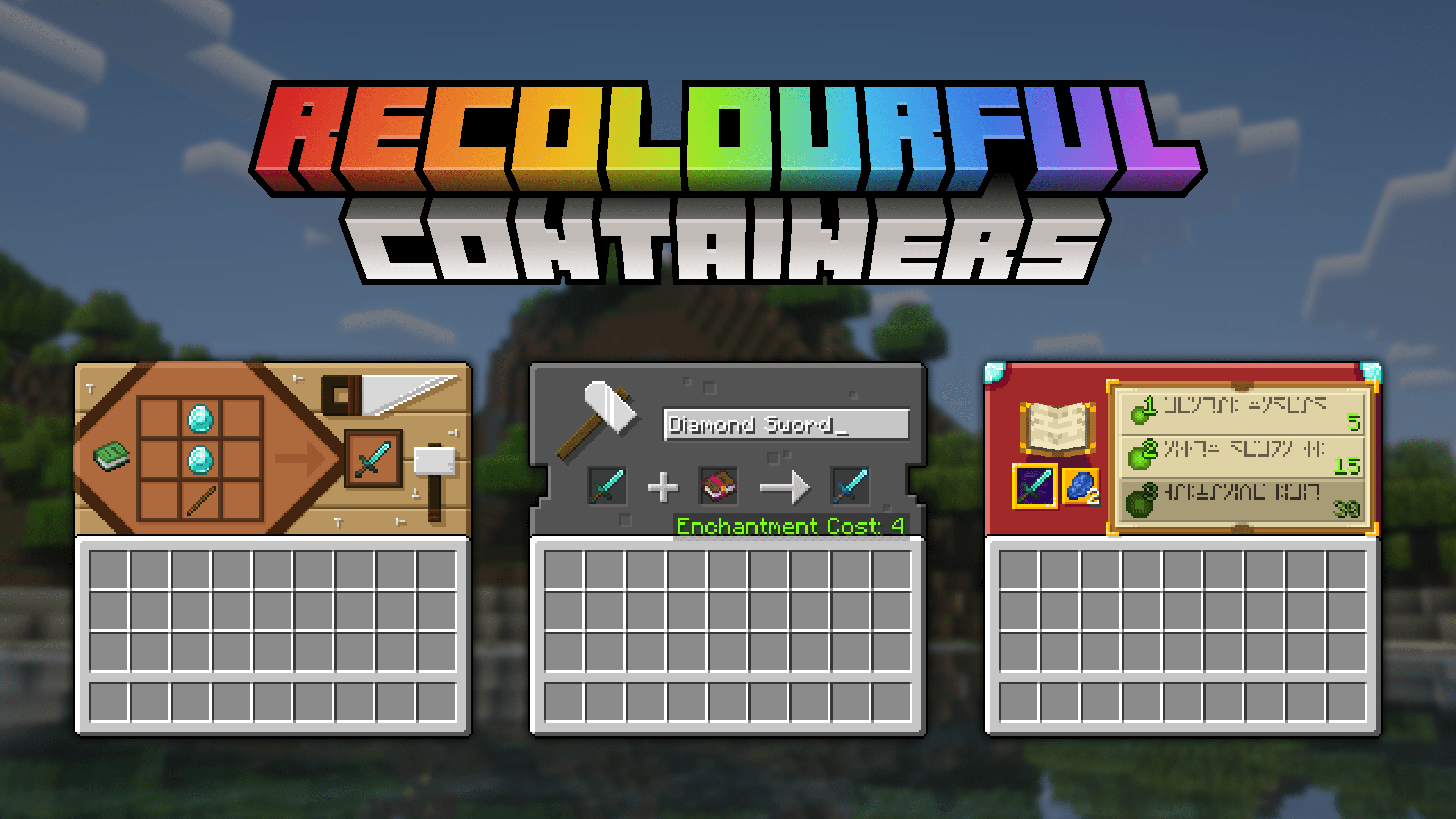
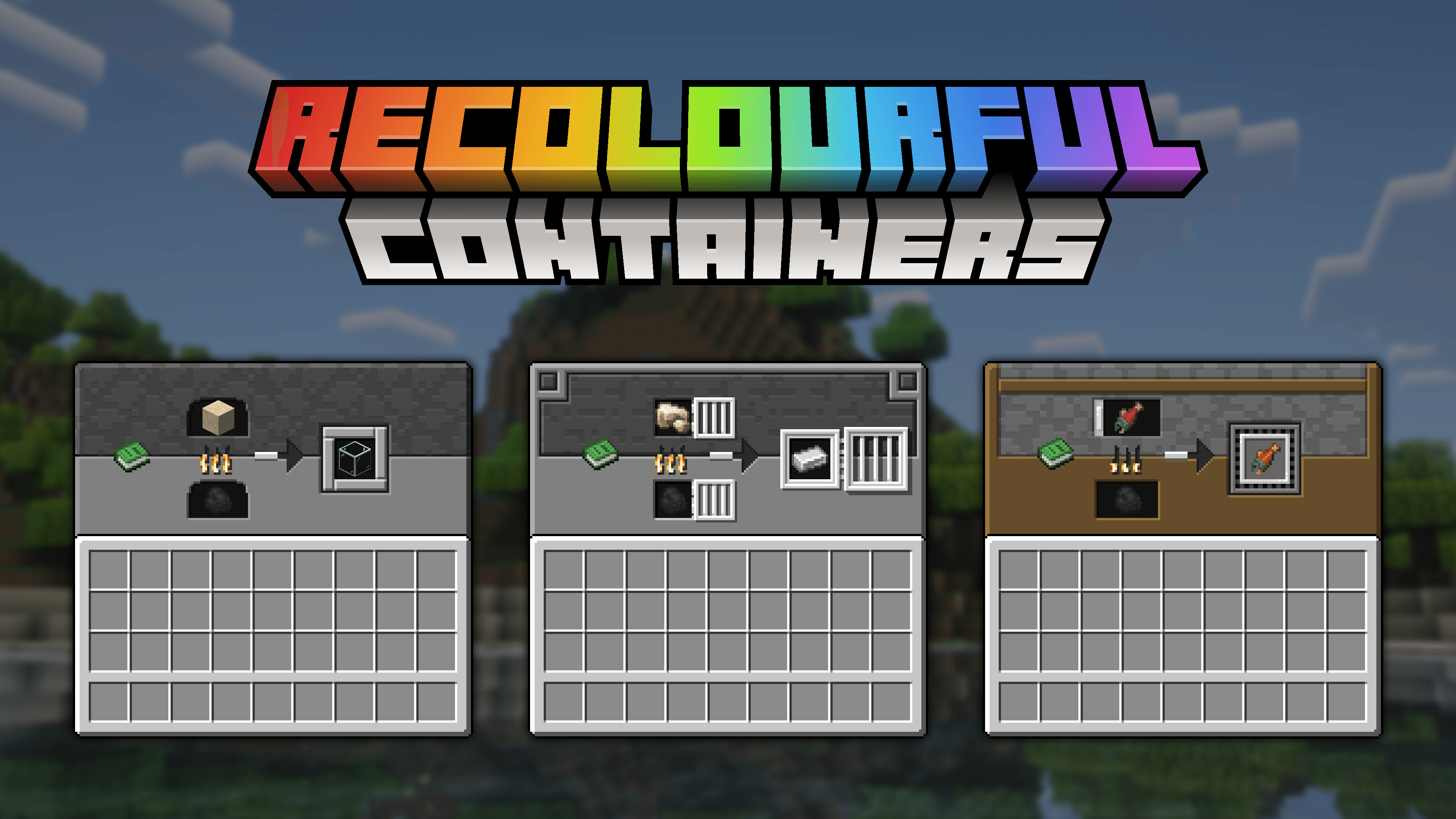
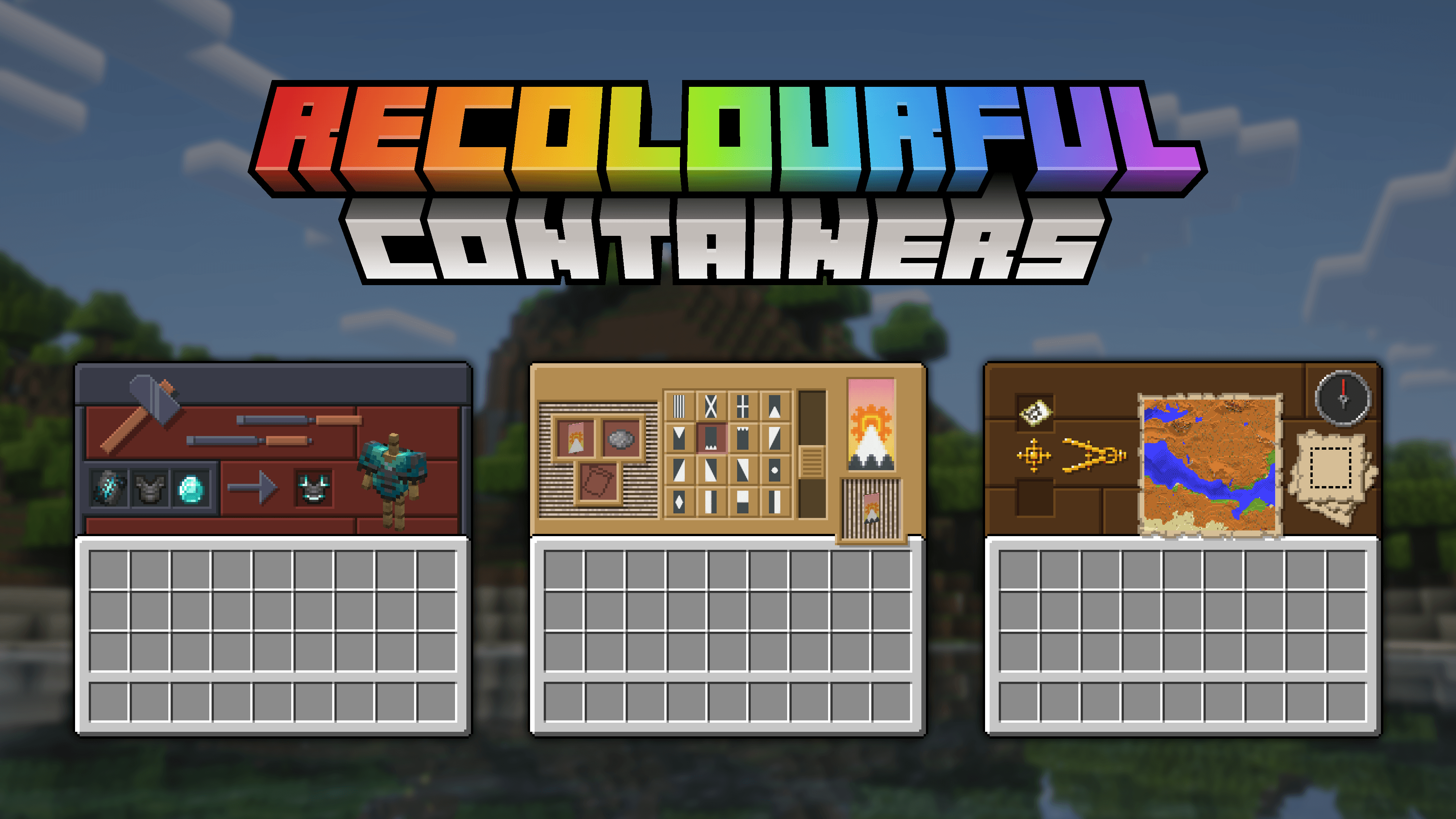
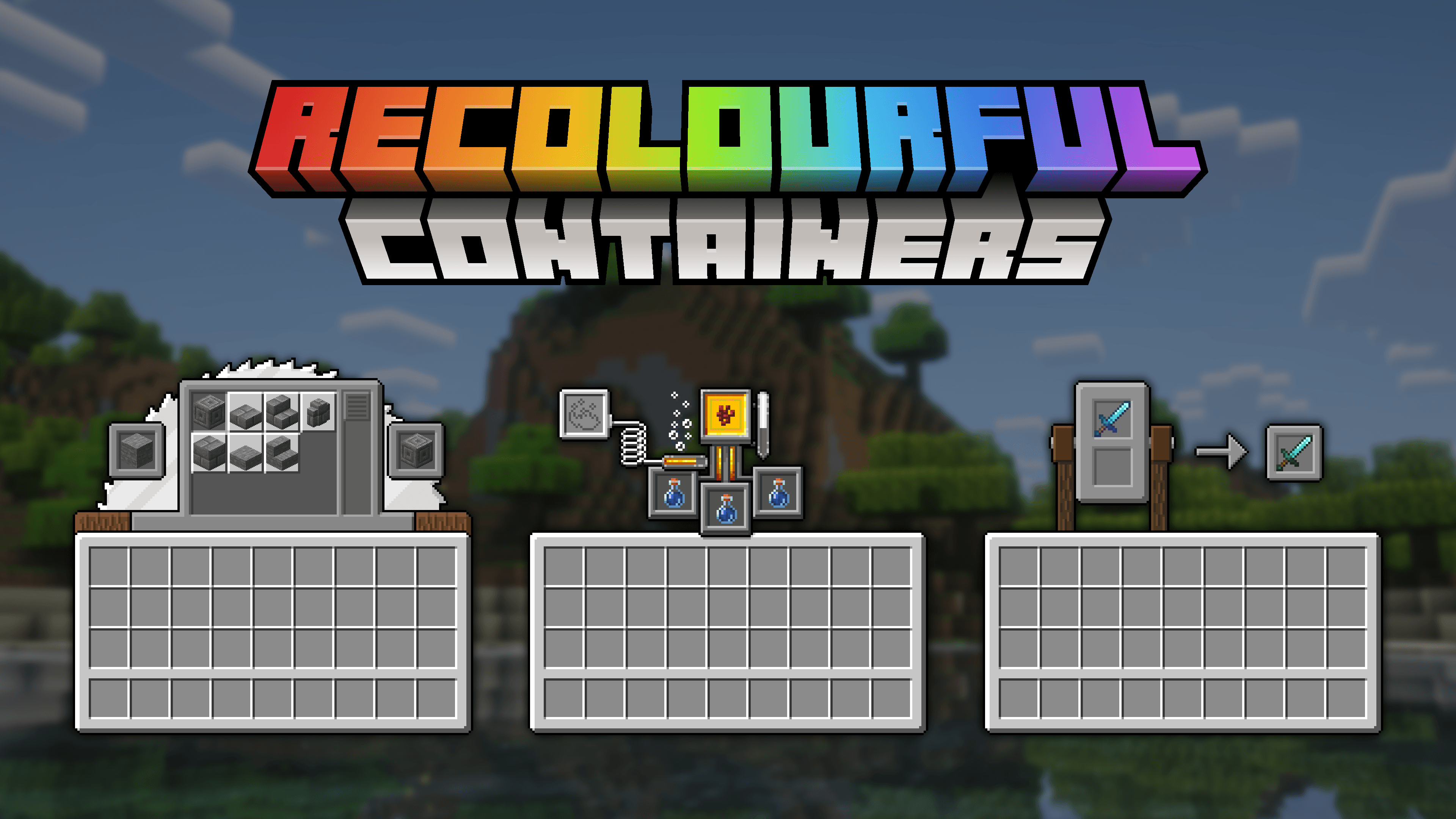
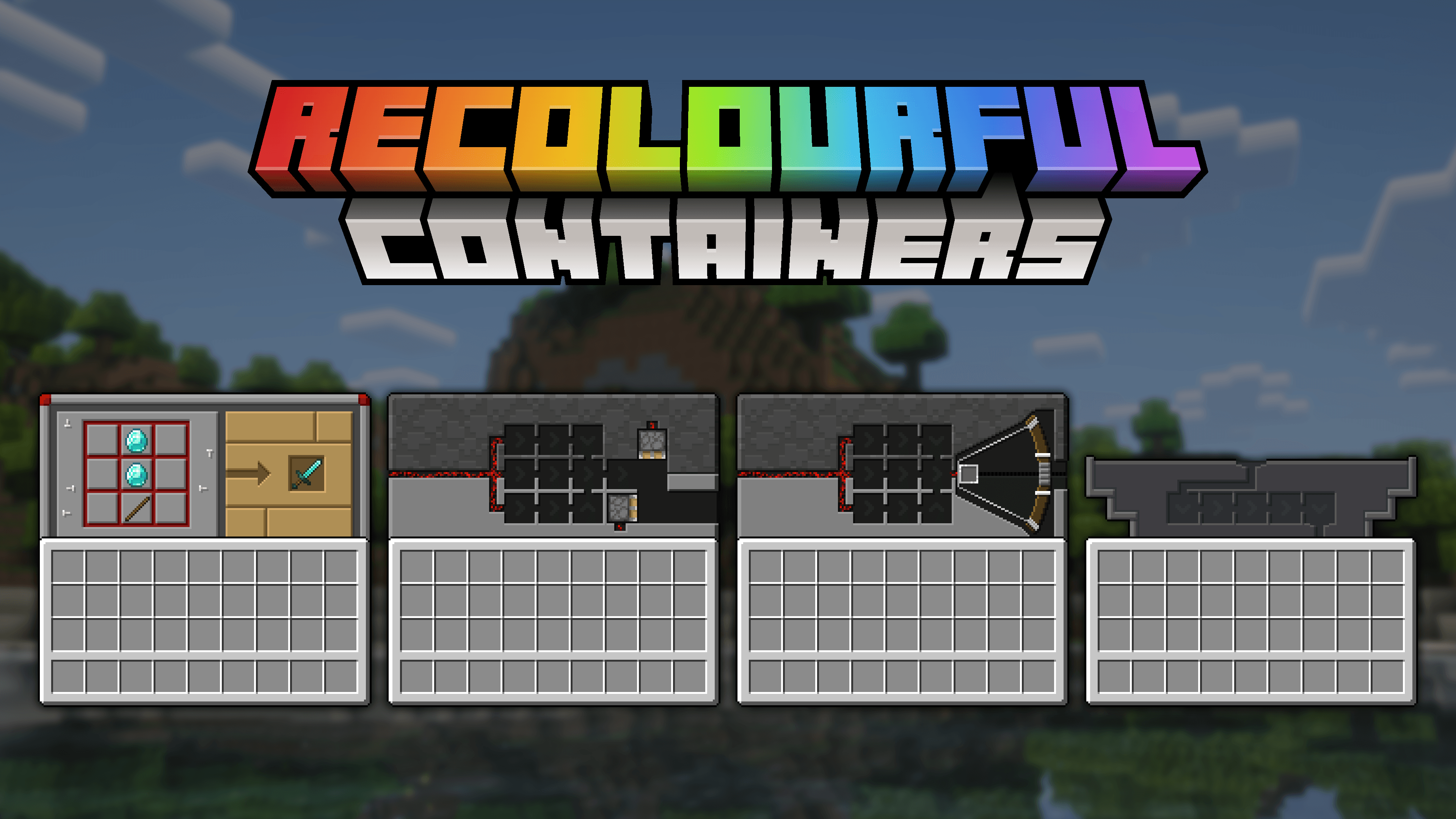
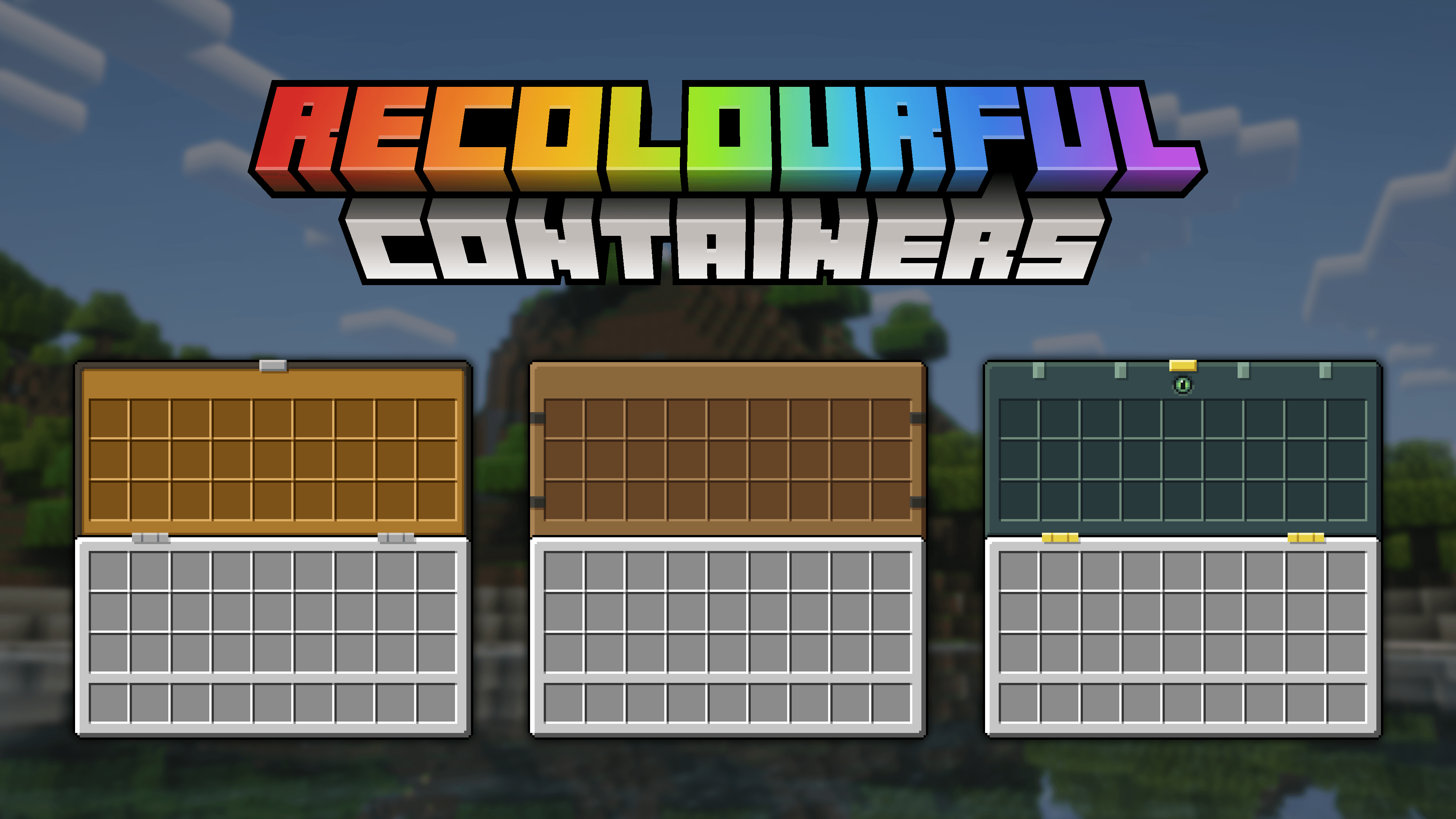
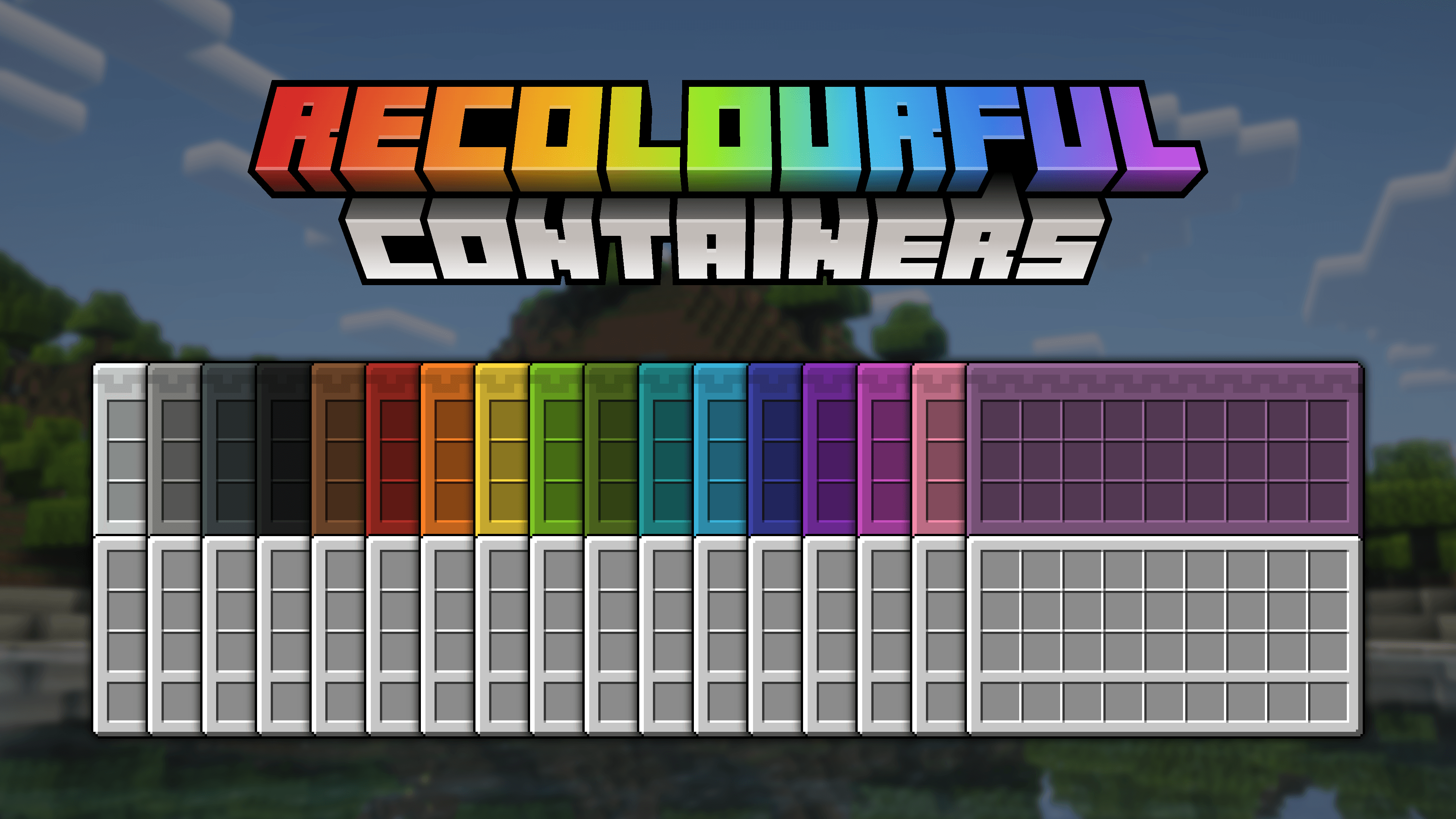

All GUIs were changed with inspiration taken from the block its associated with. Fixes for vanilla Minecraft textures, HUD changes, even animated GUIs in vanilla and much MUCH MORE!

Changed textures graphic:
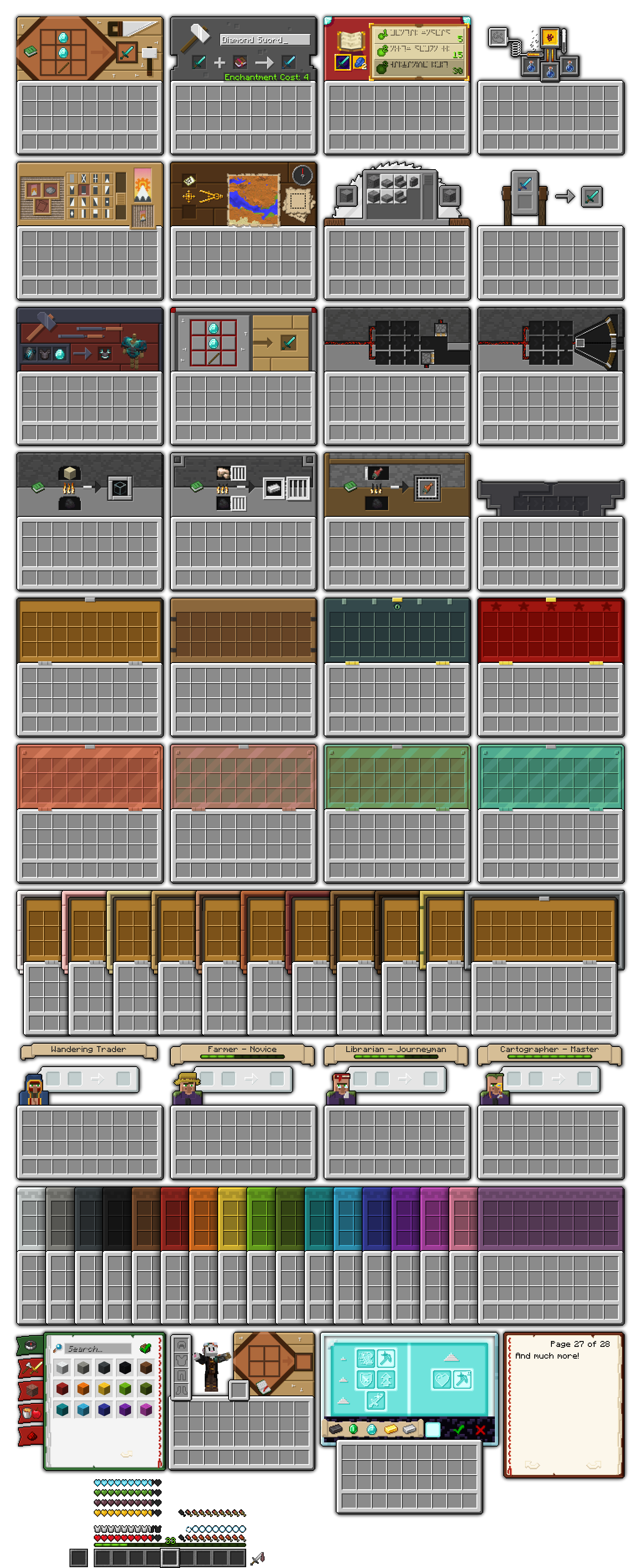
Changed textures list:

  • Crafting table
  • Anvil 
  • Enchanting table  
  • Brewing stand
  • Loom
  • Cartography table 
  • Stonecutter 
  • Grindstone
  • Smithing table 
  • Crafter 
  • Dropper, Dispenser 
  • Furnace, Blast furnace, Smoker  (1.20.2+)
  • Hopper
  • Chest
  • Boats with chest (1.21.2+)
  • Minecart with chest
  • Nautilus and Zombie nautilus
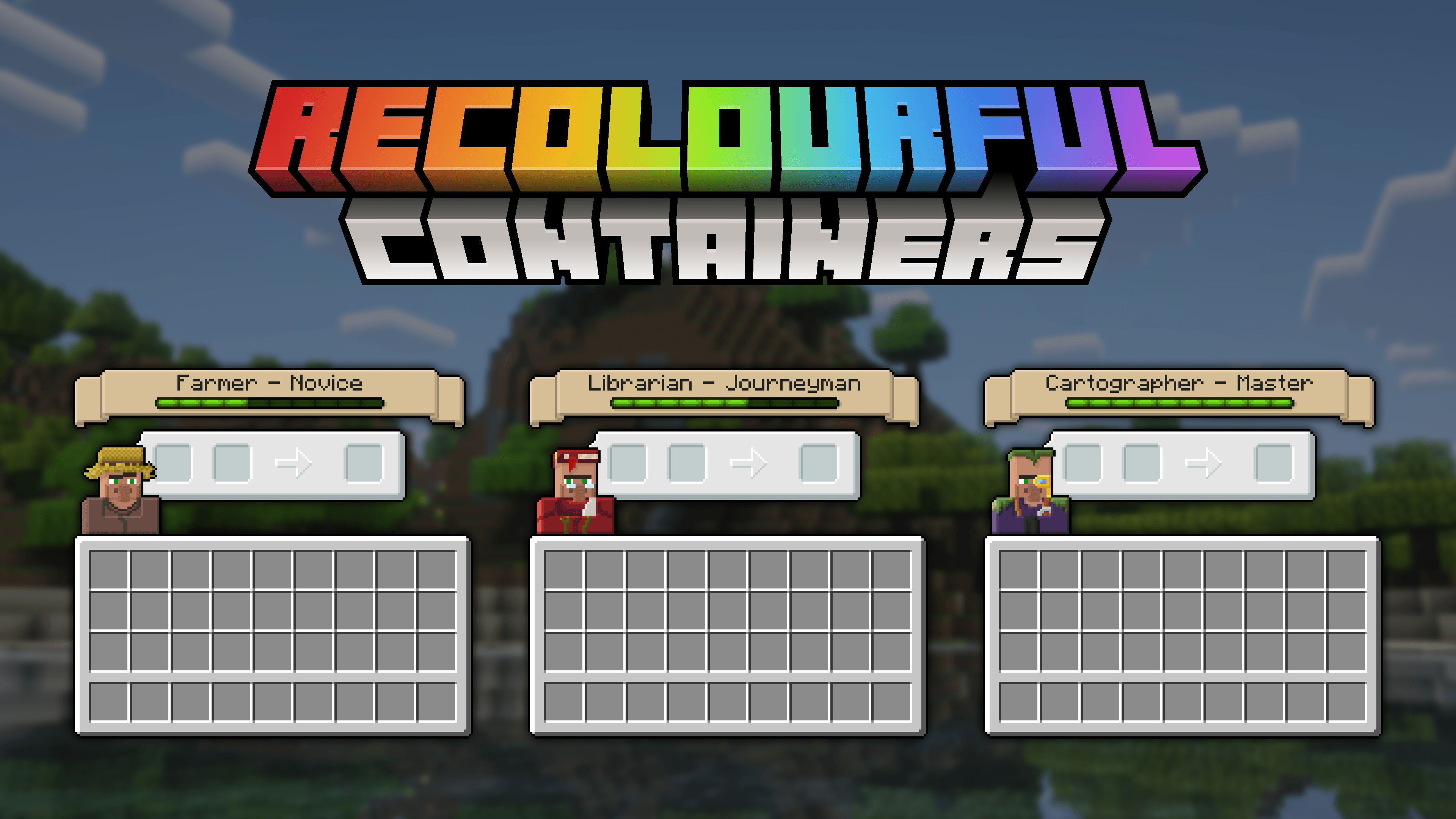
  • Villager
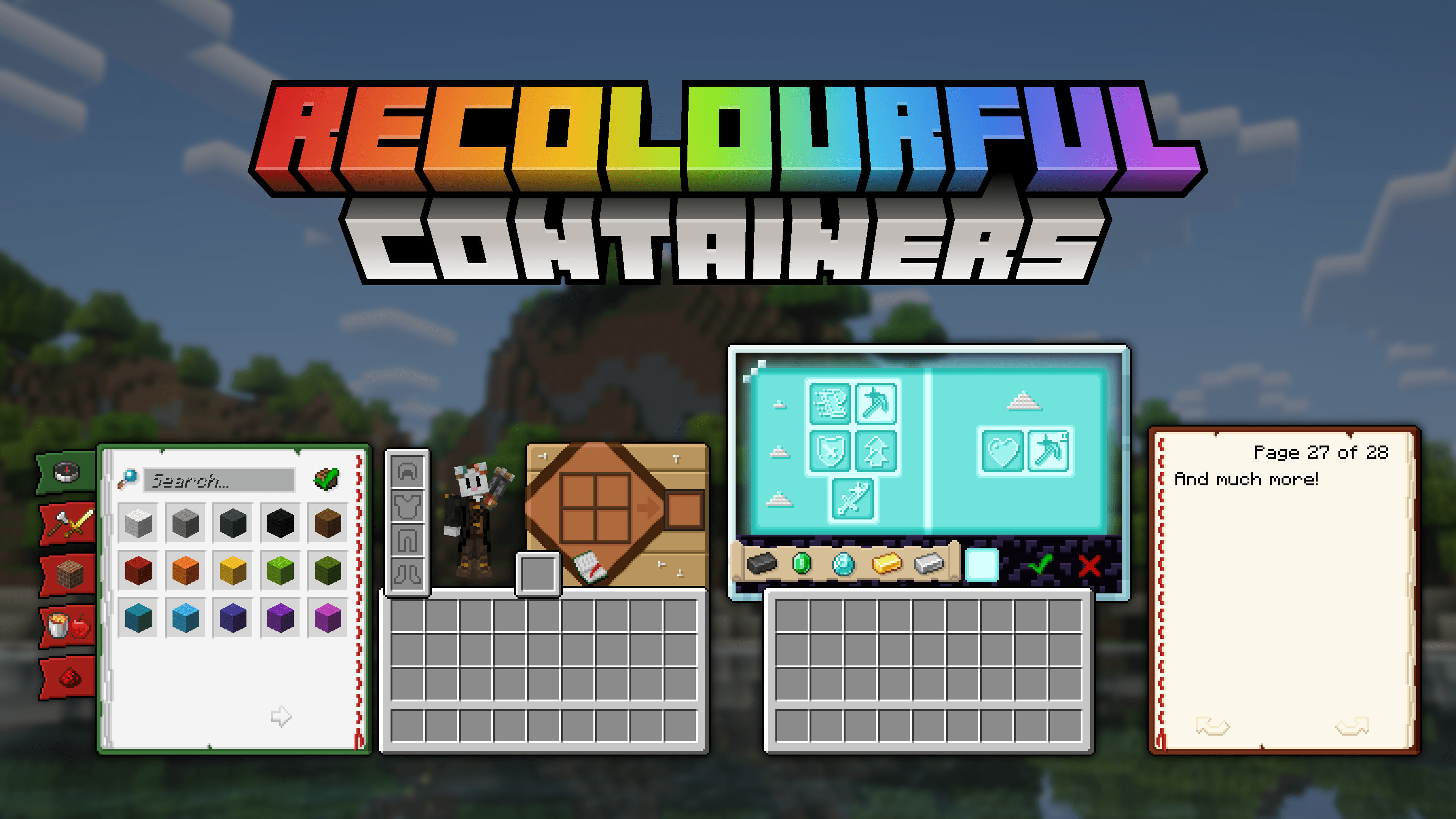
  • Inventory
  • Recipe book
  • Book
  • Beacon
  • HUD
  • XP bar  (1.20.2+)
  • Some small UI changes and fixes

"Vanilla+" features (please read "Installation guide" for more info):

  • Villagers' GUIs with professions 
  • Ender chest 
  • Barrel
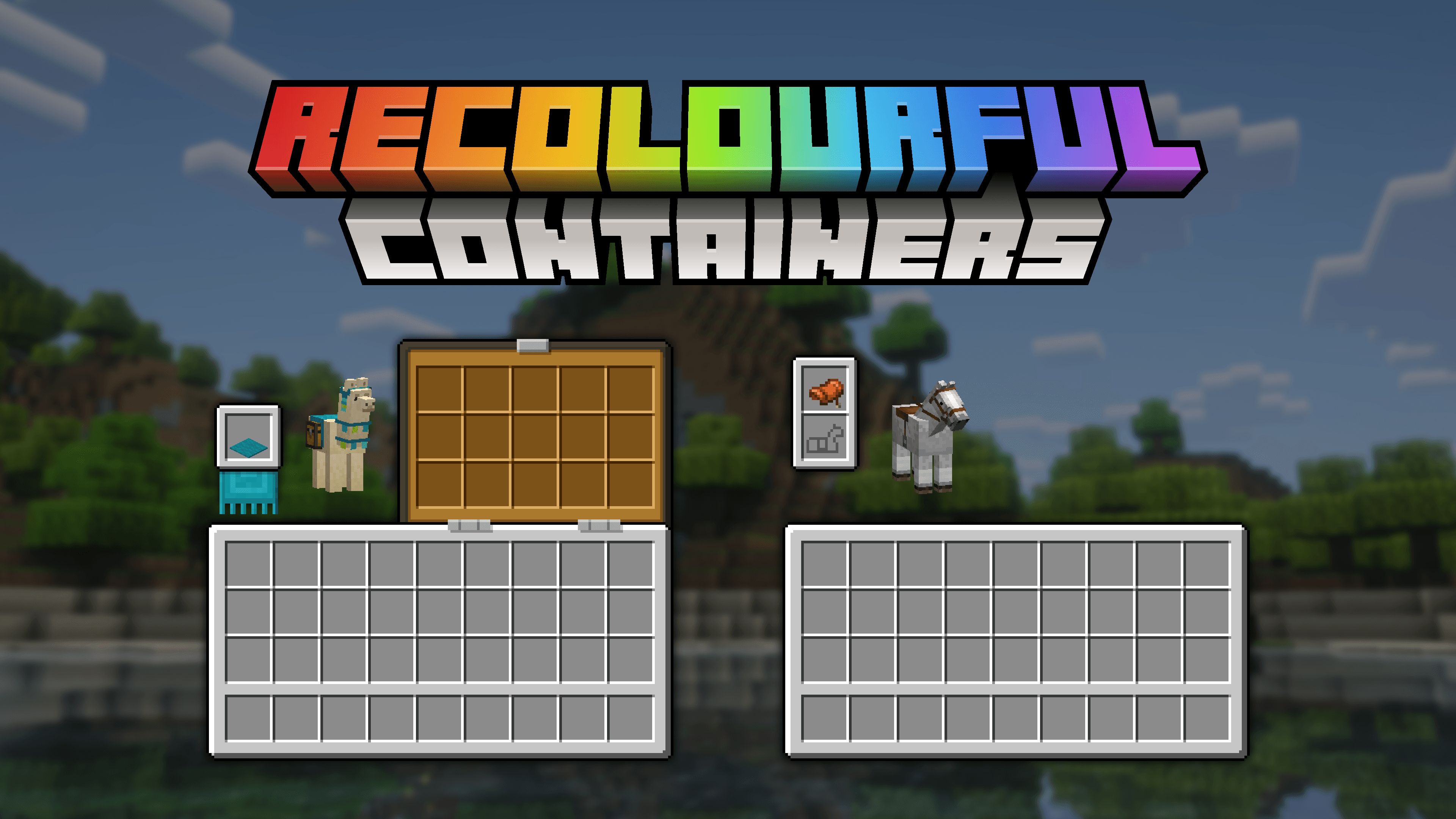
  • Horse, Skeleton horse, Zombie horse
  • Camel, Mule, Donkey, Llama


OptiFine/OptiGUI features:

  • Villagers' GUIs with all combinations of types and professions (OptiGUI exclusive)  (Animatica exclusive)
  • Ender chest
  • Trapped chest
  • Christmas chests
  • Copper chest with variants (OptiGUI exclusive)
  • Barrel (OptiGUI exclusive)
  • Coloured Shulker boxes
  • Horse, Skeleton horse, Zombie horse
  • Camel, Mule, Donkey (with and without chest - OptiGUI exclusive)
  • Llama (with carpet colours)
  • Chipped, Damaged anvil (OptiGUI exclusive)
  • Written Book (OptiGUI+Animatica exclusive) 
  • Book on a lectern (OptiGUI exclusive)

Mod support:

  • Accessories
  • Armor Chroma
  • Axiom
  • Backslot (OptiGUI exclusive)
  • Charm of Undying (OptiGUI exclusive)
  • Better Enchanting
  • Cloth Config
  • Detail Armor Bar
  • ItemSwapper
  • Language Reload
  • Mod Menu
  • Recursive Resources
  • Sawmill
  • What Are They Up To
  • Horseman


If you want full experience OptiGUI or OptiFine is required!


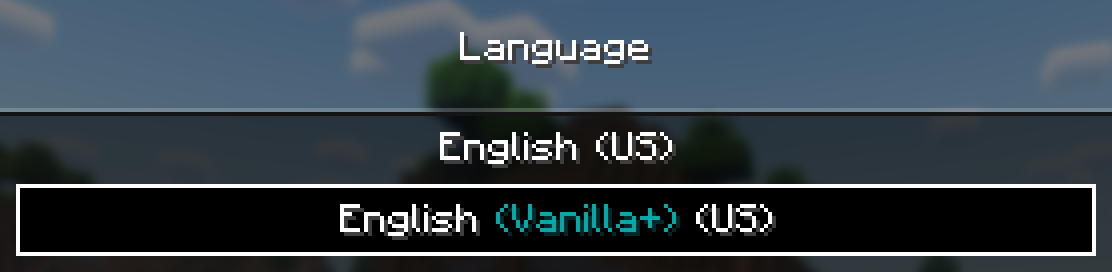
If you don't want to use OptiGUI, or you are using only OptiFine mod, you can activate built-in "Vanilla+" mode in the language settings

How to activate:

For other languages support, use separate VANILLA+ pack from Additional files tab

 

Q&A:

Q: Where can I ask about anything (that is not in this list)?

A: Leave a comment or join Recolourful Discord server and ask there!

List of known issues:

With OptiFine: 

  • Villagers professions don't work
  • Barrels show Chest GUI texture
  • Boats with Chest show last visited chest-like container GUI texture
  • Some horse-like entities are unsupported

It is recommended to use "Vanilla+" mode, if you are using only OptiFine


With "Vanilla+" mode:

  • Shulker boxes don't show coloured GUI after renaming in 1.21.9+
  • Shulker boxes slot highlight looks weird / don't show up in some versions


Q: Chests/shulker boxes/Villagers' professions GUIs don't work!

A: Check if you have either OptiGUI or OptiFine installed or changed language to "Vanilla+"


Q: Can you add support to X mod?

A: Short answer: I can, in theory. Leave your suggestions in the comments or submit them in Discord!


Q: Can I use Recolourful Containers in modpack / Can I modify Recolourful Containers / Can I do X with Recolourful Containers?

A: Check Terms of Use at the bottom of the description


Q: I want to support you! How can I do that?

A: About that…

If you don't want a server but still want to support me, share this pack with your friends or showcase it on YouTube, TikTok, Instagram, anywhere! Just leave a link to this page, I really appreciate it!


Don't forget to like and follow for future updates!

  • Chris_XENO for his original Colourful Containers texture pack
  • Shrimpsnail for helping with custom shader code, a lot of stuff has become possible thanks to him
  • Kryqu for inspiration for villagers' GUIs

Terms of use:

If you think that you can't do something about this pack, please ask me beforehand :)

You can:

  • Include this pack in a free modpack
  • Include this pack in your private server
  • Modify this pack (for personal use only)
  • Use this pack in any forms of media, including YouTube, Twitch, etc.

You can not:

  • Distribute this pack, it's assets and modified assets on any platforms in any form without my consent


3.1.4 (1.19.4-26.3)
MC 1.21, 1.20.2, 1.19.4, 1.21.8, 1.20.5, 1.21.5, 1.21.4, 1.20.1, 1.20, 1.20.6, 1.21.1, 1.21.6, 1.21.3, 1.21.7, 1.20.4, 1.20.3, 1.21.2, 1.21.9, 1.21.10, 1.21.11, 26.1, 26.1.1
Release 2026-10-01 Get
3.1.3 (1.19.4-26.2)
MC 1.21, 1.20.2, 1.19.4, 1.21.8, 1.20.5, 1.21.5, 1.21.4, 1.20.1, 1.20, 1.20.6, 1.21.1, 1.21.6, 1.21.3, 1.21.7, 1.20.4, 1.20.3, 1.21.2, 1.21.9, 1.21.10, 1.21.11, 26.1, 26.1.1
Release 2026-07-23 Get
3.1.2 (1.19.4-26.2)
MC 1.21, 1.20.2, 1.19.4, 1.21.8, 1.20.5, 1.21.5, 1.21.4, 1.20.1, 1.20, 1.20.6, 1.21.1, 1.21.6, 1.21.3, 1.21.7, 1.20.4, 1.20.3, 1.21.2, 1.21.9, 1.21.10, 1.21.11, 26.1, 26.1.1
Release 2026-06-25 Get
3.1.1 (1.19.4-26.1.2)
MC 1.21, 1.20.2, 1.19.4, 1.21.8, 1.20.5, 1.21.5, 1.21.4, 1.20.1, 1.20, 1.20.6, 1.21.1, 1.21.6, 1.21.3, 1.21.7, 1.20.4, 1.20.3, 1.21.2, 1.21.9, 1.21.10, 1.21.11, 26.1, 26.1.1
Release 2026-03-23 Get
3.1 (1.19.4-1.21.11)
MC 1.21, 1.20.2, 1.19.4, 1.21.8, 1.20.5, 1.21.5, 1.21.4, 1.20.1, 1.20, 1.20.6, 1.21.1, 1.21.6, 1.21.3, 1.21.7, 1.20.4, 1.20.3, 1.21.2, 1.21.9, 1.21.10, 1.21.11
Release 2026-02-06 Get
3.0.1 (1.19.4-1.21.11)
MC 1.21, 1.20.2, 1.19.4, 1.21.8, 1.20.5, 1.21.5, 1.21.4, 1.20.1, 1.20, 1.20.6, 1.21.1, 1.21.6, 1.21.3, 1.21.7, 1.20.4, 1.20.3, 1.21.2, 1.21.9, 1.21.10, 1.21.11
Release 2025-10-28 Get
3.0 (1.19.4-1.21.10)
MC 1.20.2, 1.21, 1.20.5, 1.21.5, 1.19.4, 1.21.8, 1.21.9, 1.21.10, 1.21.4, 1.20.3, 1.20.1, 1.20, 1.20.6, 1.20.4, 1.21.3, 1.21.7, 1.21.1, 1.21.6, 1.21.2
Beta 2025-10-25 Get
2.1.2 (1.19.4-1.21.10)
MC 1.20.2, 1.21, 1.20.5, 1.21.5, 1.19.4, 1.21.8, 1.21.9, 1.21.10, 1.21.4, 1.20.3, 1.20.1, 1.20, 1.20.6, 1.20.4, 1.21.3, 1.21.7, 1.21.1, 1.21.6, 1.21.2
Release 2025-09-30 Get
2.1.1 (1.19.4-1.21.8)
MC 1.20.2, 1.21, 1.20.5, 1.21.5, 1.19.4, 1.21.8, 1.21.4, 1.20.3, 1.20.1, 1.20, 1.20.6, 1.20.4, 1.21.3, 1.21.7, 1.21.1, 1.21.6, 1.21.2
Release 2025-06-19 Get
2.1 (1.19.4-1.21.6)
MC 1.20.2, 1.21, 1.20.5, 1.21.5, 1.19.4, 1.21.4, 1.20.3, 1.20.1, 1.20, 1.20.6, 1.20.4, 1.21.3, 1.21.1, 1.21.6, 1.21.2
Release 2025-06-17 Get
2.0 (1.19.4-1.21.5)
MC 1.20.2, 1.21, 1.20.5, 1.21.5, 1.19.4, 1.21.4, 1.20.3, 1.20.1, 1.20, 1.20.6, 1.20.4, 1.21.3, 1.21.1, 1.21.2
Release 2025-03-04 Get
2.0 (1.14-1.19.4)
MC 1.17.1, 1.16.3, 1.19.3, 1.16.1, 1.18.1, 1.14.4, 1.14.1, 1.17, 1.14.3, 1.15, 1.16, 1.16.5, 1.18.2, 1.19.2, 1.15.2, 1.14, 1.19.1, 1.18, 1.16.4, 1.14.2, 1.16.2, 1.19, 1.15.1
Release 2025-03-02 Get
1.1.1 (1.14-1.16.5)
MC 1.16.3, 1.16.1, 1.14.4, 1.14.1, 1.14.3, 1.15, 1.16, 1.16.5, 1.15.2, 1.14, 1.16.4, 1.14.2, 1.16.2, 1.15.1
Release 2024-08-26 Get
1.1.1 (1.17-1.19.3)
MC 1.17.1, 1.19.3, 1.18.1, 1.17, 1.18.2, 1.19.2, 1.19.1, 1.18, 1.19
Release 2024-08-26 Get
1.1.1 (1.19.4-1.21.x)
MC 1.20.2, 1.21.2-Snapshot, 1.21, 1.20.5, 1.19.4, 1.20.3, 1.20.1, 1.20, 1.20.6, 1.20.4, 1.21.1
Release 2024-08-26 Get
1.1 (1.14-1.16.5)
MC 1.16.3, 1.16.1, 1.14.4, 1.14.1, 1.14.3, 1.15, 1.16, 1.16.5, 1.15.2, 1.14, 1.16.4, 1.14.2, 1.16.2, 1.15.1
Release 2024-08-14 Get
1.1 (1.17-1.19.3)
MC 1.17.1, 1.19.3, 1.18.1, 1.17, 1.18.2, 1.19.2, 1.18, 1.19
Release 2024-08-14 Get
1.1 (1.19.4-1.21.1)
MC 1.20.2, 1.21, 1.20.5, 1.19.4, 1.20.3, 1.20.1, 1.20, 1.20.6, 1.20.4, 1.21.1
Release 2024-08-14 Get
1.0.1 (1.14-1.16.5)
MC 1.16.3, 1.16.1, 1.14.4, 1.14.1, 1.14.3, 1.15, 1.16, 1.16.5, 1.15.2, 1.14, 1.16.4, 1.14.2, 1.16.2, 1.15.1
Release 2024-08-07 Get
1.0.1 (1.17-1.19.3)
MC 1.17.1, 1.19.3, 1.18.1, 1.17, 1.18.2, 1.19.2, 1.19.1, 1.18, 1.19
Release 2024-08-07 Get
1.0.1 (1.19.4)
MC 1.19.4
Release 2024-08-07 Get
1.0.1 (1.20-1.21.1)
MC 1.20.2, 1.21, 1.20.5, 1.20.3, 1.20.1, 1.20, 1.20.6, 1.20.4, 1.21.1
Release 2024-08-07 Get
1.0 (1.20-1.21)
MC 1.20.2, 1.21, 1.20.5, 1.20.3, 1.20.1, 1.20, 1.20.6, 1.20.4
Release 2024-08-04 Get

Requirements & install

How to use this resource pack in Minecraft
Resolution
16x
Minecraft
1.21.6 – 26.1.1
Install folder
.minecraft/resourcepacks

How to install resource packs

  1. Download the resource pack .zip file (do not extract it).
  2. In Minecraft open Options → Resource Packs → Open Pack Folder.
  3. Drop the .zip into the resourcepacks folder (.minecraft/resourcepacks).
  4. Move the pack to the Selected column and click Done.
Browse more: 16x resource packs 32x resource packs 64x resource packs 128x resource packs 256x resource packs 512x+ resource packs Resource Packs for 26.1.1 All resource packs

More from Vi_Tul

Advertisement Remove ads with Premium →

You Might Also Like