Mineuniverse
Resource Packs
Recolored Survival Bars

Recolored Survival Bars

RESOURCE PACK
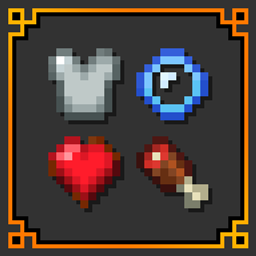
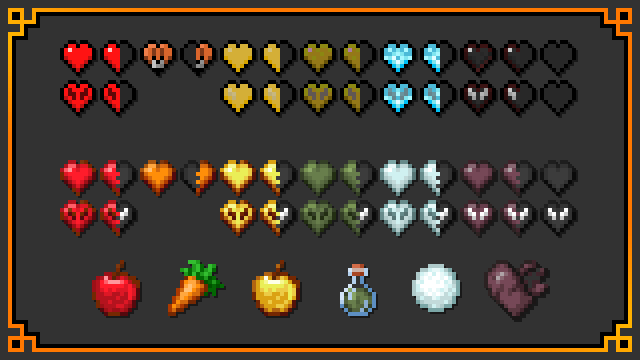
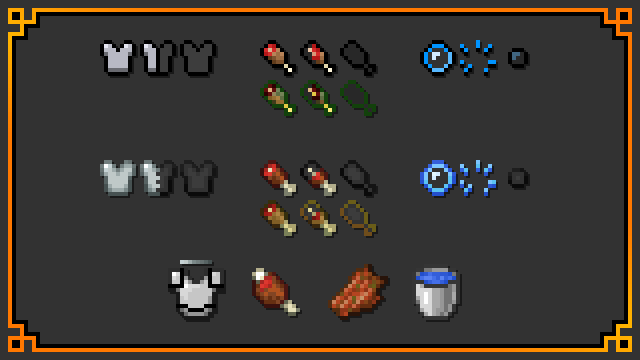
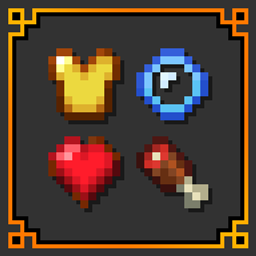
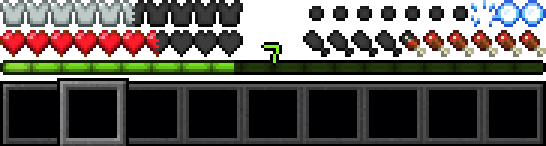
Recolors all four survival stats bars for a modern, vanilla look!
by MrgameboiYT
Download Claim this project
2,575 downloads
0 likes
0 followers
Updated Oct 14, 2026
0 hypes
Follow0
16x Miscellaneous Modern Traditional
Advertisement Remove ads with Premium →

🔶About:

The color palettes of other related textures are used to make the outdated icons of your survival stats above your hotbar feel fresh and look clean while staying completely vanilla!
🗂️Related & Complimentary:

| Recolored Equipment & Gear
| Recolourful Containers
| Cipherion's Simplicity
| Bare Bones

📰Credits & Inspiration:

Inspired by u/StC_Sonic_fan35's "retexture of hearts" and "retextured hotbar icons" reddit posts on r/minecraftsuggestions.
u/StC_Sonic_fan35's retexture of heartsu/StC_Sonic_fan35's retextured hotbar icons

X7-Recolored Survival Bars [Default].zip
MC 1.21.2-Snapshot, 1.21, 1.21.6-snapshot, 1.20.2-Snapshot, 1.20.5-Snapshot, 1.21.1-Snapshot, 1.20.2, 1.21.8, 1.20.5, 1.21.5, 1.21.4, 1.21.5-Snapshot, 1.20.6, 1.21.1, 1.21.6, 1.21.3
Release 2026-03-08 Get

Requirements & install

How to use this resource pack in Minecraft
Resolution
16x
Minecraft
1.21.2-Snapshot – 1.21.8
Install folder
.minecraft/resourcepacks

How to install resource packs

  1. Download the resource pack .zip file (do not extract it).
  2. In Minecraft open Options → Resource Packs → Open Pack Folder.
  3. Drop the .zip into the resourcepacks folder (.minecraft/resourcepacks).
  4. Move the pack to the Selected column and click Done.
Browse more: 16x resource packs 32x resource packs 64x resource packs 128x resource packs 256x resource packs 512x+ resource packs Resource Packs for 1.21.8 All resource packs

More from MrgameboiYT

Advertisement Remove ads with Premium →

You Might Also Like