Mineuniverse
Resource Packs
REanimate

REanimate

RESOURCE PACK
Adds vanilla-like animations and spices up item textures
by batonnn
Download Claim this project
719 downloads
0 likes
Updated Oct 14, 2026
0 hypes
16x Animated
Advertisement Remove ads with Premium →

Tweaks every tool's texture and adds slight animations for items for a vanilla+ experience. Can be sorta used as a combat texturepack but it works better in vanilla-like environment with other block texturepacks.

Makes your inventory feel a bit more alive
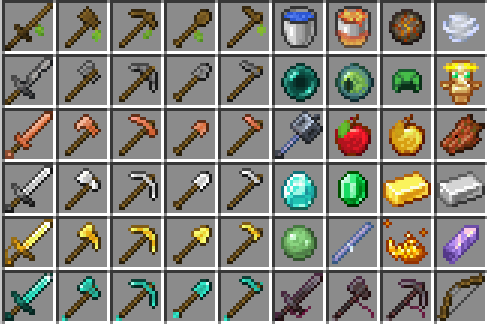
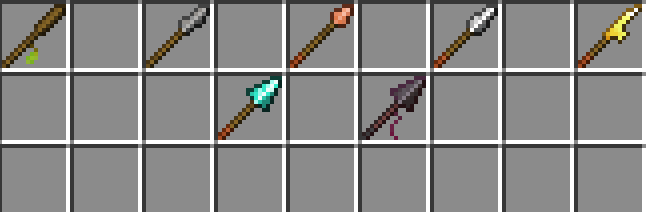
reanimate_showcase1.png

WHAT IT DOES:
changes every tool texture:


wooden items:
makes them feel like literal sticks, with leaves still present on them.

stone items:
retextured to feel VERY roughly-made.

copper items:
changes the shape and color palette (just a bit).

iron items:
adds glint.

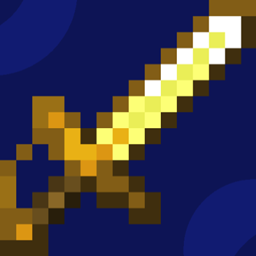
golden items:
changes shape and adds glint.

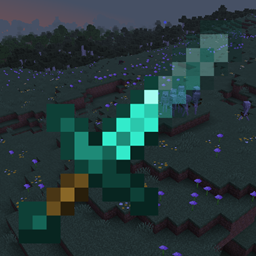
diamond items:
adds shiny glint.

netherite items:
adds a small string, which is much better seen in third person.


and makes many materials animated as well (where it seems reasonable)

REanimate (1.21.11+)
MC 1.21.11, 26.1-snapshot
Release 2026-03-14 Get
REanimate (1.21.11+, old)
MC 1.21.11
Release 2025-12-11 Get
REanimate (1.21.7-8)
MC 1.21.8, 1.21.7
Release 2025-11-24 Get
REanimate (1.21.6)
MC 1.21.6
Release 2025-11-24 Get
REanimate (1.21.5)
MC 1.21.5
Release 2025-11-24 Get
REanimate (1.21.4)
MC 1.21.4
Release 2025-11-24 Get
REanimate (1.21.2-3)
MC 1.21.3, 1.21.2
Release 2025-11-24 Get
REanimate (1.21.0-1)
MC 1.21, 1.21.1
Release 2025-11-24 Get
REanimate (1.20.5-6)
MC 1.20.5, 1.20.6
Release 2025-11-24 Get
REanimate (1.20.3-4)
MC 1.20.4, 1.20.3
Release 2025-11-24 Get
REanimate (1.20.2)
MC 1.20.2
Release 2025-11-24 Get
REanimate (1.20.0-1)
MC 1.20.1, 1.20
Release 2025-11-24 Get
REanimate (1.21.9+)
MC 1.21.9, 1.21.10, 1.21.11-snapshot
Release 2025-11-23 Get

Requirements & install

How to use this resource pack in Minecraft
Resolution
16x
Minecraft
1.21.6 – 26.1-snapshot
Install folder
.minecraft/resourcepacks

How to install resource packs

  1. Download the resource pack .zip file (do not extract it).
  2. In Minecraft open Options → Resource Packs → Open Pack Folder.
  3. Drop the .zip into the resourcepacks folder (.minecraft/resourcepacks).
  4. Move the pack to the Selected column and click Done.
Browse more: 16x resource packs 32x resource packs 64x resource packs 128x resource packs 256x resource packs 512x+ resource packs Resource Packs for 26.1-snapshot All resource packs

More from batonnn

Advertisement Remove ads with Premium →

You Might Also Like