Mineuniverse
Resource Packs
Raised Durability Bar

Raised Durability Bar

RESOURCE PACK
An addon for Raised-Durability Bar compatibility.
by intwined
Download Claim this project
244 downloads
0 likes
Updated Oct 14, 2026
0 hypes
16x Mod Support
Advertisement Remove ads with Premium →


Raised Durability Bar
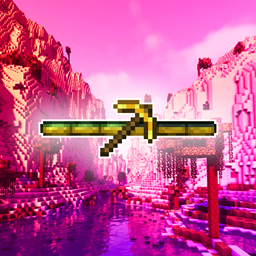
This pack fixes the issue of the Durability Bar being misaligned when Raised is active.


♻️ Compatibility

Like the mod, Raised Durability Bar is compatible with all Resource Packs with the appropriate tweaks.

The Durability Bar can be tweaked to your heart's desire via a Resource Pack: you'll need to copy durability_bar.png and place it in your own Resource Pack under assets/durabilitybar/textures/gui/durability_bar.png. The bar cannot be any wider than it currently is, however, it is freely adjustable [vertically].

❗❗ For custom compatibility with Raised, you'll need to raise the entire texture by 2 pixels.

✔️ Durability Bar supports less-than-opaque opacity.


🤝 Credits


⚖️ Rights

✔️ You are welcome to use this pack in your modpack. You are allowed to edit the texture included as desired so long as the pack is not redistributed under the same name externally.

❌ You are NOT permitted to redistribute this pack under the same name externally.

Raised Durability Bar
MC 1.19.2
Release 2023-06-01 Get

Requirements & install

How to use this resource pack in Minecraft
Resolution
16x
Minecraft
1.19.2
Install folder
.minecraft/resourcepacks

How to install resource packs

  1. Download the resource pack .zip file (do not extract it).
  2. In Minecraft open Options → Resource Packs → Open Pack Folder.
  3. Drop the .zip into the resourcepacks folder (.minecraft/resourcepacks).
  4. Move the pack to the Selected column and click Done.
Browse more: 16x resource packs 32x resource packs 64x resource packs 128x resource packs 256x resource packs 512x+ resource packs Resource Packs for 1.19.2 All resource packs

More from intwined

Advertisement Remove ads with Premium →

You Might Also Like