Mineuniverse
Resource Packs
Rainbow XP bar by auragamerrz

Rainbow XP bar by auragamerrz

RESOURCE PACK
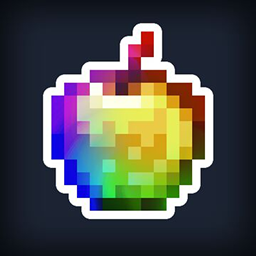
๐ŸŒˆ Rainbow XP Bar โ€“ Give your XP bar a colorful upgrade! This pack replaces the default XP bar with a vibrant rainbow gradient, keeping the classic Minecraft UI feel. Works with all versions and has no performance impact. Level up in style! โœจ
by ErenxYeager_
Download Claim this project
Add a badge to your pageLink to Rainbow XP bar by auragamerrz from a README, website or forum post.
Preview: Badge

Badges update automatically and link to the resource pack page on MineUniverse.

2,717 downloads
0 likes
0 followers
Updated Oct 14, 2026
0 hypes
Follow0
16x Animated
Advertisement Remove ads with Premium →

Use my code to get 25% off at KCB!


๐ŸŒˆ Rainbow XP Bar – A Colorful Twist to Your XP! ๐ŸŽฎโœจ Tired of the same old green XP bar? Upgrade your UI with a vibrant, smooth rainbow gradient XP bar! ๐ŸŒˆ This pack keeps the classic Minecraft look but adds a fresh, eye-catching twist to your leveling experience.

๐Ÿ”ฅ Features: โœ… Fully pixel-perfect rainbow XP bar โœ… Works with all UI scales โœ… No performance impact – just pure visuals โœ… Perfectly blends with Minecraft's default style

alt text

๐Ÿ“œ How to Install: 1๏ธโƒฃ Download the Rainbow XP Bar resource pack. 2๏ธโƒฃ Move the .zip file into your Minecraft Resource Packs folder. 3๏ธโƒฃ Open Minecraft and activate the pack in settings. 4๏ธโƒฃ Enjoy leveling up in style!

๐ŸŽจ Compatibility: โœ”๏ธ Resolution: 16x (Default UI size) โœ”๏ธ Supports all versions using the classic XP bar โœ”๏ธ Works with other GUI packs (place above them in the pack order)


๐Ÿ’ก Make your XP bar stand out! Whether you’re mining, fighting, or enchanting, this pack will make every XP level-up look legendary!

โšก Download now and add some color to your adventure! ๐ŸŒˆ๐Ÿ”ฅalt text

Rainbow Xp bar
MC 1.21.2-Snapshot, 1.21, 1.21.1-Snapshot, 1.21.4, 1.21.5-Snapshot, 1.21.1, 1.21.3, 1.21-Snapshot, 1.21.4-Snapshot, 1.21.2
Release 2025-03-23 Get
Rainbow Xp bar 1.20
MC 1.20.2, 1.20.5, 1.20.2-Snapshot, 1.20.5-Snapshot, 1.20.3-Snapshot, 1.20.3, 1.20.1, 1.20, 1.20.6, 1.20.4, 1.20-Snapshot
Release 2025-03-20 Get

Requirements & install

How to use this resource pack in Minecraft
Resolution
16x
Minecraft
1.21.1-Snapshot โ€“ 1.21.5-Snapshot
Install folder
.minecraft/resourcepacks

How to install resource packs

  1. Download the resource pack .zip file (do not extract it).
  2. In Minecraft open Options โ†’ Resource Packs โ†’ Open Pack Folder.
  3. Drop the .zip into the resourcepacks folder (.minecraft/resourcepacks).
  4. Move the pack to the Selected column and click Done.
Browse more: 16x resource packs 32x resource packs 64x resource packs 128x resource packs 256x resource packs 512x+ resource packs Resource Packs for 1.21.5-Snapshot All resource packs

More from ErenxYeager_

Advertisement Remove ads with Premium →

You Might Also Like