Mineuniverse
Resource Packs
Pure-Core_PvP_Pack

Pure-Core_PvP_Pack

RESOURCE PACK
The only PvP Pack needed which meets all's needs in the world of PvP.
by PRplt_CoreX
Download Claim this project
Add a badge to your pageLink to Pure-Core_PvP_Pack from a README, website or forum post.
Preview: Badge

Badges update automatically and link to the resource pack page on MineUniverse.

87 downloads
0 likes
0 followers
Updated Oct 14, 2026
0 hypes
Follow0
16x Traditional
Advertisement Remove ads with Premium →

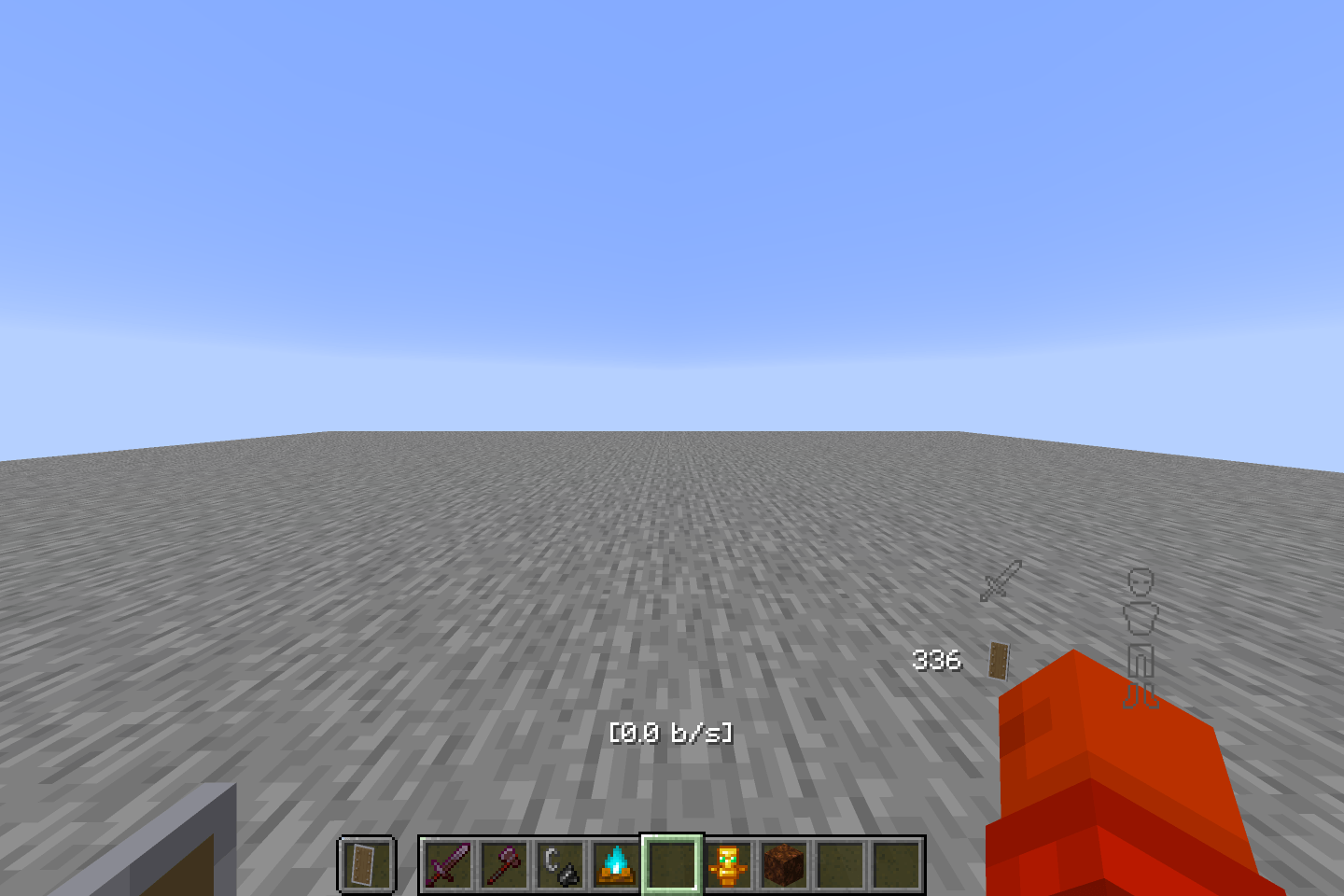
Pure-Core PvP Pack: A lightweight, performance-focused PvP utility resource pack built for competitive combat visibility. Designed with lower item profiles and clean visual overrides to keep your field of view clear during fights. It doesn't change the look of default Vanilla Minecraft.

Note: It may show incompatible, but it works completely fine across supported versions.

Features:

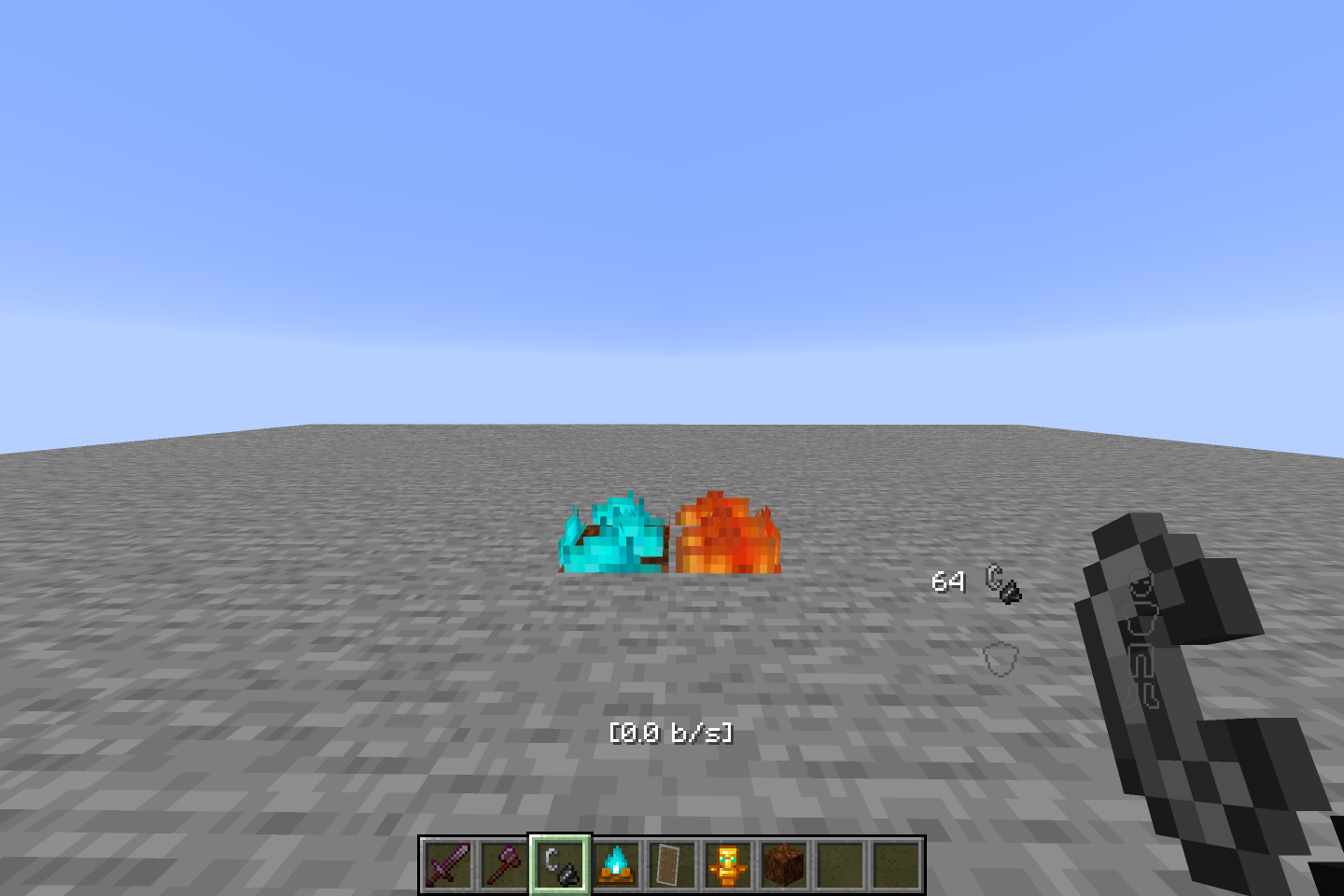
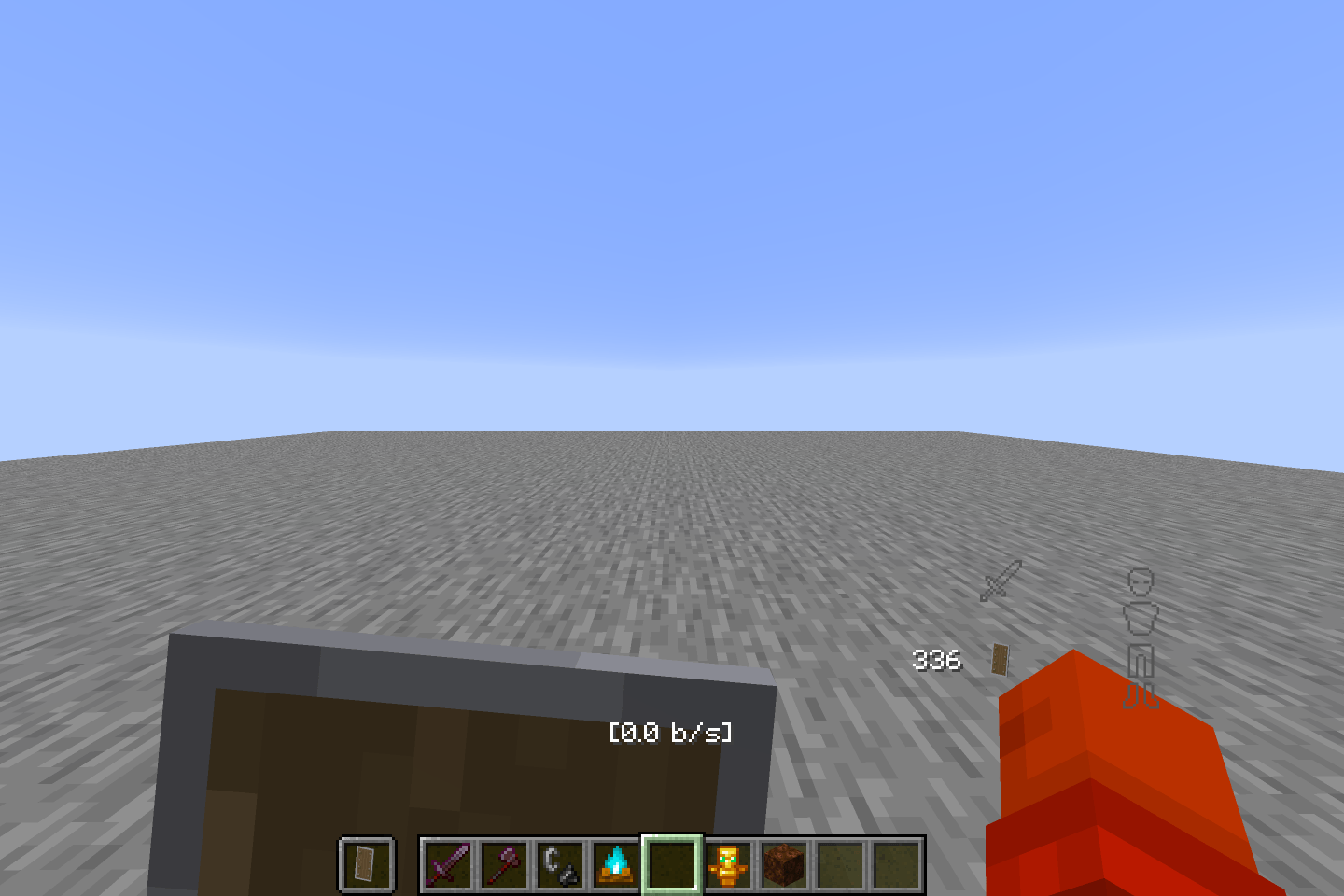
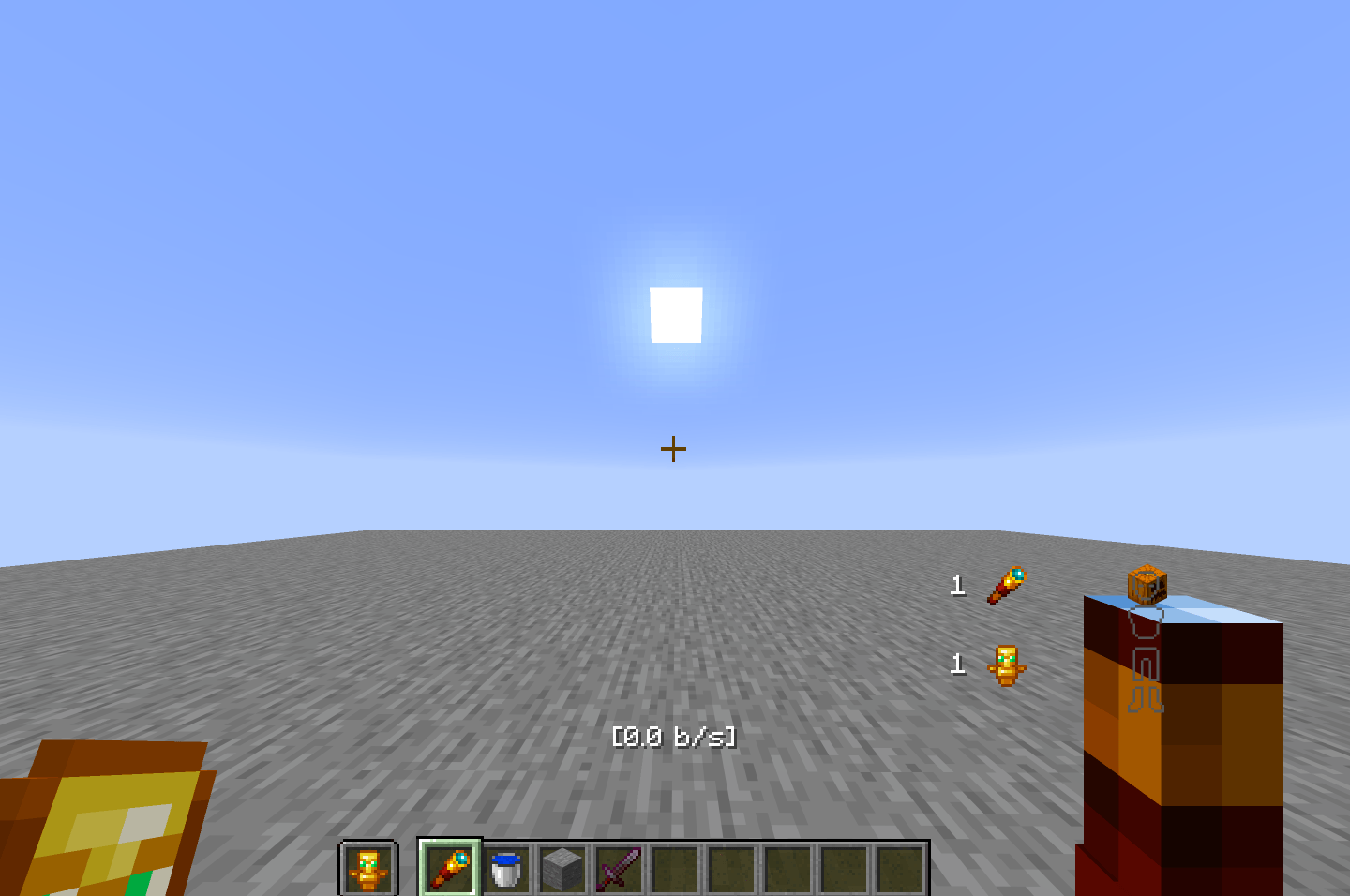
  • Compact Totem & Shield: Scaled-down Totem of Undying and a low-profile shield tucked neatly into the lower corner of your screen (both held and blocking) to prevent blind spots and maximize field of view.
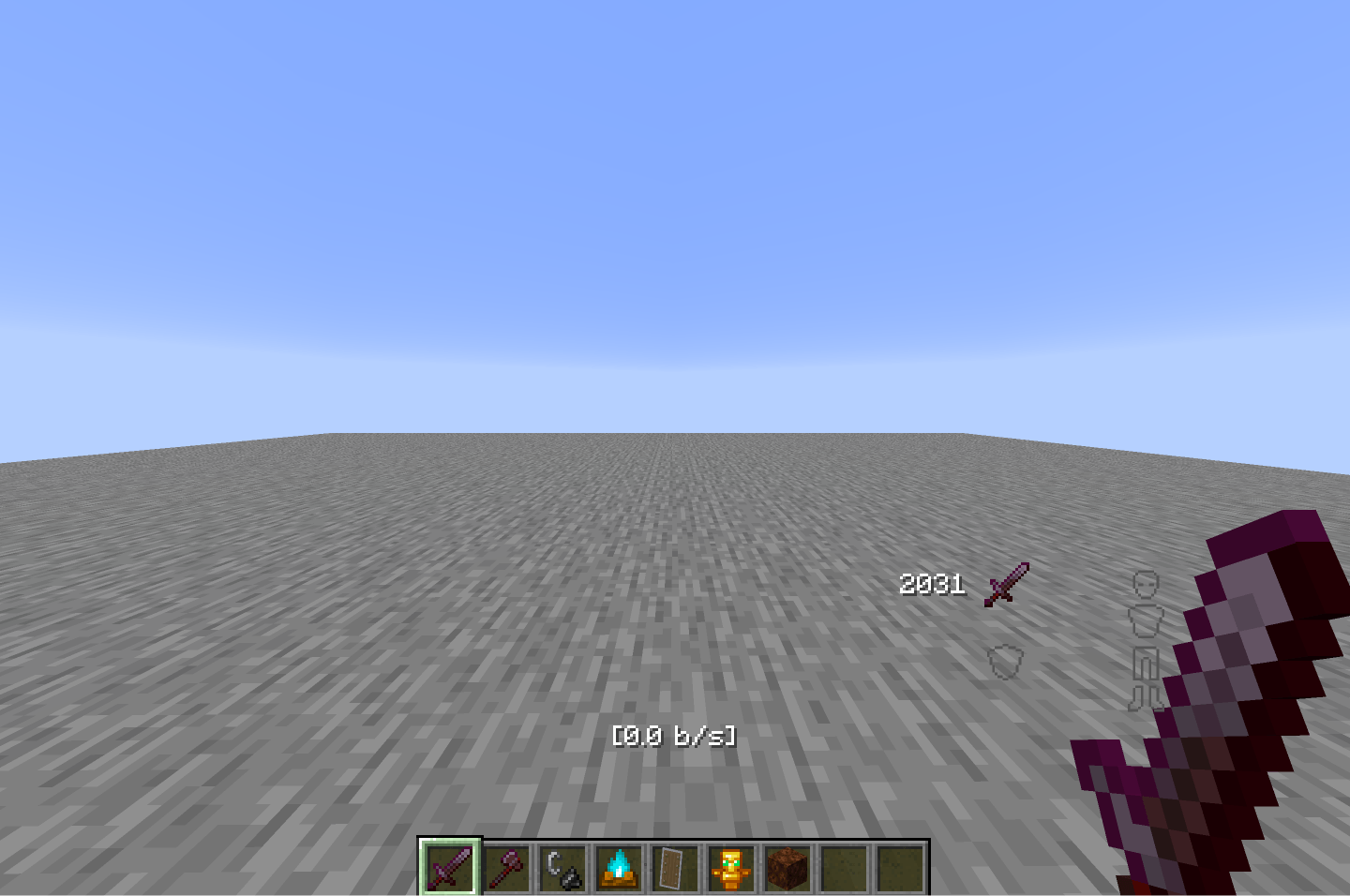
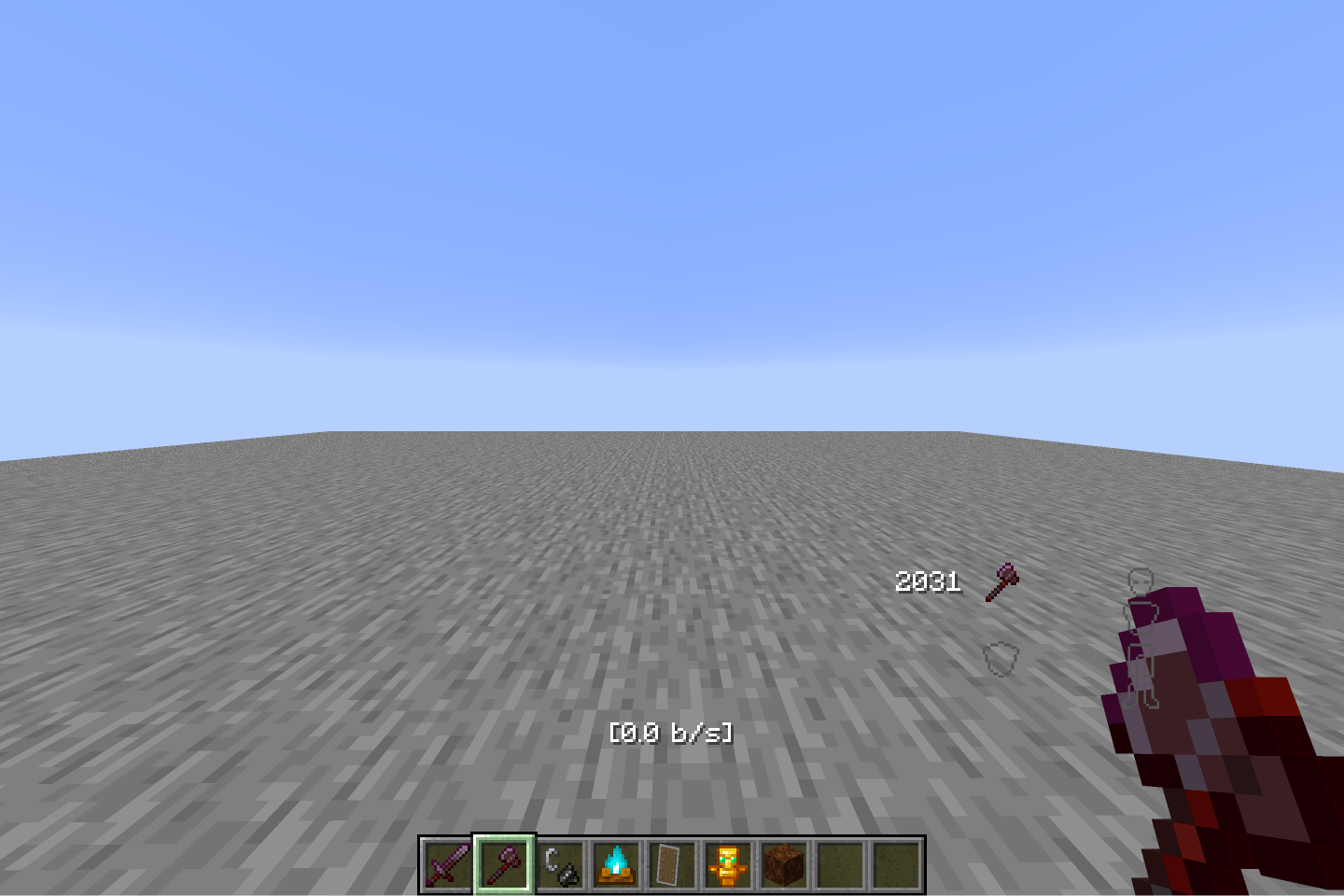
  • Low Tools: Scaled-down tool models for a cleaner view during combat.
  • Zero Explosions: Clear explosion particles and visual effects to maintain full visibility.
  • Low Fire & Particles: Transparent, low-profile fire animations and minimal particle clutter.

Compatibility:

  • Supported Versions: Minecraft 1.13 through 26.2
  • Type: Client Resource Pack

Recommended PvP Map:

pure-core-pvp-pack v1.1
MC 1.16.3, 1.13.1, 1.16-Snapshot, 1.17.1, 1.21.2-Snapshot, 1.21, 1.21.6-snapshot, 1.15-Snapshot, 1.16.1, 1.18.1, 1.20.2-Snapshot, 1.20.5-Snapshot, 1.14.3, 1.15, 1.16, 1.13
Release 2026-09-03 Get
pure-core-pvp-pack v1.0
MC 1.16.3, 1.13.1, 1.16-Snapshot, 1.17.1, 1.21.2-Snapshot, 1.21, 1.21.6-snapshot, 1.15-Snapshot, 1.16.1, 1.18.1, 1.20.2-Snapshot, 1.20.5-Snapshot, 1.14.3, 1.15, 1.16, 1.13
Release 2026-09-02 Get

Requirements & install

How to use this resource pack in Minecraft
Resolution
16x
Minecraft
1.16.3 – 1.21.6-snapshot
Install folder
.minecraft/resourcepacks

How to install resource packs

  1. Download the resource pack .zip file (do not extract it).
  2. In Minecraft open Options → Resource Packs → Open Pack Folder.
  3. Drop the .zip into the resourcepacks folder (.minecraft/resourcepacks).
  4. Move the pack to the Selected column and click Done.
Browse more: 16x resource packs 32x resource packs 64x resource packs 128x resource packs 256x resource packs 512x+ resource packs Resource Packs for 1.21.6-snapshot All resource packs

More from PRplt_CoreX

Advertisement Remove ads with Premium →

You Might Also Like