Mineuniverse
Resource Packs
Pumpkin

Pumpkin

RESOURCE PACK
Reduces the Pumpkin Blur Effect.
by nikinok
Download Claim this project
1,770 downloads
0 likes
Updated Oct 14, 2026
0 hypes
16x Miscellaneous Traditional
Advertisement Remove ads with Premium →

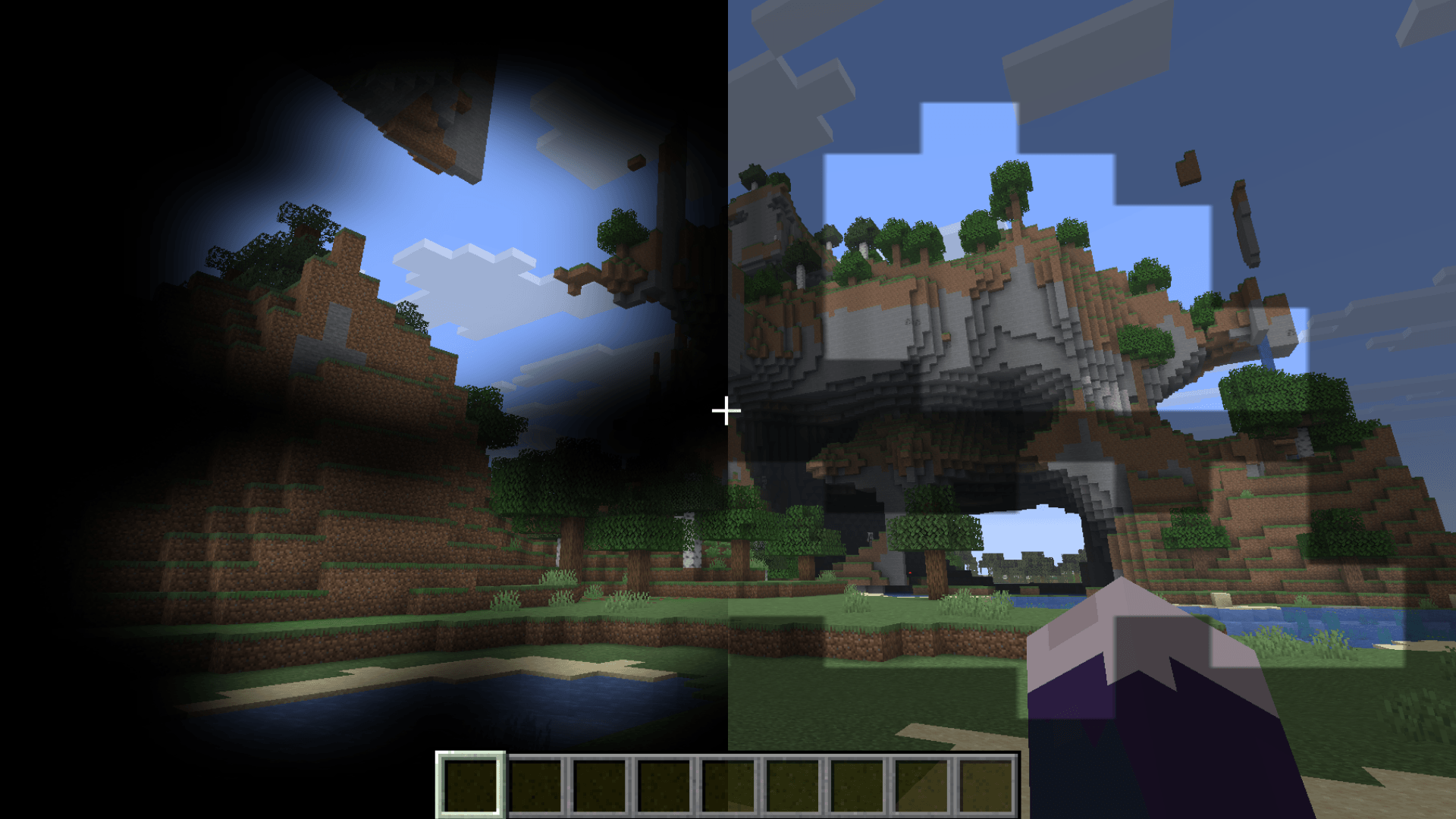
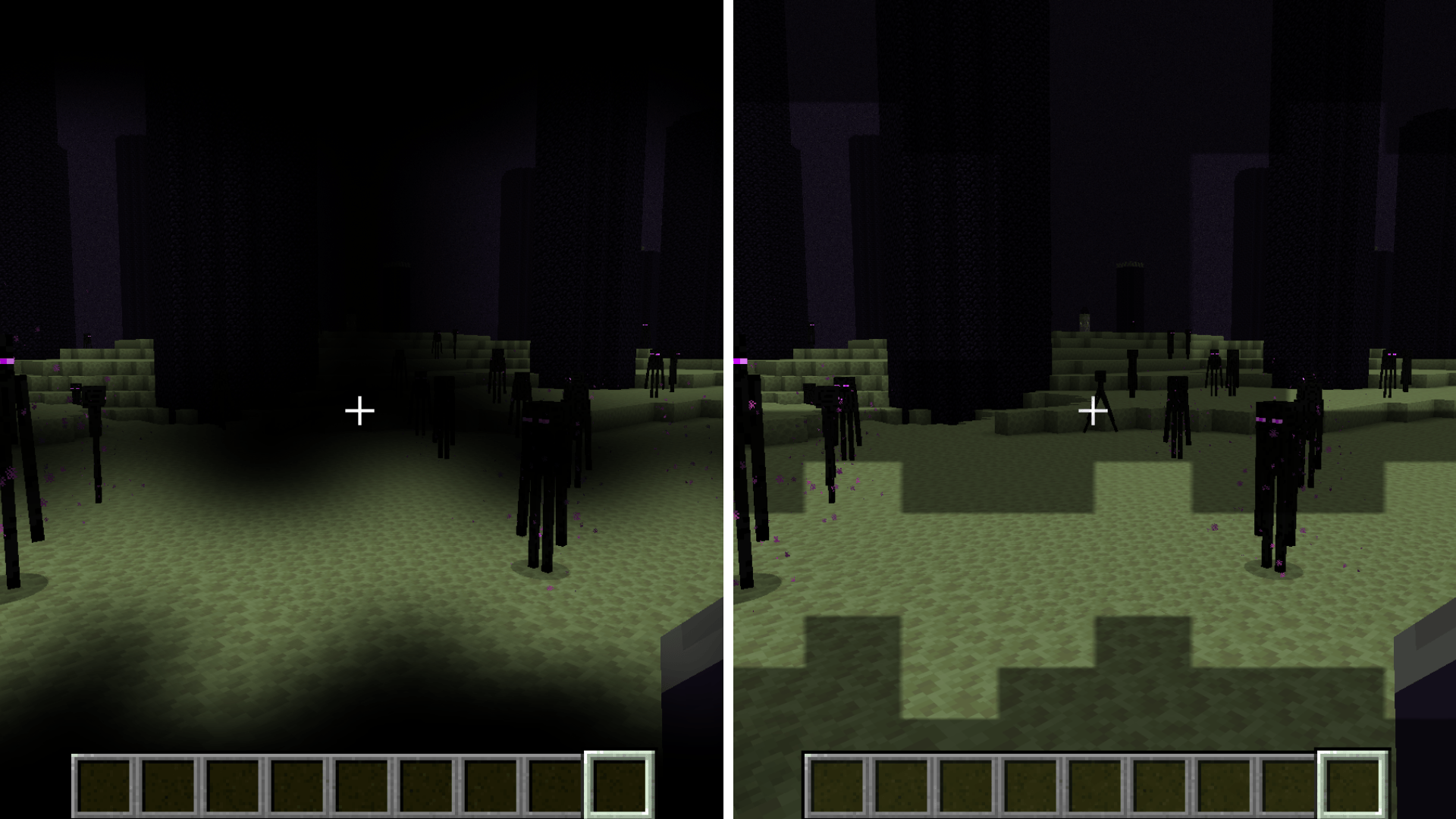
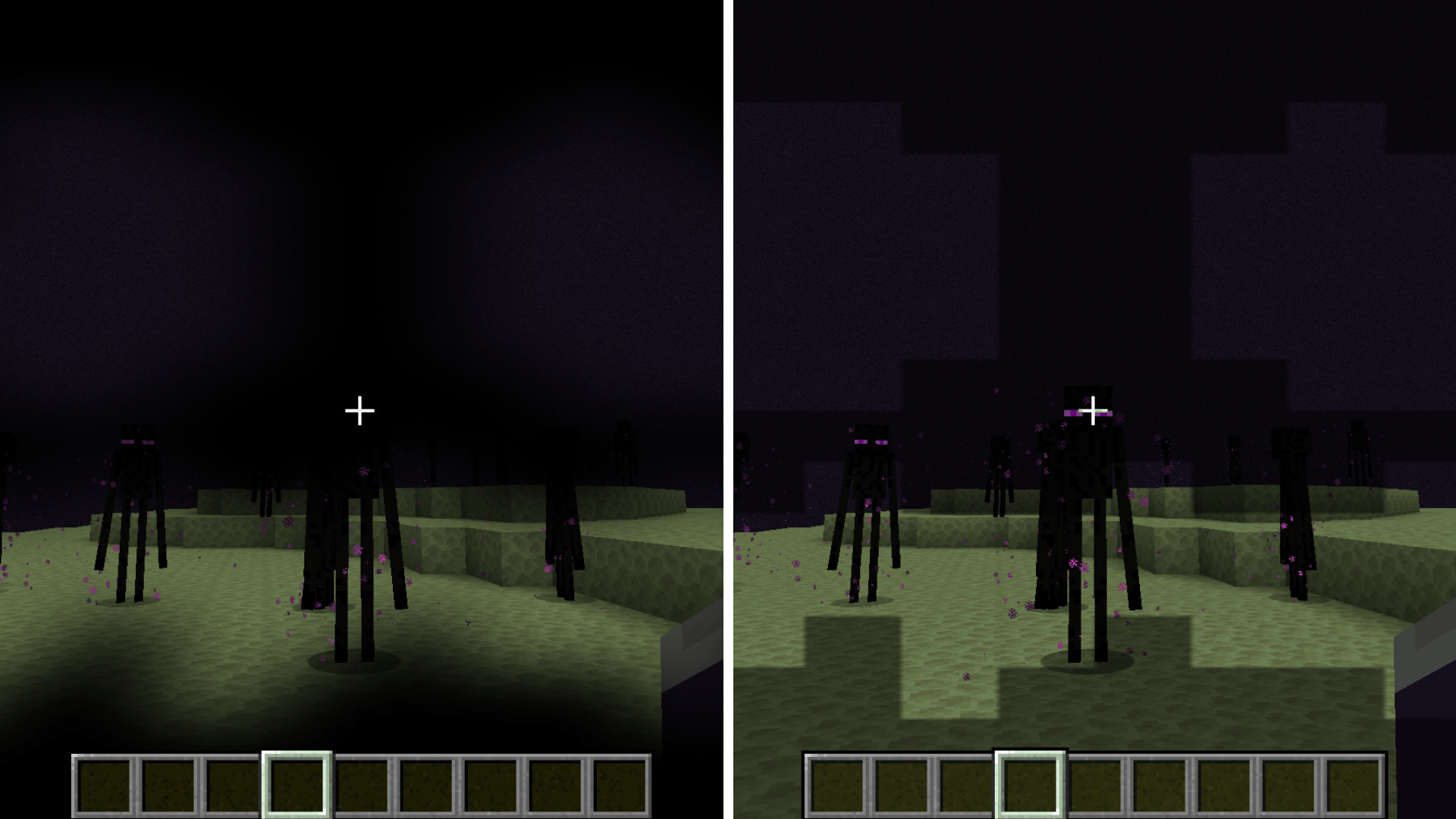
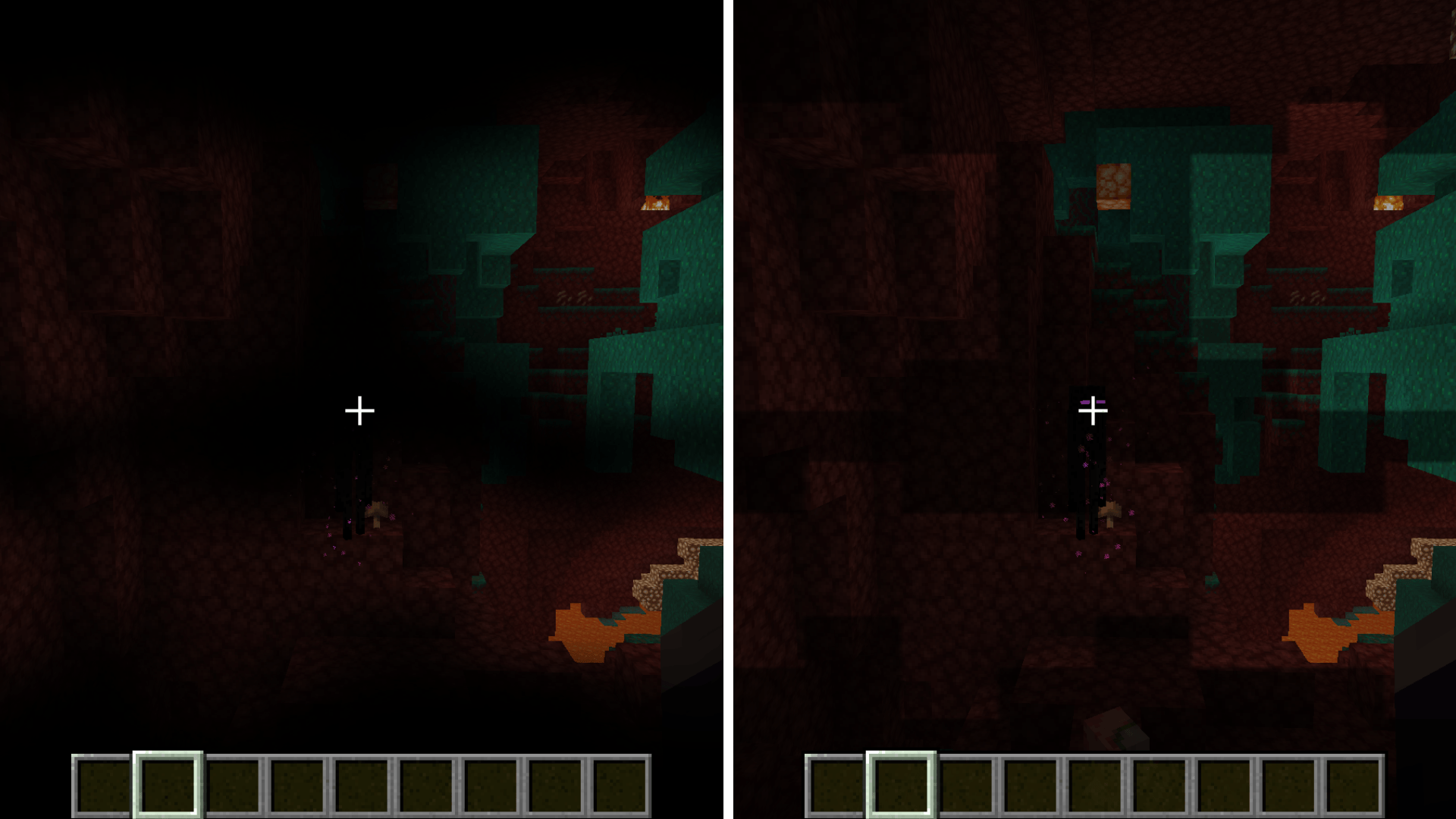
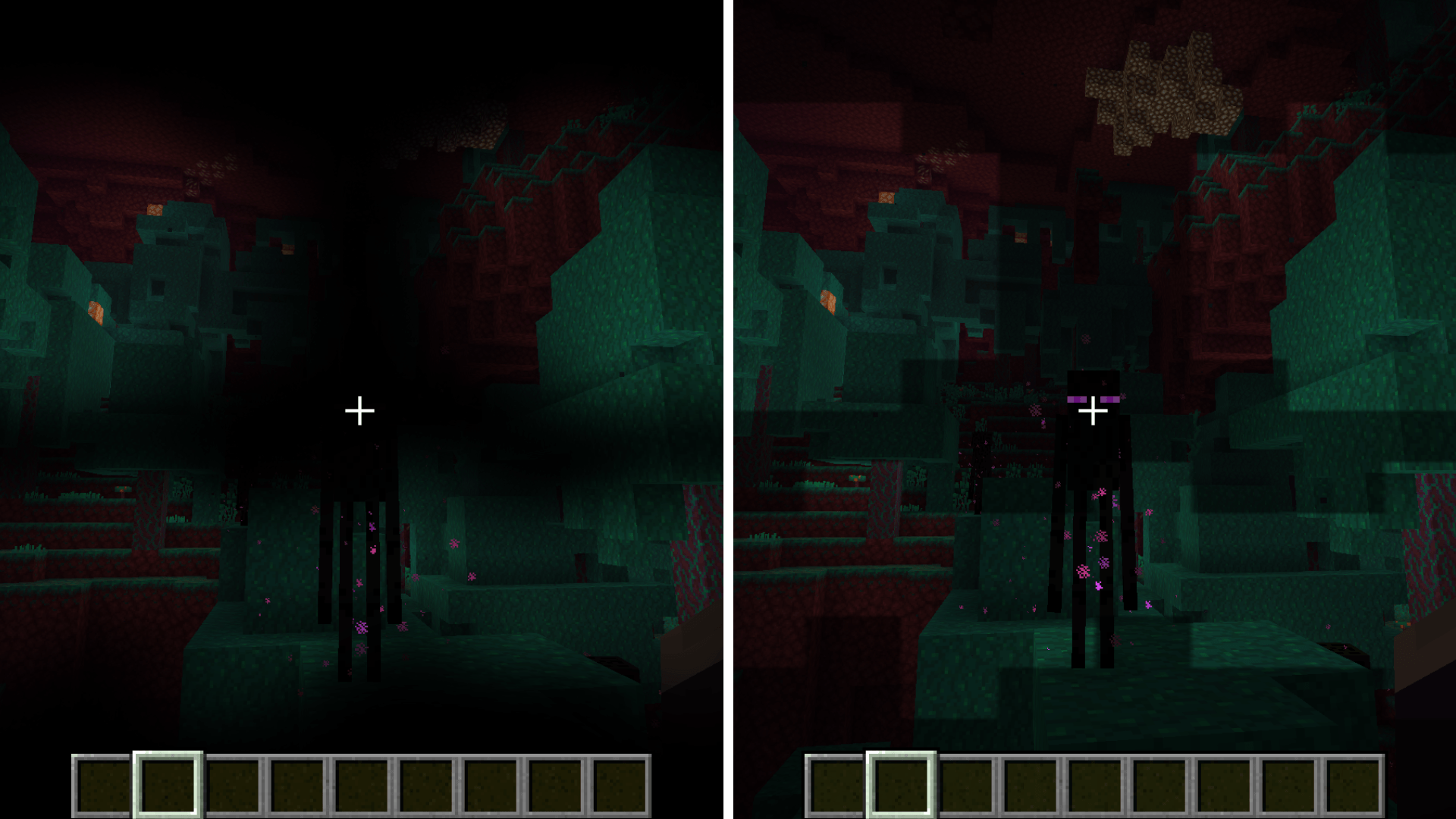
Pumpkin reduces the carved pumpkin screen overlay, giving you a clean and unobstructed view while wearing a pumpkin.

This is perfect for exploring The End, walking through Warped Forests or staying safe around Endermen without having your screen covered by the default pumpkin blur.

Features

  • Reduces the carved pumpkin overlay
  • Makes Enderman safe exploration much easier
  • Works great in The End and Warped Forests
  • Lightweight and simple
  • Vanilla friendly

Why use it?

Normally, wearing a carved pumpkin protects you from angering Endermen, but the dark overlay makes it hard to see. Pumpkin fixes that by keeping your screen clear while still letting you use the pumpkin normally.

Compatibility

This pack only changes the pumpkin overlay texture, so it should work with most other resource packs.
Place Pumpkin above other packs if another pack also changes the pumpkin overlay.


alt text

Pumpkin - 1.0.2
MC 26.3
Release 2026-09-15 Get
Pumpkin - 1.0.1
MC 26.2
Release 2026-06-17 Get
Pumpkin - 1.0.0
MC 26.1, 26.1.1, 26.1.2
Release 2026-06-06 Get

Requirements & install

How to use this resource pack in Minecraft
Resolution
16x
Minecraft
26.1 – 26.3
Install folder
.minecraft/resourcepacks

How to install resource packs

  1. Download the resource pack .zip file (do not extract it).
  2. In Minecraft open Options → Resource Packs → Open Pack Folder.
  3. Drop the .zip into the resourcepacks folder (.minecraft/resourcepacks).
  4. Move the pack to the Selected column and click Done.
Browse more: 16x resource packs 32x resource packs 64x resource packs 128x resource packs 256x resource packs 512x+ resource packs Resource Packs for 26.3 All resource packs

More from nikinok

Advertisement Remove ads with Premium →

You Might Also Like