Retextures tools to be Prehistoric Themed!
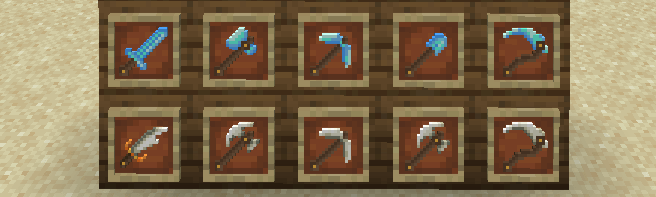
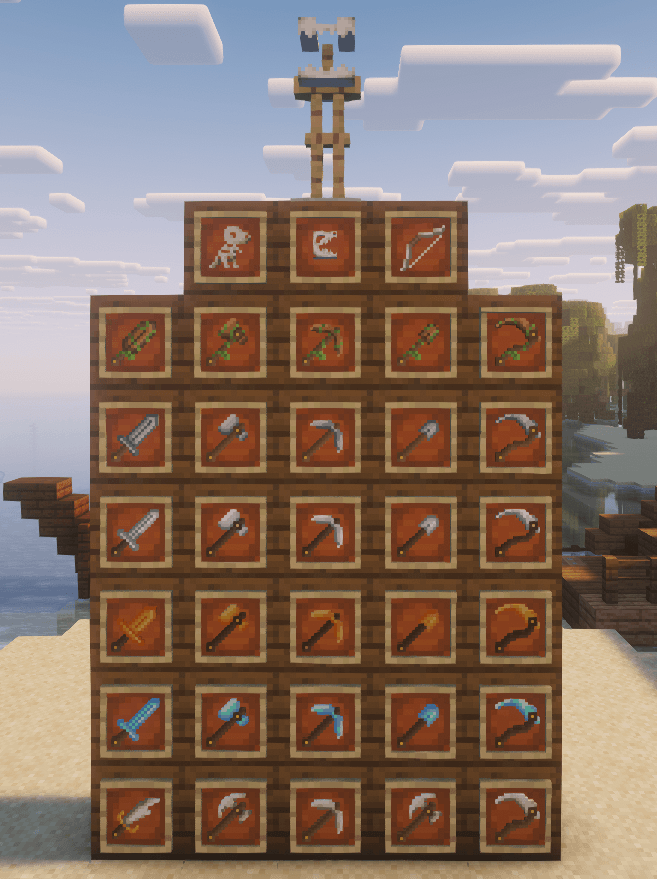
Netherite --> Bone/Fossil
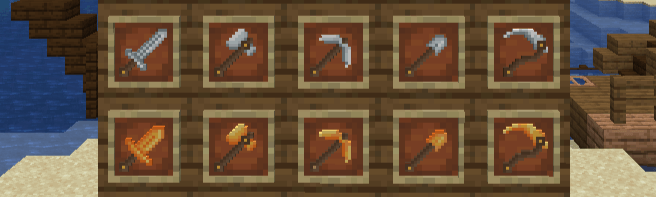
Gold --> Amber
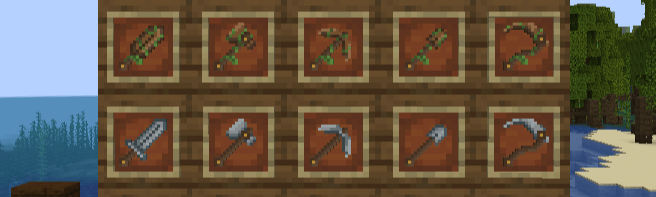
Wood --> Overgrown
And all others to match the aesthetic of the pack!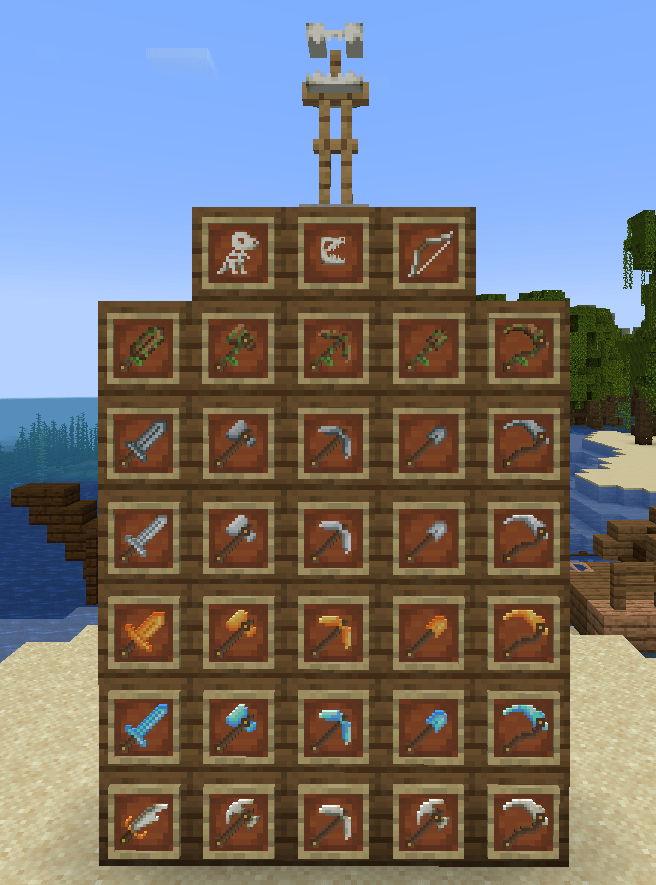
Each sword is shaped differently, the wood becomes a club, stone a bit wider sword, iron and diamond long and skinny, amber shorter and wider, and netherite becomes a tooth cutlass!
The totem of undying has been retextured to be a little dinosaur fossil!
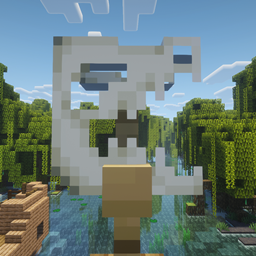
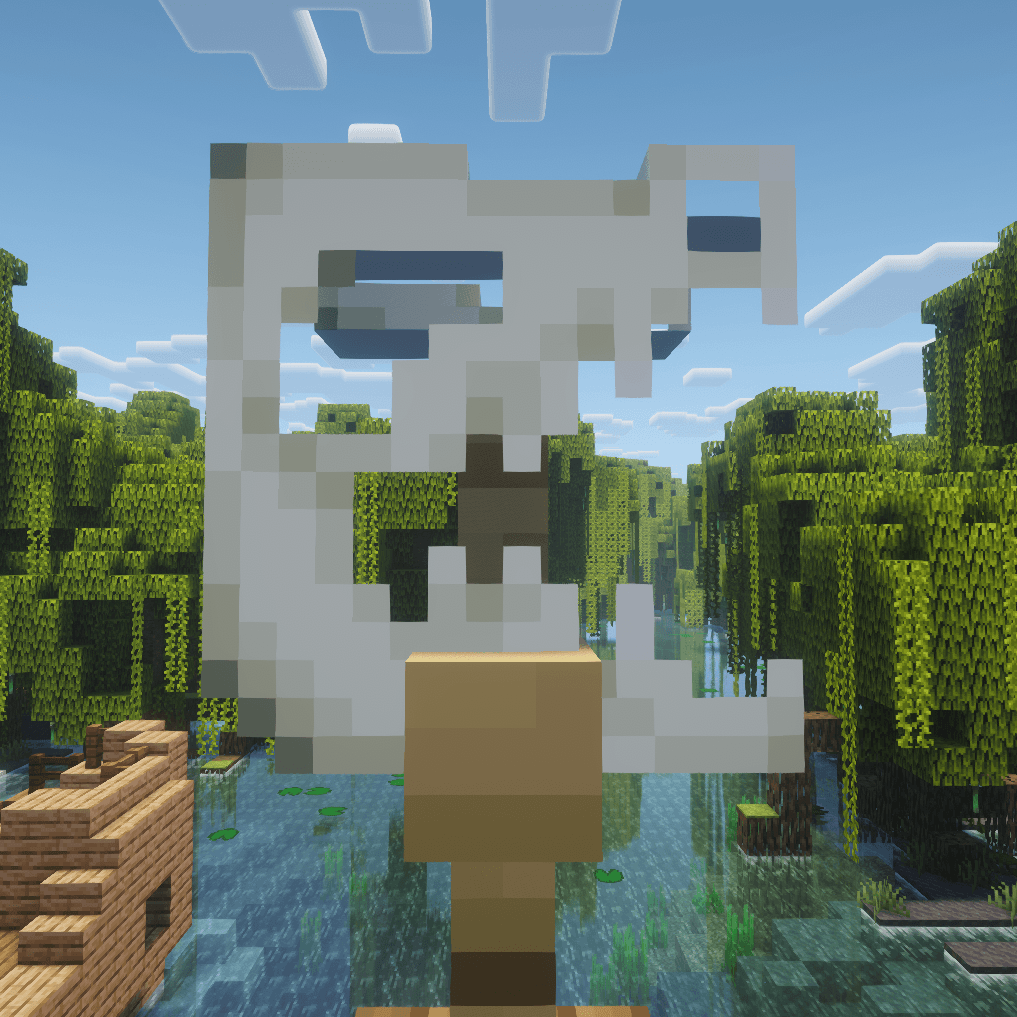
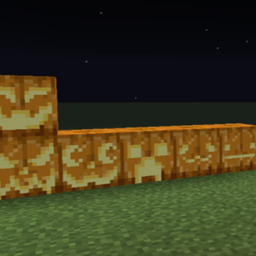
Carved pumpkins in your inventory and on your head/armor stand have been retextured to be a dinosaur skull! Pumpkin blur is removed! Carved pumpkins placed in the world are still default!
Retextures bow to be bone-themed!
This is a non-optifine version of my Bones, Tools, Armor, and Elytra Texture pack (which you can download on CurseForge and Planet Minecraft!) This pack does not include the armor, elytra, or book & quill as optifine is required to replace the textures. Instead of an optional alternative you get by renaming items, this pack changes the default textures of each item included (and adds the rest of the tools!) and therefore works with vanilla Minecraft!
Is compatible with my Bones, Tools, Armor, and Elytra pack as well if you want to use both (though optifine will be required for the Armor pack!)
Please do not alter the textures of this pack or use them to make your own!