Mineuniverse
Resource Packs
Pokehaan Plaques

Pokehaan Plaques

RESOURCE PACK
Changes plaques to be Pokehaan themed from the mod Advancement Plaques.
by Kehaan
Download Claim this project
249,835 downloads
0 likes
Updated Oct 14, 2026
0 hypes
16x Mod Support
Advertisement Remove ads with Premium →

This resourcepack changes the texture of the plaques from the mod Advancement Plaques
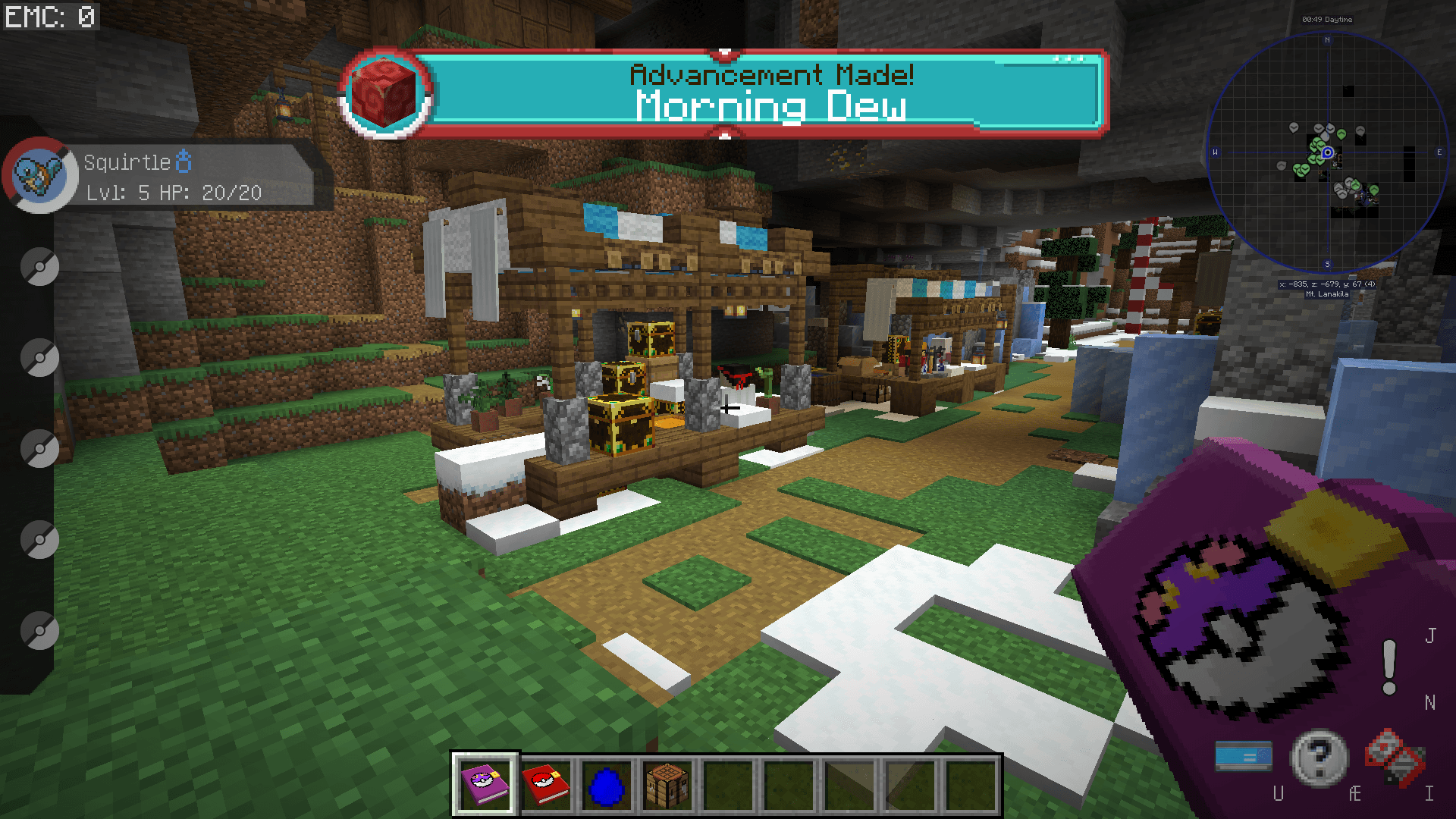
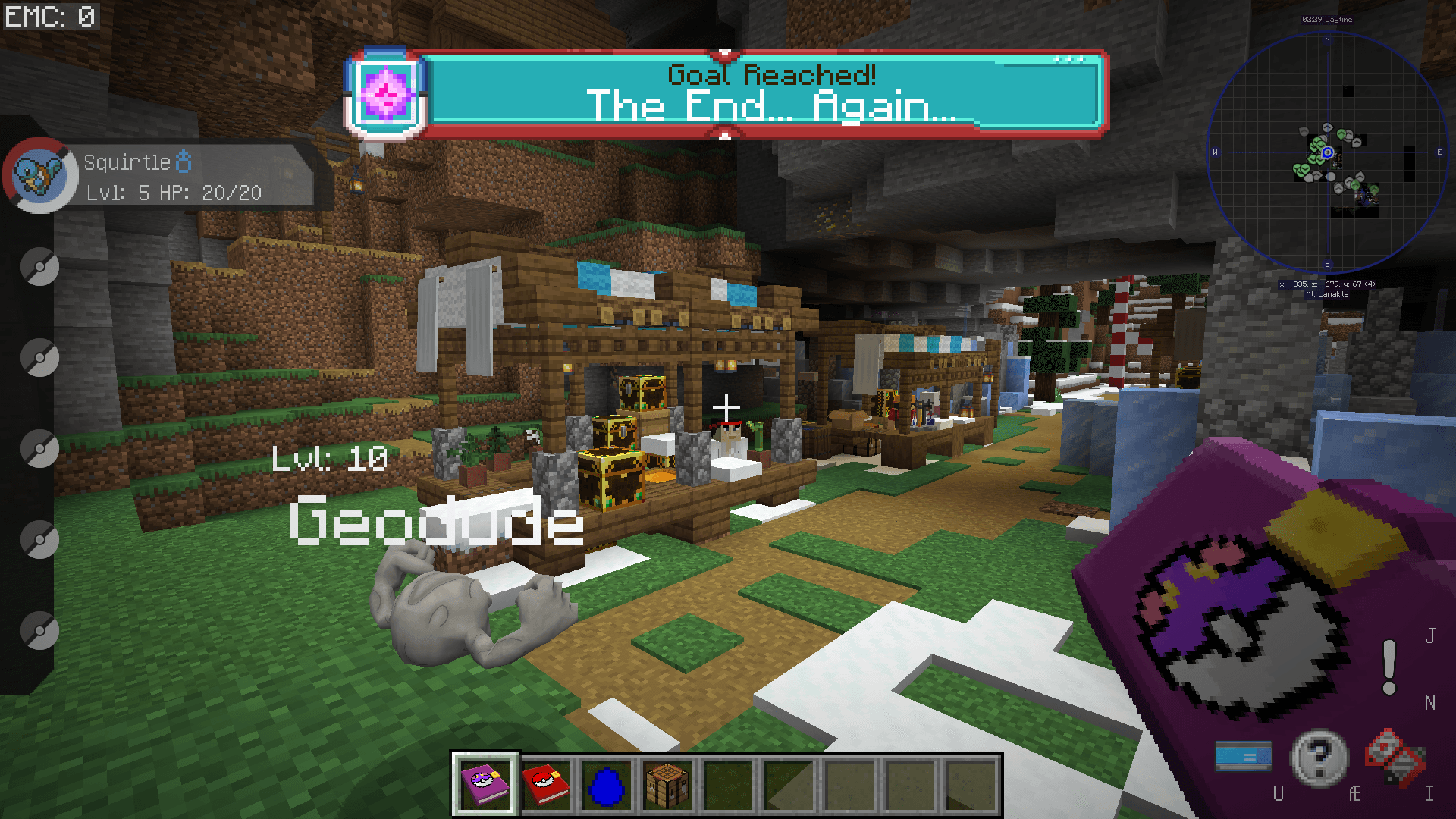
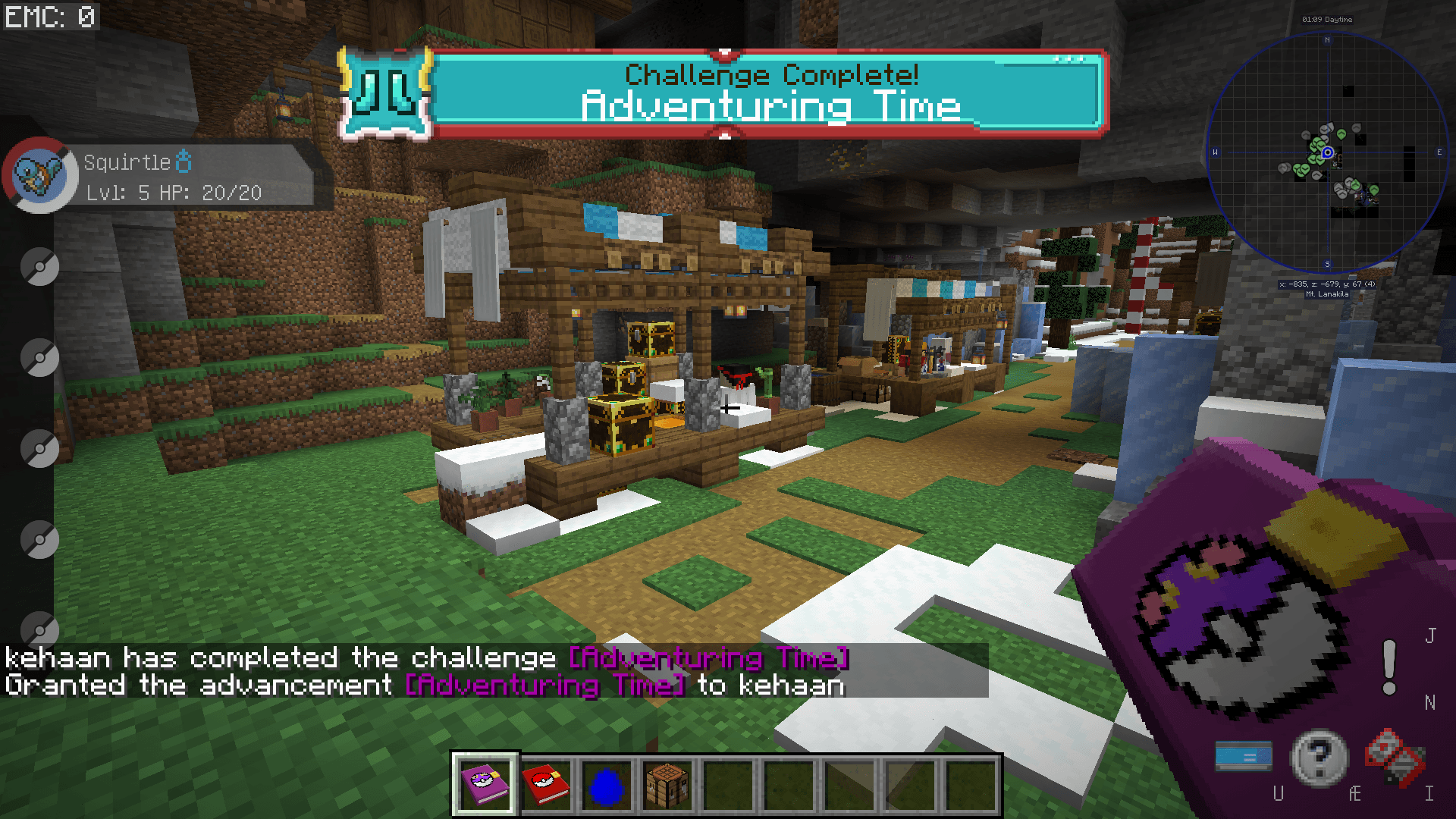
They are changed into to be themed around the modpack "Pokehaan Craft 1" and "Pokehaan Craft 2". This is themed around the mod Pixelmon, and the plauqes is now textured like a Pokedex, and Pokeballs.

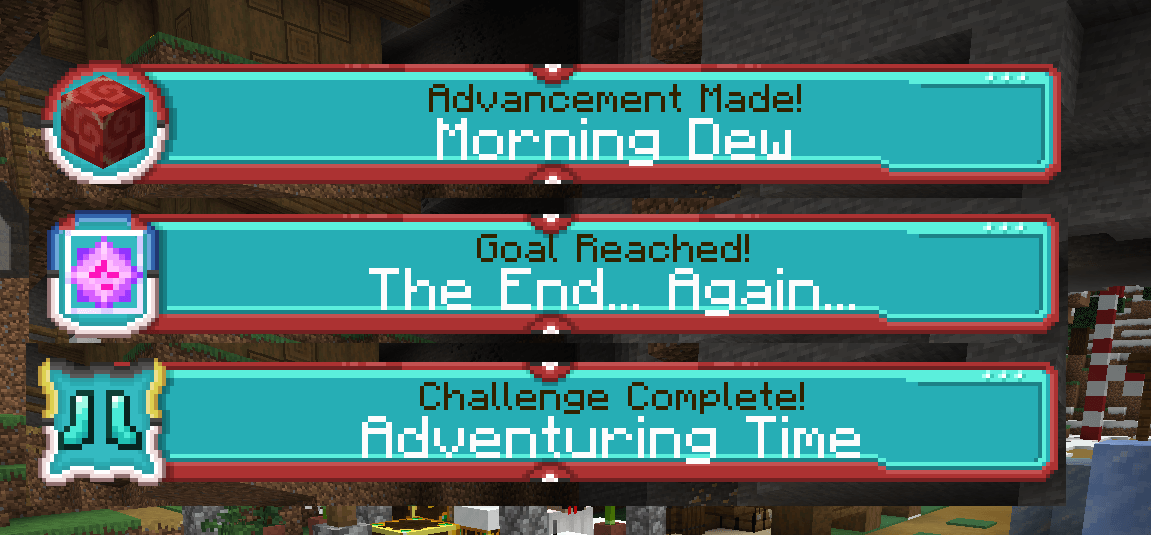
There is 3 plaques, that is for 3 different difficulties of a advancement. The plaques pops up on the screen, once a advancement unlock. They are themed around a Poke Ball, Great Ball and Ultra Ball.

See a screenshot here:
This resourcepack can be used in other modpacks too. And only requires the mod "Advancement Plaques", but together with Pixelmon, it is fitting much better. As it is themed around Pokedex and Pokeballs.

Click on the images button, to see more screenshot of how they look ingame.

Disclaimer
Pokehaan Plaques is an unofficial fan-made project and is not affiliated with or endorsed by Nintendo, The Pokémon Company, GAME FREAK, or Creatures Inc.

PokehaanPlaques_1.12.2_v1.0.2.zip
MC 1.12.2
Release 2026-03-25 Get
PokehaanPlaques_1.16.5_v1.0.2.zip
MC 1.16.5
Release 2026-03-25 Get
PokehaanPlaques_1.20.1_v1.0.2.zip
MC 1.20.1
Release 2026-03-25 Get
PokehaanPlaques_1.21.1_v1.0.2.zip
MC 1.21.1
Release 2026-03-25 Get
PokehaanPlaques_1.12.2_v1.0.1.zip
MC 1.12.2
Release 2024-08-27 Get
PokehaanPlaques_1.16.5_v1.0.1.zip
MC 1.16.5
Release 2024-08-27 Get
PokehaanPlaques_1.20.1_v1.0.1.zip
MC 1.20.1
Release 2024-08-27 Get
PokehaanPlaques_1.12.2_v1.0.0.zip
MC 1.12.2
Release 2024-06-23 Get
PokehaanPlaques_1.16.5_v1.0.0.zip
MC 1.16.5
Release 2024-06-23 Get
PokehaanPlaques_1.20.1_v1.0.0.zip
MC 1.20.1
Release 2024-06-23 Get

Requirements & install

How to use this resource pack in Minecraft
Resolution
16x
Minecraft
1.12.2 – 1.21.1
Install folder
.minecraft/resourcepacks

How to install resource packs

  1. Download the resource pack .zip file (do not extract it).
  2. In Minecraft open Options → Resource Packs → Open Pack Folder.
  3. Drop the .zip into the resourcepacks folder (.minecraft/resourcepacks).
  4. Move the pack to the Selected column and click Done.
Browse more: 16x resource packs 32x resource packs 64x resource packs 128x resource packs 256x resource packs 512x+ resource packs Resource Packs for 1.21.1 All resource packs

More from Kehaan

Advertisement Remove ads with Premium →

You Might Also Like