Mineuniverse
Resource Packs
Pokécube Unit

Pokécube Unit

RESOURCE PACK
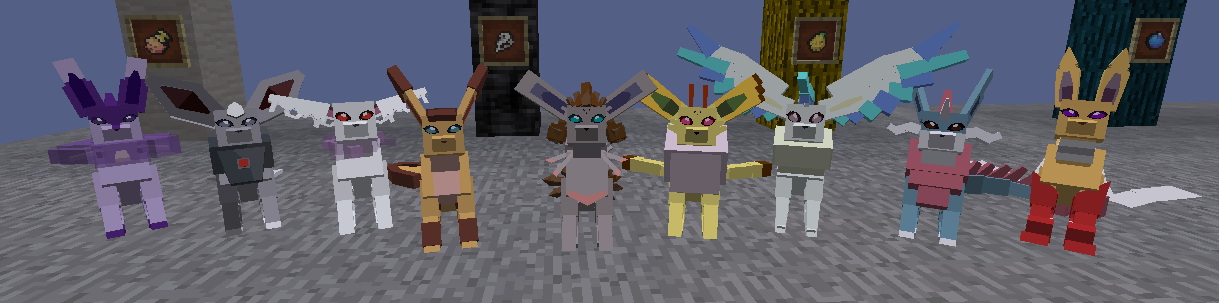
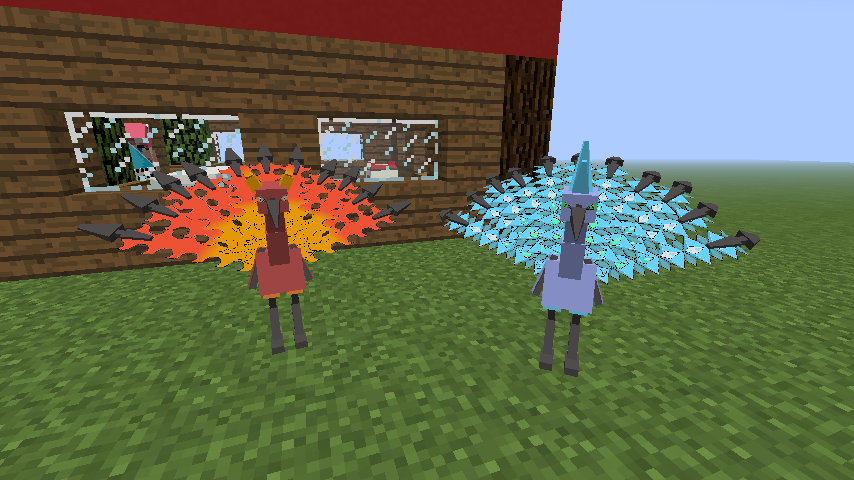
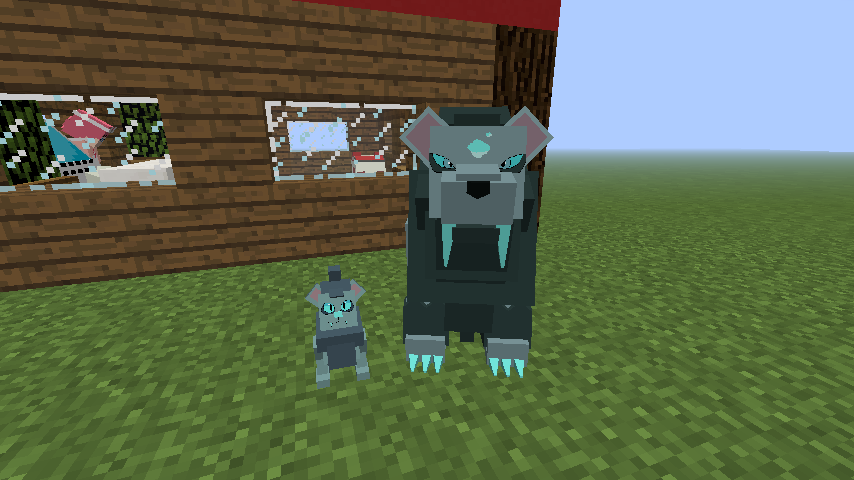
A resource pack that works as an addon of the Pokecube mod, adding new pokémons, mega evolutions, alola forms!
by NelkG
Download Claim this project
19,686 downloads
0 likes
Updated Oct 14, 2026
0 hypes
16x Mod Support
Advertisement Remove ads with Premium →

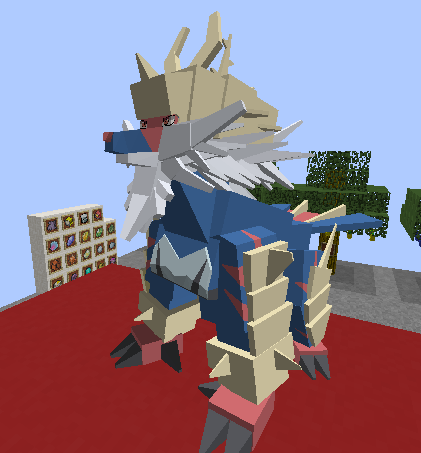
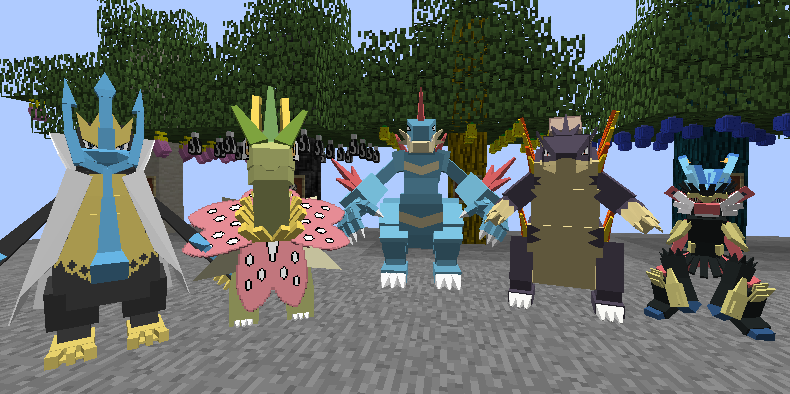
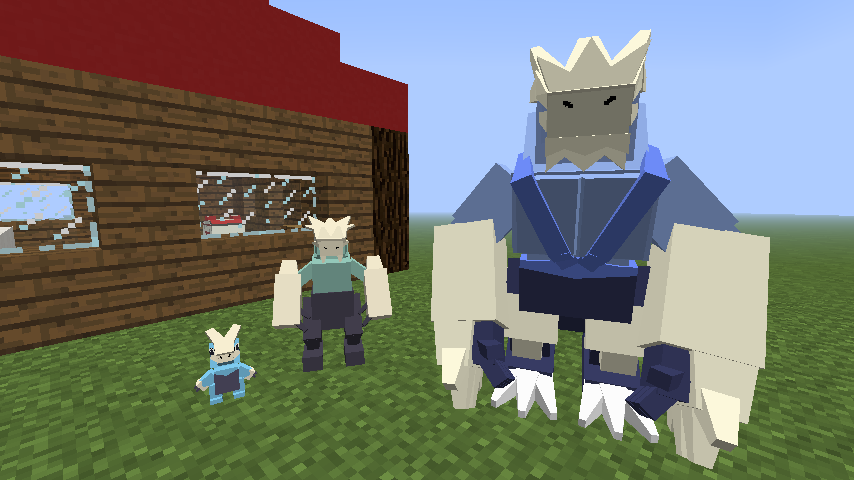
This resource pack works as an addon for the Pokecube mod, it adds new pokémons (called fakemon), new mega evolutions and alola forms.


These file is used as resourcepack so it needs to be in the resourcepack folder.
When running the game, select the resource pack before entering the save, otherwise the pokémobs will be invisible and you will have to reopen the game.


you need to be with the pokecube mod, which can be found here: https://minecraft.curseforge.com/projects/pokecube-aoi


List of how to use the new mega evolutions:
  -Pokémon Starter: Use a stone corresponding to your type. ex: Water > Waterstone.
  -Ambipom: Shinystone;
  -Pangoro: soul sand; (darkstone in 1.15.2+)
  -Gardevoir: thunderstone;
  -Kingler: waterstone;
  -Machamp: learn the movement 'dualchop'; (removed in 1.15.2+)
  -Rapiratain: prismarine shard.


"To remove the addon and avoid problems with Mod, remove the addon and delete the" pokecube_ml "folder from your game directory, also remove the pokemobs_.json file from the config/pokecube/database folder" do this only if you delete the addon. (in 1.15.2 this is no longer necessary)


This addon is a set of internet fakemons, all rights reserved for the legitimate owners of the images, in case any of them contact by being violated by the use of his art, the 3D model will be removed from the archive.

[1.16.5] Pokécube Unit v.4.0
MC 1.16.5, 1.16.4
Release 2021-02-26 Get
[1.16.4] Pokécube Unity v.1.0
MC 1.16.4
Release 2020-12-20 Get
[1.15.2] Pokécube Unit v.3.0
MC 1.15.2
Release 2020-09-28 Get
[1.15.2] Pokécube Unit v.2.0
MC 1.15.2
Release 2020-08-27 Get
[1.15.2] Pokécube Unit v1.0
MC 1.15.2
Beta 2020-04-17 Get
[1.12.2] Pokécube Unit v.12
MC 1.12.2
Release 2020-01-27 Get
[1.12.2] Pokécube Unit v.11
MC 1.12.2
Release 2020-01-06 Get
[1.12.2] Pokécube Unit v.10.4
MC 1.12.2
Release 2019-12-15 Get
[1.12.2] Pokécube Unit v.10.3
MC 1.12.2
Release 2019-11-05 Get
[1.12.2] Pokécube Unit v.10.1
MC 1.12.2
Release 2019-10-22 Get
[1.12.2] Pokécube Unit v.10.0
MC 1.12.2
Release 2019-10-21 Get
[1.12.2] Pokécube Unit v.9.9
MC 1.12.2
Release 2019-10-19 Get
[1.12.2] Pokécube Unit v.9.6
MC 1.12.2
Release 2019-08-27 Get
[1.12.2] Pokécube Unit v.9.4
MC 1.12.2
Release 2019-08-11 Get
[1.12.2] Pokécube Unit v.9
MC 1.12.2
Release 2019-07-28 Get
[1.12.2]Pokécube Unit v.8.9
MC 1.12.2
Release 2019-07-10 Get
[1.12.2] Pokécube Unit v.8.6
MC 1.12.2
Release 2019-06-24 Get
[1.12.2] Pokécube Unit v.8.4
MC 1.12.2
Release 2019-06-19 Get
[1.12.2] Pokécube Unit v.8.2
MC 1.12.2
Release 2019-06-09 Get
[1.12.2] Pokécube Unit v.8.0
MC 1.12.2
Release 2019-06-06 Get
[1.12.2] Pokecube Unit v.7.4
MC 1.12.2
Release 2019-04-11 Get
[1.12.2] Pokécube Unit v.7.0
MC 1.12.2
Release 2019-03-25 Get
[1.12.2] Pokécube Unit v.6.8
MC 1.12.2
Release 2019-03-07 Get
[1.12.2] Pokécube Unit v.6.0
MC 1.12.2
Release 2019-03-03 Get
[1.12.2] Pokécube Unit v.5.5
MC 1.12.2
Release 2019-02-17 Get
[1.12.2] Pokécube Unit v.5.0
MC 1.12.2
Release 2019-02-13 Get
[1.12.2] Pokécube Unit v.5.1
MC 1.12.2
Release 2019-02-13 Get
[1.12.2] Pokécube Unit v.4.4
MC 1.12.2
Release 2019-02-09 Get
[1.12.2] Pokécube Unit v.4.2
MC 1.12.2
Release 2019-02-03 Get
[1.12.2] Pokécube Unit v3.9
MC 1.12.2
Release 2019-02-01 Get
[1.12.2] Pokécube Unit v3.8
MC 1.12.2
Release 2019-01-26 Get
[1.12.2] Pokécube Unit v.3.5
MC 1.12.2
Release 2019-01-15 Get
[1.12.2] Pokécube Unit v.3.0
MC 1.12.2
Release 2019-01-10 Get
[1.12.2] Pokécube Unit v.2.9
MC 1.12.2
Release 2018-12-29 Get
[1.12.2] Pokécube Unit v.2.5.5
MC 1.12.2
Release 2018-12-14 Get
[1.12.2] Pokécube Unit v.2.5
MC 1.12.2
Release 2018-12-08 Get
[1.12.2] Pokécube Unit v.2.0
MC 1.12.2
Release 2018-11-28 Get
[1.12.2] Pokécube Unit v.1.8
MC 1.12.2
Release 2018-11-23 Get
[1.12.2] Pokécube Unit v.1.5
MC 1.12.2
Release 2018-11-10 Get
[1.12.2] Pokécube_Unit v.1.0
MC 1.12.2
Release 2018-11-07 Get

Requirements & install

How to use this resource pack in Minecraft
Resolution
16x
Minecraft
1.12.2 – 1.16.5
Install folder
.minecraft/resourcepacks

How to install resource packs

  1. Download the resource pack .zip file (do not extract it).
  2. In Minecraft open Options → Resource Packs → Open Pack Folder.
  3. Drop the .zip into the resourcepacks folder (.minecraft/resourcepacks).
  4. Move the pack to the Selected column and click Done.
Browse more: 16x resource packs 32x resource packs 64x resource packs 128x resource packs 256x resource packs 512x+ resource packs Resource Packs for 1.16.5 All resource packs
Advertisement Remove ads with Premium →

You Might Also Like