Mineuniverse
Resource Packs
Pocok's texture pack

Pocok's texture pack

RESOURCE PACK
Pocok's texture pack
by _ForgeUser6851927
Download Claim this project
Add a badge to your pageLink to Pocok's texture pack from a README, website or forum post.
Preview: Badge

Badges update automatically and link to the resource pack page on MineUniverse.

11,551 downloads
0 likes
0 followers
Updated Oct 14, 2026
0 hypes
Follow0
Miscellaneous
Advertisement Remove ads with Premium →

Got a severe Fanfiction.net addiction, I will soon get to work on the pack, most importantly the new items.
Wow. It seems I got a free Curse premium subscription because my pack has over 1000 downloads. 1003 in fact, at the time of writing. Don't worry, update soon, just need to sort out the new textures thta came with the latest snapshots. Thanks for the downloads :D

Development files avaliable from SVN! svn://svn.bukkit.org/minecraft/pocoks-pack/mainline/trunk

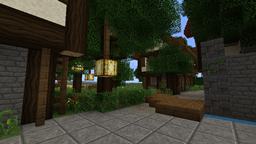
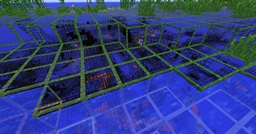
I am making a texture pack that follow the same basic design as the default, but not so pixelated (smoother textures).
Altough it may seem I'm infinitely lazy (yes I am lazy but not that much), I'm actually working hard when I have time.
Currently working on:


  • Packaging up the zip for 1.3.2
  • Finally do something animated for a few blocks.
  • Making terrain, items, and gui.

PocoksPack-1.3.2-v1.zip
MC 1.3.2
Beta 2012-08-22 Get
Pocok_s_Pack.zip
MC CB 1.2.3-R0.2
Beta 2012-03-22 Get
Pocok_s_Pack.zip
MC 1.0.0
Beta 2012-01-14 Get
Pocok_s_Pack.zip
MC 1.0.0
Beta 2012-01-12 Get
Pocok_s_Pack.zip
MC 1.0.0
Beta 2011-12-31 Get
Pocok_s_Pack.zip
MC 1.0.0
Beta 2011-12-04 Get
Pocokspack.zip
MC Beta 1.8.1
Beta 2011-09-26 Get
Pocokspack.zip
MC Beta 1.7.3
Beta 2011-09-03 Get

Requirements & install

How to use this resource pack in Minecraft
Resolution
Not specified
Minecraft
1.0.0 – 1.3.2
Install folder
.minecraft/resourcepacks

How to install resource packs

  1. Download the resource pack .zip file (do not extract it).
  2. In Minecraft open Options → Resource Packs → Open Pack Folder.
  3. Drop the .zip into the resourcepacks folder (.minecraft/resourcepacks).
  4. Move the pack to the Selected column and click Done.
Browse more: 16x resource packs 32x resource packs 64x resource packs 128x resource packs 256x resource packs 512x+ resource packs Resource Packs for 1.3.2 All resource packs
Advertisement Remove ads with Premium →

You Might Also Like