Mineuniverse
Resource Packs
PMZ Beehives GO AWAY

PMZ Beehives GO AWAY

RESOURCE PACK
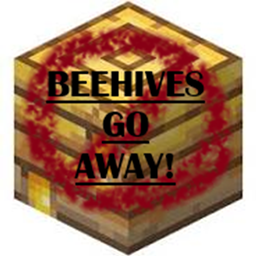
Don't like beehives in trees for some reason? I got you.
by ProducerMZ
Download Claim this project
Add a badge to your pageLink to PMZ Beehives GO AWAY from a README, website or forum post.
Preview: Badge

Badges update automatically and link to the resource pack page on MineUniverse.

132 downloads
0 likes
0 followers
Updated Oct 14, 2026
0 hypes
Follow0
Data Packs Miscellaneous
Advertisement Remove ads with Premium →

Beehives will NOT generate in vanilla trees when creating a new world, or using the "re-create" button on an old world.

I have zero interest in bees, and they affect frame rate more than any other vanilla mob, so they had to go!

 I used a mod called "Mobs Blocker" to stop the generation of bees, but beehives were insisitantly making repetitive "popping" sounds of bee generation, before the mod "killed" them, so to speak.
The sounds was annoying, and likely causing some lag.

I decided, "no more of THAT!"

I couldn't find a mod to remove them so I made this.

(There's a chance other mods that overwrite village or biome spawning will force beehives into the world despite this pack, but even then, they will be much more rare than previously.)

Beehives GO AWAY
MC 1.16-Snapshot, 1.17.1, 1.16.3, 1.19.3, 1.20.2, 1.21.2-Snapshot, 1.21, 1.21.6-snapshot, 1.15-Snapshot, 1.16.1, 1.18.1, 1.19.4-Snapshot, 1.20.5, 1.21.5, 1.17, 1.20.2-Snapshot
Release 2025-04-15 Get
Beehives GO AWAY
MC 1.16-Snapshot, 1.17.1, 1.16.3, 1.19.3, 1.20.2, 1.21.2-Snapshot, 1.21, 1.16.1, 1.18.1, 1.19.4-Snapshot, 1.20.5, 1.17, 1.20.2-Snapshot, 1.20.5-Snapshot, 1.15, 1.16, 1.19.4
Release 2025-03-23 Get

Requirements & install

How to use this resource pack in Minecraft
Resolution
Not specified
Minecraft
1.20.2-Snapshot – 1.21.6-snapshot
Install folder
.minecraft/resourcepacks

How to install resource packs

  1. Download the resource pack .zip file (do not extract it).
  2. In Minecraft open Options → Resource Packs → Open Pack Folder.
  3. Drop the .zip into the resourcepacks folder (.minecraft/resourcepacks).
  4. Move the pack to the Selected column and click Done.
Browse more: 16x resource packs 32x resource packs 64x resource packs 128x resource packs 256x resource packs 512x+ resource packs Resource Packs for 1.21.6-snapshot All resource packs

More from ProducerMZ

Advertisement Remove ads with Premium →

You Might Also Like