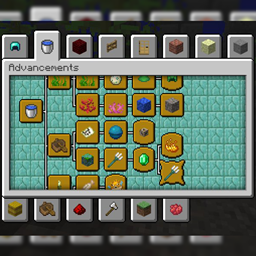
This datapack is a translation of the foreign PlatyPack. The datapack itself adds about 500 achievements to Minecraft, which will diversify and improve the vanilla game experience. Unlike Blaze and Caves, these achievements won't have huge difficulty, there won't be achievements like "Collect a stack of all blocks" or "Kill all mobs with potions". Everything fits well with minecraft and, believe me, you will not regret downloading it.
Link to datapack's twitter: https://twitter.com/platypack?lang=en
Link to original datapack: https://www.curseforge.com/minecraft/customization/platys-advancement-and-recipe-pack
Link to the translator's channel: https://www.youtube.com/channel/UCmiUkpR3iAZY-Gjzlj8fFtA
Данный датапак является переводом зарубежного PlatyPack. Сам датапак добавляет в Майнкрафт около 500 достижений, что разнообразят и улучшат ванильный опыт игры. В отличие от Blaze and Caves, данные достижения не будут выделяться гигантской сложностью, там не будет ачивок по типу: "Собери стак всех блоков" или "Убей всех мобов зельями". Всё неплохо вписывается в майнкрафт и, поверьте, вы не пожалеете о скачивании.
Ссылка на телеграмм датапака: https://twitter.com/platypack?lang=en
Ссылка на оригинальный датапак: https://www.curseforge.com/minecraft/customization/platys-advancement-and-recipe-pack
Ссылка на канал переводчика: https://www.youtube.com/channel/UCmiUkpR3iAZY-Gjzlj8fFtA