Mineuniverse
Resource Packs
Plasmo Simple Voice Chat

Plasmo Simple Voice Chat

RESOURCE PACK
Plasmo Voice icons for Simple Voice Chat
by levikk
Download Claim this project
7,807 downloads
0 likes
Updated Oct 14, 2026
0 hypes
16x Mod Support Modern
Advertisement Remove ads with Premium →

Plasmo Simple Voice Chat by levikk

EN

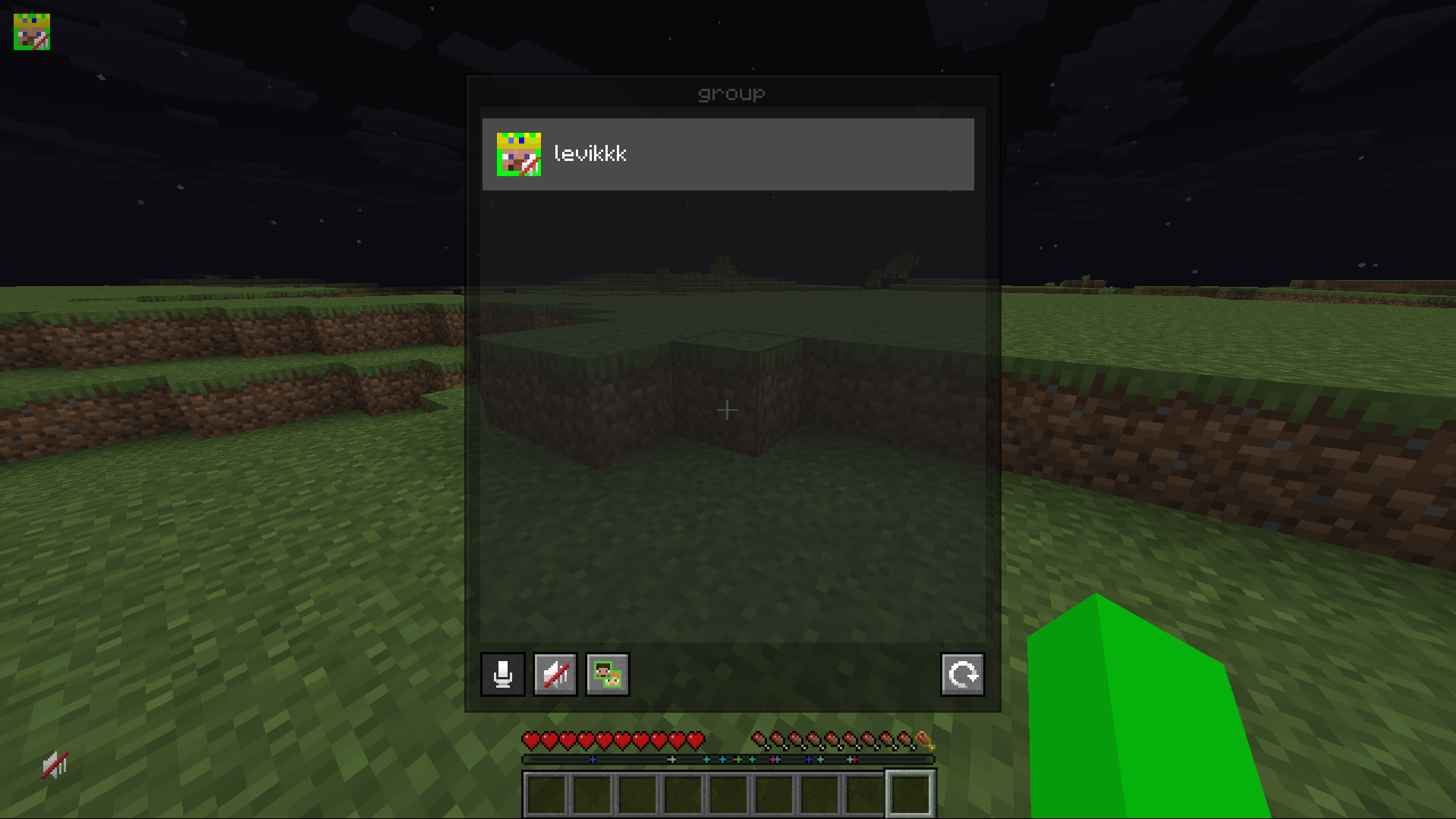
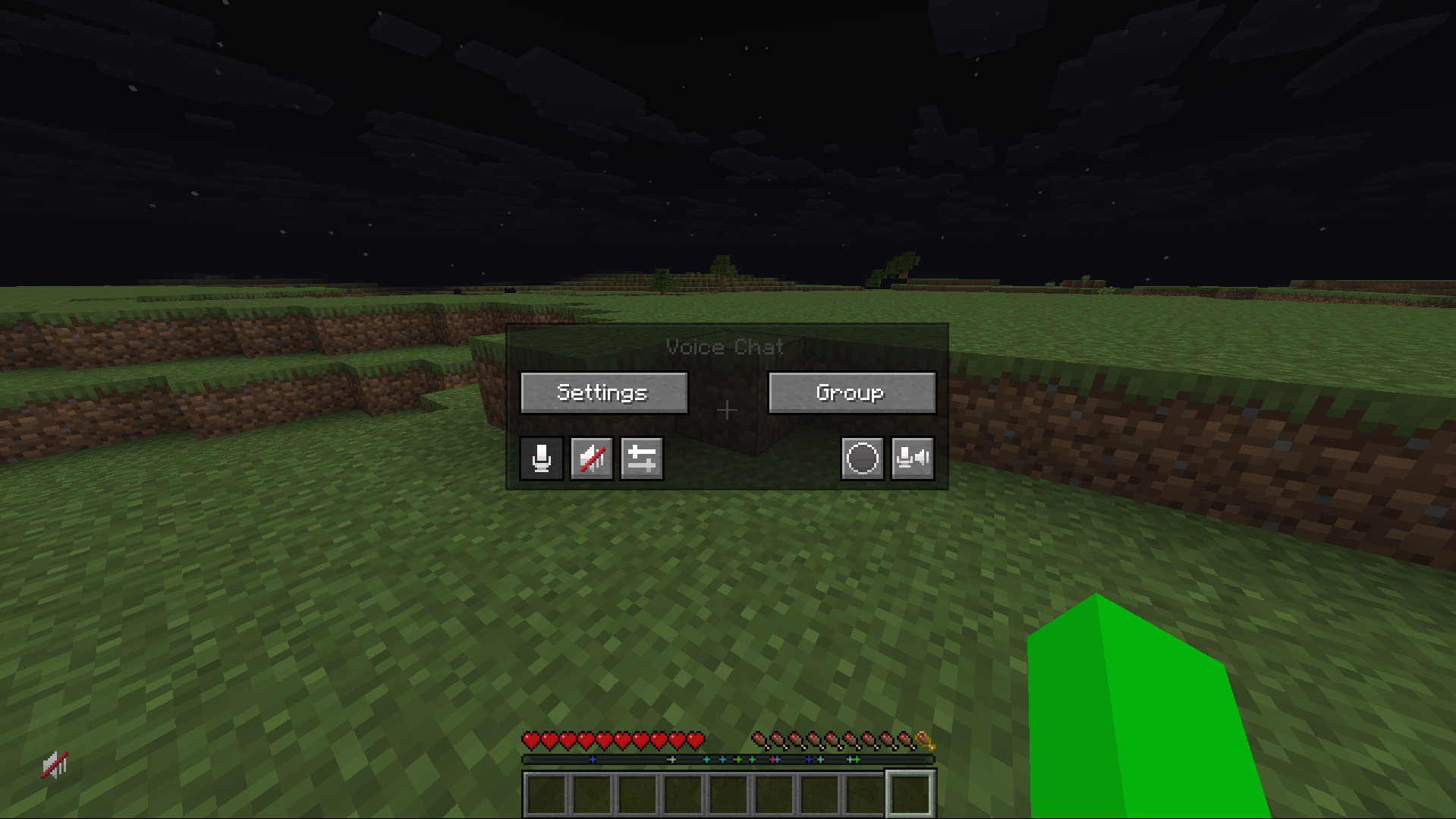
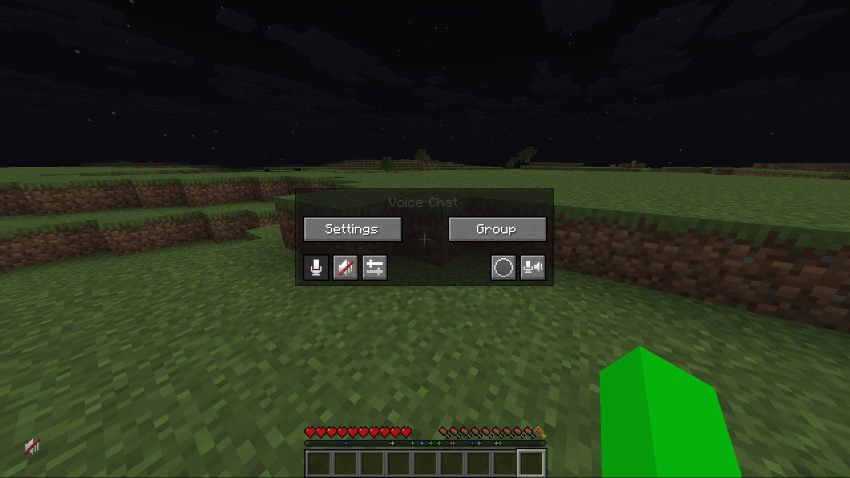
This resource pack replaces the outdated Simple Voice Chat icons with more modern ones from Plasmo Voice. I created several icons myself based on them. The resource pack also replaces the default Simple Voice Chat GUI with a translucent one. The simple voice chat menu is opened by pressing the V key.

This pack requires Simple Voice Chat

If you have any suggestions or questions, just dm me on Discord: LeviyTapoKK

RU

Этот ресурс пак заменяет устаревшие значки Simple Voice Chat на более современные из Plasmo Voice. Я сам создал несколько значков на их основе. Ресурс пак также заменяет стандартный интерфейс Simple Voice Chat на полупрозрачный. Меню Simple Voice Chat открывается нажатием клавиши V.

Для работы этого пакета требуется Simple Voice Chat

Если у вас есть какие-либо предложения или вопросы, просто напишите мне в Discord: LeviyTapoKK

Icons

Old New
You are talking 1
You are whispering 1
Player is talking 1
Player is whispering 1
Microphone muted 1
Voice chat disabled 1
Voice chat not connected Voice chat not installed 1
1.1.1 (1.16.x - 26.1.x)
MC 1.16.3, 1.17.1, 1.21, 1.16.1, 1.18.1, 1.16, 1.16.5, 1.19.3, 1.20.2, 1.19.4, 1.21.8, 1.17, 1.20.5, 1.21.5, 1.18, 1.21.4, 1.20.1, 1.20, 1.20.6, 1.21.1, 1.21.6, 1.21.3, 1.21.7
Release 2026-05-29 Get
1.1 (1.16.x - 26.1.x)
MC 1.16.3, 1.17.1, 1.21, 1.16.1, 1.18.1, 1.16, 1.16.5, 1.19.3, 1.20.2, 1.19.4, 1.21.8, 1.17, 1.20.5, 1.21.5, 1.18, 1.21.4, 1.20.1, 1.20, 1.20.6, 1.21.1, 1.21.6, 1.21.3, 1.21.7
Release 2026-05-28 Get
1.0-ReIease 1.16.x - 26.1.x
MC 1.16.3, 1.17.1, 1.21, 1.16.1, 1.18.1, 1.16, 1.16.5, 1.19.3, 1.20.2, 1.19.4, 1.21.8, 1.17, 1.20.5, 1.21.5, 1.18, 1.21.4, 1.20.1, 1.20, 1.20.6, 1.21.1, 1.21.6, 1.21.3, 1.21.7
Release 2026-05-09 Get

Requirements & install

How to use this resource pack in Minecraft
Resolution
16x
Minecraft
1.21 – 1.21.8
Install folder
.minecraft/resourcepacks

How to install resource packs

  1. Download the resource pack .zip file (do not extract it).
  2. In Minecraft open Options → Resource Packs → Open Pack Folder.
  3. Drop the .zip into the resourcepacks folder (.minecraft/resourcepacks).
  4. Move the pack to the Selected column and click Done.
Browse more: 16x resource packs 32x resource packs 64x resource packs 128x resource packs 256x resource packs 512x+ resource packs Resource Packs for 1.21.8 All resource packs

More from levikk

Advertisement Remove ads with Premium →

You Might Also Like