Mineuniverse
Resource Packs
Pixelmon's faithful x32 addon!

Pixelmon's faithful x32 addon!

RESOURCE PACK
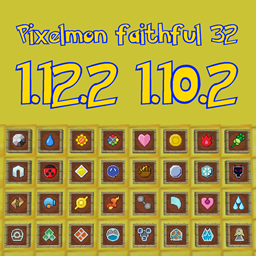
This is a resourcepack addon, faithful 32x32 style, for Pixelmon!
by EddyHg80
Download Claim this project
Add a badge to your pageLink to Pixelmon's faithful x32 addon! from a README, website or forum post.
Preview: Badge

Badges update automatically and link to the resource pack page on MineUniverse.

494,191 downloads
0 likes
0 followers
Updated Oct 14, 2026
0 hypes
Follow0
32x Mod Support
Advertisement Remove ads with Premium →

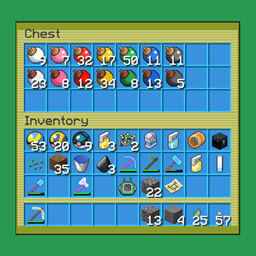
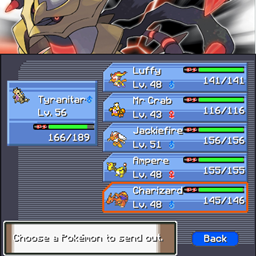
This pack simply doubles the resolution of all Pixelmon items, blocks and guis.

You still need to download the vanilla faithful 32x32 pack separately, because it is not included.

 
Some textures are taken, resized and adjusted from Bulbagarden Dream World Items archives.
The result is that they look ok in the inventory but not as good if held in hand.

These textures are placeholders and I'll replace them little by little.


Other Pixelmon related projects

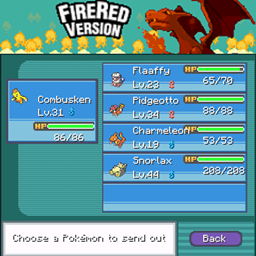
Pixelmon guis - Fire Red inspired : Download

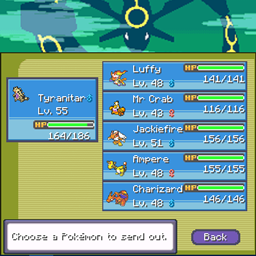
Pixelmon guis - Emerald inspired : Download 

Pixelmon guis - Platinum inspired : Download

Pixelmon guis - Heart Gold/Soul Silver inspired : Download

Pixelmon Reforged 9.1 - Pack version 4.1
MC 1.16.5
Release 2023-01-07 Get
Pixelmon Reforged 9.0 - Pack version 4.0
MC 1.16.5
Release 2022-08-30 Get
Pixelmon Reforged 8.3 - Pack version 3.4
MC 1.12.2
Release 2021-12-21 Get
Pixelmon Reforged 8.1 - Pack version 3.2
MC 1.12.2
Release 2020-12-01 Get
Pixelmon Reforged pre 8.1 - Pack version 2.7
MC 1.12.2
Release 2020-02-02 Get
Pixelmon Reforged pre 7.2 - Pack version 2.6
MC 1.12.2
Release 2019-10-06 Get
Pixelmon's faithful x32 - 1.19
MC 1.10.2, 1.11.2, 1.8.9
Release 2018-06-27 Get
Pixelmon's faithful x32 - MC 1.7.10 only - 1.13
MC 1.7.10
Release 2018-04-07 Get

Requirements & install

How to use this resource pack in Minecraft
Resolution
32x
Minecraft
1.7.10 – 1.16.5
Install folder
.minecraft/resourcepacks

How to install resource packs

  1. Download the resource pack .zip file (do not extract it).
  2. In Minecraft open Options → Resource Packs → Open Pack Folder.
  3. Drop the .zip into the resourcepacks folder (.minecraft/resourcepacks).
  4. Move the pack to the Selected column and click Done.
Browse more: 16x resource packs 32x resource packs 64x resource packs 128x resource packs 256x resource packs 512x+ resource packs Resource Packs for 1.16.5 All resource packs

More from EddyHg80

Advertisement Remove ads with Premium →

You Might Also Like