Mineuniverse
Resource Packs
Pixelated Black Hole Moon

Pixelated Black Hole Moon

RESOURCE PACK
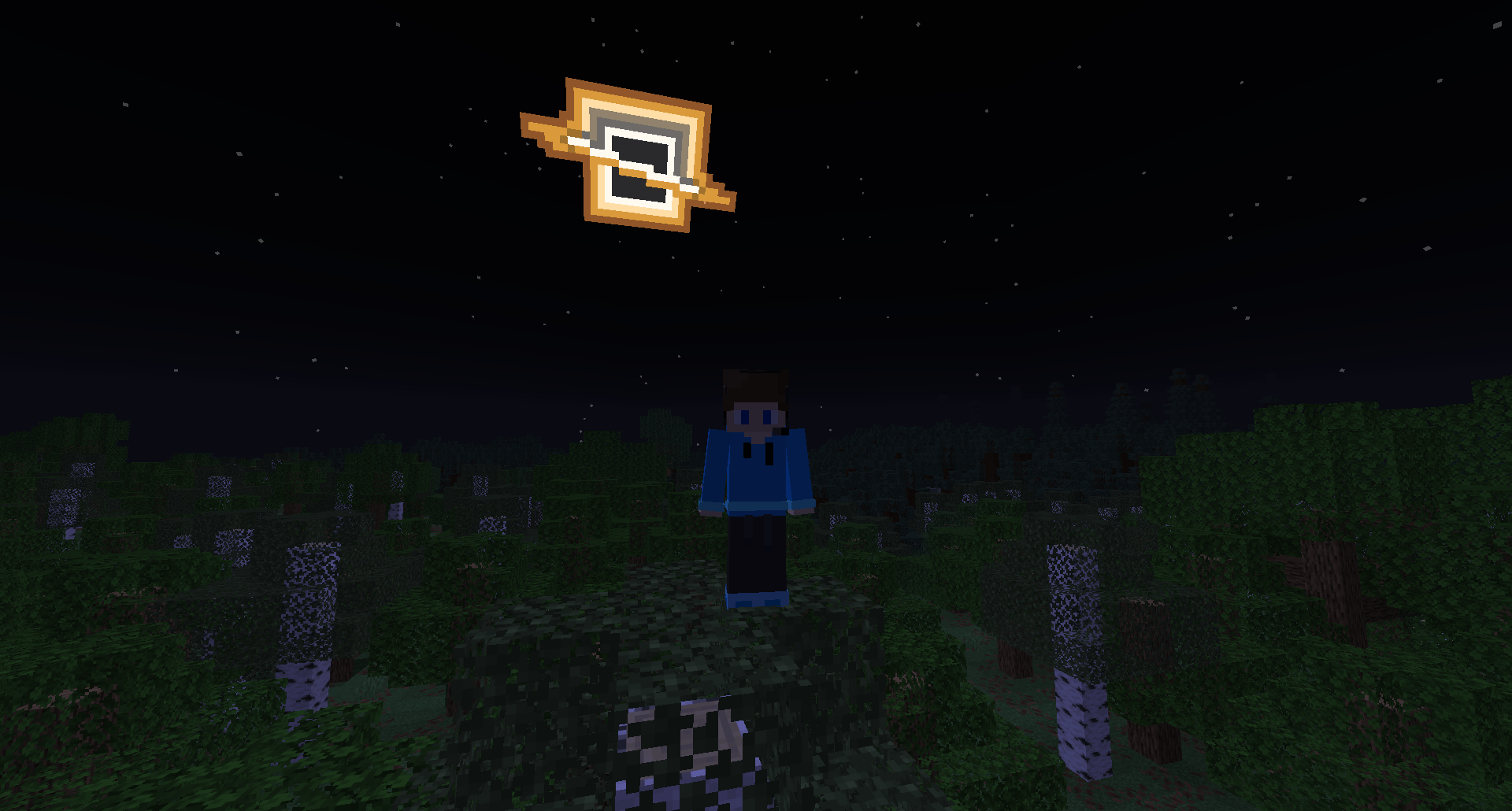
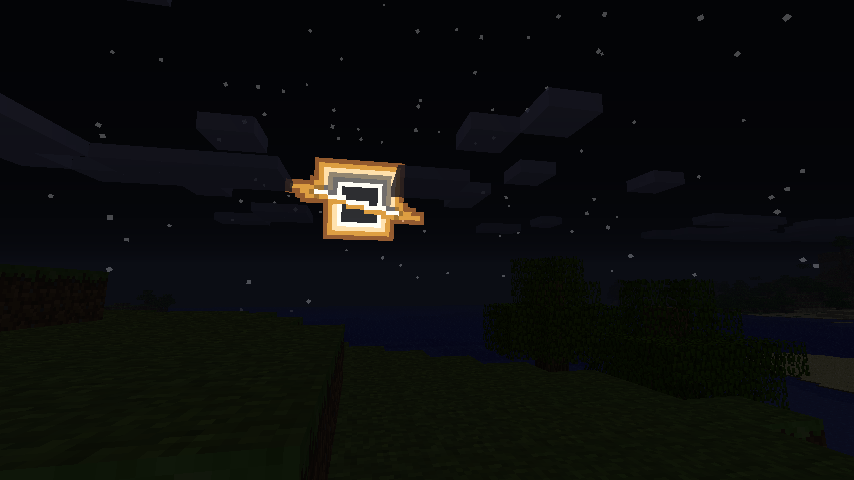
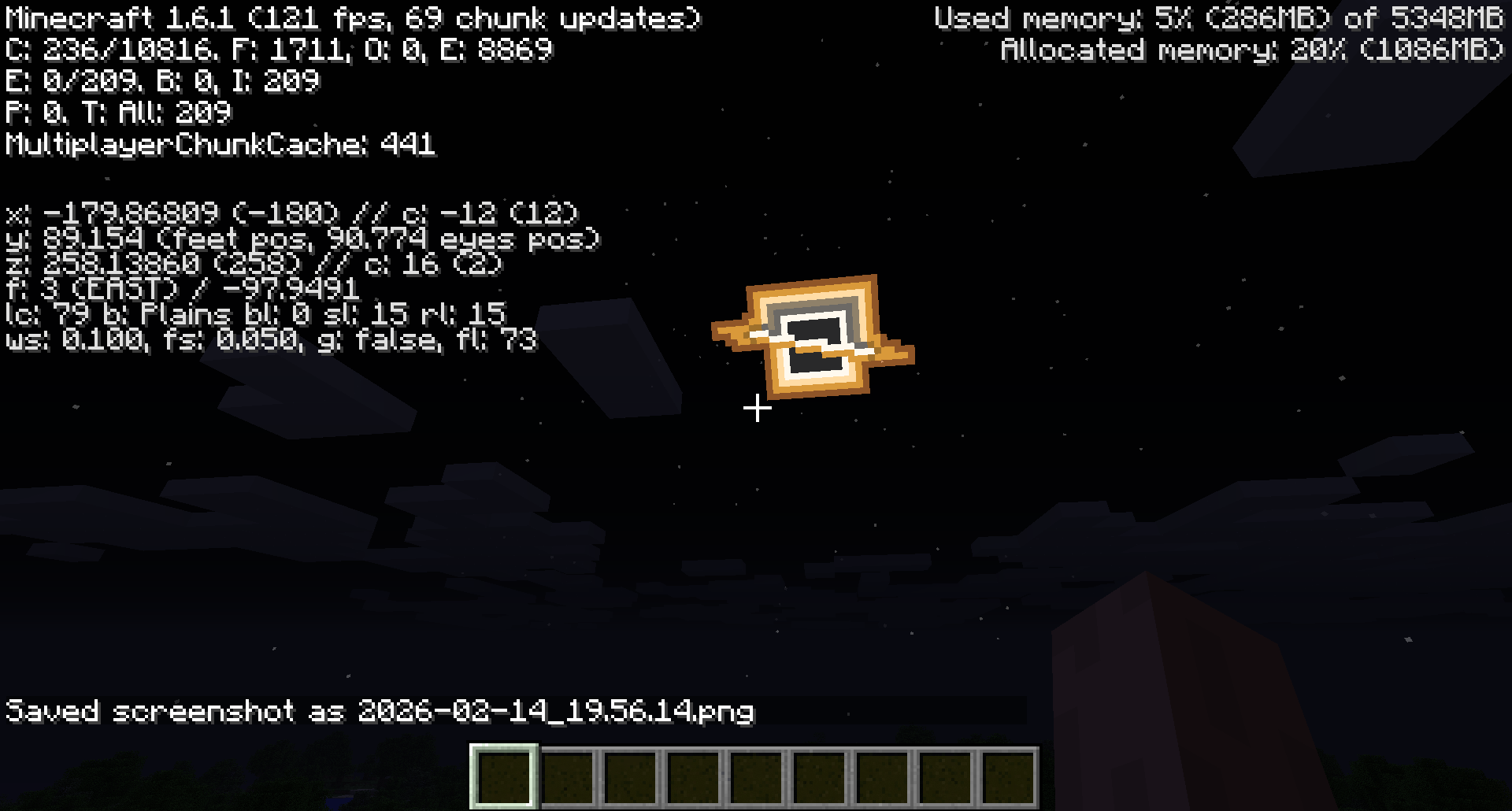
Replaces the boring Moon with a Black Hole that is made to be in the Vanilla Art style! Perfect to fool your friends, or just have something arguably cooler in your Night Sky.
by KorbynTalks
Download Claim this project
1,421 downloads
0 likes
0 followers
Updated Oct 14, 2026
0 hypes
Follow0
32x Miscellaneous Traditional
Advertisement Remove ads with Premium →

Thanks for checking out Pixelated Black Hole Moon! This Resource Pack will change the boring moon to a Black Hole. Great to prank your friends, or just to change the moon to something else.

FAQ

Does this require any external mods?

Nope. This Resource Pack does not need any external mods for it to function properly.

On some versions of Minecraft it either says "The pack is too new" or "The pack is too old"

On these versions "supported_formats" in pack.mcmeta was not introduced yet, because of that it looks at "pack_format" and says on the lines of "Pack format 5? (pack format for 1.15.2) That is old. This pack must not work on me anymore" even though the pack supports that version. Best you can do is just ignore it and enable the pack anyway, do the same if it says "pack is too new".

Did you make the Pixel Art yourself?

Yes! and you are free to use it on whatever project your working on. Credit would be appreciated, but its not mandatory, just dont copy the Resource Pack outright and publish it claiming its your own.

Pixelated Black Hole Moon 1.0.0-L
MC 1.5.3, 1.4.6, 1.0, 1.4.4, 1.0.0, 1.2.4, 1.4.5, 1.3.2, 1.5.2, 1.5.1, 1.1, 1.2.1, Beta 1.6.6, Beta 1.7, Beta 1.7.3, 1.3.1, 1.5.0, 1.2.3, 1.2.2, 1.4.2, 1.4.7, Beta 1.8.1, 1.2.5
Release 2026-07-06 Get
Pixelated Black Hole Moon 1.0.0-R
MC 1.16.3, 1.13.1, 1.9.3, 1.8.7, 1.7.4, 1.7.7, 1.7.6, 1.17.1, 1.9.1, 1.21, 1.7.5, 1.6.1, 1.16.1, 1.18.1, 1.14.3, 1.15, 1.16, 1.13, 1.7.3, 1.7.2, 1.16.5, 1.10.2, 1.19.3, 1.20.2
Release 2026-07-06 Get

Requirements & install

How to use this resource pack in Minecraft
Resolution
32x
Minecraft
1.16.1 – 1.21
Install folder
.minecraft/resourcepacks

How to install resource packs

  1. Download the resource pack .zip file (do not extract it).
  2. In Minecraft open Options → Resource Packs → Open Pack Folder.
  3. Drop the .zip into the resourcepacks folder (.minecraft/resourcepacks).
  4. Move the pack to the Selected column and click Done.
Browse more: 16x resource packs 32x resource packs 64x resource packs 128x resource packs 256x resource packs 512x+ resource packs Resource Packs for 1.21 All resource packs

More from KorbynTalks

Advertisement Remove ads with Premium →

You Might Also Like