Mineuniverse
Resource Packs
Pixel Perfect [Let's Do Addon]

Pixel Perfect [Let's Do Addon]

RESOURCE PACK
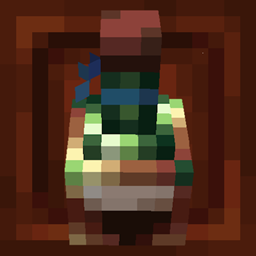
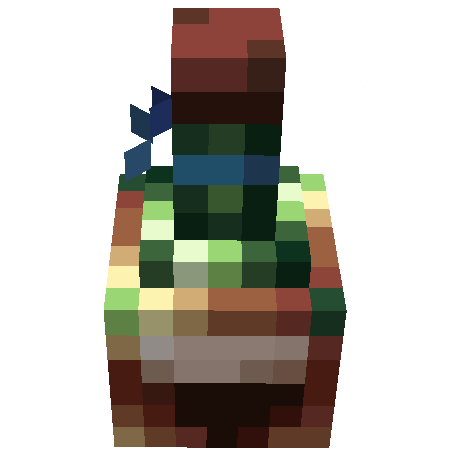
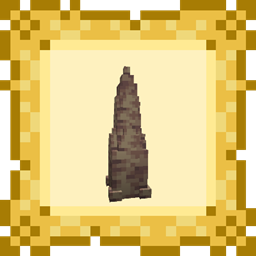
A pack that remodels some of the Let's Do item models to look more like their sprites.
by coolbot100s
Download Claim this project
35,977 downloads
0 likes
Updated Oct 14, 2026
0 hypes
16x Miscellaneous Mod Support
Advertisement Remove ads with Premium →

A pack that remodels some of the Let's Do item models to look more like their sprites.

As a fan of the Let's Do series, I love that so many items can be placed on the ground as blocks, this is great for decor!
But, a personal pet peeve of mine is that the block models appear to be stylistically different from their items. This pack adds some consistency by attempting to give all placable drinks a model that looks similar to the item sprite.

This is done entirely by creating new models, without modifying any assets from the original mods, I felt this limitation was important for keeping the feel the same.

Currently, this pack only changes some models from Let's Do Vinery but I plan to expand in the future.

modrinth curseforge Planet Minecraft discord generic-singular

Pixel Perfect Let's Do v1.1.1
MC 1.21.2-Snapshot, 1.21, 1.21.6-snapshot, 1.20.2-Snapshot, 1.20.5-Snapshot, 1.21.1-Snapshot, 1.20.2, 1.21.8, 1.20.5, 1.21.5, 1.21.4, 1.21.5-Snapshot, 1.20.1, 1.20, 1.20.6
Release 2026-03-28 Get
Let's Do - Pixel Perfect 1.1
MC 1.21.2-Snapshot, 1.21, 1.20.2-Snapshot, 1.20.5-Snapshot, 1.21.1-Snapshot, 1.20.2, 1.20.5, 1.20.1, 1.20, 1.20.6, 1.20-Snapshot, 1.21.1, 1.20.4, 1.21-Snapshot, 1.20.3-Snapshot, 1.20.3
Release 2024-10-11 Get
Let's Do - Pixel Perfect V1
MC 1.20.2, 1.21, 1.20.5, 1.20.2-Snapshot, 1.20.5-Snapshot, 1.21.1-Snapshot, 1.20.3-Snapshot, 1.20.3, 1.20.1, 1.20.6, 1.20.4, 1.21-Snapshot, 1.21.1
Beta 2024-10-04 Get

Requirements & install

How to use this resource pack in Minecraft
Resolution
16x
Minecraft
1.21.1-Snapshot – 1.21.8
Install folder
.minecraft/resourcepacks

How to install resource packs

  1. Download the resource pack .zip file (do not extract it).
  2. In Minecraft open Options → Resource Packs → Open Pack Folder.
  3. Drop the .zip into the resourcepacks folder (.minecraft/resourcepacks).
  4. Move the pack to the Selected column and click Done.
Browse more: 16x resource packs 32x resource packs 64x resource packs 128x resource packs 256x resource packs 512x+ resource packs Resource Packs for 1.21.8 All resource packs

More from coolbot100s

Advertisement Remove ads with Premium →

You Might Also Like