Mineuniverse
Resource Packs
Phantom To Pelican

Phantom To Pelican

RESOURCE PACK
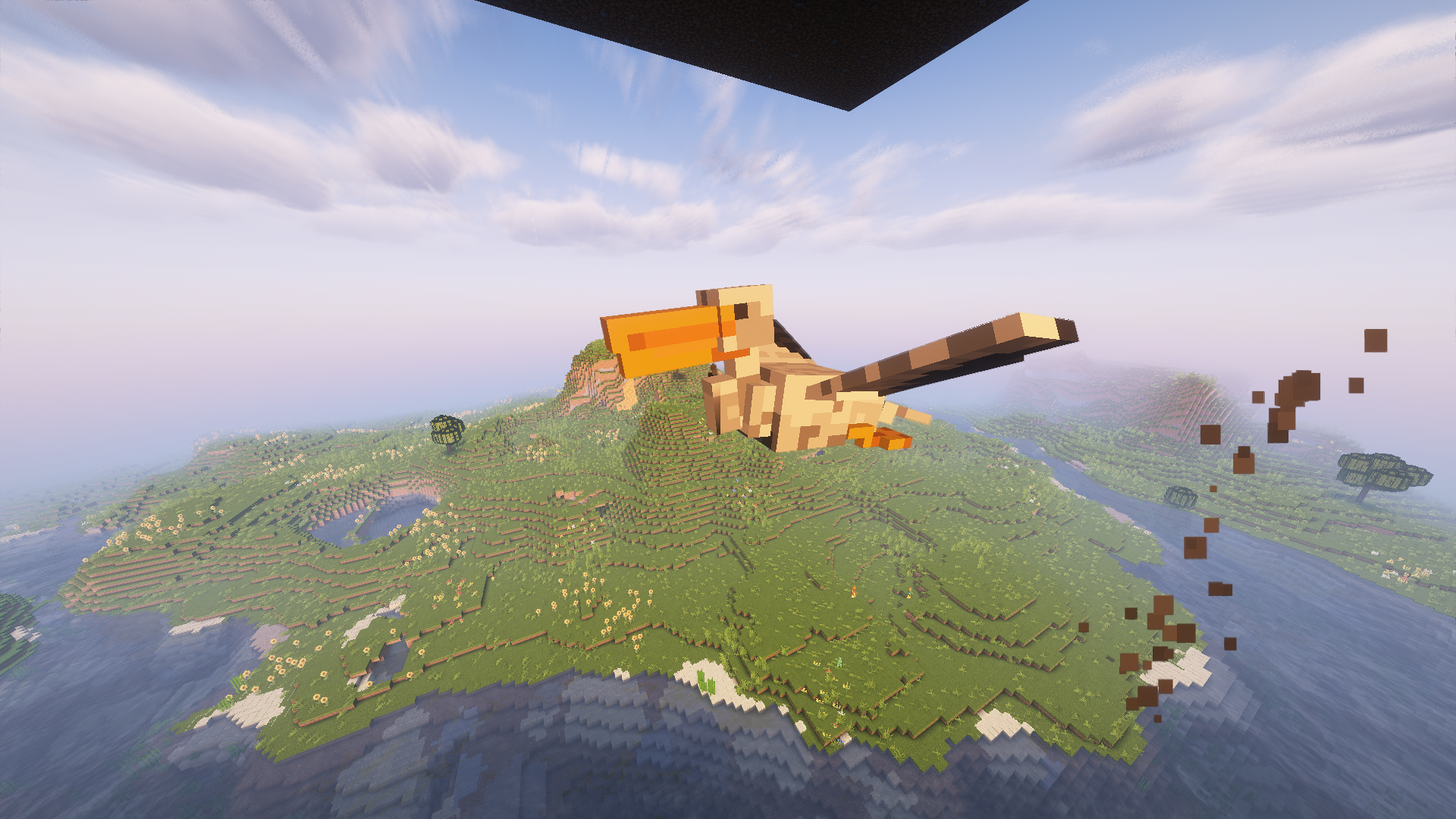
Transform phantom into pelican !
by AnotherKalAccount
Download Claim this project
481 downloads
0 likes
Updated Oct 14, 2026
0 hypes
16x Animated Miscellaneous
Advertisement Remove ads with Premium →

Description: The "Phantom To Pelican" Resource Pack is an extraordinary transformation for Minecraft, turning the phantoms into majestic pelicans. This immersive conversion goes beyond mere appearance, encompassing custom sounds, exquisite textures, and a modification of advancement text for a more realistic and captivating gaming experience.

Key Features:

  1. Stunning New Appearances:

    • Phantoms are replaced by elegant and lifelike pelicans.
  2. Custom Sounds:

    • Immerse yourself in the atmosphere with sounds specially designed for pelicans. You'll hear the characteristic call of these majestic birds as they soar through your world, adding a realistic auditory dimension to your adventure.
  3. Textures:

    • The textures of pelican plumage, beaks, and legs are of exceptional quality, ensuring an immersive visual experience that pays homage to the beauty of these birds.
  4. Advancement Text Modification:

    • Game advancements related to phantoms have been adapted to reflect the change to pelicans, providing custom quest text that aligns with the pelican world.

With the "Airborne Pelicans" Resource Pack, Minecraft transforms into an environment where pelicans rule the sky. Let yourself be carried away by this exceptional gaming experience that adds a touch of nature and realism to your blocky world. Explore and build while being accompanied by the graceful flight and soothing calls of pelicans. An aerial adventure awaits you!

PTP 1.2.zip
MC 1.20.2, 1.20.1
Release 2023-10-22 Get

Requirements & install

How to use this resource pack in Minecraft
Resolution
16x
Minecraft
1.20.1 – 1.20.2
Install folder
.minecraft/resourcepacks

How to install resource packs

  1. Download the resource pack .zip file (do not extract it).
  2. In Minecraft open Options → Resource Packs → Open Pack Folder.
  3. Drop the .zip into the resourcepacks folder (.minecraft/resourcepacks).
  4. Move the pack to the Selected column and click Done.
Browse more: 16x resource packs 32x resource packs 64x resource packs 128x resource packs 256x resource packs 512x+ resource packs Resource Packs for 1.20.2 All resource packs

More from AnotherKalAccount

Advertisement Remove ads with Premium →

You Might Also Like