Mineuniverse
Resource Packs
Patrix 32x

Patrix 32x

RESOURCE PACK
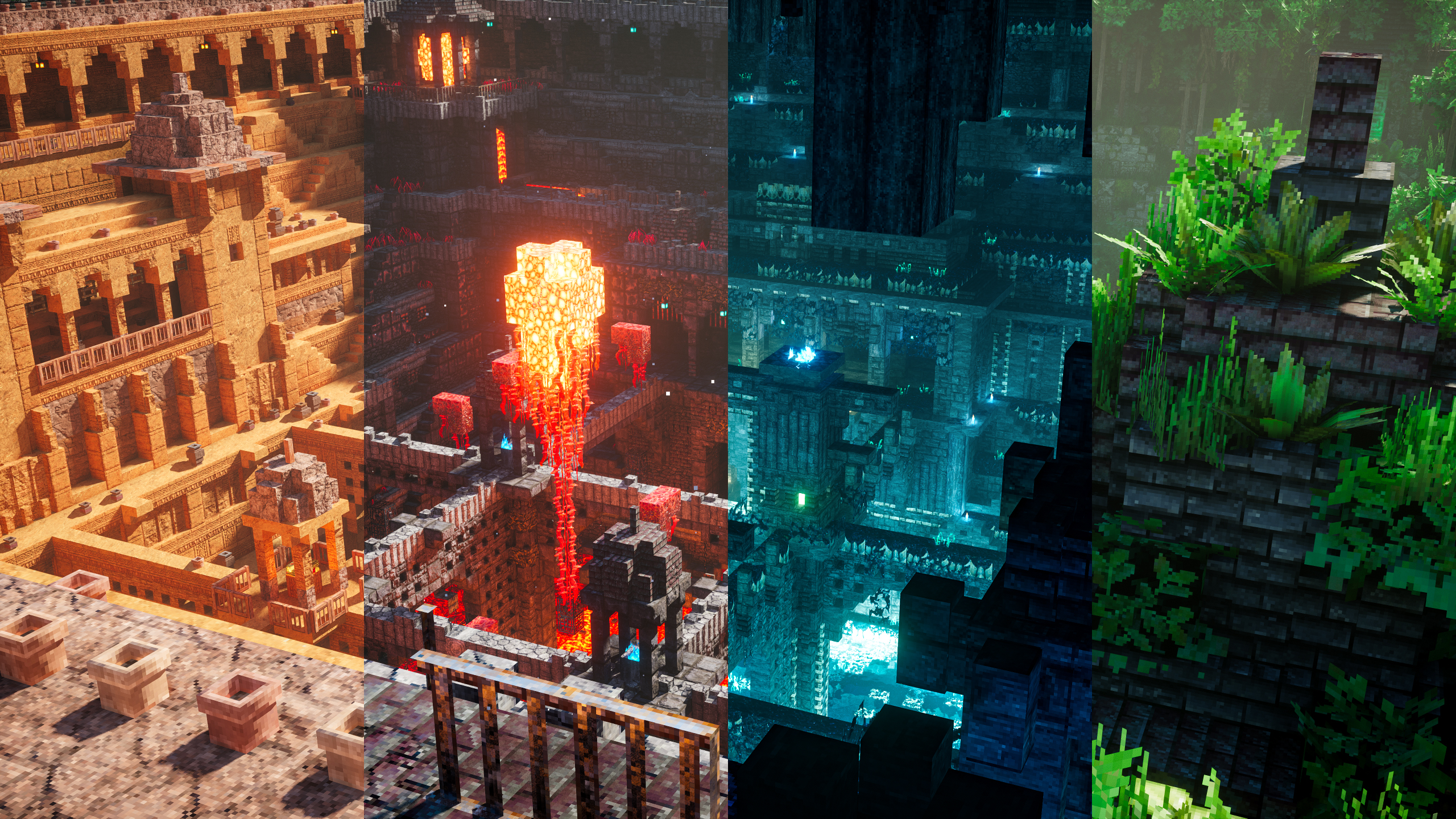
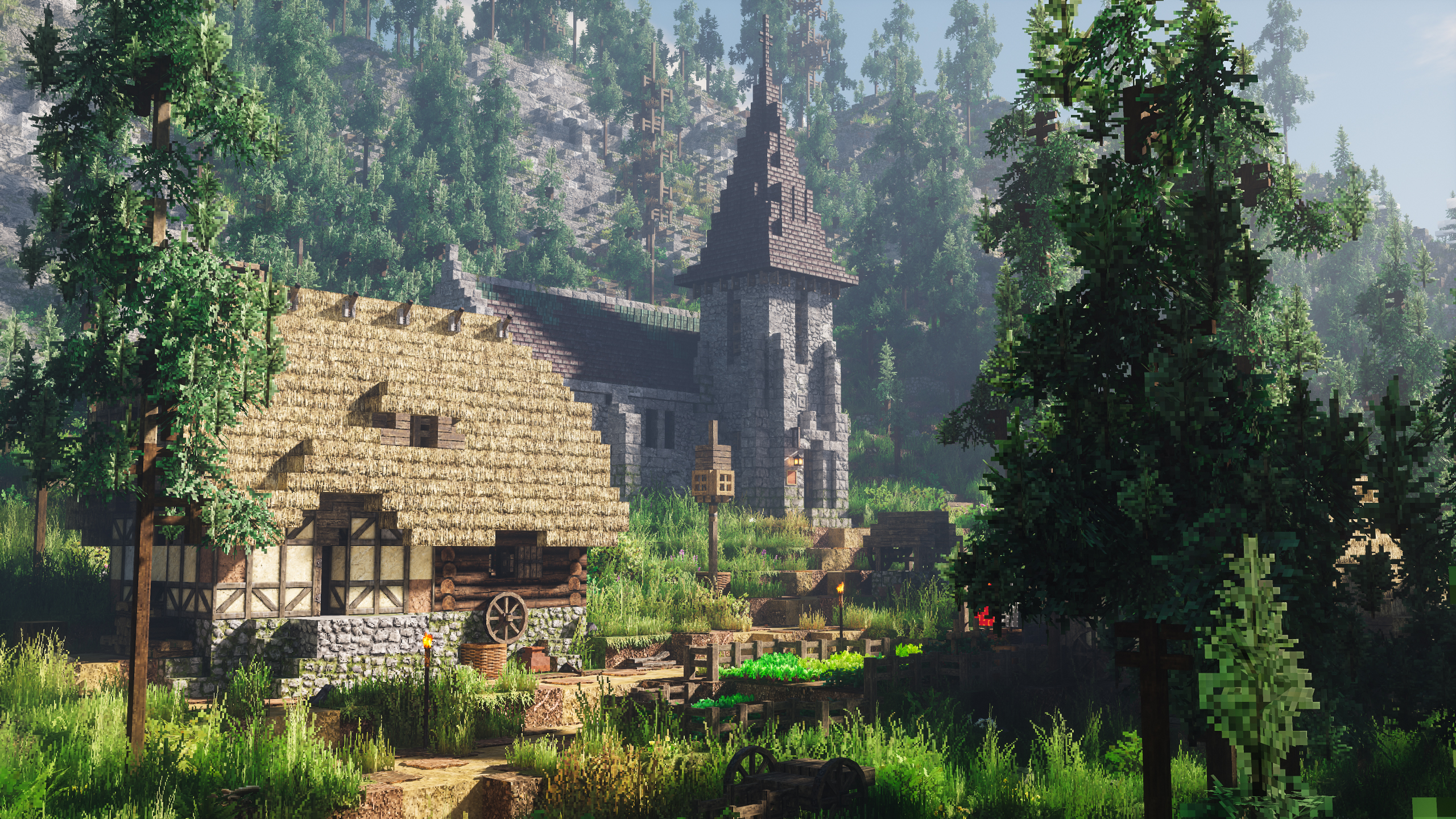
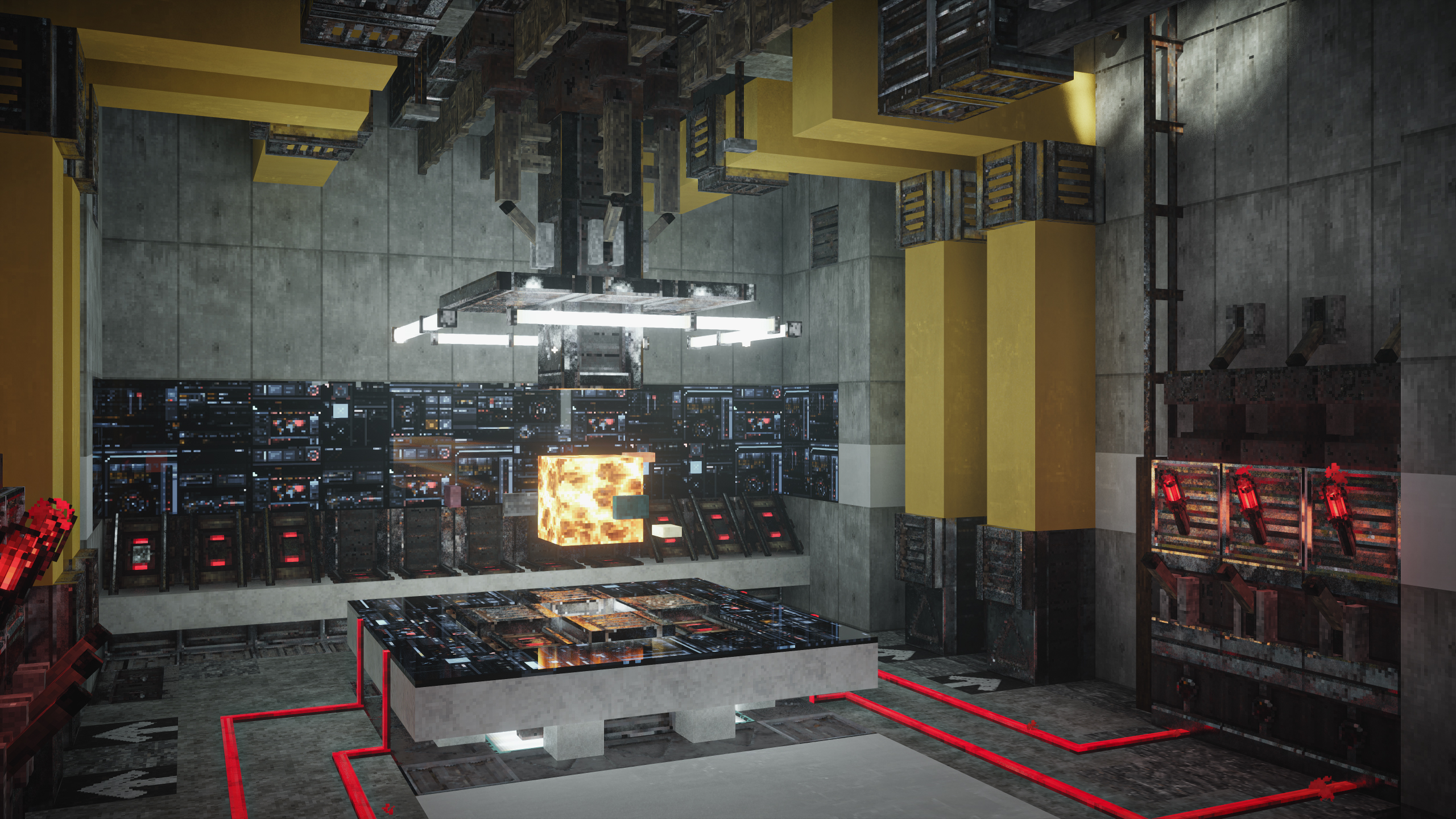
Realistic textures with vanilla colors custom-made for shaders
by patrix1221
Download Claim this project
3,315,200 downloads
0 likes
Updated Oct 14, 2026
0 hypes
32x Medieval Photo Realistic Traditional
Advertisement Remove ads with Premium →

 
[ ABOUT ]

 
This resourcepack is made to be used with shaders, so the textures might look weird if you aren't using any shaders or shaders that doesn't support normal/specular mapping or LabPBR features.

The pack focuses on large scale texture tiling / randomization using various optifine-format features instead of having high texture res or detailed custom block models. And they're mostly color-matched to default textures to ensure existing builds and maps won't look too different when viewed with the pack. Grass and leaves texture are also compatible with biome coloring so they should work with datapack/modded biome tints.

Due to the amount of extra textures, this pack is significantly heavier than other packs at the same resolution.

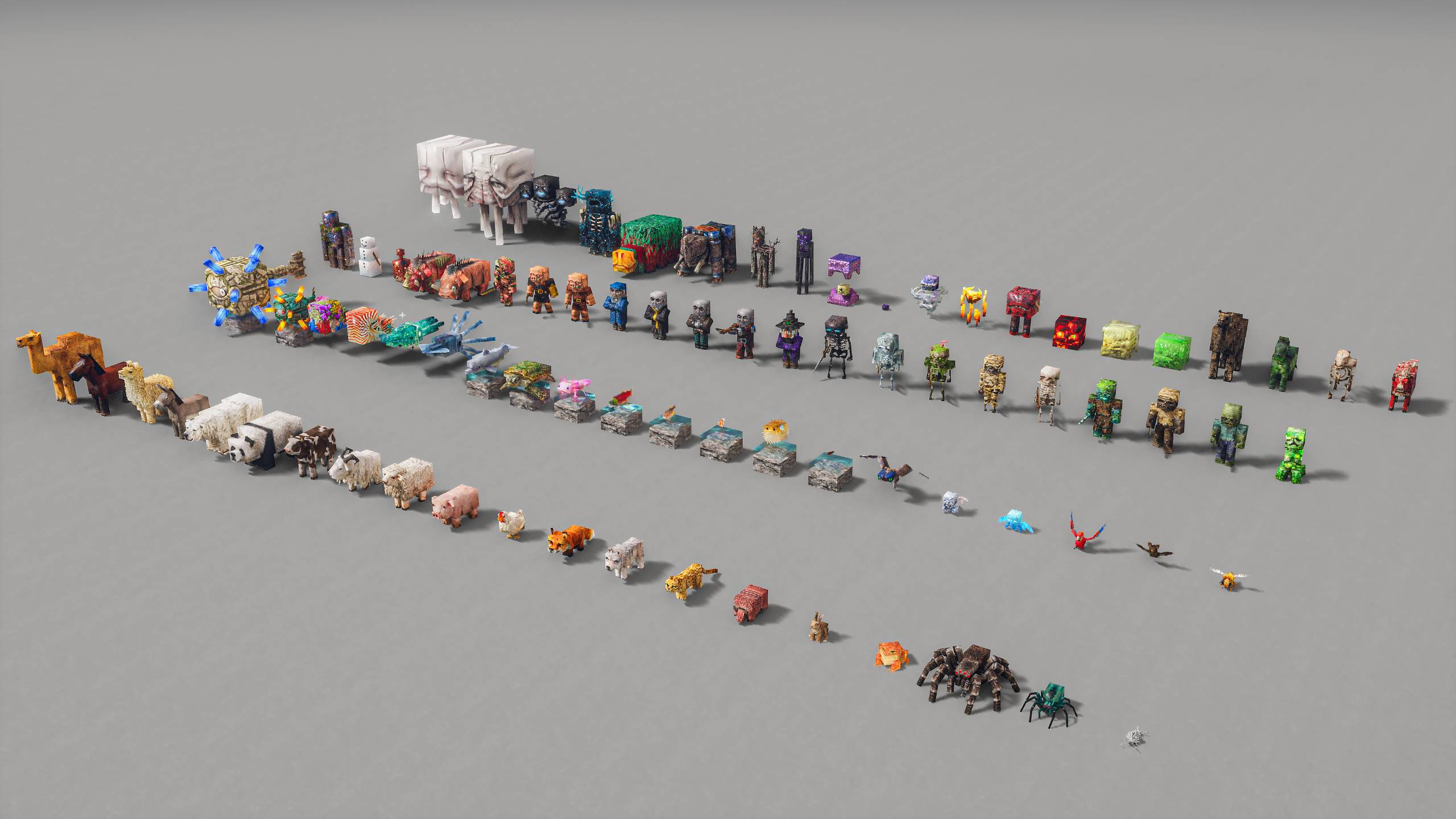
The pack also features custom mob animation from FreshLX (creator of fresh animations pack), with additional tweaks to fit the models better.

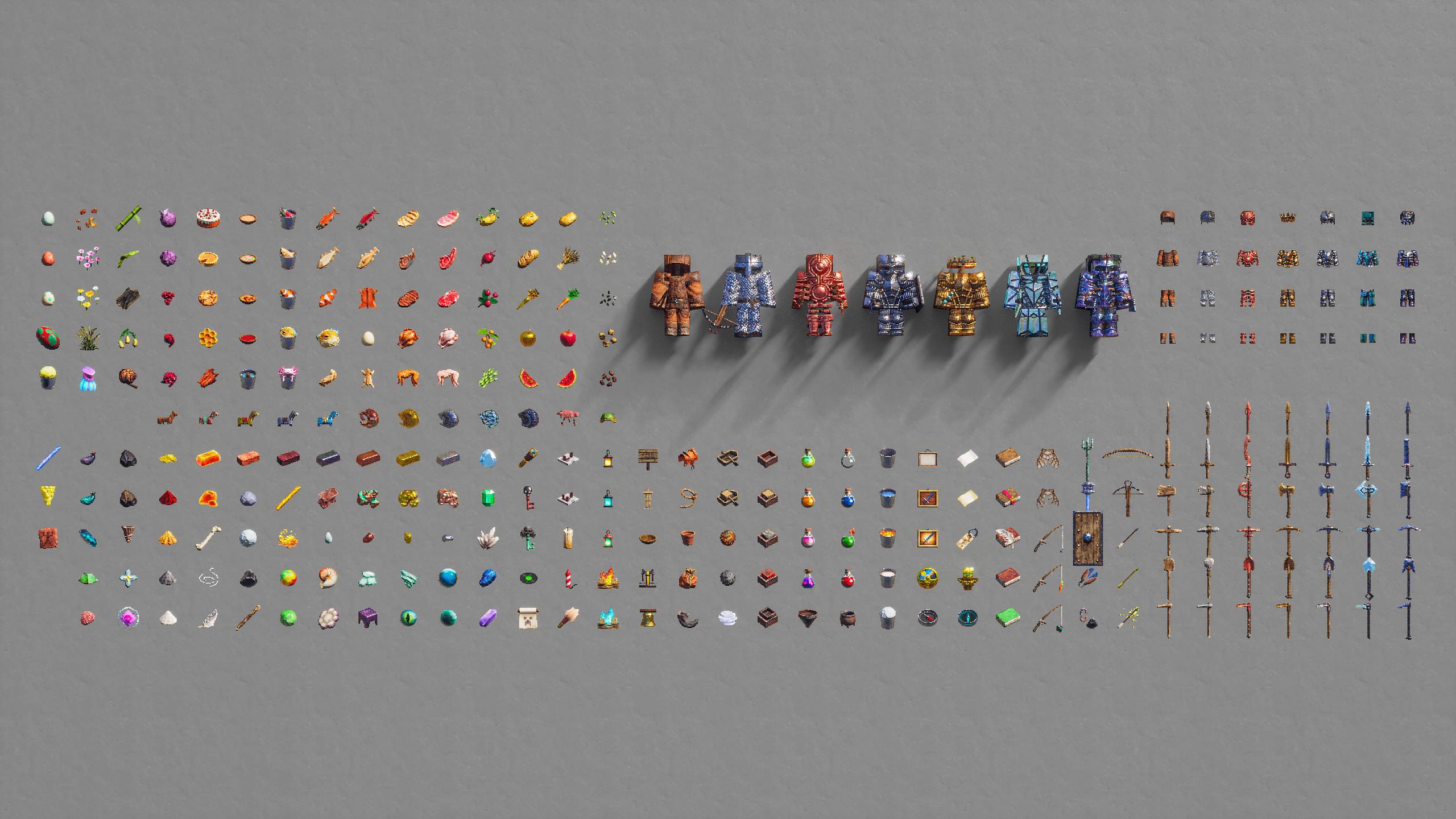
Currently most 26.3 blocks are done, in progress of adding the rest of blocks and items. Click here to view the to-do list.

You can find 64x / 128x / 256x res or free older versions on my patreon.


[ PACKS ]

  • Models: optional extra custom models
  • Bonus: optional extra features that doesn't fit default gameplay
  • Addon: optional extra features that fits default gameplay
  • Basic: all essential block textures / models (required)

The "basic" pack need to be loaded at the bottom (just above default/mod resources), and the optional packs can be loaded on top in any order.

Check the included "features list" text file inside each optional pack to see detail descriptions of what they add/how to use them, or how to remove unwanted features in the "models" pack.


[ SETTINGS ]

 
For Fabric / Iris mod users -

Make sure to install these mods:


For Optifine users -

Make sure these settings are set correctly:

  • "Quality Settings > Connected Textures" to Fancy
  • "Quality Settings > Natural Textures" to Off
  • "Quality Settings > Custom Colors" to On
  • "Quality Settings > Custom Entity Models" to On
  • "Quality Settings > Random Entities" to On
  • "Quality Settings > Anisotropic Filtering" to Off
  • "Detail Settings > Alternate Blocks" to On
  • "Detail Settings > Trees" to Smart or Fancy
  • "Performance Settings > Smart Animations" to On
  • "Shaders > Shader Options" and enable any LabPBR format emissive/sub-surface-scattering options
Patrix_26.3_32x_basic.zip
MC 26.3
Release 2026-10-02 Get
Patrix_26.2_32x_basic.zip
MC 26.2
Release 2026-09-02 Get
Patrix_26.2_32x_basic.zip
MC 26.2
Release 2026-08-02 Get
Patrix_26.2_32x_basic.zip
MC 26.2
Release 2026-07-02 Get
Patrix_26.1_32x_basic.zip
MC 26.1, 26.1.1, 26.1.2
Release 2026-05-19 Get
Patrix_1.21.11_32x_basic.zip
MC 1.21.11
Release 2026-04-02 Get
Patrix_1.21.11_32x_basic.zip
MC 1.21.11
Release 2026-03-02 Get
Patrix_1.21.11_32x_basic.zip
MC 1.21.11
Release 2026-02-02 Get
Patrix_1.21.11_32x_basic.zip
MC 1.21.11
Release 2026-01-02 Get
Patrix_1.21.10_32x_basic.zip
MC 1.21.9, 1.21.10
Release 2025-12-02 Get
Patrix_1.21.8_32x_basic.zip
MC 1.21.8, 1.21.7, 1.21.6
Release 2025-10-02 Get
Patrix_1.21.8_32x_basic.zip
MC 1.21.8, 1.21.7, 1.21.6
Release 2025-09-02 Get
Patrix_1.21.8_32x_basic.zip
MC 1.21.8, 1.21.7, 1.21.6
Release 2025-08-02 Get
Patrix_1.21.5_32x_basic.zip
MC 1.21.5
Release 2025-07-02 Get
Patrix_1.21.5_32x_basic.zip
MC 1.21.5
Release 2025-06-01 Get
Patrix_1.21.5_32x_basic.zip
MC 1.21.5
Release 2025-05-01 Get
Patrix_1.21.4_32x_basic.zip
MC 1.21.4
Release 2025-04-01 Get
Patrix_1.21.4_32x_basic.zip
MC 1.21.4
Release 2025-03-02 Get
Patrix_1.21.4_32x_basic.zip
MC 1.21.4
Release 2025-01-04 Get
Patrix_1.21.3_32x_basic.zip
MC 1.21.3, 1.21.2
Release 2024-12-01 Get
Patrix_1.21_32x_basic.zip
MC 1.21, 1.21.1
Release 2024-11-01 Get
Patrix_1.21_32x_basic.zip
MC 1.21, 1.21.1
Release 2024-10-02 Get
Patrix_1.21_32x_basic.zip
MC 1.21
Release 2024-08-02 Get
Patrix_1.21_32x_basic.zip
MC 1.21
Release 2024-07-01 Get
Patrix_1.20.6_32x_basic.zip
MC 1.20.5, 1.20.6
Release 2024-06-01 Get
Patrix_1.20.4_32x_basic.zip
MC 1.20.3, 1.20.4
Release 2024-04-02 Get
Patrix_1.20.4_32x_basic.zip
MC 1.20.3, 1.20.4
Release 2024-03-02 Get
Patrix_1.20.4_32x_basic.zip
MC 1.20.3, 1.20.4
Release 2024-02-02 Get
Patrix_1.20.4_32x_basic.zip
MC 1.20.3, 1.20.4
Release 2024-01-02 Get
Patrix_1.20_32x_basic.zip
MC 1.20.1, 1.20
Release 2023-11-02 Get
Patrix_1.20_32x_basic.zip
MC 1.20.1, 1.20
Release 2023-10-02 Get
Patrix_1.20_32x_basic.zip
MC 1.20.1, 1.20
Release 2023-09-02 Get
Patrix_1.20_32x_basic.zip
MC 1.20.1, 1.20
Release 2023-08-02 Get
Patrix_1.19.4_32x_basic.zip
MC 1.19.3, 1.19.4
Release 2023-06-02 Get
Patrix_1.19.4_32x_basic.zip
MC 1.19.3, 1.19.4, 1.19.2, 1.19.1, 1.19
Release 2023-05-02 Get
Patrix_1.19.3_32x_basic.zip
MC 1.19.3, 1.19.2, 1.19.1, 1.19
Release 2023-04-02 Get
Patrix_1.19.3_32x_basic.zip
MC 1.19.3, 1.19.2, 1.19.1, 1.19
Release 2023-03-02 Get
Patrix_1.19_32x_basic.zip
MC 1.19.2, 1.19.1, 1.19
Release 2023-02-02 Get
Patrix_1.19_32x_basic.zip
MC 1.19.2, 1.19.1, 1.19
Release 2023-01-02 Get

Requirements & install

How to use this resource pack in Minecraft
Resolution
32x
Minecraft
1.21.9 – 26.3
Install folder
.minecraft/resourcepacks

How to install resource packs

  1. Download the resource pack .zip file (do not extract it).
  2. In Minecraft open Options → Resource Packs → Open Pack Folder.
  3. Drop the .zip into the resourcepacks folder (.minecraft/resourcepacks).
  4. Move the pack to the Selected column and click Done.
Browse more: 16x resource packs 32x resource packs 64x resource packs 128x resource packs 256x resource packs 512x+ resource packs Resource Packs for 26.3 All resource packs
Advertisement Remove ads with Premium →

You Might Also Like