Mineuniverse
Resource Packs
Partyleon's Pack

Partyleon's Pack

RESOURCE PACK
My textures, some of which I created myself or made together
by Partyleonyt
Download Claim this project
203 downloads
0 likes
0 followers
Updated Oct 14, 2026
0 hypes
Follow0
16x Modern
Advertisement Remove ads with Premium →

DE:

Meine Texturen die ich zum teil selber Erstellt habe oder zusammen gemacht habe

in denn Pack sind Einige Sachen von Vanila Tweaks

https://vanillatweaks.net/picker/resource-packs/ :

Der Spyglass Meme

Beerails Meme

Fully Aged Corp Marker

Directional Observers

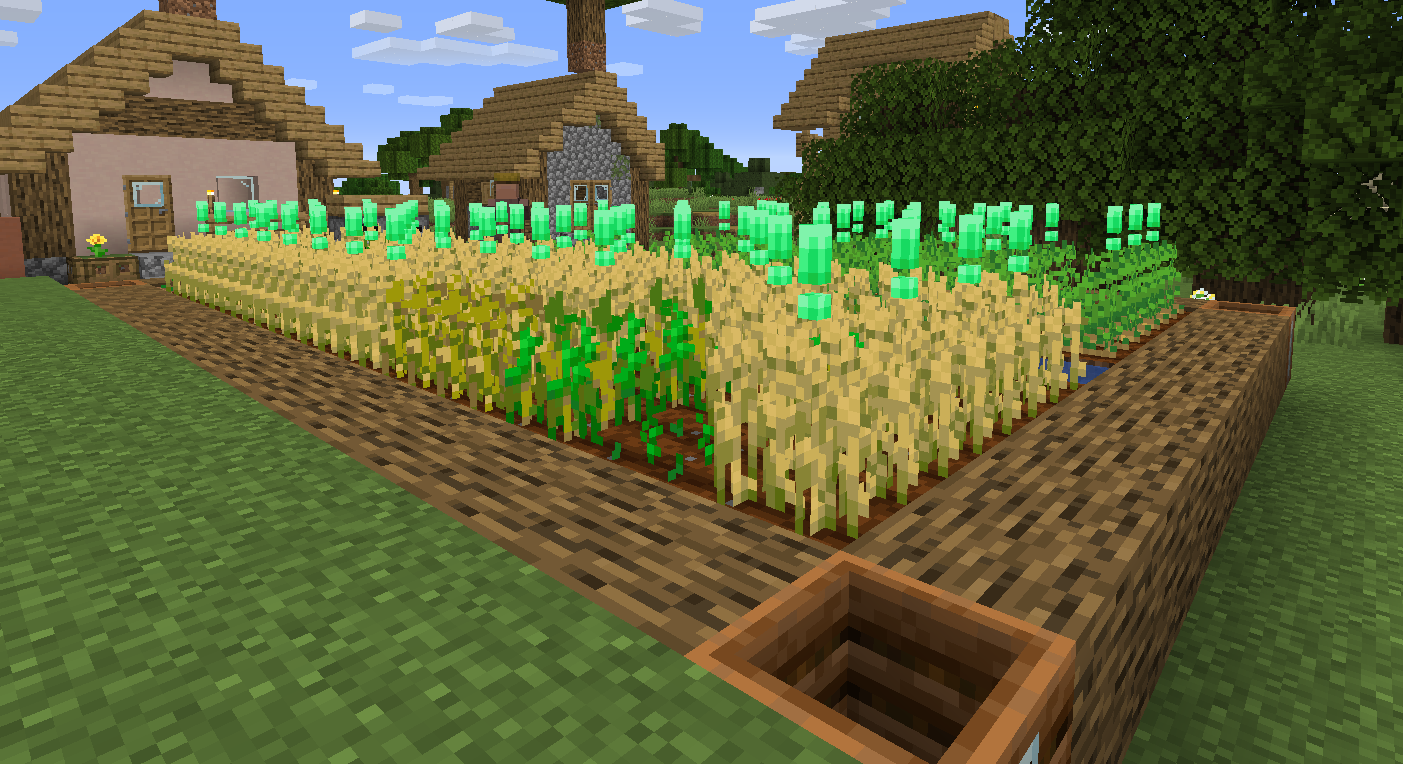
Visual Composter Stages

Colorful Slime: Blue Slime

Bedrock Boom

Ich Habe:

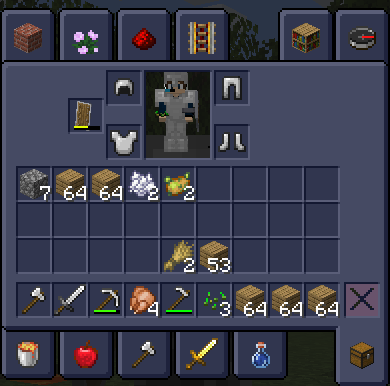
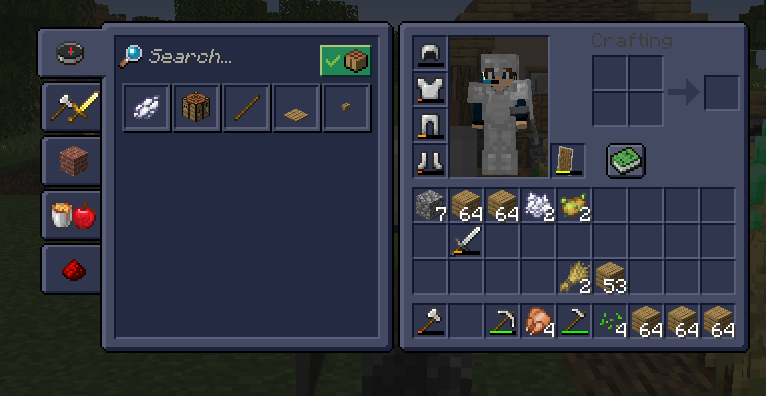
  • TNT
  • Oak Tür/Eisentür
  • Redstone dust
  • Enchanting Table
  • End Portal Ramen 
  • Abbau Animation
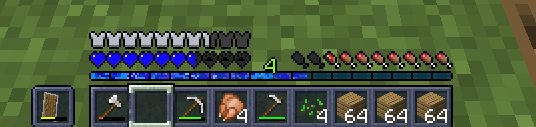
  • xp Leiste
  • Herzen
  • Das Totem ist Mein Skin
  • Paar Mapp Icons
  • und kein Kürbis overlay

geändert

mein Mix von Darkomizer

https://darkomizer.com

ich Hoffe es Gefällt euch


EN:

My textures, some of which I created myself or made together

In the pack there are some things from Vanila Tweaks

https://vanillatweaks.net/picker/resource-packs/ :

The Spy Glass Meme

Beerails memes

Fully Aged Corp Marker

direction observer

Visual composting stages

Colorful slime: Blue slime

bedrock boom

I have:

  • TNT
  • Oak Door/Iron Door
  • redstone dust
  • enchanting tabel
  • end portal frame
  • dismantling animation
  • xp bar
  • hearts
  • The totem is my skin
  • Pair of mapp icons
  • no pumpkin overlay

changed

My mix of Darkomizer

https://darkomizer.com

I hope you enjoy it


Partyleon´s Texturepack-1.12.x
MC 1.12.1, 1.12, 1.12.2, 1.12-Snapshot
Release 2023-01-16 Get
Partyleon´s Texturepack-1.16.x
MC 1.16-Snapshot, 1.16.3, 1.16.1, 1.16, 1.16.5, 1.16.4, 1.16.2
Release 2023-01-16 Get
Partyleon´s Texturepack-1.17.x
MC 1.17.1, 1.17, 1.17-Snapshot
Release 2023-01-16 Get
Partyleon´s Texturepack-1.18.x
MC 1.18.1, 1.18.2, 1.18, 1.18-Snapshot
Release 2023-01-16 Get
Partyleon´s Texturepack-1.19.x
MC 1.19.3, 1.19-Snapshot, 1.19.2, 1.19.1, 1.19
Release 2023-01-16 Get

Requirements & install

How to use this resource pack in Minecraft
Resolution
16x
Minecraft
1.18 – 1.19.3
Install folder
.minecraft/resourcepacks

How to install resource packs

  1. Download the resource pack .zip file (do not extract it).
  2. In Minecraft open Options → Resource Packs → Open Pack Folder.
  3. Drop the .zip into the resourcepacks folder (.minecraft/resourcepacks).
  4. Move the pack to the Selected column and click Done.
Browse more: 16x resource packs 32x resource packs 64x resource packs 128x resource packs 256x resource packs 512x+ resource packs Resource Packs for 1.19.3 All resource packs
Advertisement Remove ads with Premium →

You Might Also Like