Mineuniverse
Resource Packs
Pained's Crosshair Pack

Pained's Crosshair Pack

RESOURCE PACK
A small pack of crosshairs for players to choose between.
by pained_anomaly
Download Claim this project
Add a badge to your pageLink to Pained's Crosshair Pack from a README, website or forum post.
Preview: Badge

Badges update automatically and link to the resource pack page on MineUniverse.

5,358 downloads
0 likes
0 followers
Updated Oct 14, 2026
0 hypes
Follow0
16x Miscellaneous
Advertisement Remove ads with Premium →

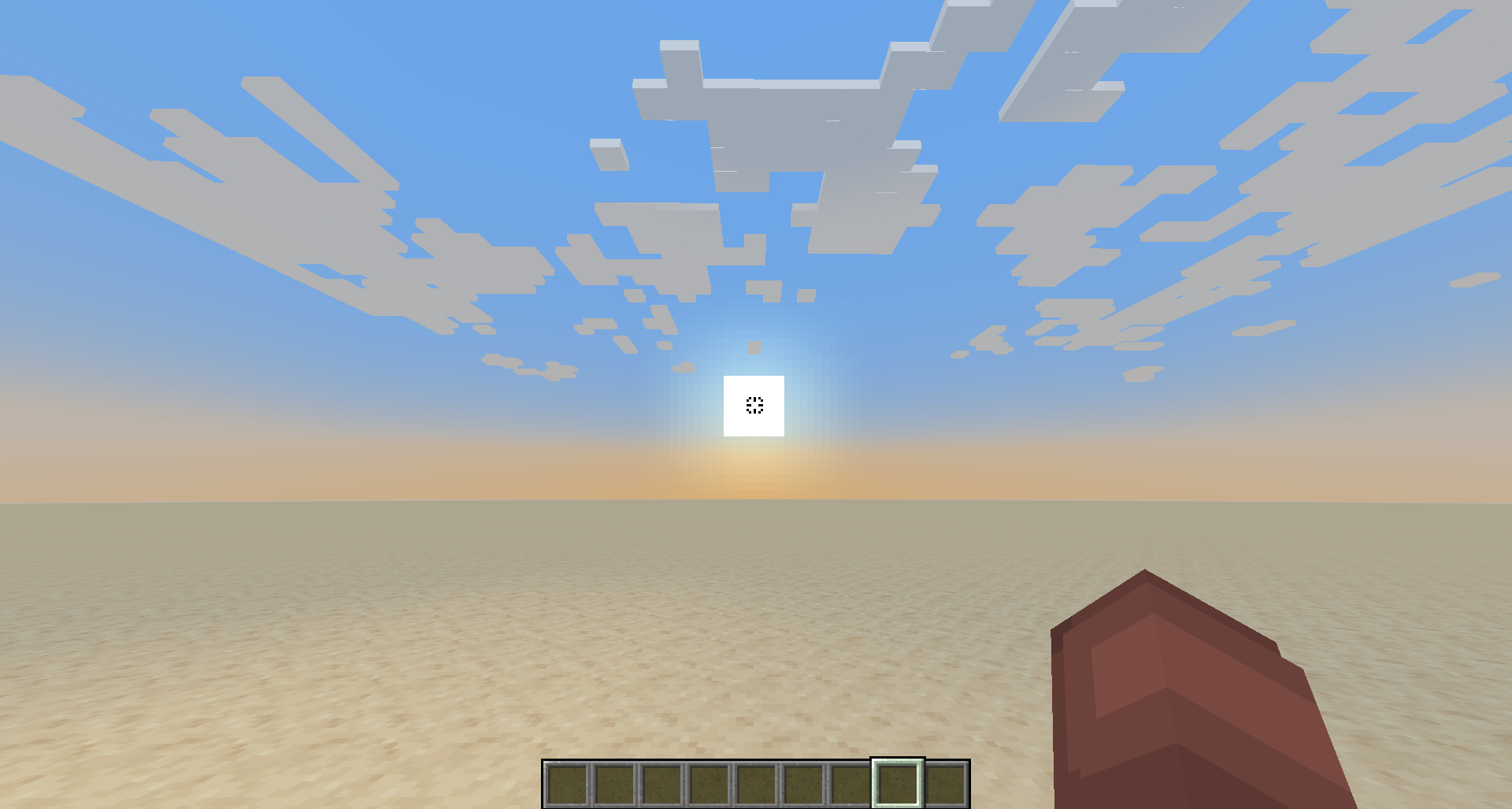
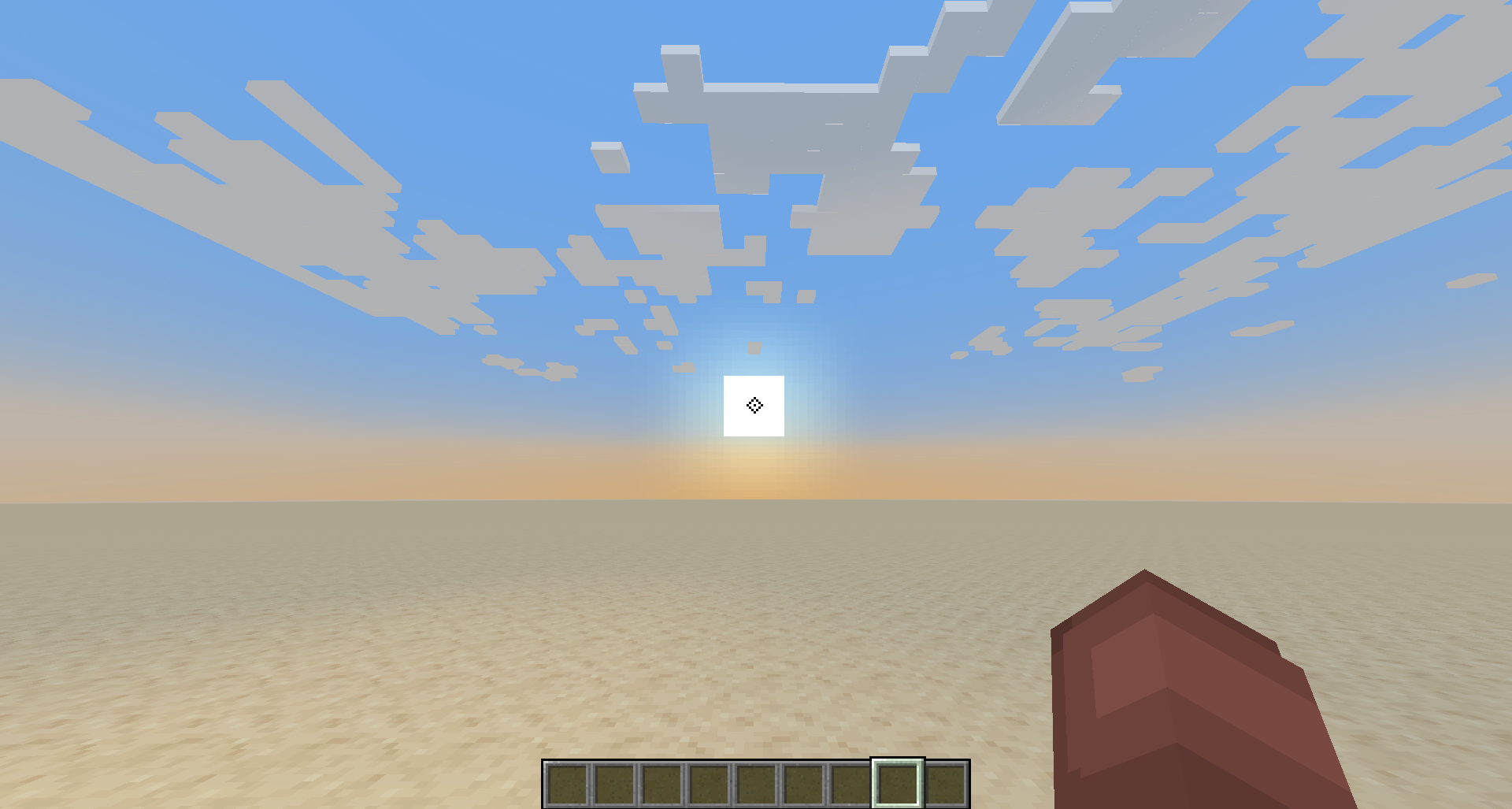
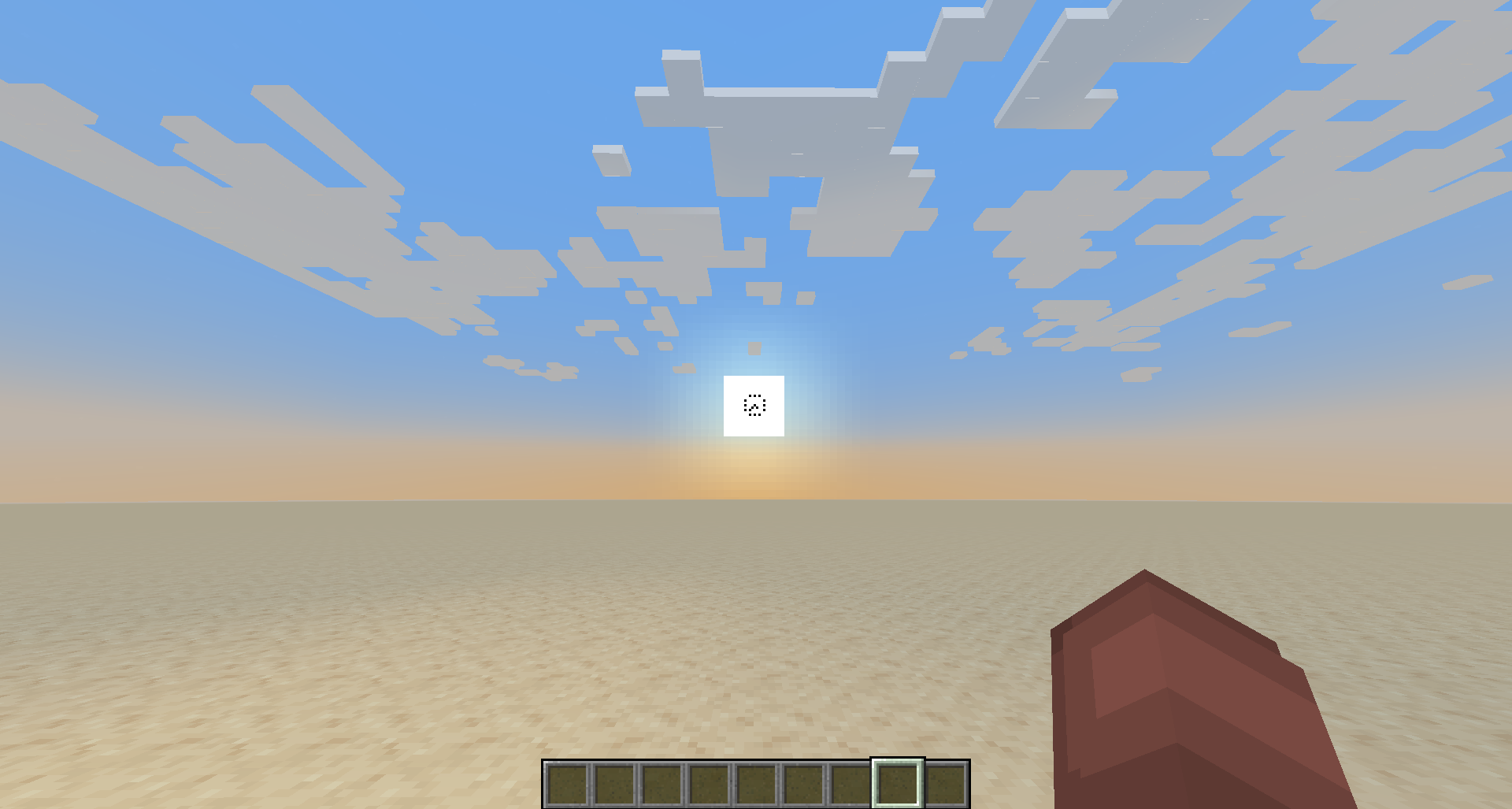
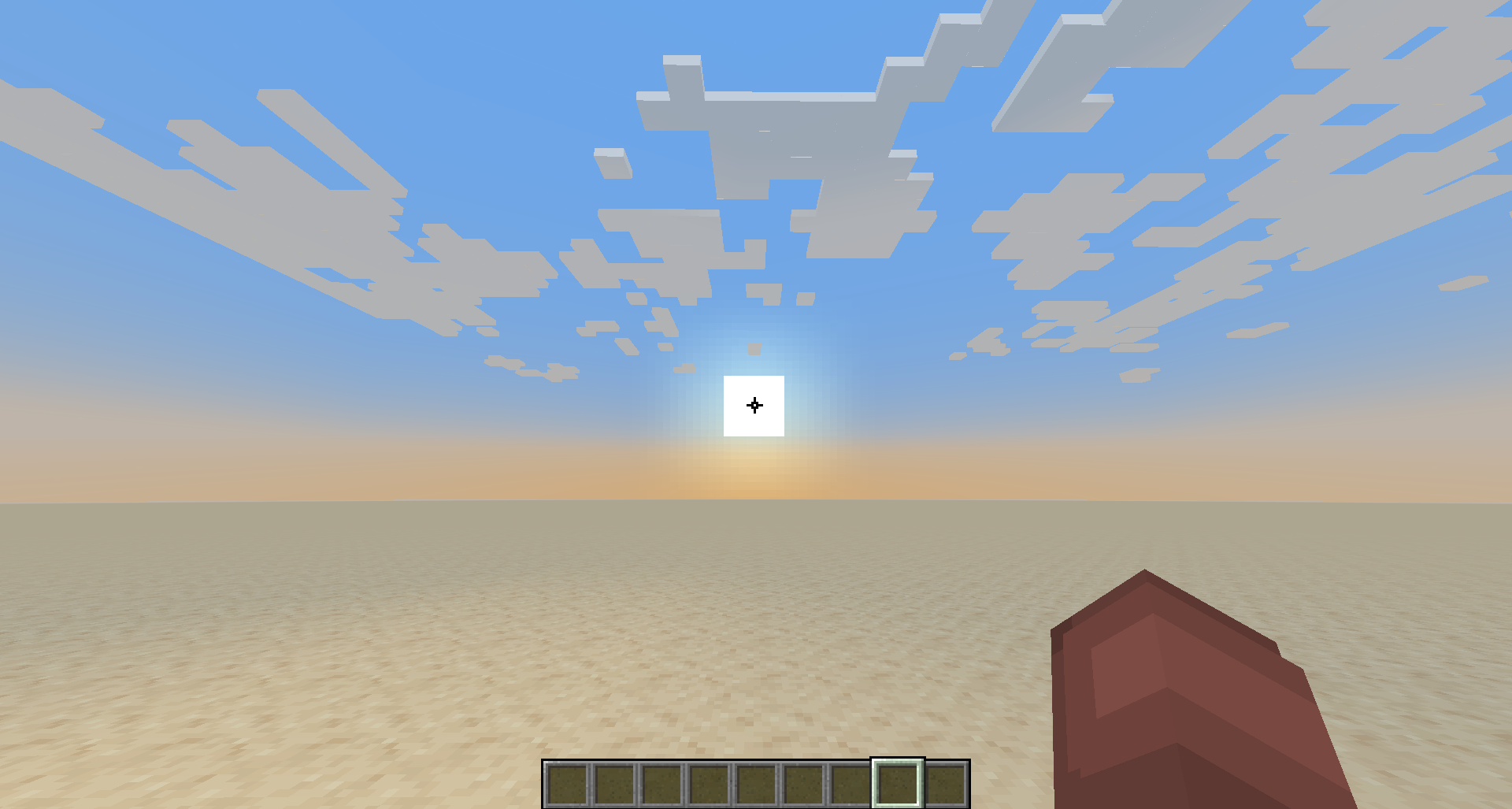
This is just a small pack of 6 crosshair retextures that I made and felt like posting. And instead of posting all of them individually, I decided to pack them all together.


To select a specific crosshair, navigate to the Files section and download the file named after your desired crosshair.


----------------------------------------------------------------------------------------------------------------------------------------------------------------------------------------------


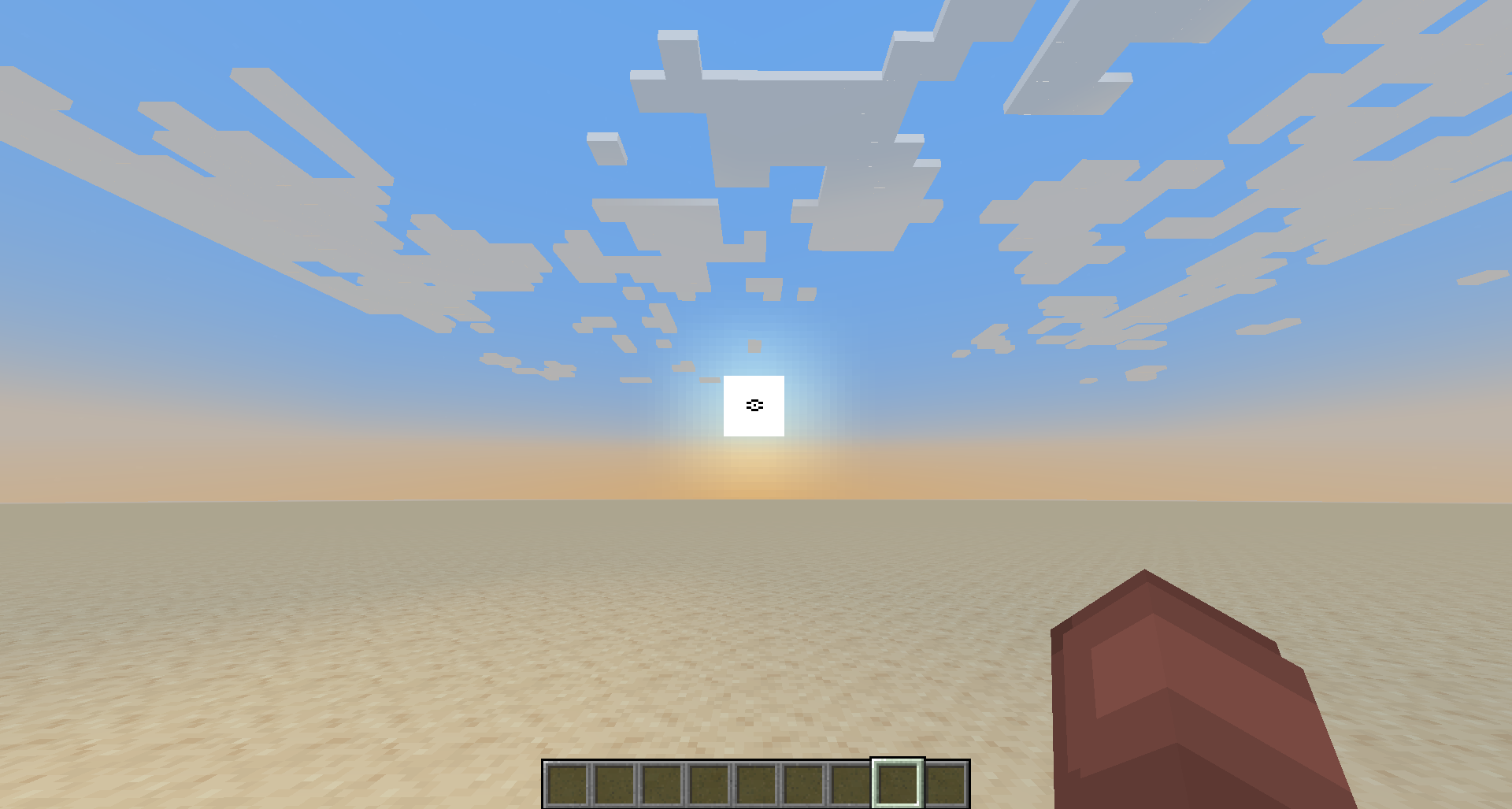
The first of these is just a simple dotted line retexture of Minecraft's original. That's it.

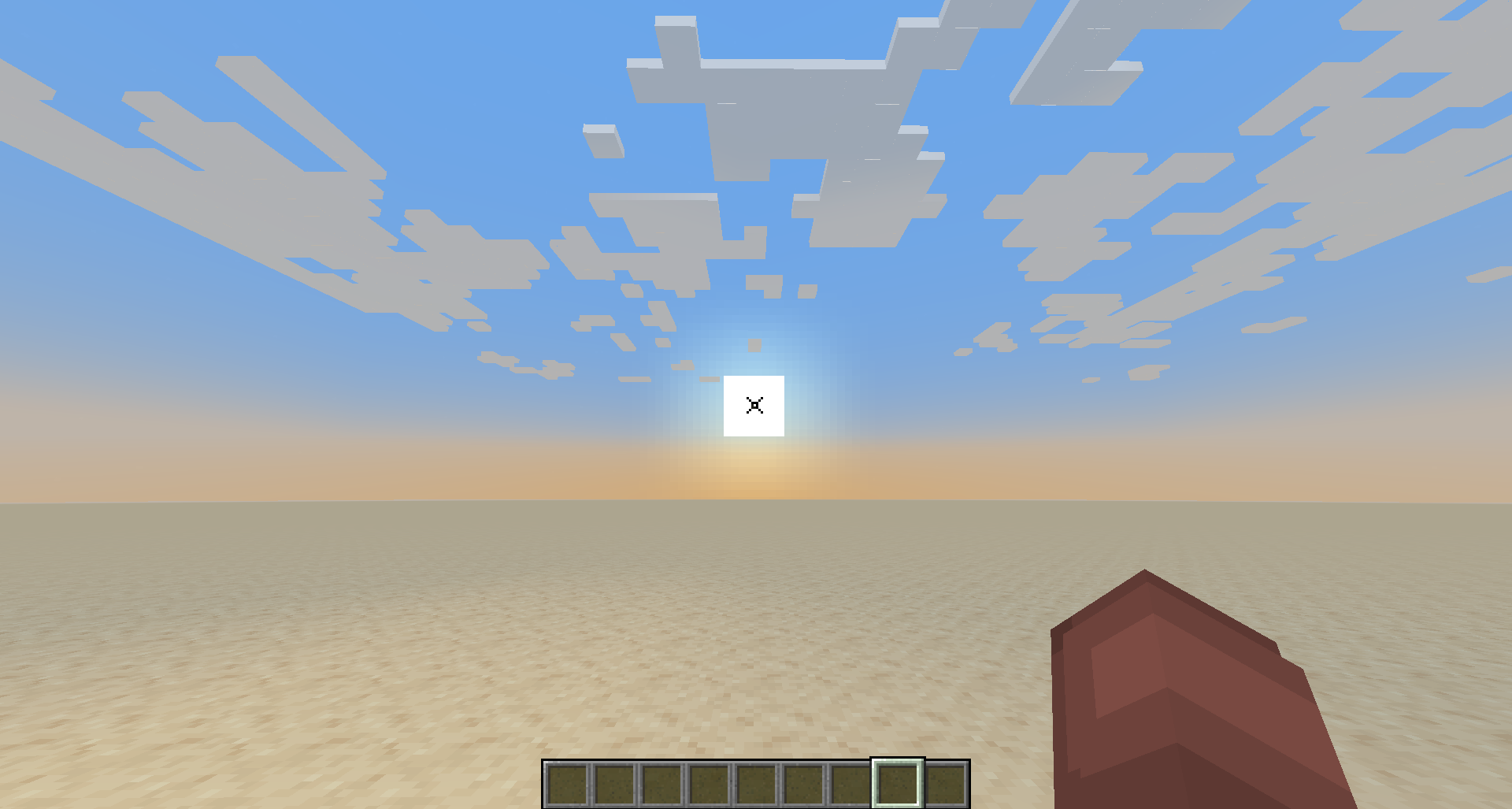
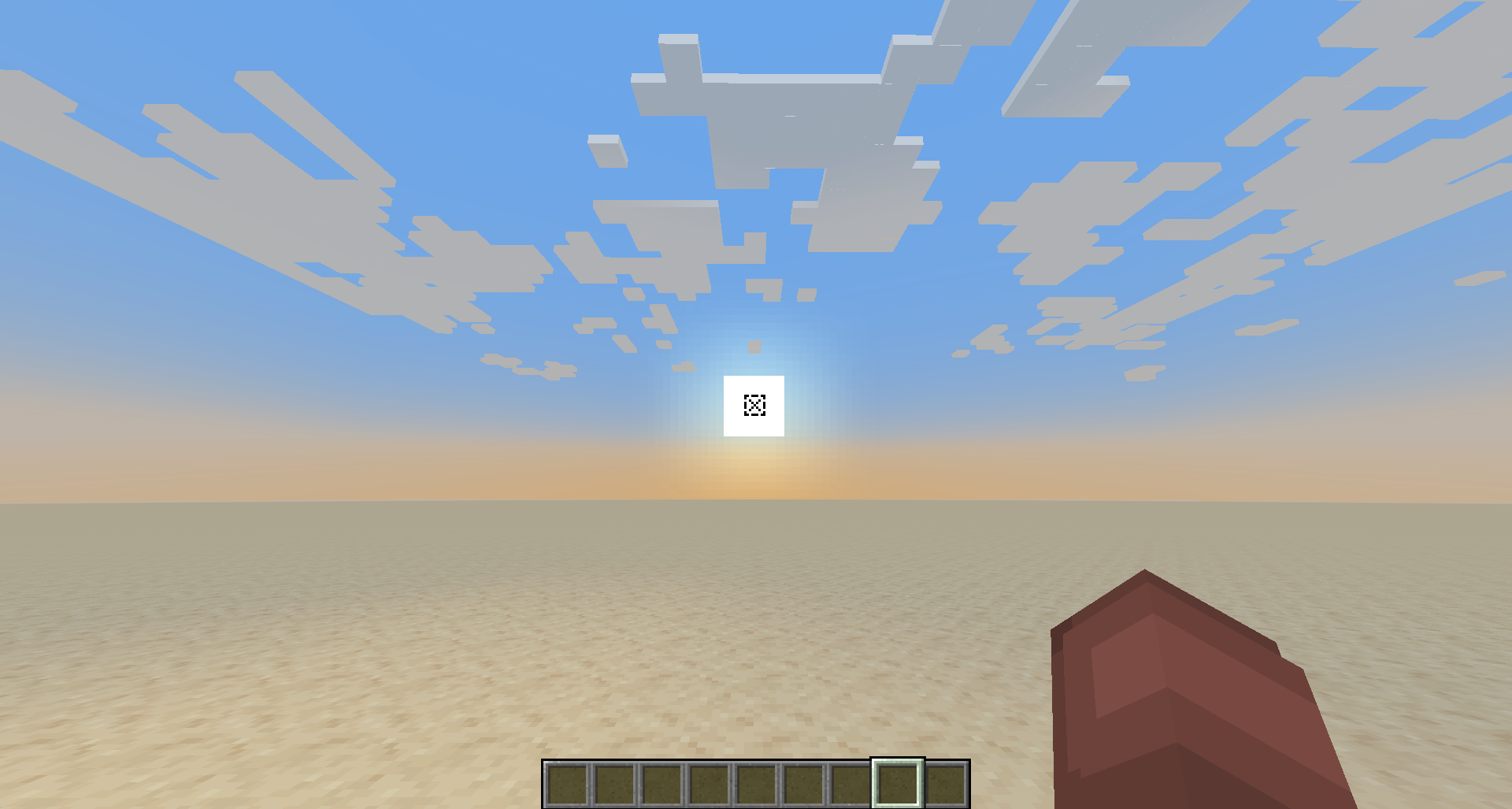
The second is an X. Really no explanation needed there.

The third is just another X, but it's half the size of the last.

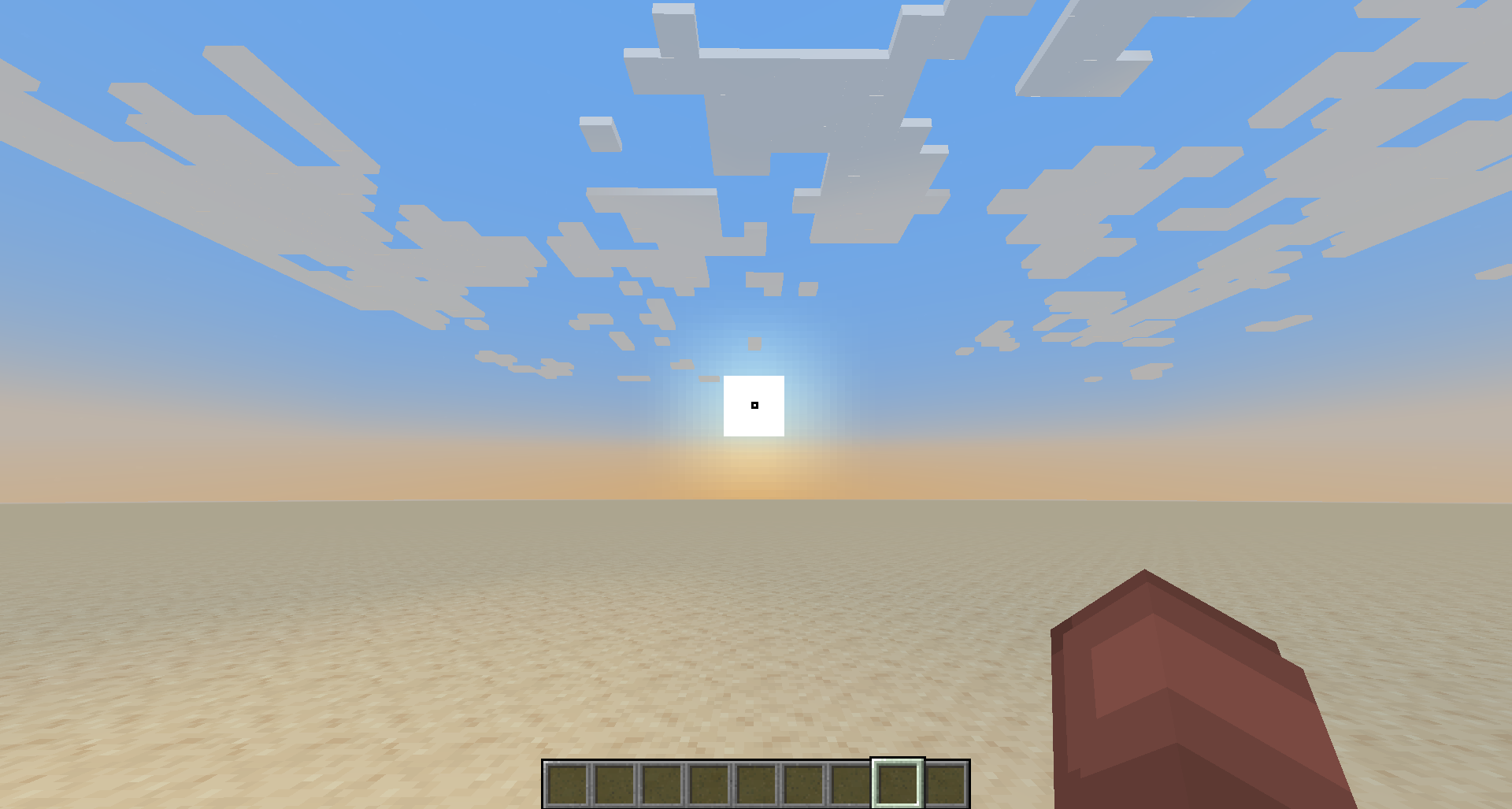
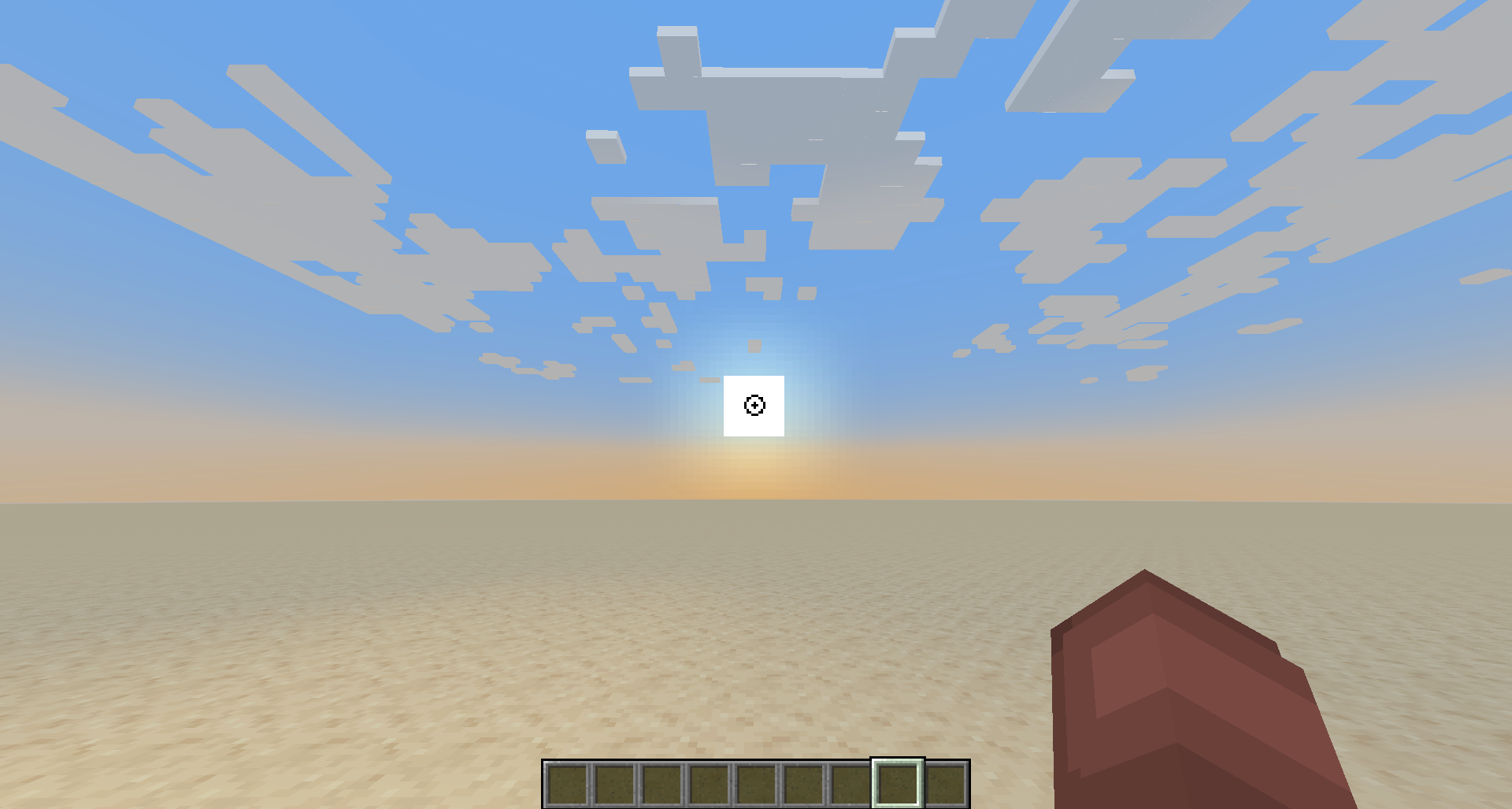
The fourth is a small circle with a dot in the center. Again, really simple.

The fifth and sixth are of my own design, however they are very similar to one another. One is designed more for close combat and general use, while the other is more for ranged combat and general use.

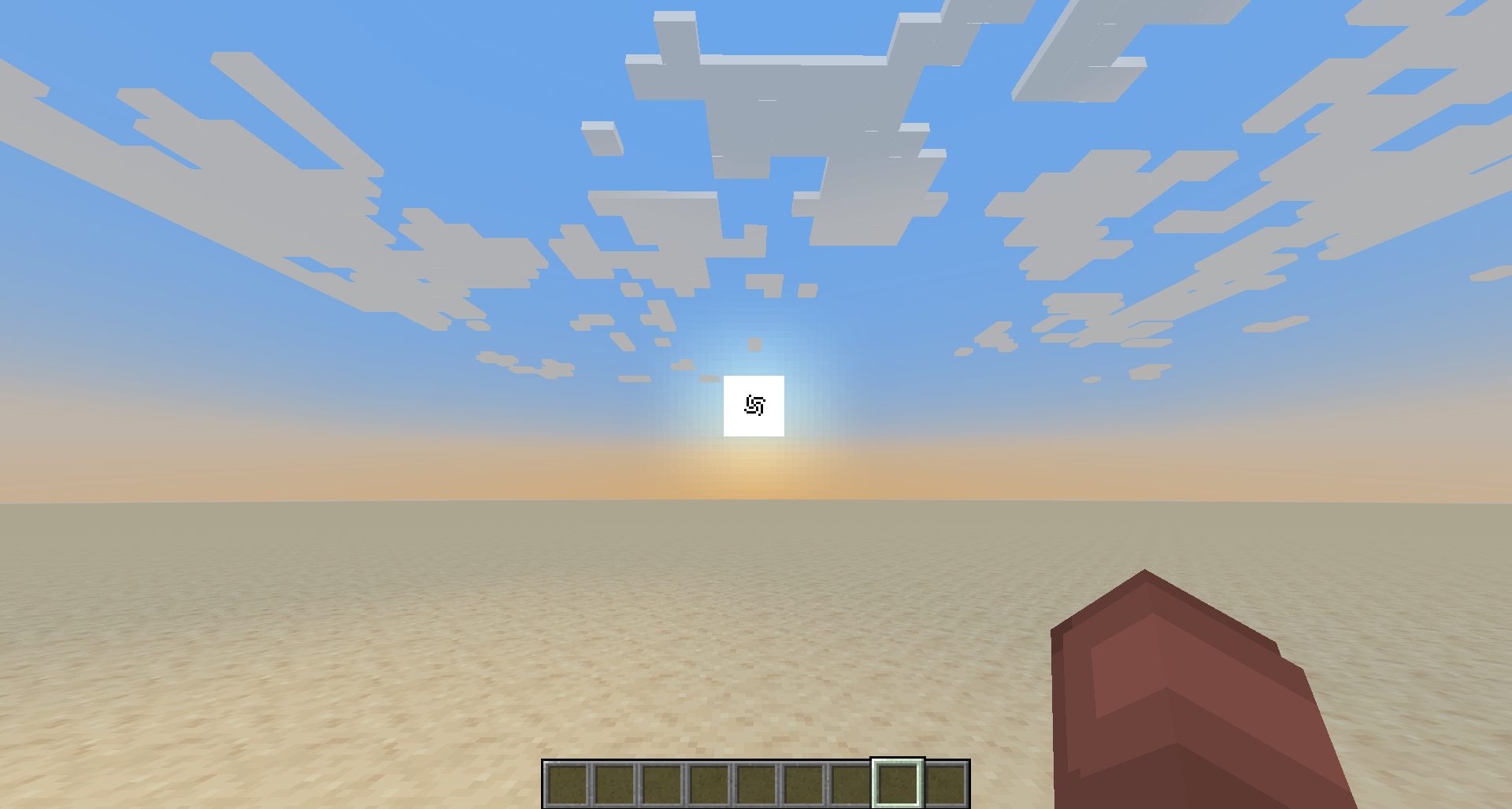
The sixth crosshair is a mix of my first two designs, with a slight spin to it. The HUD in the Screenshot is not included, just the crosshair. The HUD used is Flashie's Better HUD, all credit goes to fflash__ for it's creation. Criminally underrated, I highly recommend it. :)

The seventh crosshair is just something I made for a personal modpack and decided to post.

The last 14 crosshairs I drew in the pixel art app in my phone and wanted to upload. Some are inspired by others, however all are very diverse and unique in their own ways.


Please do enjoy these crosshair designs. My apologies on the pack.pngs all being the same though.

If this is too much of a concern, I can update the pack later on to change the pngs to make them more distinguishable in-game. [6/8/2024 - Kinda been out of Minecraft for a bit, as I got back into Geometry Dash heavily after it finally released 2.2. I don't know if I'll end up doing this still, but I do have all the assets still, so it wouldn't be impossible. Also, to see that my packs have gotten this many downloads is really inspiring, and I want to thank all of you who've downloaded my crosshair packs. I plan on kind of balancing out Geometry Dash and Minecraft, as I really don't want to get burnt out on either, since I did the same with Minecraft before Geometry Dash updated.]


Also check out Gold and Netherite Title, which is also made by me. :)


Also I now have a new Discord: pained.anomaly
GD Account, if you care: pained5079 (I have a few "games" and levels on there that I made that I think you'll enjoy if you play the game.)

4 Cross Crosshair
MC 1.17.1, 1.16.3, 1.13.1, 1.19.3, 1.20.2, 1.16.1, 1.18.1, 1.14.4, 1.14.1, 1.12.1, 1.17, 1.12, 1.14.3, 1.15, 1.16, 1.13, 1.19.4, 1.16.5, 1.10.2, 1.11, 1.18.2, 1.19.2, 1.20.3
Release 2024-01-16 Get
7 Dots Crosshair
MC 1.17.1, 1.16.3, 1.13.1, 1.19.3, 1.20.2, 1.16.1, 1.18.1, 1.14.4, 1.14.1, 1.12.1, 1.17, 1.12, 1.14.3, 1.15, 1.16, 1.13, 1.19.4, 1.16.5, 1.10.2, 1.11, 1.18.2, 1.19.2, 1.20.3
Release 2024-01-16 Get
Classic-Styled Crosshair
MC 1.17.1, 1.16.3, 1.13.1, 1.19.3, 1.20.2, 1.16.1, 1.18.1, 1.14.4, 1.14.1, 1.12.1, 1.17, 1.12, 1.14.3, 1.15, 1.16, 1.13, 1.19.4, 1.16.5, 1.10.2, 1.11, 1.18.2, 1.19.2, 1.20.3
Release 2024-01-16 Get
Clock-Styled Crosshair
MC 1.17.1, 1.16.3, 1.13.1, 1.19.3, 1.20.2, 1.16.1, 1.18.1, 1.14.4, 1.14.1, 1.12.1, 1.17, 1.12, 1.14.3, 1.15, 1.16, 1.13, 1.19.4, 1.16.5, 1.10.2, 1.11, 1.18.2, 1.19.2, 1.20.3
Release 2024-01-16 Get
Diamond-Styled Crosshair with a Dot in the Center
MC 1.17.1, 1.16.3, 1.13.1, 1.19.3, 1.20.2, 1.16.1, 1.18.1, 1.14.4, 1.14.1, 1.12.1, 1.17, 1.12, 1.14.3, 1.15, 1.16, 1.13, 1.19.4, 1.16.5, 1.10.2, 1.11, 1.18.2, 1.19.2, 1.20.3
Release 2024-01-16 Get
Dynamic-Styled Crosshair
MC 1.17.1, 1.16.3, 1.13.1, 1.19.3, 1.20.2, 1.16.1, 1.18.1, 1.14.4, 1.14.1, 1.12.1, 1.17, 1.12, 1.14.3, 1.15, 1.16, 1.13, 1.19.4, 1.16.5, 1.10.2, 1.11, 1.18.2, 1.19.2, 1.20.3
Release 2024-01-16 Get
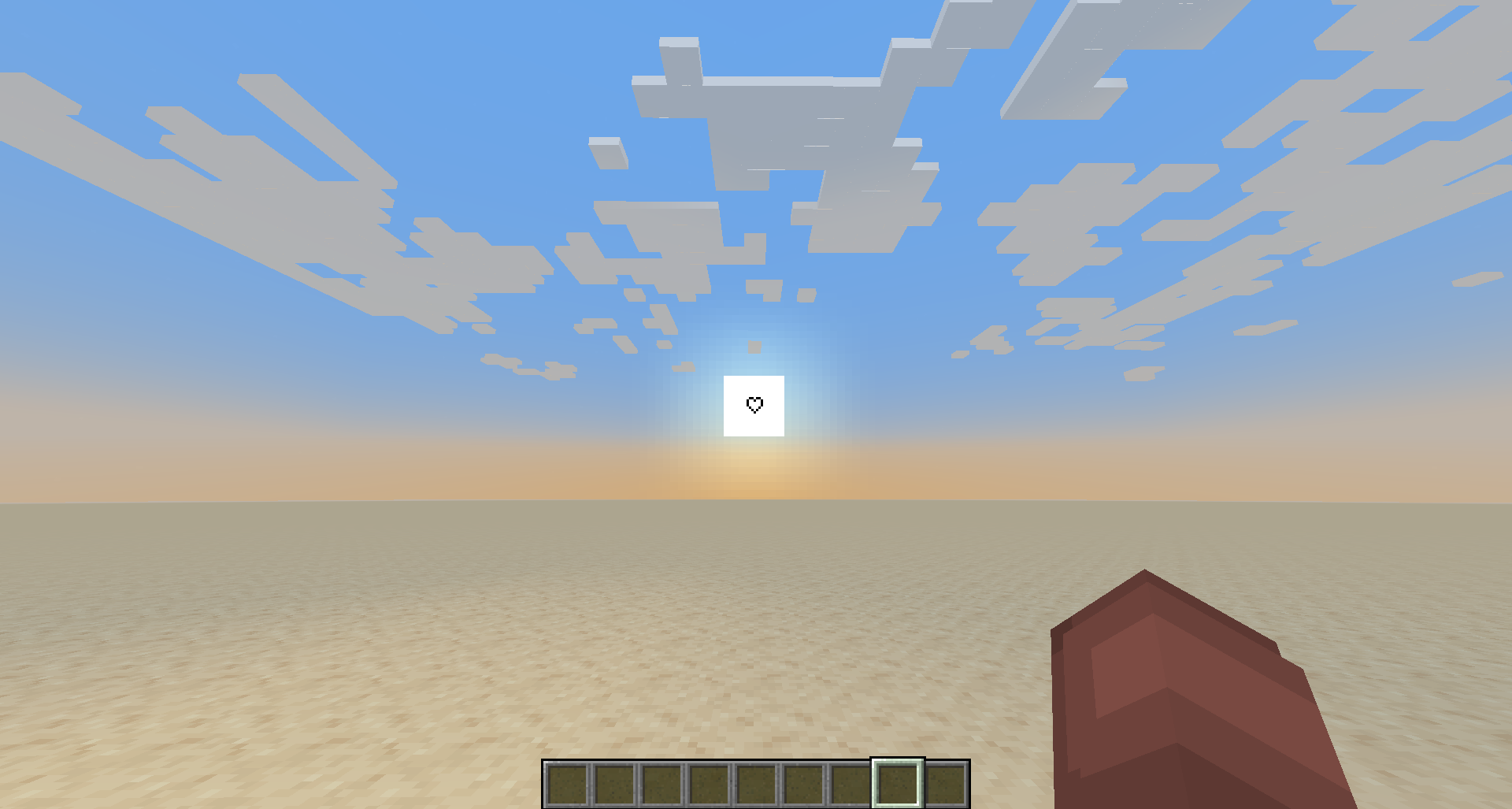
Heart-Styled Crosshair
MC 1.17.1, 1.16.3, 1.13.1, 1.19.3, 1.20.2, 1.16.1, 1.18.1, 1.14.4, 1.14.1, 1.12.1, 1.17, 1.12, 1.14.3, 1.15, 1.16, 1.13, 1.19.4, 1.16.5, 1.10.2, 1.11, 1.18.2, 1.19.2, 1.20.3
Release 2024-01-16 Get
Outlined Square with an X in the Center
MC 1.17.1, 1.16.3, 1.13.1, 1.19.3, 1.20.2, 1.16.1, 1.18.1, 1.14.4, 1.14.1, 1.12.1, 1.17, 1.12, 1.14.3, 1.15, 1.16, 1.13, 1.19.4, 1.16.5, 1.10.2, 1.11, 1.18.2, 1.19.2, 1.20.3
Release 2024-01-16 Get
Saucer-Shaped Crosshair with a Dot in the Center
MC 1.17.1, 1.16.3, 1.13.1, 1.19.3, 1.20.2, 1.16.1, 1.18.1, 1.14.4, 1.14.1, 1.12.1, 1.17, 1.12, 1.14.3, 1.15, 1.16, 1.13, 1.19.4, 1.16.5, 1.10.2, 1.11, 1.18.2, 1.19.2, 1.20.3
Release 2024-01-16 Get
Small Circled Crosshair
MC 1.17.1, 1.16.3, 1.13.1, 1.19.3, 1.20.2, 1.16.1, 1.18.1, 1.14.4, 1.14.1, 1.12.1, 1.17, 1.12, 1.14.3, 1.15, 1.16, 1.13, 1.19.4, 1.16.5, 1.10.2, 1.11, 1.18.2, 1.19.2, 1.20.3
Release 2024-01-16 Get
Small Outlined Square with a Dot in the Center
MC 1.17.1, 1.16.3, 1.13.1, 1.19.3, 1.20.2, 1.16.1, 1.18.1, 1.14.4, 1.14.1, 1.12.1, 1.17, 1.12, 1.14.3, 1.15, 1.16, 1.13, 1.19.4, 1.16.5, 1.10.2, 1.11, 1.18.2, 1.19.2, 1.20.3
Release 2024-01-16 Get
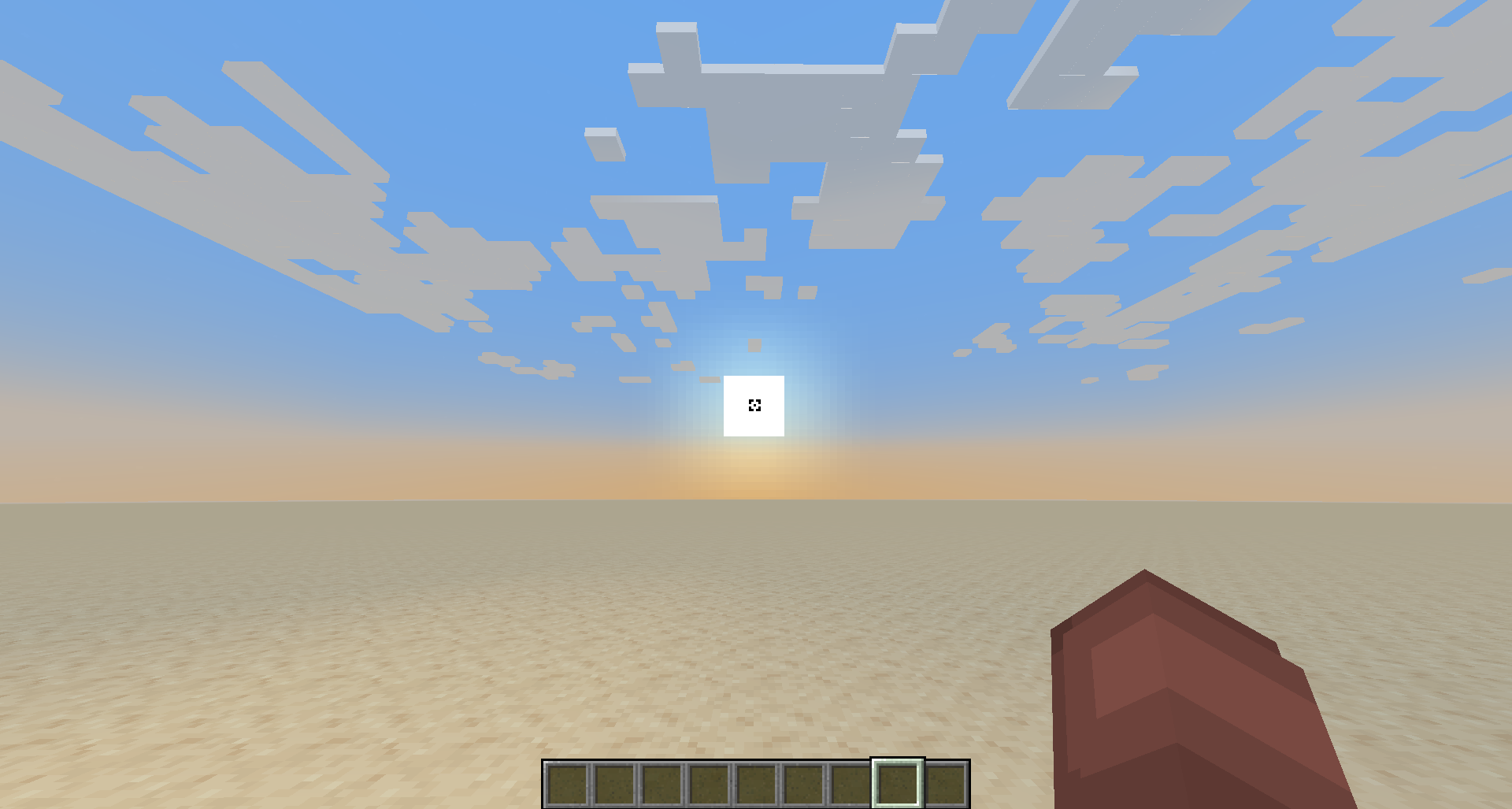
Small Square Crosshair
MC 1.17.1, 1.16.3, 1.13.1, 1.19.3, 1.20.2, 1.16.1, 1.18.1, 1.14.4, 1.14.1, 1.12.1, 1.17, 1.12, 1.14.3, 1.15, 1.16, 1.13, 1.19.4, 1.16.5, 1.10.2, 1.11, 1.18.2, 1.19.2, 1.20.3
Release 2024-01-16 Get
Spiked Circle Crosshair
MC 1.17.1, 1.16.3, 1.13.1, 1.19.3, 1.20.2, 1.16.1, 1.18.1, 1.14.4, 1.14.1, 1.12.1, 1.17, 1.12, 1.14.3, 1.15, 1.16, 1.13, 1.19.4, 1.16.5, 1.10.2, 1.11, 1.18.2, 1.19.2, 1.20.3
Release 2024-01-16 Get
Spiral-Styled Crosshair
MC 1.17.1, 1.16.3, 1.13.1, 1.19.3, 1.20.2, 1.16.1, 1.18.1, 1.14.4, 1.14.1, 1.12.1, 1.17, 1.12, 1.14.3, 1.15, 1.16, 1.13, 1.19.4, 1.16.5, 1.10.2, 1.11, 1.18.2, 1.19.2, 1.20.3
Release 2024-01-16 Get
Pained's Style Crosshair 4
MC 1.17.1, 1.16.3, 1.13.1, 1.19.3, 1.20.2, 1.16.1, 1.18.1, 1.14.4, 1.14.1, 1.12.1, 1.17, 1.12, 1.14.3, 1.15, 1.16, 1.13, 1.19.4, 1.16.5, 1.10.2, 1.11, 1.18.2, 1.19.2, 1.20.3
Release 2024-01-09 Get
Pained's Style Crosshair 3
MC 1.17.1, 1.16.3, 1.13.1, 1.19.3, 1.20.2, 1.16.1, 1.18.1, 1.14.4, 1.14.1, 1.12.1, 1.17, 1.12, 1.14.3, 1.15, 1.16, 1.13, 1.19.4, 1.16.5, 1.10.2, 1.11, 1.18.2, 1.19.2, 1.20.3
Release 2023-12-27 Get
Dotted Line Crosshair
MC 1.17.1, 1.16.3, 1.13.1, 1.19.3, 1.20.2, 1.16.1, 1.18.1, 1.14.4, 1.14.1, 1.12.1, 1.17, 1.12, 1.14.3, 1.15, 1.16, 1.13, 1.19.4, 1.16.5, 1.10.2, 1.11, 1.18.2, 1.19.2, 1.20.3
Release 2023-12-19 Get
Simple X Crosshair
MC 1.17.1, 1.16.3, 1.13.1, 1.19.3, 1.20.2, 1.16.1, 1.18.1, 1.14.4, 1.14.1, 1.12.1, 1.17, 1.12, 1.14.3, 1.15, 1.16, 1.13, 1.19.4, 1.16.5, 1.10.2, 1.11, 1.18.2, 1.19.2, 1.20.3
Release 2023-12-19 Get
Mini X Crosshair
MC 1.17.1, 1.16.3, 1.13.1, 1.19.3, 1.20.2, 1.16.1, 1.18.1, 1.14.4, 1.14.1, 1.12.1, 1.17, 1.12, 1.14.3, 1.15, 1.16, 1.13, 1.19.4, 1.16.5, 1.10.2, 1.11, 1.18.2, 1.19.2, 1.20.3
Release 2023-12-19 Get
Small Circle w/ Center Dot Crosshair
MC 1.17.1, 1.16.3, 1.13.1, 1.19.3, 1.20.2, 1.16.1, 1.18.1, 1.14.4, 1.14.1, 1.12.1, 1.17, 1.12, 1.14.3, 1.15, 1.16, 1.13, 1.19.4, 1.16.5, 1.10.2, 1.11, 1.18.2, 1.19.2, 1.20.3
Release 2023-12-19 Get
Pained's Style Crosshair 1
MC 1.17.1, 1.16.3, 1.13.1, 1.19.3, 1.20.2, 1.16.1, 1.18.1, 1.14.4, 1.14.1, 1.12.1, 1.17, 1.12, 1.14.3, 1.15, 1.16, 1.13, 1.19.4, 1.16.5, 1.10.2, 1.11, 1.18.2, 1.19.2, 1.20.3
Release 2023-12-19 Get
Pained's Style Crosshair 2
MC 1.17.1, 1.16.3, 1.13.1, 1.19.3, 1.20.2, 1.16.1, 1.18.1, 1.14.4, 1.14.1, 1.12.1, 1.17, 1.12, 1.14.3, 1.15, 1.16, 1.13, 1.19.4, 1.16.5, 1.10.2, 1.11, 1.18.2, 1.19.2, 1.20.3
Release 2023-12-19 Get

Requirements & install

How to use this resource pack in Minecraft
Resolution
16x
Minecraft
1.17.1 – 1.20.3
Install folder
.minecraft/resourcepacks

How to install resource packs

  1. Download the resource pack .zip file (do not extract it).
  2. In Minecraft open Options → Resource Packs → Open Pack Folder.
  3. Drop the .zip into the resourcepacks folder (.minecraft/resourcepacks).
  4. Move the pack to the Selected column and click Done.
Browse more: 16x resource packs 32x resource packs 64x resource packs 128x resource packs 256x resource packs 512x+ resource packs Resource Packs for 1.20.3 All resource packs

More from pained_anomaly

Advertisement Remove ads with Premium →

You Might Also Like