Mineuniverse
Resource Packs
Pablo's Dev Tools - Colormap Templates

Pablo's Dev Tools - Colormap Templates

RESOURCE PACK
A resourcepack with .psd templates to make biome specific colormaps easily.
by pabloo_pp
Download Claim this project
541 downloads
0 likes
0 followers
Updated Oct 14, 2026
0 hypes
Follow0
16x Miscellaneous Traditional
Advertisement Remove ads with Premium →

justpabloiguess logobanner
banner


Hey! This is a dev tools template resource pack.
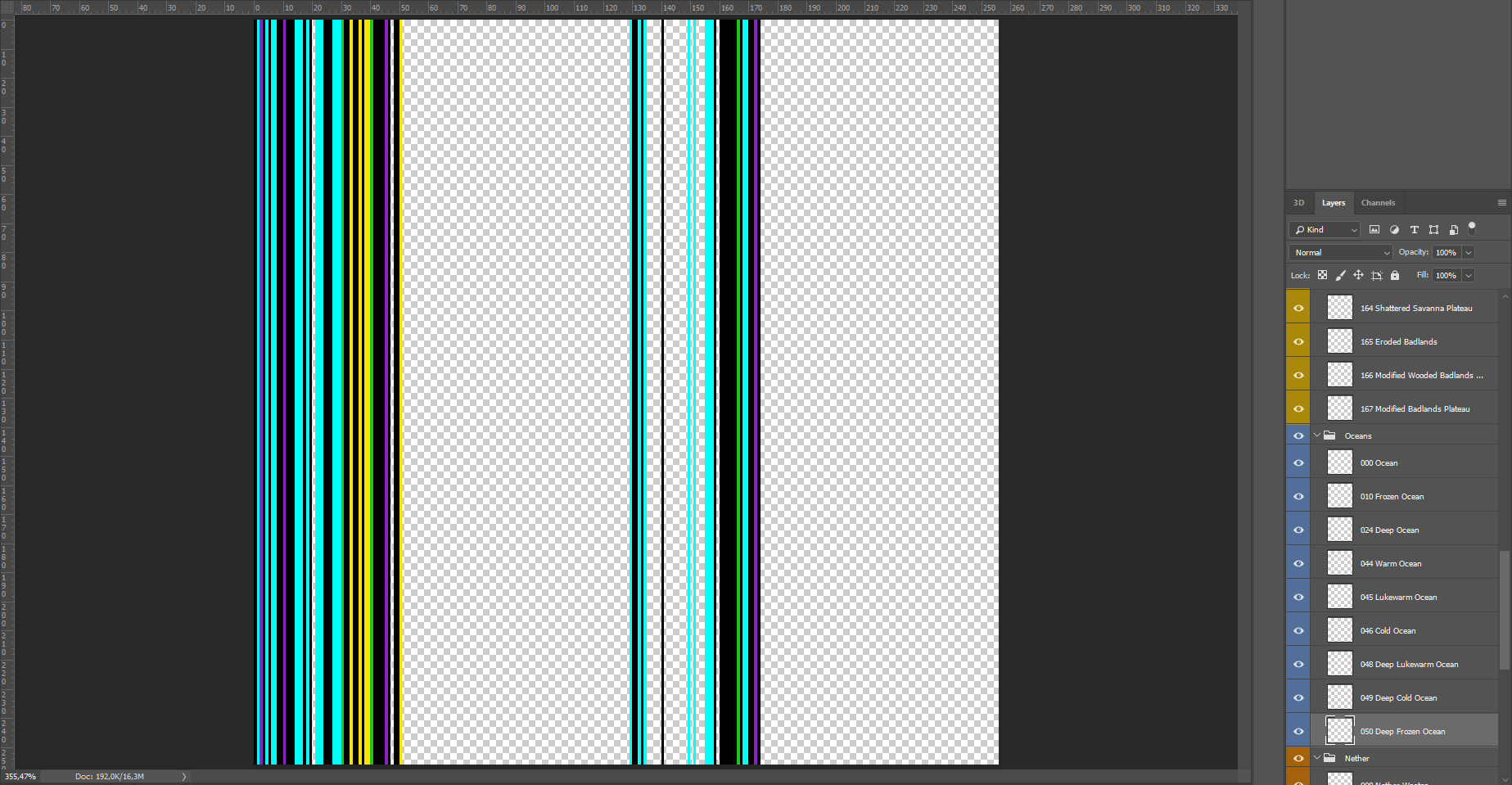
The resourcepack includes .psd layered file with organized colormaps.
They're organized by biome ID, biome temperature and biome category.
Note that it is assumed you know how colormaps work, if not refer to this guide



banner


The template is a coordinate axis with X and Y axis that go from [0,0] to [255,255].

·X axis represents the biome ID, all of the ID's can be found here
·Y axis represents the Y coordinate in the world or layer height. More info here


image


image

image
image


§e§l[PDT] §dColormaps
MC 1.16.1, 1.16
Release 2020-08-05 Get

Requirements & install

How to use this resource pack in Minecraft
Resolution
16x
Minecraft
1.16 – 1.16.1
Install folder
.minecraft/resourcepacks

How to install resource packs

  1. Download the resource pack .zip file (do not extract it).
  2. In Minecraft open Options → Resource Packs → Open Pack Folder.
  3. Drop the .zip into the resourcepacks folder (.minecraft/resourcepacks).
  4. Move the pack to the Selected column and click Done.
Browse more: 16x resource packs 32x resource packs 64x resource packs 128x resource packs 256x resource packs 512x+ resource packs Resource Packs for 1.16.1 All resource packs

More from pabloo_pp

Advertisement Remove ads with Premium →

You Might Also Like