Mineuniverse
Resource Packs
OutlinedOrez

OutlinedOrez

RESOURCE PACK
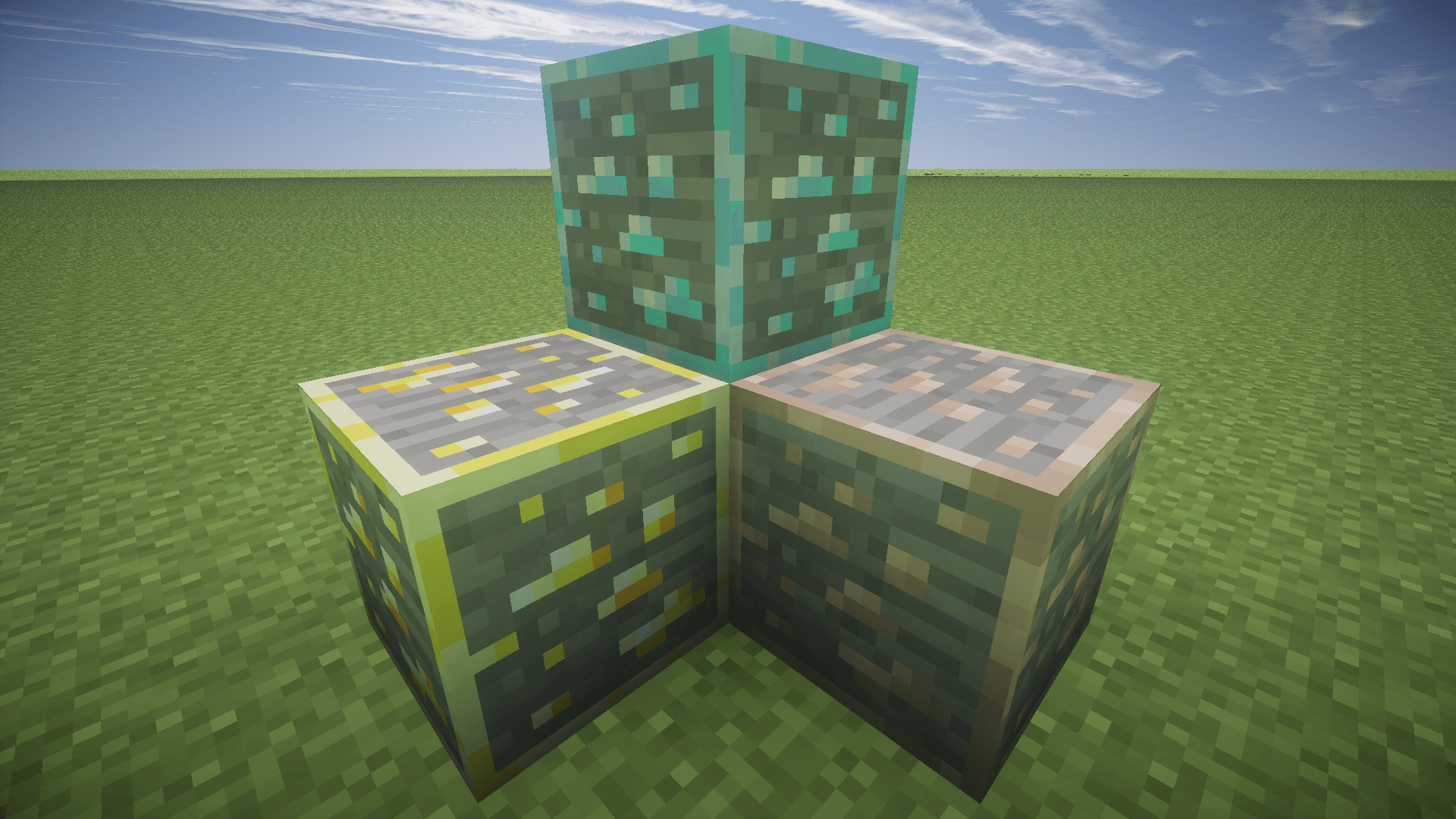
Makes all ores outlined for some older Minecraft versions.
by KD7_
Download Claim this project
304 downloads
0 likes
Updated Oct 14, 2026
0 hypes
16x Miscellaneous
Advertisement Remove ads with Premium →

This is a project I've been working on for ~2 days. These texture packs outline ores for many minecraft versions. Unfortunately, I am not educated enough to make them glow in the dark or anything like that.

Some of these texture packs actually go back further than b1.7, but for some reason, CurseForge doesn't support those old versions when I try adding the files.

OutlinedOrez v0.15.zip
MC Beta 1.7, Beta 1.7.3
Release 2025-12-18 Get
OutlinedOrez v0.16.zip
MC Beta 1.8.1
Release 2025-12-18 Get
OutlinedOrez v0.17.zip
MC 1.0, 1.0.0
Release 2025-12-18 Get
OutlinedOrez v0.18.zip
MC 1.2.4, 1.2.1, 1.2.3, 1.2.2
Release 2025-12-18 Get
OutlinedOrez v0.19.zip
MC 1.2.5
Release 2025-12-18 Get
OutlinedOrez v0.2.zip
MC 1.3.2, 1.3.1
Release 2025-12-18 Get
OutlinedOrez v0.21.zip
MC 1.4.6, 1.4.4, 1.4.5, 1.4.2, 1.4.7
Release 2025-12-18 Get
OutlinedOrez v0.22.zip
MC 1.5.2, 1.5.1, 1.5.0
Release 2025-12-18 Get
OutlinedOrez v0.23.zip
MC 1.6.1, 1.6.4, 1.6.2
Release 2025-12-18 Get
OutlinedOrez v0.24.zip
MC 1.7.4, 1.7.7, 1.7.6, 1.7.5, 1.7.3, 1.7.2, 1.7.9, 1.7.10, 1.7.8
Release 2025-12-18 Get
OutlinedOrez v0.25.zip
MC 1.8.7, 1.8.8, 1.8.4, 1.8-Snapshot, 1.8.3, 1.8, 1.8.6, 1.8.9, 1.8.1, 1.8.5, 1.8.2
Release 2025-12-18 Get
OutlinedOrez v0.26.zip
MC 1.9.3, 1.9.1, 1.10.2, 1.10-Snapshot, 1.9.4, 1.9.2, 1.10, 1.10.1, 1.9-Snapshot, 1.9
Release 2025-12-18 Get
OutlinedOrez v0.27.zip
MC 1.12.1, 1.12, 1.11, 1.11.1, 1.11.2, 1.12-Snapshot, 1.11-Snapshot, 1.12.2
Release 2025-12-18 Get

Requirements & install

How to use this resource pack in Minecraft
Resolution
16x
Minecraft
1.11-Snapshot – 1.12.2
Install folder
.minecraft/resourcepacks

How to install resource packs

  1. Download the resource pack .zip file (do not extract it).
  2. In Minecraft open Options → Resource Packs → Open Pack Folder.
  3. Drop the .zip into the resourcepacks folder (.minecraft/resourcepacks).
  4. Move the pack to the Selected column and click Done.
Browse more: 16x resource packs 32x resource packs 64x resource packs 128x resource packs 256x resource packs 512x+ resource packs Resource Packs for 1.12.2 All resource packs
Advertisement Remove ads with Premium →

You Might Also Like