Mineuniverse
Resource Packs
Outlined Ores - Java Edition

Outlined Ores - Java Edition

RESOURCE PACK
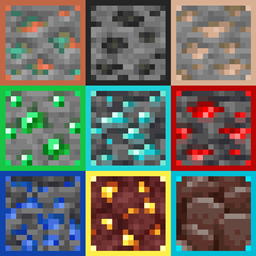
All ores are outlined and easily visible, even when partly covered by lava! Make mining easier with ores that stand out in the mines, with this texture pack.
by gildedbedrock
Download Claim this project
Add a badge to your pageLink to Outlined Ores - Java Edition from a README, website or forum post.
Preview: Badge

Badges update automatically and link to the resource pack page on MineUniverse.

11,097 downloads
0 likes
0 followers
Updated Oct 14, 2026
0 hypes
Follow0
16x Miscellaneous
Advertisement Remove ads with Premium →

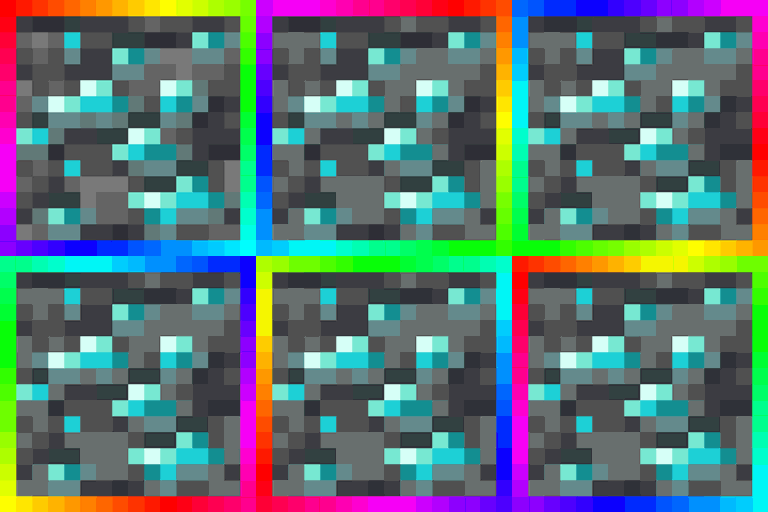
This pack has 12 adjustable options! It includes the new ore textures and the original ore textures, with an option to use borders for both! Choose between red, orange, yellow, green, aqua, blue, pink, purple, RGB, black, and white! 


Easily spot diamonds and Netherite with this enhanced texture pack! All ores are outlined for better visibility—even when partially obscured by lava or fire. Ancient Debris is clearly distinguishable from netherrack, making it much easier to locate in the Nether.

Whether you're blasting for Netherite or exploring deep caves for diamonds, this pack makes hidden ores stand out—even in tight corners or behind hazards. The outlined borders ensure you won’t miss a thing. Good luck, and happy mining!

Texture Variations

This pack offers a variety of color options for ore outlines. You can stick with the default outlines—each tailored to the specific ore—or choose from a range of solid colors like red, green, blue, and more. Some variants feature subtle corner-only outlines for a less intrusive look, or options that highlight only Ancient Debris, keeping other textures untouched while still making Netherite easier to spot.


How to Change the texture for Java Edition?

For Java Edition, there are multiple options of different color outlines in the files tab. Download and install the colors you want most!.

White Border - Outlined Ores
MC 1.19.3, 1.20.2, 1.21, 1.18.1, 1.20.5, 1.21.5, 1.19.4, 1.21.4, 1.18.2, 1.19.2, 1.20.3, 1.20.1, 1.20, 1.20.6, 1.19.1, 1.20.4, 1.21.3, 1.21.1, 1.18, 1.19, 1.21.2
Release 2025-05-30 Get
Black Border - Outlined Ores
MC 1.19.3, 1.20.2, 1.21, 1.18.1, 1.20.5, 1.21.5, 1.19.4, 1.21.4, 1.18.2, 1.19.2, 1.20.3, 1.20.1, 1.20, 1.20.6, 1.19.1, 1.20.4, 1.21.3, 1.21.1, 1.18, 1.19, 1.21.2
Release 2025-05-30 Get
Yellow Border - Outlined Ores
MC 1.19.3, 1.20.2, 1.21, 1.18.1, 1.20.5, 1.21.5, 1.19.4, 1.21.4, 1.18.2, 1.19.2, 1.20.3, 1.20.1, 1.20, 1.20.6, 1.19.1, 1.20.4, 1.21.3, 1.21.1, 1.18, 1.19, 1.21.2
Release 2025-05-30 Get
Turquoise Border - Outlined Ores
MC 1.19.3, 1.20.2, 1.21, 1.18.1, 1.20.5, 1.21.5, 1.19.4, 1.21.4, 1.18.2, 1.19.2, 1.20.3, 1.20.1, 1.20, 1.20.6, 1.19.1, 1.20.4, 1.21.3, 1.21.1, 1.18, 1.19, 1.21.2
Release 2025-05-30 Get
Red Border - Outlined Ores
MC 1.19.3, 1.20.2, 1.21, 1.18.1, 1.20.5, 1.21.5, 1.19.4, 1.21.4, 1.18.2, 1.19.2, 1.20.3, 1.20.1, 1.20, 1.20.6, 1.19.1, 1.20.4, 1.21.3, 1.21.1, 1.18, 1.19, 1.21.2
Release 2025-05-30 Get
Orange Border - Outlined Ores
MC 1.19.3, 1.20.2, 1.21, 1.18.1, 1.20.5, 1.21.5, 1.19.4, 1.21.4, 1.18.2, 1.19.2, 1.20.3, 1.20.1, 1.20, 1.20.6, 1.19.1, 1.20.4, 1.21.3, 1.21.1, 1.18, 1.19, 1.21.2
Release 2025-05-30 Get
Green Border - Outlined Ores
MC 1.19.3, 1.20.2, 1.21, 1.18.1, 1.20.5, 1.21.5, 1.19.4, 1.21.4, 1.18.2, 1.19.2, 1.20.3, 1.20.1, 1.20, 1.20.6, 1.19.1, 1.20.4, 1.21.3, 1.21.1, 1.18, 1.19, 1.21.2
Release 2025-05-30 Get
Blue Border - Outlined Ores
MC 1.19.3, 1.20.2, 1.21, 1.18.1, 1.20.5, 1.21.5, 1.19.4, 1.21.4, 1.18.2, 1.19.2, 1.20.3, 1.20.1, 1.20, 1.20.6, 1.19.1, 1.20.4, 1.21.3, 1.21.1, 1.18, 1.19, 1.21.2
Release 2025-05-30 Get
Purple Border - Outlined Ores
MC 1.19.3, 1.20.2, 1.21, 1.18.1, 1.20.5, 1.21.5, 1.19.4, 1.21.4, 1.18.2, 1.19.2, 1.20.3, 1.20.1, 1.20, 1.20.6, 1.19.1, 1.20.4, 1.21.3, 1.21.1, 1.18, 1.19, 1.21.2
Release 2025-05-30 Get
Pink Border - Outlined Ores
MC 1.19.3, 1.20.2, 1.21, 1.18.1, 1.20.5, 1.21.5, 1.19.4, 1.21.4, 1.18.2, 1.19.2, 1.20.3, 1.20.1, 1.20, 1.20.6, 1.19.1, 1.20.4, 1.21.3, 1.21.1, 1.18, 1.19, 1.21.2
Release 2025-05-30 Get
RGB Rainbow Border - Outlined Ores
MC 1.19.3, 1.20.2, 1.21, 1.18.1, 1.20.5, 1.21.5, 1.19.4, 1.21.8, 1.21.4, 1.18.2, 1.19.2, 1.20.3, 1.20.1, 1.20, 1.20.6, 1.19.1, 1.20.4, 1.21.3, 1.21.7, 1.21.1, 1.21.6, 1.18, 1.19
Release 2025-05-30 Get
Outlined Ores - Default Outline
MC 1.21, 1.18.1, 1.19.3, 1.20.2, 1.19.4, 1.21.8, 1.20.5, 1.21.5, 1.18, 1.21.4, 1.20.1, 1.20, 1.20.6, 1.21.1, 1.21.6, 1.21.3, 1.21.7, 1.19.1, 1.20.4, 1.18.2, 1.19.2, 1.20.3, 1.19
Release 2025-05-30 Get

Requirements & install

How to use this resource pack in Minecraft
Resolution
16x
Minecraft
1.21.1 – 1.21.8
Install folder
.minecraft/resourcepacks

How to install resource packs

  1. Download the resource pack .zip file (do not extract it).
  2. In Minecraft open Options → Resource Packs → Open Pack Folder.
  3. Drop the .zip into the resourcepacks folder (.minecraft/resourcepacks).
  4. Move the pack to the Selected column and click Done.
Browse more: 16x resource packs 32x resource packs 64x resource packs 128x resource packs 256x resource packs 512x+ resource packs Resource Packs for 1.21.8 All resource packs

More from gildedbedrock

Advertisement Remove ads with Premium →

You Might Also Like