Mineuniverse
Resource Packs
[OUTDATED - Use Stoneborn -  Modded Compatibility!] Stoneborn: Missing Mods

[OUTDATED - Use Stoneborn - Modded Compatibility!] Stoneborn: Missing Mods

RESOURCE PACK
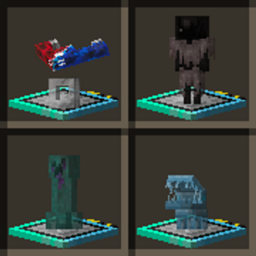
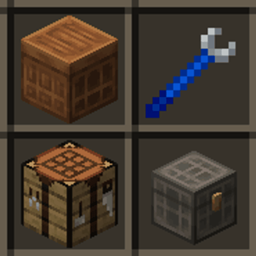
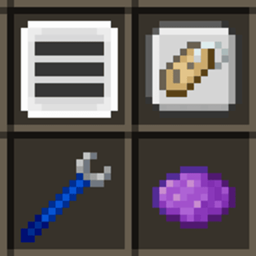
Adds Stoneborn UIs to a few mods other add-ons don't cover.
by vizthex
Download Claim this project
Add a badge to your pageLink to [OUTDATED - Use Stoneborn - Modded Compatibility!] Stoneborn: Missing Mods from a README, website or forum post.
Preview: Badge

Badges update automatically and link to the resource pack page on MineUniverse.

36,252 downloads
0 likes
0 followers
Updated Oct 14, 2026
0 hypes
Follow0
16x Medieval Miscellaneous Mod Support Traditional
Advertisement Remove ads with Premium →

2026-8-18 update: I've been able to take over Fr_z_n's modded compatibility add-on, and as such this pack will is now unsupported.

It's easier to maintain a single pack instead of 2 similar ones, but I'll leave this up for older MC versions (at least until i get around to backporting modded compat lol).

Feel free to continue suggesting mod support I should add - just know that it'll be added to modded compat instead.


I made this for my modpack (well, all of them really) because none of the mod compat add-ons I found for Stoneborn supported the mods this one does, or they have a few broken implementations (e.g. all of Botania's JEI categories are fine except for the Botanical Brewery if you've got the Modded Compatibility add-on).

I'm hoping someone else adds support for these mods and does it better (as I can't texture for the life of me), but until then we're stuck with this add-on.


Due to this, I highly recommend installing Modded Compatibility GUI and Stoneborn - Extended (or Meï's Additions for Modded GUIs if you're on 1.20.1+) and any other mod support add-ons you can find (as they'd do a much better job than I ever could).

Feel free to suggest support I should add in the comments, on the issue tracker, or in the discord server.

(This also fixes the incorrect pixel in the bottom-left of the inventory UI and incorrect arrow in the Anvil's UI - just make sure to load it above base Stoneborn)


Supported Mods

For legacy support (pre-3.0), head here.

Stoneborn: Missing Mods v3.0
MC 1.20.2, 1.20.5, 1.20.1, 1.20.6, 1.20.4, 1.20.3
Release 2025-06-10 Get
Stoneborn: Missing Mods v2.3
MC 1.20.1
Release 2025-06-03 Get
Stoneborn: Missing Mods v2.2
MC 1.20.1
Release 2025-05-31 Get
Stoneborn: Missing Mods v2.1
MC 1.20.1
Release 2025-03-10 Get
Stoneborn: Missing Mods v2.0
MC 1.20.1
Release 2025-02-15 Get
Stoneborn: Missing Mods v1.4.1
MC 1.20.1
Release 2025-02-05 Get
Stoneborn: Missing Mods v1.4.2
MC 1.20.1
Release 2025-02-05 Get
Stoneborn: Missing Mods v1.4
MC 1.20.1
Release 2025-02-04 Get
Stoneborn: Missing Mods v1.2.1
MC 1.18.2
Release 2025-01-30 Get
Stoneborn: Missing Mods v1.2.2
MC 1.19.2
Release 2025-01-30 Get
Stoneborn: Missing Mods v1.3
MC 1.20.1
Release 2025-01-30 Get
Stoneborn: Missing Mods v1.2
MC 1.20.1
Release 2024-12-04 Get
Stoneborn: Missing Mods v1.1
MC 1.19.2
Release 2024-12-03 Get
Stoneborn: Missing Mods v1.1.1
MC 1.18.2
Release 2024-12-03 Get
Stoneborn: Missing Mods v1.0
MC 1.18.2
Release 2024-12-02 Get
Stoneborn: Missing Mods v0.5
MC 1.18.2
Release 2024-11-30 Get
Stoneborn: Missing Mods v0.1
MC 1.18.2
Release 2024-11-22 Get

Requirements & install

How to use this resource pack in Minecraft
Resolution
16x
Minecraft
1.18.2 – 1.20.6
Install folder
.minecraft/resourcepacks

How to install resource packs

  1. Download the resource pack .zip file (do not extract it).
  2. In Minecraft open Options → Resource Packs → Open Pack Folder.
  3. Drop the .zip into the resourcepacks folder (.minecraft/resourcepacks).
  4. Move the pack to the Selected column and click Done.
Browse more: 16x resource packs 32x resource packs 64x resource packs 128x resource packs 256x resource packs 512x+ resource packs Resource Packs for 1.20.6 All resource packs

More from vizthex

Advertisement Remove ads with Premium →

You Might Also Like