Mineuniverse
Resource Packs
Ores aura

Ores aura

RESOURCE PACK
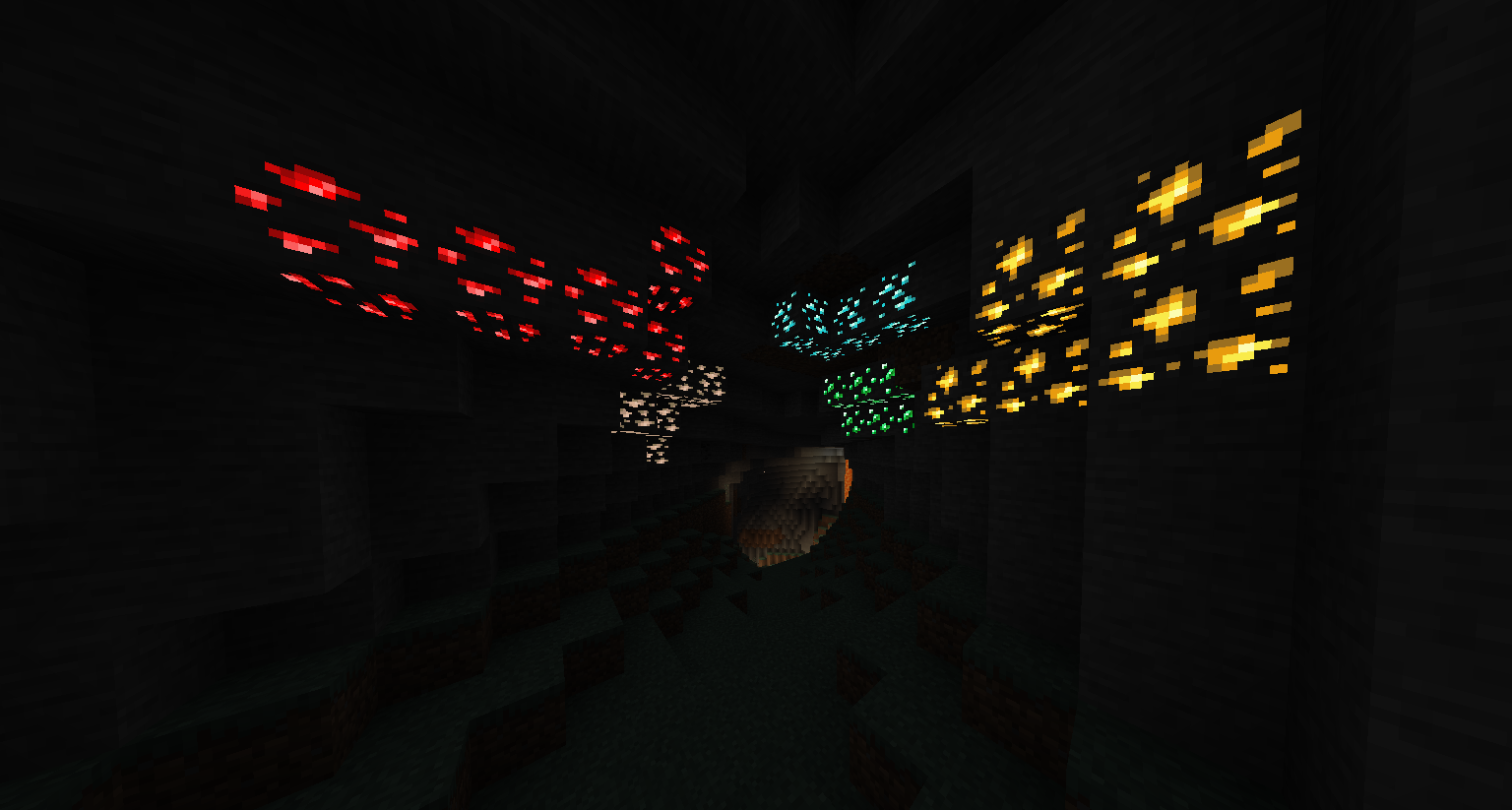
This pack makes it easier and faster to spot ores while mining, especially in dark caves.
by Hichamdev
Download Claim this project
16,740 downloads
0 likes
0 followers
Updated Oct 14, 2026
0 hypes
Follow0
16x Animated Modern
Advertisement Remove ads with Premium →

Aura Ores

Simple Glowing Ores

Downloads Version

What is this?

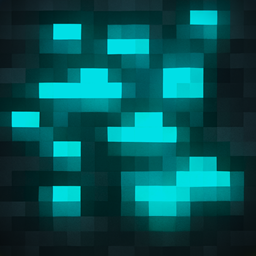
Aura Ores is a resource pack that adds an emissive glow to ores. It keeps the standard Vanilla textures but makes them visible in the dark, making mining easier without needing to place torches everywhere.
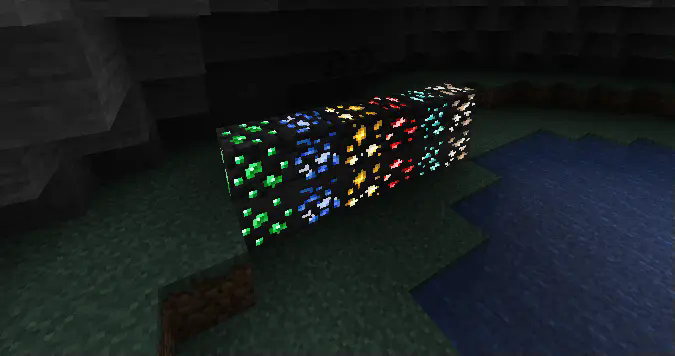
In Game Preview


Requirements

Important: For the ores to glow, you must install a mod that supports connected/emissive textures. Without these, the pack will look like default Minecraft.

Mod Loader Requirement Link
Fabric Continuity (Recommended) or OptiFabric Download Continuity
Forge / Neo OptiFine Download OptiFine

Note: If using Continuity, make sure "Emissive Textures" is enabled in the resource pack settings.


Features

Feature Description
High Visibility Spot Diamonds, Gold, and Iron easily in the dark.
Vanilla Style Retains the original ore textures; only the colored parts glow.
Lightweight Simple texture changes with minimal performance impact.

Installation

  1. Download the Aura Ores .zip file from the Files tab.
  2. Do not unzip it.
  3. Place the file into your .minecraft/resourcepacks folder.
  4. Launch the game and go to Options > Resource Packs.
  5. Move Aura Ores to the Selected column (Right side).
  6. Important: Ensure it is placed above any other texture packs.

Ores Aura.zip
MC 26.3
Release 2026-09-20 Get
Ores Aura.zip
MC 1.21, 1.20.2, 1.21.8, 1.20.5, 1.21.5, 1.21.4, 1.20.1, 1.20, 1.20.6, 1.21.1, 1.21.6, 1.21.3, 1.21.7, 1.20.4, 1.20.3, 1.21.2, 1.21.9, 1.21.10, 1.21.11, 26.1, 26.1.1, 26.1.2
Release 2026-06-17 Get
Ores Aura for 26.1
MC 26.1, 26.1.1, 26.1.2
Release 2026-03-25 Get
Ores Aura v1.8
MC 1.21, 1.20.2, 1.21.8, 1.20.5, 1.21.5, 1.21.4, 1.20.1, 1.20, 1.20.6, 1.21.1, 1.21.6, 1.21.3, 1.21.7, 1.20.4, 1.20.3, 1.21.2, 1.21.9, 1.21.10, 1.21.11
Release 2026-03-17 Get
Ores Aura-1.20.x
MC 1.20.2, 1.20.5, 1.20.1, 1.20, 1.20.6, 1.20.4, 1.20.3
Release 2026-01-23 Get
Ores Aura
MC 1.21, 1.21.8, 1.21.5, 1.21.4, 1.21.1, 1.21.6, 1.21.3, 1.21.7, 1.21.2, 1.21.9, 1.21.10, 1.21.11
Release 2026-01-06 Get
Ores Aura
MC 1.21, 1.21.8, 1.21.5, 1.21.4, 1.21.1, 1.21.6, 1.21.3, 1.21.7, 1.21.2, 1.21.9, 1.21.10, 1.21.11
Release 2025-12-25 Get
Ores Aura
MC 1.21.8, 1.21.6, 1.21.7, 1.21.9, 1.21.10
Release 2025-09-05 Get

Requirements & install

How to use this resource pack in Minecraft
Resolution
16x
Minecraft
1.21.8 – 26.3
Install folder
.minecraft/resourcepacks

How to install resource packs

  1. Download the resource pack .zip file (do not extract it).
  2. In Minecraft open Options → Resource Packs → Open Pack Folder.
  3. Drop the .zip into the resourcepacks folder (.minecraft/resourcepacks).
  4. Move the pack to the Selected column and click Done.
Browse more: 16x resource packs 32x resource packs 64x resource packs 128x resource packs 256x resource packs 512x+ resource packs Resource Packs for 26.3 All resource packs

More from Hichamdev

Advertisement Remove ads with Premium →

You Might Also Like