Solosis oo Form
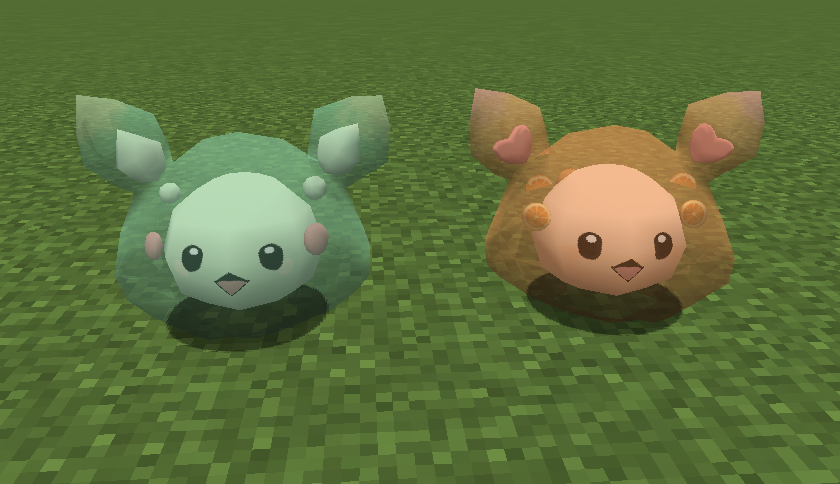
This Datapack adds a new form to Solosis named oo form, which themed after a cute slime Vtuber: oo.
Users can set it's obtaining method yourself!
This Vtuber holds her live stream on bilibili. Who could say no to a little cute grass type slime?
Oo's personal page link:
https://space.bilibili.com/84520595
Oo's room link:
https://live.bilibili.com/23132688
Make sure to download both the Data Pack and the Resource Pack!
- Oo uses an original model made by myself, including textures & sprites(refer to the model of Reuniclus).
- Oo is the relative of Solosis.
- Oo cannot evolve or breed.
- Oo is discovered in areas covered in lush green vegetation, so it's Grass type.
- Oo has a grass-theme moveset, with several pychic type moves.
- Shiny oo is in an orange style, which looks delicious(lol).
- Oo is considered as a galarian pixelmon, yet it only has gen8 tm & tr movesets.
- Oo has higher stats than Solosis.
- Oo's defense & special defense is kind of higher than it's relatives.
- Oo weights 6.0 kg and has larger size than Solosis.

For Pixelmon Reforged 9.0.1+
You'll need both the Datapack and Resource Pack for it to work properly!
Details of oo Solosis
We've built a wiki for custom pokemon creators to log their pokemons! See this oo Solosis on:
https://custom-pixelmon.fandom.com/wiki/Solosis/oo