Mineuniverse
Resource Packs
Only C418 Music 54 tracks optimized

Only C418 Music 54 tracks optimized

RESOURCE PACK
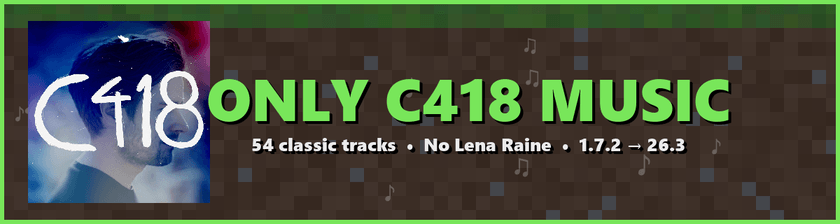
Adds all C418 tracks to Minecraft while removing Lena Raine's and other modern soundtrack additions, bringing back the classic nostalgic experience.
by Toni_Carter_Company_Mods_Inc
Download Claim this project
2,654 downloads
0 likes
0 followers
Updated Oct 14, 2026
0 hypes
Follow0
Data Packs Miscellaneous
Advertisement Remove ads with Premium →

Tired of hearing Minecraft's newer soundtrack instead of the nostalgic and unforgettable music of C418? Only C418 Music restores the classic atmosphere by replacing every modern track with the legendary soundtrack that defined Minecraft for millions of players.


  • 54 C418 tracks from Volume Alpha and Volume Beta.
  • Replaces all modern music: Lena Raine, Kumi Tanioka, Aaron Cherof and Amos Roddy tracks never play.
  • Covers every music context: menu, survival, creative, underwater, the End, credits, Nether and every biome (cherry grove, lush caves, deep dark, meadow, crimson forest…).
  • Greatly expands music variety in Survival mode.
  • Pure resource pack, works with vanilla, Forge, Fabric, NeoForge and Quilt.

  • FIXED: biome-specific music (1.16+ biomes, Nether biomes, underwater) no longer plays non-C418 tracks.
  • NEW: support for Minecraft 1.7.2 up to 26.3.
  • NEW: one file per version range with the correct pack format, so no "made for an older/newer version" warning.

Download the file that matches your Minecraft version:

  • 1.7.2 – 1.8.9 · 1.9 – 1.10.2 · 1.11 – 1.12.2
  • 1.13 – 1.14.4 · 1.15 – 1.16.1 · 1.16.2 – 1.16.5
  • 1.17.x · 1.18.x · 1.19 – 1.19.2 · 1.19.3 · 1.19.4
  • 1.20 – 1.20.1 · 1.20.2 – 1.21.8 · 1.21.9 – 26.3

  1. Download the zip for your version (do not unzip it).
  2. Open Minecraft → Options → Resource Packs → Open Pack Folder.
  3. Drop the zip in that folder, enable ONLY C418 MUSIC and click Done.
  4. Make sure the Music volume is turned up and enjoy!

Whether you're exploring caves, building your base, or simply watching the sunset, experience Minecraft the way you remember it: with the timeless music of C418.

Author: tonicarter

ONLY_C418_MUSIC_1.7.2-1.8.9
MC 1.8.7, 1.7.4, 1.7.7, 1.7.6, 1.7.5, 1.7.3, 1.7.2, 1.8.8, 1.8.4, 1.7.9, 1.8-Snapshot, 1.8.3, 1.7.10, 1.8, 1.7.8, 1.8.6, 1.8.9, 1.8.1, 1.8.5, 1.8.2
Release 2026-09-29 Get
ONLY_C418_MUSIC_1.9-1.10.2
MC 1.9.3, 1.9.1, 1.10.2, 1.10-Snapshot, 1.9.4, 1.9.2, 1.10, 1.10.1, 1.9-Snapshot, 1.9
Release 2026-09-29 Get
ONLY_C418_MUSIC_1.11-1.12.2
MC 1.12.1, 1.12, 1.11, 1.11.1, 1.11.2, 1.12-Snapshot, 1.11-Snapshot, 1.12.2
Release 2026-09-29 Get
ONLY_C418_MUSIC_1.13-1.14.4
MC 1.13.1, 1.14.3, 1.13, 1.14.4, 1.14.1, 1.14, 1.13-Snapshot, 1.14-Snapshot, 1.13.2, 1.14.2
Release 2026-09-29 Get
ONLY_C418_MUSIC_1.15-1.16.1
MC 1.16-Snapshot, 1.15-Snapshot, 1.16.1, 1.15, 1.16, 1.15.2, 1.15.1
Release 2026-09-29 Get
ONLY_C418_MUSIC_1.16.2-1.16.5
MC 1.16.3, 1.16.5, 1.16.2, 1.16.4
Release 2026-09-29 Get
ONLY_C418_MUSIC_1.17-1.17.1
MC 1.17.1, 1.17, 1.17-Snapshot
Release 2026-09-29 Get
ONLY_C418_MUSIC_1.18-1.18.2
MC 1.18.1, 1.18, 1.18.2, 1.18-Snapshot
Release 2026-09-29 Get
ONLY_C418_MUSIC_1.19-1.19.2
MC 1.19-Snapshot, 1.19.1, 1.19.2, 1.19
Release 2026-09-29 Get
ONLY_C418_MUSIC_1.19.3
MC 1.19.3, 1.19.3-Snapshot
Release 2026-09-29 Get
ONLY_C418_MUSIC_1.19.4
MC 1.19.4, 1.19.4-Snapshot
Release 2026-09-29 Get
ONLY_C418_MUSIC_1.20-1.20.1
MC 1.20.1, 1.20, 1.20-Snapshot
Release 2026-09-29 Get
ONLY_C418_MUSIC_1.20.2-1.21.8
MC 1.21.2-Snapshot, 1.21, 1.21.6-snapshot, 1.20.2-Snapshot, 1.20.5-Snapshot, 1.21.1-Snapshot, 1.20.2, 1.21.8, 1.20.5, 1.21.5, 1.21.4, 1.21.5-Snapshot, 1.20.6, 1.21.1, 1.21.6, 1.21.3
Release 2026-09-29 Get
ONLY_C418_MUSIC_1.21.9-26.x
MC 1.21.9-snapshot, 1.21.9, 1.21.10, 1.21.11-snapshot, 1.21.11, 26.1, 26.1.1, 26.1.2, 26.2, 26.3
Release 2026-09-29 Get

Requirements & install

How to use this resource pack in Minecraft
Resolution
Not specified
Minecraft
1.21.10 – 26.3
Install folder
.minecraft/resourcepacks

How to install resource packs

  1. Download the resource pack .zip file (do not extract it).
  2. In Minecraft open Options → Resource Packs → Open Pack Folder.
  3. Drop the .zip into the resourcepacks folder (.minecraft/resourcepacks).
  4. Move the pack to the Selected column and click Done.
Browse more: 16x resource packs 32x resource packs 64x resource packs 128x resource packs 256x resource packs 512x+ resource packs Resource Packs for 26.3 All resource packs

More from Toni_Carter_Company_Mods_Inc

Advertisement Remove ads with Premium →

You Might Also Like