Mineuniverse
Resource Packs
Ollie's Better Weapons!

Ollie's Better Weapons!

RESOURCE PACK
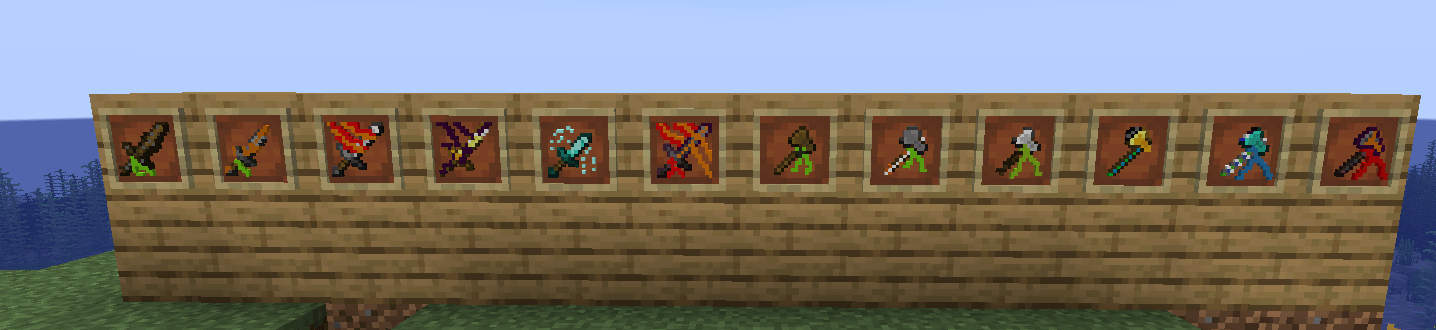
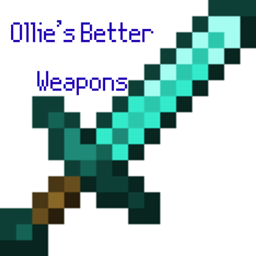
Ollie’s Better Weapons redefines Minecraft’s arsenal with enhanced swords, axes, and spears, delivering a sleek, battle-ready look.
by OllieTheKingYT
Download Claim this project
258 downloads
0 likes
0 followers
Updated Oct 14, 2026
0 hypes
Follow0
32x Modern
Advertisement Remove ads with Premium →

Ollie’s Better Weapons – A Complete Arsenal Upgrade! Step into a new era of combat with Ollie’s Better Weapons, a texture pack designed to enhance and modernise Minecraft’s arsenal! Gone are the classic medieval weapons—enter a sleek, battle-ready collection of swords, axes, and tridents, each reimagined with improved visuals for a sharper, more immersive experience. But the biggest transformation? The bow and arrow have been fully modernised into a pistol and bullets, giving ranged combat a fresh new feel! Whether you're slashing through enemies with a refined blade or taking precise gunfire from a distance, this pack brings a dynamic new energy to every fight. 🛠 Features & Changes ✅ Revamped Swords & Axes – Cleaner, more defined textures for a battle-ready look. ✅ Enhanced Spear Design – A refined weapon aesthetic for players who prefer close combat. ✅ Bow-to-Pistol Transformation – Say goodbye to bows—now it’s a modern firearm! ✅ Arrows Become Bullets – Ranged combat now feels more immersive and intense. ✅ Simple 32x Textures – A clean upgrade without heavy detail, staying true to Minecraft’s style

Ollie's Better Weapons1.21.6.zip
MC 1.21, 1.21.5, 1.21.4, 1.21.3, 1.21.1, 1.21.6, 1.21.2
Release 2025-06-30 Get
Ollie's Better Weapons.zip
MC 1.21, 1.21.5, 1.21.4, 1.21.3, 1.21.1, 1.21.6, 1.21.2
Release 2025-06-29 Get
Ollie's Better Weapons.zip
MC 1.21, 1.21.5, 1.21.4, 1.21.3, 1.21.1, 1.21.2
Release 2025-05-26 Get

Requirements & install

How to use this resource pack in Minecraft
Resolution
32x
Minecraft
1.21 – 1.21.6
Install folder
.minecraft/resourcepacks

How to install resource packs

  1. Download the resource pack .zip file (do not extract it).
  2. In Minecraft open Options → Resource Packs → Open Pack Folder.
  3. Drop the .zip into the resourcepacks folder (.minecraft/resourcepacks).
  4. Move the pack to the Selected column and click Done.
Browse more: 16x resource packs 32x resource packs 64x resource packs 128x resource packs 256x resource packs 512x+ resource packs Resource Packs for 1.21.6 All resource packs

More from OllieTheKingYT

Advertisement Remove ads with Premium →

You Might Also Like