Mineuniverse
Resource Packs
[Official] Silent Hill Resource Pack 64X 1.6.4

[Official] Silent Hill Resource Pack 64X 1.6.4

RESOURCE PACK
[Official] Silent Hill Resource Pack 64X 1.6.4
by Lobselvith_Black
Download Claim this project
Add a badge to your pageLink to [Official] Silent Hill Resource Pack 64X 1.6.4 from a README, website or forum post.
Preview: Badge

Badges update automatically and link to the resource pack page on MineUniverse.

168,701 downloads
0 likes
0 followers
Updated Oct 14, 2026
0 hypes
Follow0
Miscellaneous
Advertisement Remove ads with Premium →

Silent Hill Resource Pack 64x

Video Link: ==

RedXuchilbara Silent hill Resource Pack "New Video" 7-26-2013

Description ==

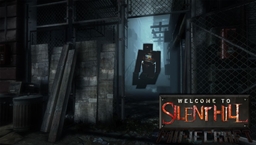
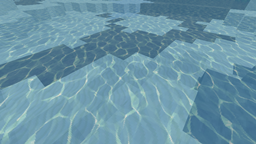
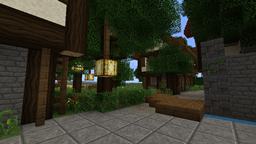
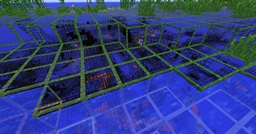
Silent Hill Texture Pack, is a texture pack inspired and themed after the Silent Hill franchise

It basically makes minecraft not look like minecraft anymore, instead gives it the character, atmosphere, and chills of a horror game, replacing happy looking minecraft with a moodier setting.

I suggest this texture pack for anyone that wants to make there Minecraft experience scary, ether for Adventure maps, or Gothic building settings, it's also pretty good for building castles.

but if you scare easy do not use this texture pack it maybe too much for you!!

http://img849.imageshack.us/img849/7752/screen0003c.jpg

"Silent Hill Texture Pack"

"update"
"1.6.2+"

added the ability to make a full Rug, and Welcome Mat,
see below picture for guide to make the rug

http://img543.imageshack.us/img543/5747/bq1h.jpg

http://img62.imageshack.us/img62/6782/do75.png

Added new Mob sounds for:


  • Zombies
  • Ghasts
  • Villagers

Added new Music, and Cave sounds

More coming soon.

DownLoads: ==

Texture pack Available in:

64X
http://www.curse.com/texture-packs/minecraft/silent-hill-texture-pack-64x

128X
http://www.curse.com/texture-packs/minecraft/silent-hill-texturepack

256X

http://www.curse.com/texture-packs/minecraft/silent-hill-texture-pack-256x

Silent_Hill_Texture_Pack_64x_1.6.2.zip
MC 1.6.2
Release 2013-07-27 Get

Requirements & install

How to use this resource pack in Minecraft
Resolution
Not specified
Minecraft
1.6.2
Install folder
.minecraft/resourcepacks

How to install resource packs

  1. Download the resource pack .zip file (do not extract it).
  2. In Minecraft open Options → Resource Packs → Open Pack Folder.
  3. Drop the .zip into the resourcepacks folder (.minecraft/resourcepacks).
  4. Move the pack to the Selected column and click Done.
Browse more: 16x resource packs 32x resource packs 64x resource packs 128x resource packs 256x resource packs 512x+ resource packs Resource Packs for 1.6.2 All resource packs

More from Lobselvith_Black

Advertisement Remove ads with Premium →

You Might Also Like