Obscura's Simple Storage — Legacy Textures
Bring back the classic, familiar look of Tom's Simple Storage to your game! This resource pack restores the original high-quality "Legacy" textures for both the original mod and its heavily optimized fork, Obscura's Simple Storage.
💎 Key Features:
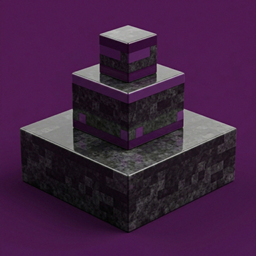
- Classic Visuals: Restores the original textures for Terminals, Cables, Connectors, and Crafting Tables.
- Original GUIs: Reverts the interface menus (Storage Terminal, Crafting Terminal) to their iconic legacy designs.
- Broad Compatibility: Built to work across all Minecraft versions (1.16.5, 1.18.2, 1.19.2, 1.20.1, 1.21.1, and beyond).
- Fork Support: Specifically designed to override textures in Obscura's Simple Storage while maintaining the engine's performance.
🛠️ Included Assets:
- Blocks: Inventory Cable, Connector, Interface, Proxy, and Trim.
- Items: Wireless Terminal, Advanced Wireless Terminal, Paint Kit, and Filters.
- UI: Full sprite overrides for the Storage and Crafting inventory screens.
❓ How to Install:
- Download the
.zip file from the Files tab.
- Place it in your
.minecraft/resourcepacks/ folder.
- In-game, navigate to Options > Resource Packs.
- Move Obscura's Simple Storage - Legacy Textures to the top of the list.
This is a client-side texture pack. It does not require any additional server-side setup.
Keywords: Tom's Simple Storage, Obscura's Simple Storage, Legacy Textures, Classic Textures, Storage Mod, Optimization, Minecraft 1.21.1, 1.20.1.
Massive thanks and all original conceptual and foundation credit goes to tom5454, the creator of the original codebase. This incredibly optimized fork would not exist without their fantastic foundational work!