Mineuniverse
Resource Packs
Numbered Levels

Numbered Levels

RESOURCE PACK
No more hard-to-read roman numerals!
by ChicknTurtle
Download Claim this project
2,206 downloads
0 likes
Updated Oct 14, 2026
0 hypes
Font Packs Miscellaneous Mod Support
Advertisement Remove ads with Premium →

Numbered Levels


ChicknTurtle ChicknTurtle Downloads Downloads

Features

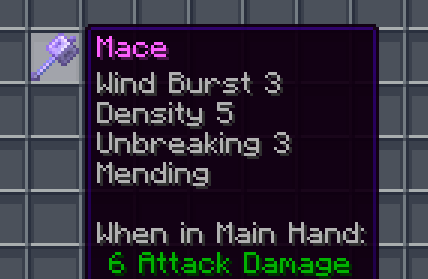
✨ Enchantment levels are displayed as numbers
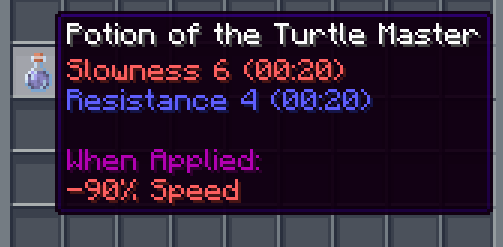
🧪 Potion potencies are displayed as numbers
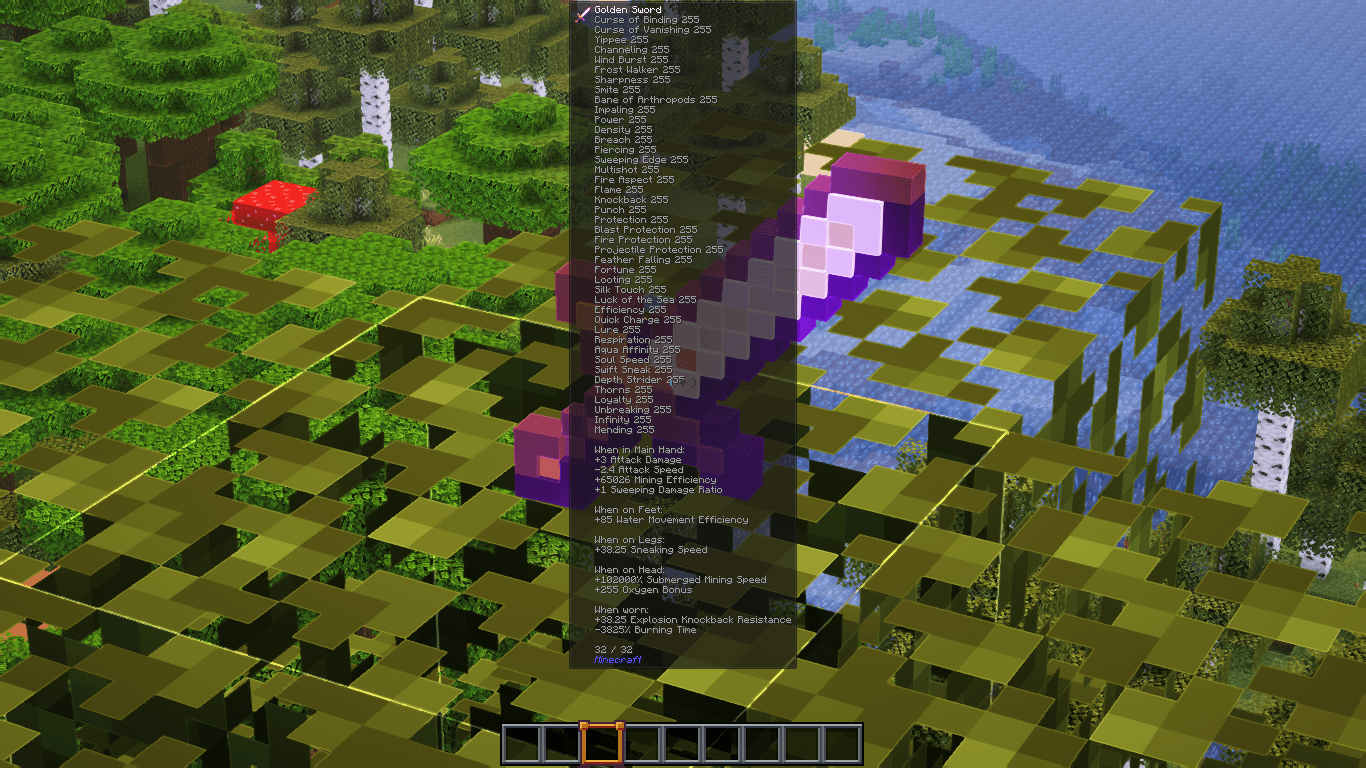
🛠️ Fixes "enchantment.level.255" when levels are above level 10 (or 6 for potions)
🌐 Works in all 137 of Minecraft's supported languages (as of 1.21.8)

Info

Examples:

  • Sharpness IV → Sharpness 4
  • Instant Damage II → Instant Damage 2
  • Mending (unchanged)
  • Unbreaking I → Unbreaking 1
  • Protection enchantment.level.255 → Protection 255
  • Strength potion.potency.10 → Strength 10

Feel free to modify this pack or include it in a modpack!


💚 Make sure to follow!

Numbered Levels v1.1
MC 1.16.3, 1.13.1, 1.16-Snapshot, 1.17.1, 1.21.2-Snapshot, 1.21, 1.21.6-snapshot, 1.15-Snapshot, 1.16.1, 1.18.1, 1.20.2-Snapshot, 1.20.5-Snapshot, 1.14.3, 1.15, 1.16, 1.13
Release 2025-08-29 Get

Requirements & install

How to use this resource pack in Minecraft
Resolution
Not specified
Minecraft
1.16.3 – 1.21.6-snapshot
Install folder
.minecraft/resourcepacks

How to install resource packs

  1. Download the resource pack .zip file (do not extract it).
  2. In Minecraft open Options → Resource Packs → Open Pack Folder.
  3. Drop the .zip into the resourcepacks folder (.minecraft/resourcepacks).
  4. Move the pack to the Selected column and click Done.
Browse more: 16x resource packs 32x resource packs 64x resource packs 128x resource packs 256x resource packs 512x+ resource packs Resource Packs for 1.21.6-snapshot All resource packs

More from ChicknTurtle

Advertisement Remove ads with Premium →

You Might Also Like