Mineuniverse
Resource Packs
Nostalpha Pack

Nostalpha Pack

RESOURCE PACK
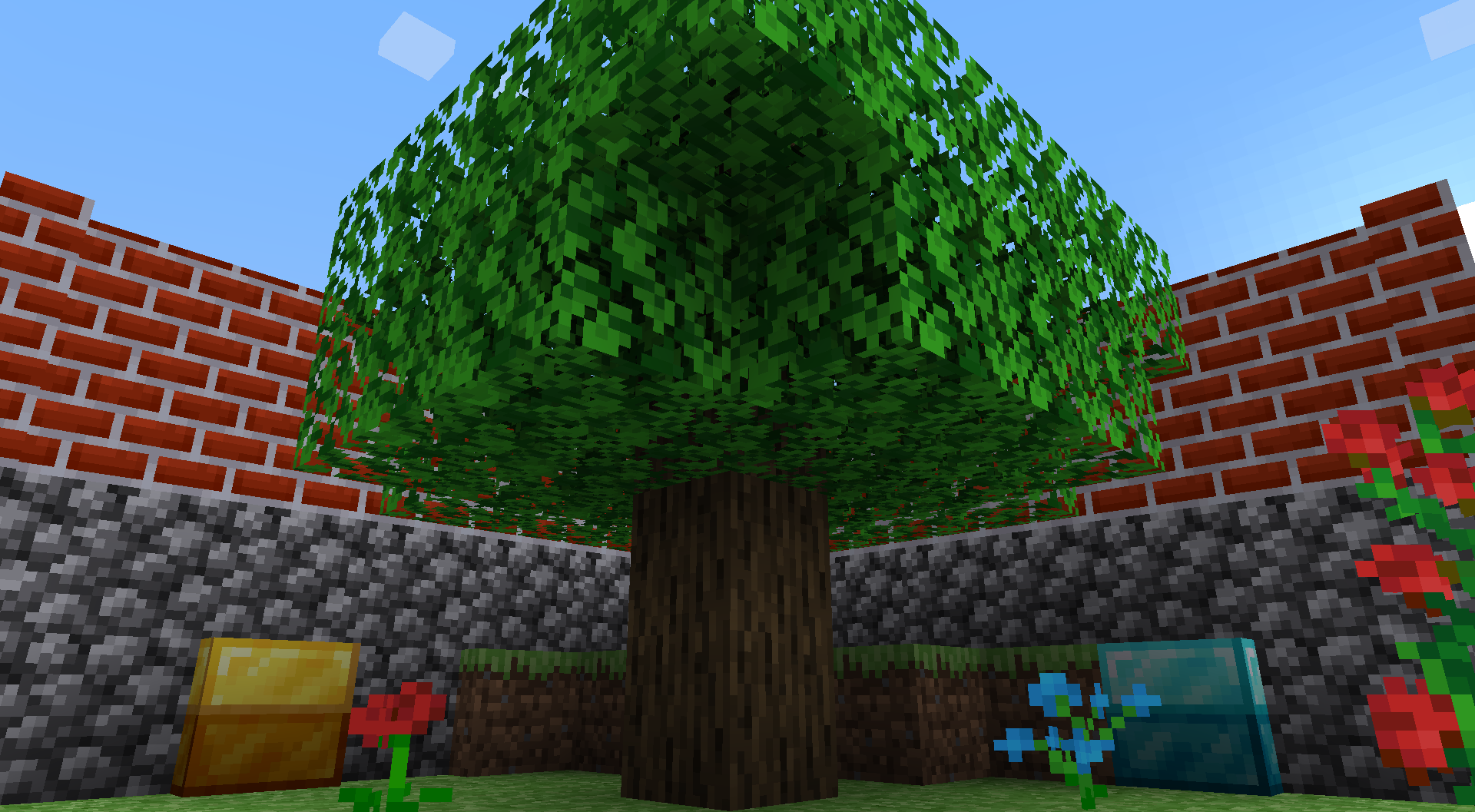
A pack that adds beta palettes to Jappa's 1.14 textures.
by Shock_Micro
Download Claim this project
6,965 downloads
0 likes
Updated Oct 14, 2026
0 hypes
16x Traditional
Advertisement Remove ads with Premium →

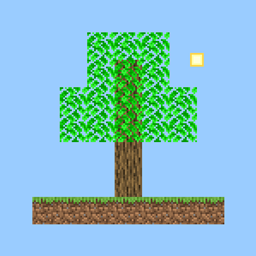
Have you ever wanted the feel of Minecraft Alpha, but hate Programmer Art? This pack will allow you to experience the best of both worlds!


Changes:

- Grass (colormap change by Vanilla Tweaks)

- All flowers

- Cobblestone and Mossy Cobblestone

- Bricks

- All leaves

- All saplings

- Ferns

- Light Blue, Magenta, Purple, and Red Wool

- Bed item textures instead of models (Thanks to Modding Legacy for porting them from Bedrock)

- Cod are now generic fish (Thanks to Byper for the bucketed texture, and Jappa himself for the raw/cooked fish items)

- OOF


As of v1.4, the classic GUI changes have been moved to a new resource pack, check it here:

https://www.curseforge.com/minecraft/texture-packs/classic-gui


If you want to get updated about this pack and many others, make sure to join my Discord and follow my Twitter!

Nostalpha Pack
MC 1.18.1
Release 2022-01-22 Get
Nostalpha Pack
MC 1.17, 1.17-Snapshot
Release 2021-07-04 Get
Nostalpha Pack
MC 1.17, 1.17-Snapshot
Release 2021-07-02 Get
Nostalpha Pack v1.4
MC 1.16.1
Release 2020-08-06 Get
Nostalpha v1.3
MC 1.16-Snapshot, 1.15-Snapshot, 1.16.1, 1.15, 1.16, 1.15.2, 1.15.1
Release 2020-06-26 Get
Nostalpha v1.2
MC 1.16-Snapshot, 1.15-Snapshot, 1.15, 1.15.2, 1.15.1
Release 2020-06-19 Get
Nostalpha v1.0
MC 1.16-Snapshot, 1.15-Snapshot, 1.15, 1.15.2, 1.15.1
Release 2020-06-07 Get
Nostalpha v1.1
MC 1.16-Snapshot, 1.15-Snapshot, 1.15, 1.15.2, 1.15.1
Release 2020-06-07 Get

Requirements & install

How to use this resource pack in Minecraft
Resolution
16x
Minecraft
1.15.1 – 1.18.1
Install folder
.minecraft/resourcepacks

How to install resource packs

  1. Download the resource pack .zip file (do not extract it).
  2. In Minecraft open Options → Resource Packs → Open Pack Folder.
  3. Drop the .zip into the resourcepacks folder (.minecraft/resourcepacks).
  4. Move the pack to the Selected column and click Done.
Browse more: 16x resource packs 32x resource packs 64x resource packs 128x resource packs 256x resource packs 512x+ resource packs Resource Packs for 1.18.1 All resource packs

More from Shock_Micro

Advertisement Remove ads with Premium →

You Might Also Like