Mineuniverse
Resource Packs
Normal Emerald Blocks (32X32)

Normal Emerald Blocks (32X32)

RESOURCE PACK
Makes emerald block look like other blocks (1.5)
by _ForgeUser9160759
Download Claim this project
2,720 downloads
0 likes
Updated Oct 14, 2026
0 hypes
Miscellaneous
Advertisement Remove ads with Premium →

Brief Description

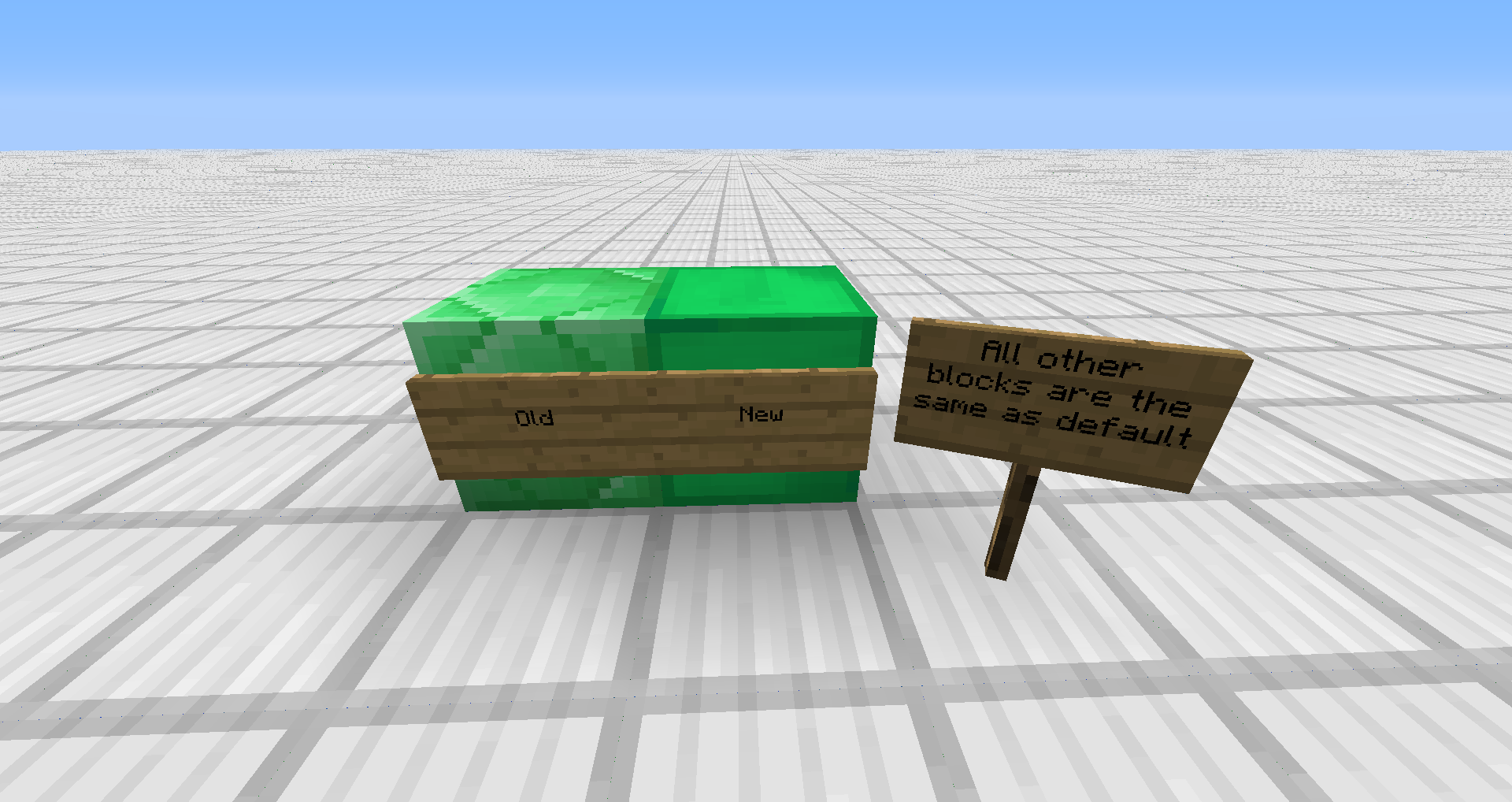
Makes emerald block look like other blocks- This means that when you have the emerald block, it looks more like a green diamond or gold block, rather than the default emerald.

Recent Changes

  • In version 1.1, I have updated the emerald to look more "shiny" like.

Changes to Blocks

Side by Side (Updated) -Changes to Emerald Block

Questions? Comments? Issues?

Please feel free to comment below. I am always checking :)

Emerald.zip
MC CB 1.5.1-R0.1
Release 2013-04-07 Get
Emerald.zip
MC 1.5.1
Release 2013-04-04 Get
Emerald.zip
MC CB 1.4.7-R1.0
Beta 2013-02-01 Get
Emerald.zip
MC 1.5.0
Release 2013-01-31 Get

Requirements & install

How to use this resource pack in Minecraft
Resolution
Not specified
Minecraft
1.5.0 – 1.5.1
Install folder
.minecraft/resourcepacks

How to install resource packs

  1. Download the resource pack .zip file (do not extract it).
  2. In Minecraft open Options → Resource Packs → Open Pack Folder.
  3. Drop the .zip into the resourcepacks folder (.minecraft/resourcepacks).
  4. Move the pack to the Selected column and click Done.
Browse more: 16x resource packs 32x resource packs 64x resource packs 128x resource packs 256x resource packs 512x+ resource packs Resource Packs for 1.5.1 All resource packs
Advertisement Remove ads with Premium →

You Might Also Like