Mineuniverse
Resource Packs
NoPumpkinBlur

NoPumpkinBlur

RESOURCE PACK
NoPumpkinBlur is a clear and effective name for a Minecraft resource pack that removes the pumpkin overlay effect when wearing a carved pumpkin.
by Jakomi1
Download Claim this project
3,973 downloads
0 likes
0 followers
Updated Oct 14, 2026
0 hypes
Follow0
16x Miscellaneous
Advertisement Remove ads with Premium →

ClearView Pumpkin Overlay Remover

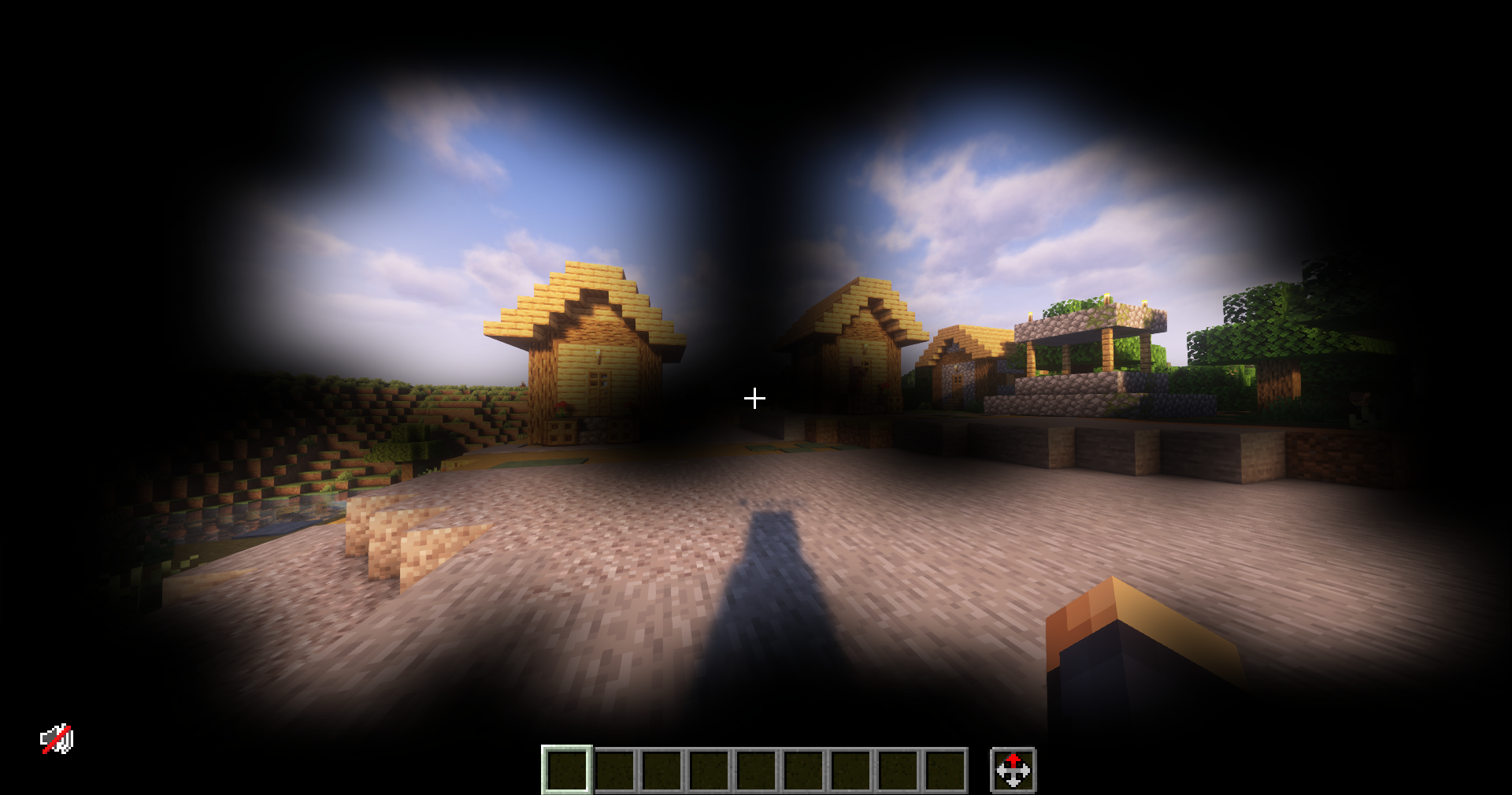
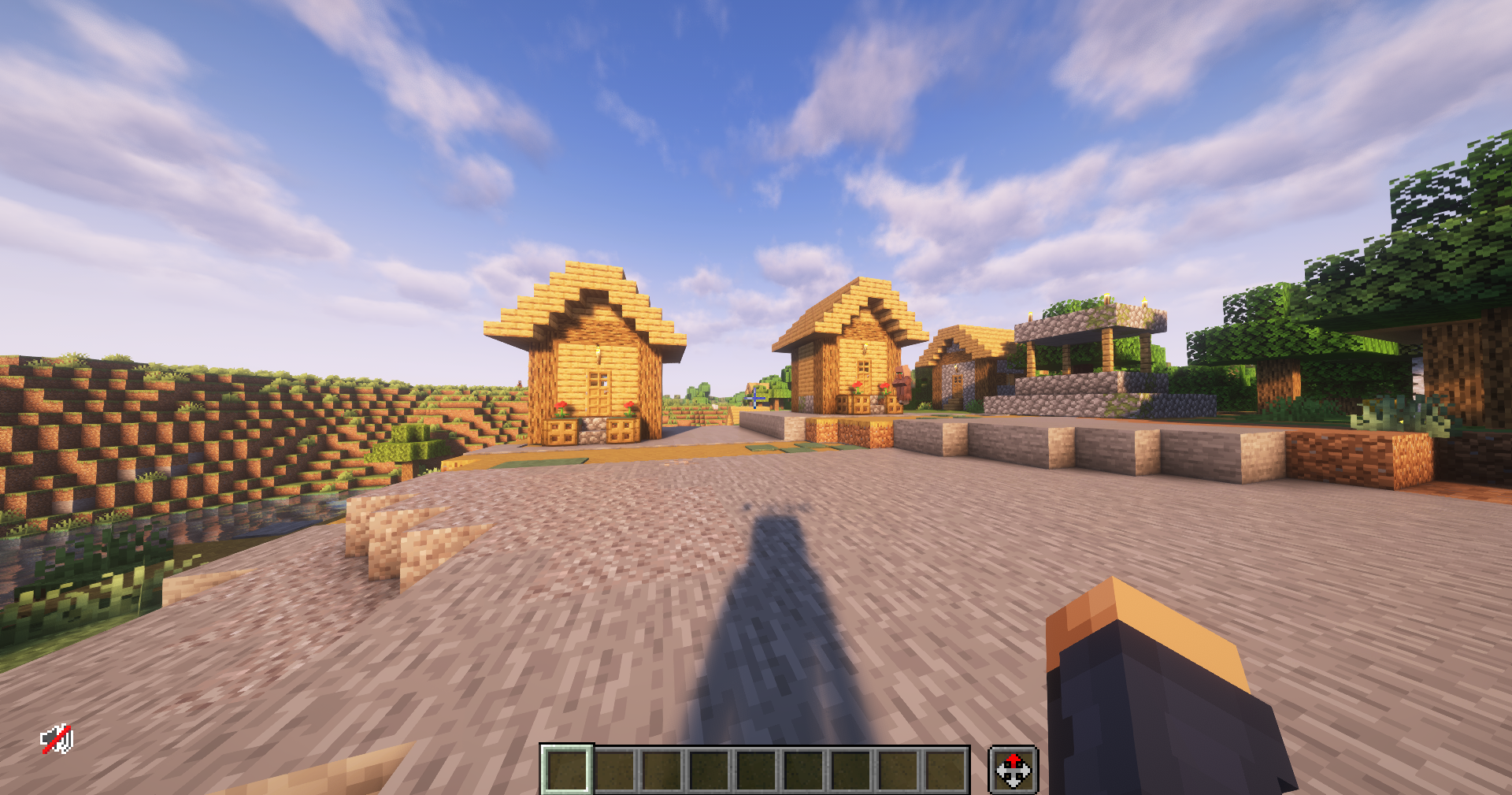
Experience Minecraft with enhanced clarity and immersion! This simple yet effective mod removes the annoying pumpkin overlay that appears whenever you wear a pumpkin on your head. No more obstructed vision or distracting textures blocking your view during exploration, builds, or battles.

Features:

  • Overlay Removal: Completely disables the classic pumpkin blur effect for a clean, unobstructed screen.
  • Lightweight & Minimal: No performance impact—just a subtle quality-of-life improvement.
  • Seamless Compatibility: Works with any resource pack or mod that uses the standard pumpkin overlay texture.
  • Easy Installation: Drop it in your mods folder and enjoy instantly.

Whether you're into creative building or hardcore survival, this mod lets you wear pumpkins without losing sight of your beautiful Minecraft world.

Clear your view and keep the fun!

NoPumpkinBlur-1.0.2.zip
MC 1.21.9-snapshot, 1.21.9, 1.21.10, 1.21.11-snapshot, 1.21.11, 26.1, 26.1.1, 26.1.2, 26.2
Release 2026-07-07 Get
NoPumpkinBlur-1.0.1.zip
MC 1.21.2-Snapshot, 1.21, 1.21.6-snapshot, 1.18.1, 1.20.2-Snapshot, 1.20.5-Snapshot, 1.19-Snapshot, 1.21.1-Snapshot, 1.19.3, 1.20.2, 1.19.4, 1.21.8, 1.19.4-Snapshot, 1.20.5, 1.21.5
Release 2025-11-25 Get
NoPumpkinBlur.zip
MC 1.19.3, 1.20.2, 1.21.2-Snapshot, 1.21, 1.21.6-snapshot, 1.19.4-Snapshot, 1.20.5, 1.21.5, 1.20.2-Snapshot, 1.20.5-Snapshot, 1.19.4, 1.21.8, 1.19-Snapshot, 1.21.1-Snapshot, 1.21.4
Release 2025-07-30 Get

Requirements & install

How to use this resource pack in Minecraft
Resolution
16x
Minecraft
1.21.9 – 26.2
Install folder
.minecraft/resourcepacks

How to install resource packs

  1. Download the resource pack .zip file (do not extract it).
  2. In Minecraft open Options → Resource Packs → Open Pack Folder.
  3. Drop the .zip into the resourcepacks folder (.minecraft/resourcepacks).
  4. Move the pack to the Selected column and click Done.
Browse more: 16x resource packs 32x resource packs 64x resource packs 128x resource packs 256x resource packs 512x+ resource packs Resource Packs for 26.2 All resource packs

More from Jakomi1

Advertisement Remove ads with Premium →

You Might Also Like